Clock In & Out Hours Tracker

Clock In & Out Hours Tracker


Download on App Store
Logo of Clock In & Out Hours Tracker

Clock In & Out Hours Tracker: Take Total Control of Your Work Hours and Earnings

The ultimate mobile timesheet for shift workers and freelancers. Track every second, calculate overtime automatically, and get real-time payroll insights so you always get paid what you're worth.

Publisher

Jasmine Rakesh Patel

Category

Business

Downloads

64K+

User Rating

3.9/5

Total Ratings

0

Locales

1

Precision at a Glance

Discover the interface used by 64K+ users.

A woman using her smartphone to track work hours and increase productivity

A woman using her smartphone to track work hours and increase productivity

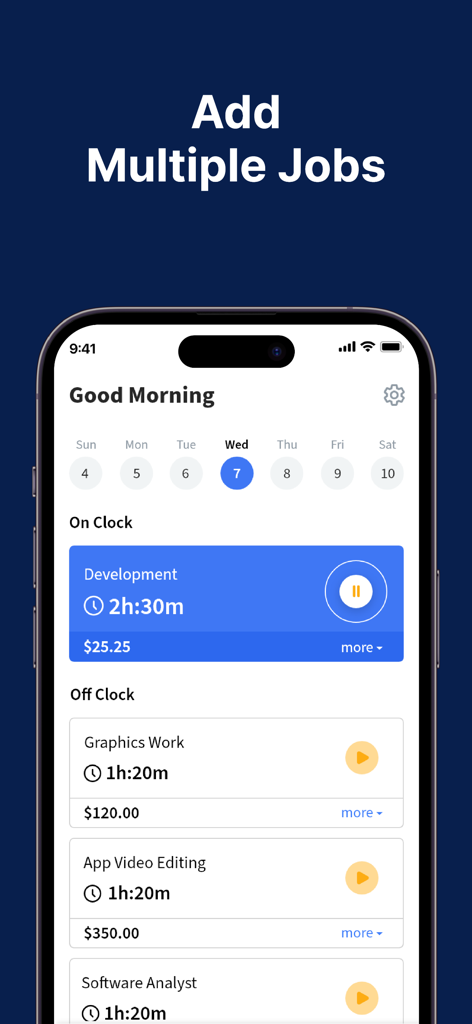
A mobile app interface showing a dashboard with multiple tracked jobs and their corresponding work hours and earnings.

A mobile app interface showing a dashboard with multiple tracked jobs and their corresponding work hours and earnings.

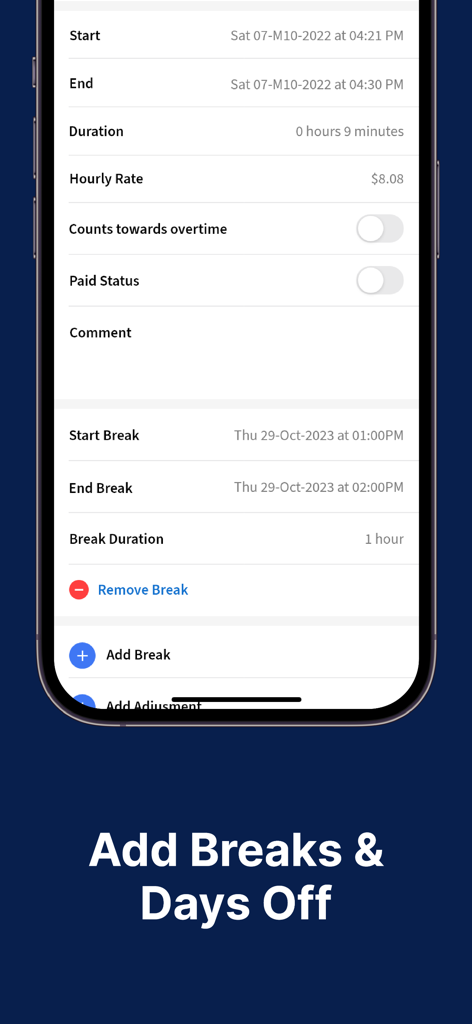
Interface of the Clock In and Out app showing shift duration details and options to add or remove breaks

Interface of the Clock In and Out app showing shift duration details and options to add or remove breaks

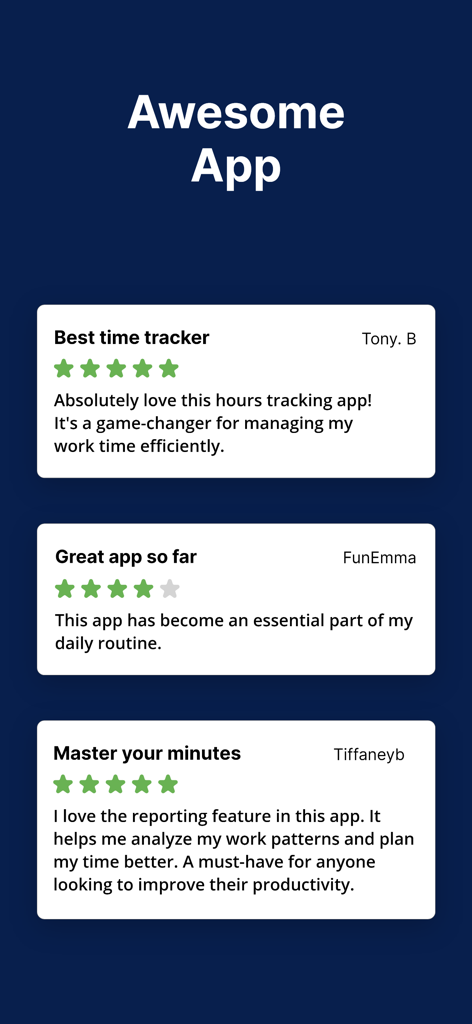
Three positive user reviews and testimonials for the Clock In and Out Hours Tracker app

Three positive user reviews and testimonials for the Clock In and Out Hours Tracker app

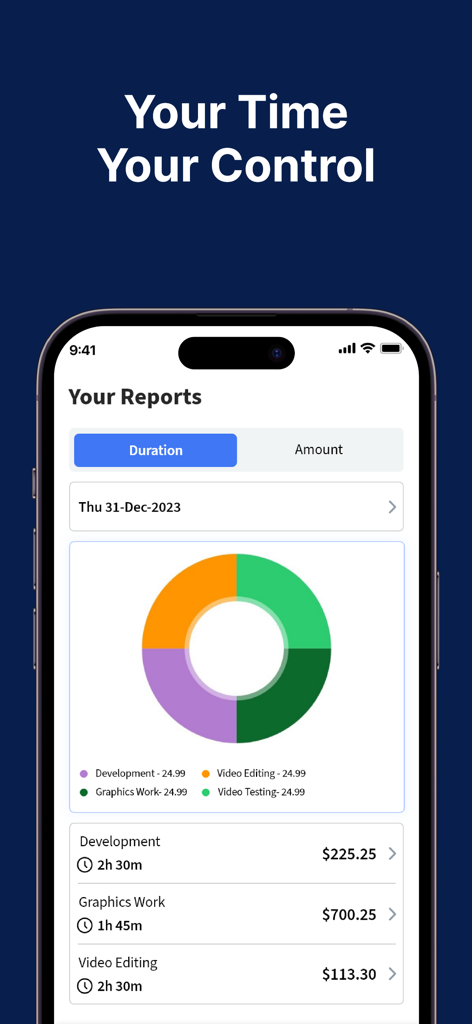
Clock In and Out Hours Tracker app reports screen showing work duration and earnings distribution chart

Clock In and Out Hours Tracker app reports screen showing work duration and earnings distribution chart

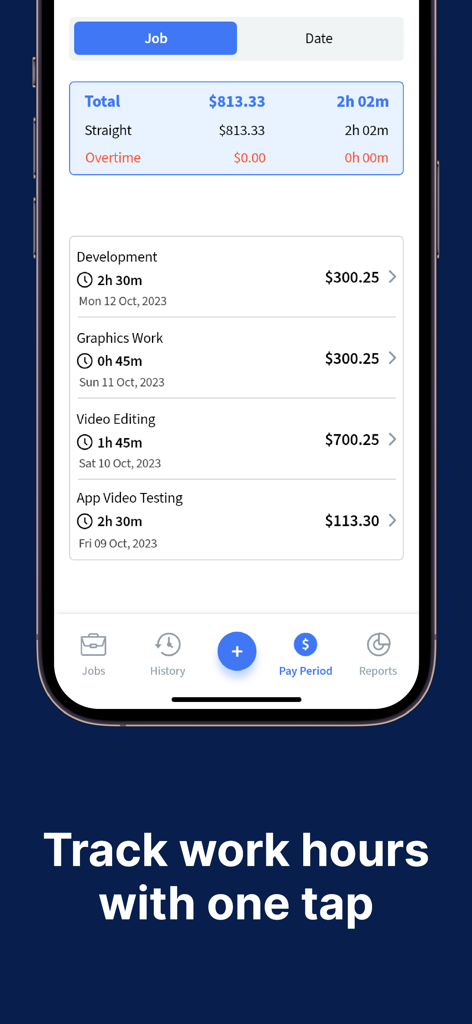
Mobile app interface showing tracked work hours and earnings for multiple jobs including development and video editing.

Mobile app interface showing tracked work hours and earnings for multiple jobs including development and video editing.

Take Control of Every Working Second

The tools that make this app stand out, trusted by 64K+ users.

💰

Real-Time Payroll Insights

Stop wondering about your next paycheck. Track your earnings, calculate overtime automatically, and see your bankable total grow as you work.

Frictionless Tap-and-Go

Clock in, pause for lunch, or switch shifts instantly from your iPhone or Apple Watch. No manual logs, no mistakes, just perfect accuracy.

📄

Professional Proof of Work

Generate detailed worklogs and verified timesheets to bill clients or reconcile payroll gaps. It is your ultimate record for financial transparency.

About the app

Everything you need to know about Clock In & Out Hours Tracker.

Description

Ready to take control of your work hours and boost productivity? Meet Work Hours Tracker: Timesheet—the ultimate app for accurately logging your hours, pay, and overtime. Whether you punch in for an hourly job, track multiple shifts, or just need a handy timecard solution, we’ve got you covered. Effortless Tracking & Scheduling - Precision Timers: Track your hours down to the second—no more guessing how much overtime you’ve racked up. - Smart Pause & Resume: Clock in, pause for a break, then clock back in with a tap. Perfect for lunch breaks, quick errands, or unexpected interruptions. Flexible Worklog & Scheduling: Update your schedule or shift details anytime, anywhere. Great for freelancers, gig workers, or anyone juggling multiple jobs. Overtime, Payroll & More: - Overtime Calculation: Keep tabs on extra hours effortlessly—know when you hit your limit. - Payroll Insights: Track how much you’re earning on each shift for accurate paychecks. - Timecard Organization: Everything in one place—no more paper timesheets or scattered spreadsheets. Visualize Your Progress: - Daily, Weekly, or Monthly View: Quickly see your total hours, pay, or overtime to plan ahead. - Detailed Worklog: Filter by job or shift to get a clear overview of your productivity and earnings. - Custom Notifications: Set reminders so you’ll never forget to punch in, clock out, or review timesheets. Why You’ll Love It: - User-Friendly Interface: No steep learning curve—jump right in and start tracking. - Built for Everyone: Ideal for hourly employees, contractors, freelancers, and business owners. - Cut the Stress: Automatic calculations mean fewer mistakes and more peace of mind. Who Benefits? - Hourly Employees wanting accurate timesheets for payroll. - Shift Workers balancing multiple schedules or variable hours. - Freelancers & Contractors needing a reliable job tracker to bill clients accurately. - Managers & Entrepreneurs eager to streamline team schedules and track labor costs. Breaks, Pauses & Beyond: Life doesn’t stop just because you’re on the clock. Incorporate breaks, lunch pauses, or quick off-the-job tasks into your daily timesheet with ease. Stay Organized, Stay Efficient: - Integrated Worklog & Schedule: Manage multiple shifts, jobs, or timecard entries without hassle. - Fast Editing: Need to fix a late punch or adjust a clock-out time? Do it instantly—no complicated steps. - Personalized Notes: Add memos about each shift or task. Perfect for tracking tips, project details, or other important info. Ready to Simplify Your Workday? Work Hours Tracker: Timesheet makes sure you never lose track of valuable hours again. With the calculator-like precision of our timers and the convenience of on-the-go scheduling, it’s your all-in-one solution. Download now to see why so many people are making the switch from outdated spreadsheets to a modern, streamlined approach. Start managing your shifts, pay, overtime, and schedule effortlessly—every day. Note: Some features may vary by device. For more information, visit our support page or check the in-app FAQ. Privacy Policy: https://hourstracker-faq.gosukuza.com/main/articles/1616132094033 Terms of Use: https://hourstracker-faq.gosukuza.com/main/articles/1616132094266

Latest Version

10.0.2

Size

101.1 MB

First Released

Apr 21, 2019

Ready to Get Paid Exactly What You’re Owed?

Join over 64,000 freelancers and shift workers who have ditched manual spreadsheets for effortless, precision tracking. Download now and start seeing your earnings grow in real-time.

Download on App Store

App information, icons, screenshots, and descriptions displayed on this page are sourced from the Apple App Store and are the property of their respective developers. Download estimates and rankings are based on MWM's proprietary models and may not reflect actual figures. This page is provided for informational and analytical purposes only.

Believe this page infringes your intellectual property? File a dispute