
This page is not an official page of the app or its developer, but an independent editorial publication created for informational and commentary purposes. Unless expressly stated otherwise, neither the app nor its developer is affiliated with, endorsed by, sponsored by, authorized by, or otherwise officially connected with MWM, Apple, Google Play, the app publisher, or the app's developer, and nothing on this page implies that the app was developed using MWM's services. Any trademarks, logos, screenshots, and other content remain the property of their respective owners.


My Shift Planner - Calendar
The #1 color-coded calendar built for the unique needs of shift workers. Effortlessly manage complex rotas, track your earnings, and stay connected with family—all in one intuitive app.
Downloads
1M+User Rating
Total Ratings
26K+Publisher
Category
ProductivityLocales
1Latest Version
6.5Size
165.6 MBFirst Released
May 10, 2013Master Your Shift Life
Stop struggling with standard calendars. Get the only tool designed to handle complex shift patterns while keeping your work, life, and finances perfectly in sync.
Smart Rota Automation
Instantly set up complex patterns like 4-on/4-off or DuPont schedules. Our high-contrast, color-coded view ends 'Shift Brain' by showing your entire month at a single glance.
Earnings & Overtime Tracker
Take control of your paycheck. Log overtime hours, add custom pay rates for night differentials, and generate professional timesheets to ensure you are always paid what you've earned.
Frequently Asked Questions
Everything you need to know about My Shift Planner - Calendar
What is MyShiftPlanner?
MyShiftPlanner is the #1 calendar app for shift workers, designed to organize shifts, save time, and manage work-life balance. It tracks hours, pay, leave, and supports various complex shift patterns and rotas.
Does MyShiftPlanner support different shift patterns?
Yes, MyShiftPlanner supports all common rotas and patterns, including 4 On / 4 Off, DuPont Schedule, and Continental Pattern. Users can also create custom repeating or non-repeating shifts within the app.
Can I track my pay and hours with MyShiftPlanner?
Yes, MyShiftPlanner allows users to track total hours, overtime, and annual leave. You can add custom pay rates to view estimated earnings and submit or download timesheets directly from the app.
How do I share my schedule using MyShiftPlanner?
MyShiftPlanner enables users to share their schedule by email or through live sharing. It also offers functionality to sync your shifts with your device's native calendar.
Is MyShiftPlanner compatible with other calendar apps?
Yes, MyShiftPlanner syncs your shifts with your device calendar. Upgrading to the Pro version unlocks additional calendar synchronization features for seamless integration.
Can I customize the calendar appearance in MyShiftPlanner?
Yes, MyShiftPlanner offers extensive customization. Users can choose Light or Dark Mode, add public holidays, custom icons, and notes to personalize their calendar appearance.
What features are included in MyShiftPlanner Pro?
MyShiftPlanner Pro includes calendar sync with device calendars, multiple rotas, pay tracking and reports, custom icons and calendar overlays, leave tracking and reminders, and removes ads.
Does MyShiftPlanner provide security features?
Yes, MyShiftPlanner integrates security features for user access. It supports TouchID and FaceID, providing secure and convenient authentication for the application.
Can MyShiftPlanner send shift reminders?
Yes, MyShiftPlanner allows users to set notes, reminders, and alerts for their shifts. It provides notifications to help ensure users never miss a shift, even across multiple devices.
How does MyShiftPlanner help track leave?
MyShiftPlanner helps track annual leave and vacation taken. The Pro version offers enhanced leave tracking capabilities and reminders for comprehensive management of time off.
Does MyShiftPlanner connect with MyShiftManager?
Yes, MyShiftPlanner connects with MyShiftManager. This integration allows users to see real-time rota updates and view colleague shifts directly within the MyShiftPlanner app.
The following screenshots and description are sourced directly from the app's official store listing and are the property of the app developer.
App Store
Screenshots
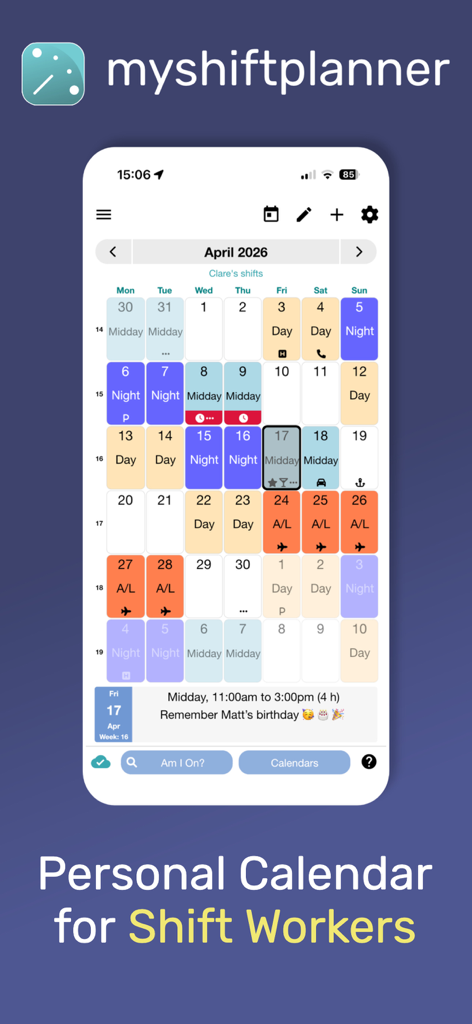
A color-coded monthly shift calendar for workers showing various shift patterns like day and night rotations
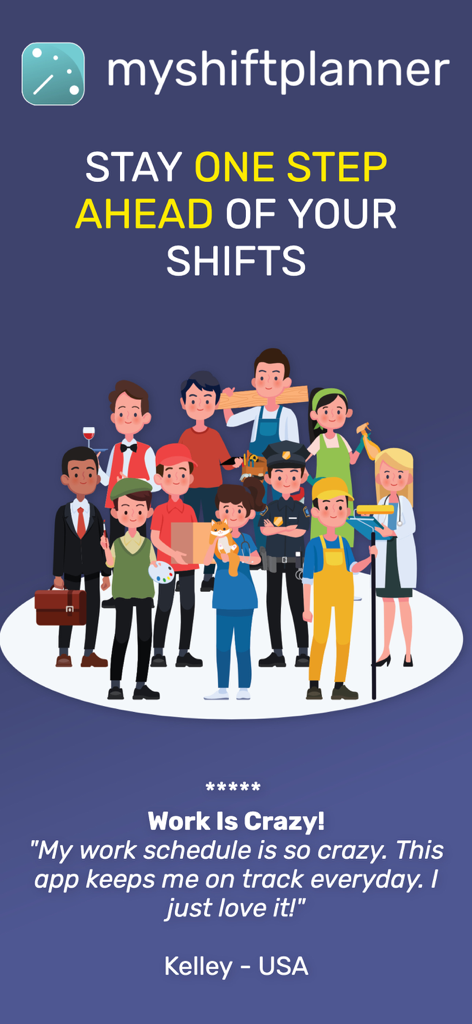
An illustration of various shift workers like nurses and police officers with a five star user testimonial for My Shift Planner app
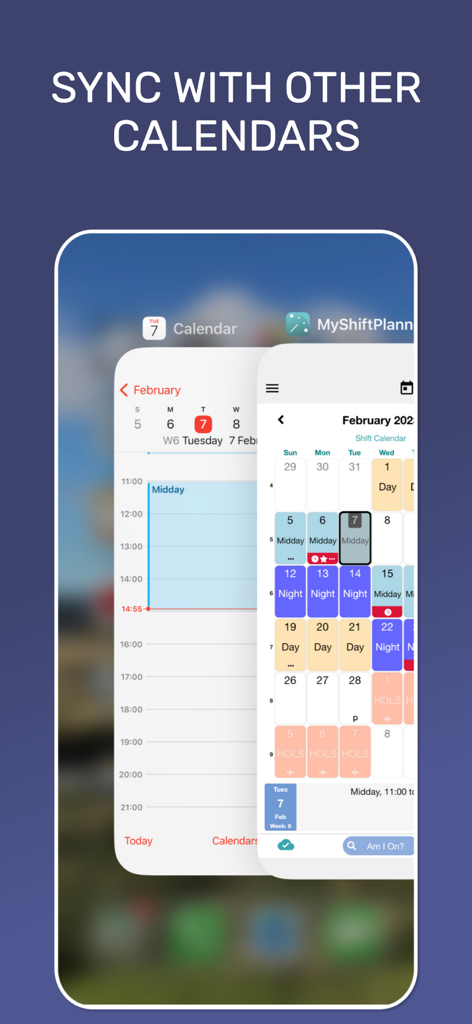
Sync My Shift Planner with other mobile calendars to manage work and personal schedules
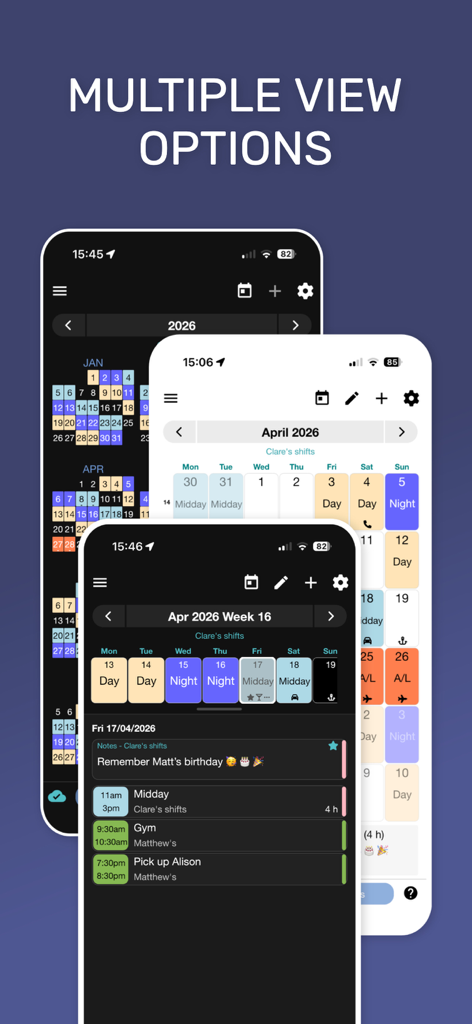
Multiple view options of the My Shift Planner app showing color coded work schedules and reminders
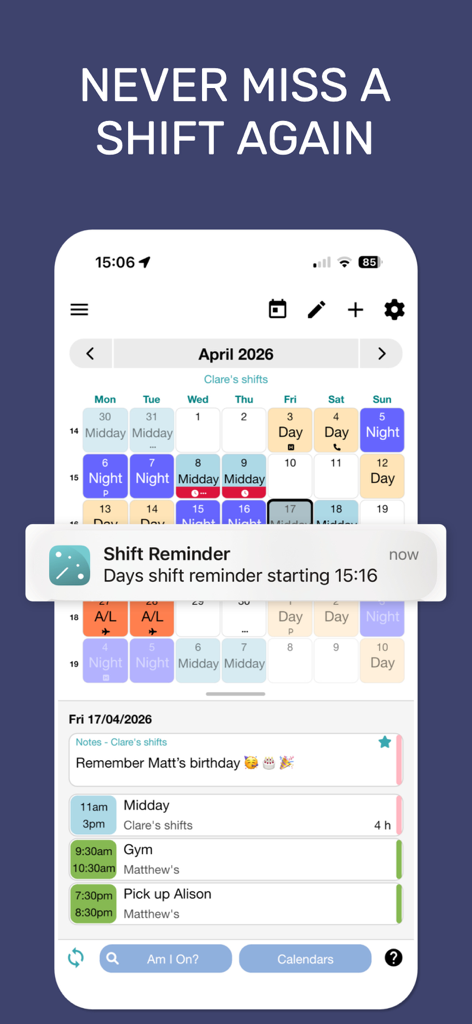
Smartphone screen displaying My Shift Planner app with a color coded monthly calendar and a shift reminder notification.
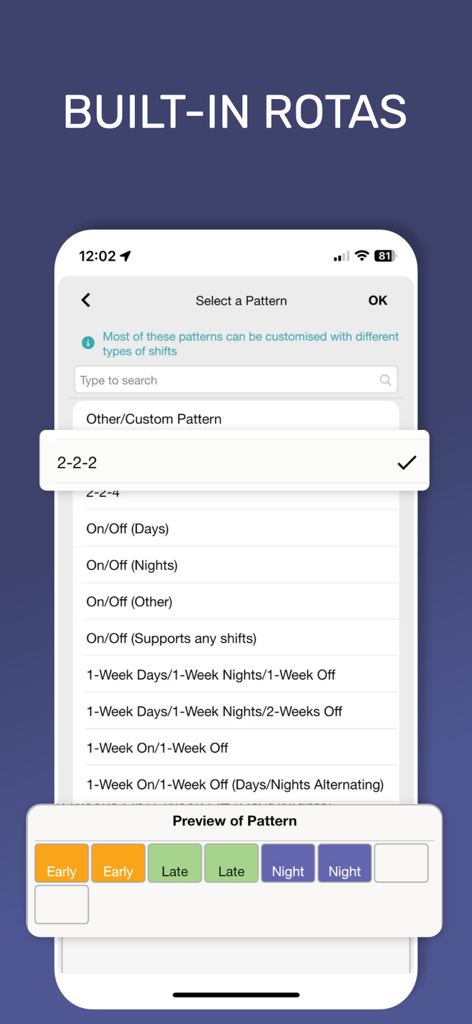
Interface of My Shift Planner app showing a list of built-in shift rotation patterns like two-two-two and week-on-week-off.
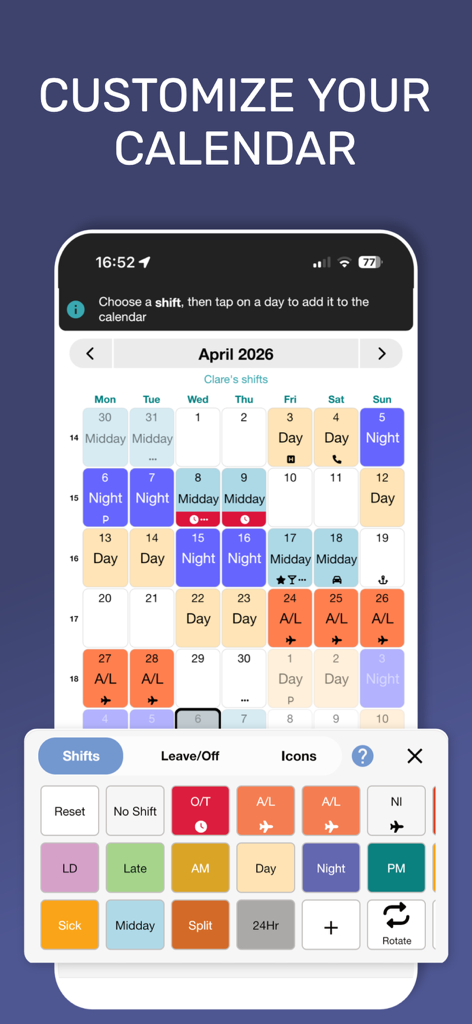
Customizing a shift work calendar with color-coded shift types and icons in the My Shift Planner app
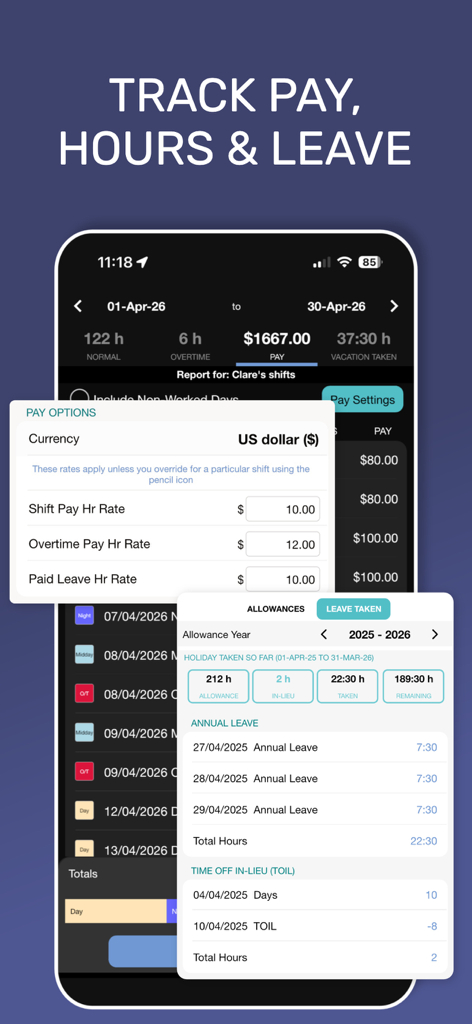
Interface of the My Shift Planner app showing shift pay settings and leave tracking features
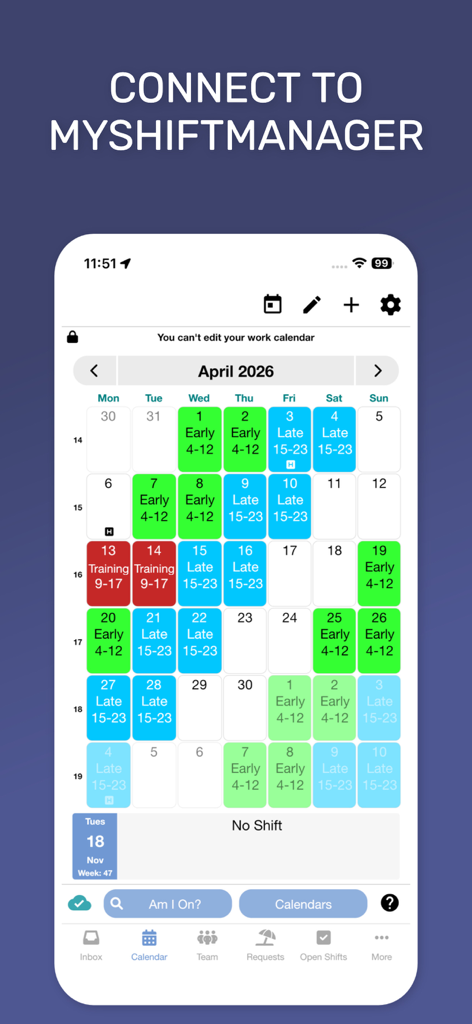
Color coded shift work calendar for April 2026 showing early late and training shifts with a button to connect to MyShiftManager.
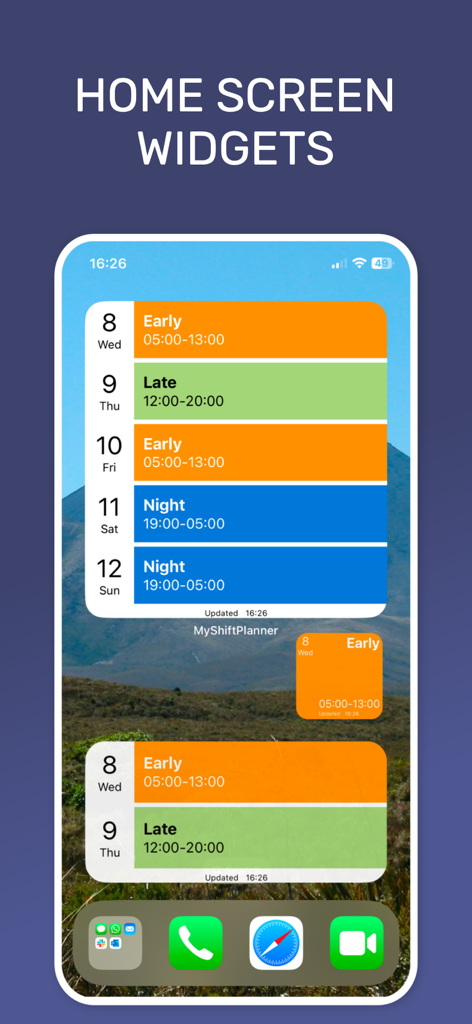
Color-coded shift work widgets on a mobile home screen displaying early late and night schedules
Description
Download
More Like This
Apps with similar features and user experience

Supershift Shift Work Calendar
Supershift GmbH

安心记加班-记考勤加班工资记录记账记工本
Shanghai Anjiaxin Network Technology Co., Ltd

Work Shift Calendar (Shifter)
Luis Alberto Reyes Halaby
极简记工时·小时工记加班
敏强 李

Work hours tracker - Timesheet
Kanstantsin Markau

Punch Time Clock
Trent Morris

记工时考勤
Beijing Chejiang Internet Technology Co., Ltd.

Time Squared: Hours Tracker
TSQ Publishing Corp.

wac - shift & earnings tracker
Work and Communications Ltd
This page is not an official page of the app or its developer, but an independent editorial publication created for informational and commentary purposes. Unless expressly stated otherwise, neither the app nor its developer is affiliated with, endorsed by, sponsored by, authorized by, or otherwise officially connected with MWM, Apple, Google Play, the app publisher, or the app's developer, and nothing on this page implies that the app was developed using MWM's services. Any trademarks, logos, screenshots, and other content remain the property of their respective owners.