
This page is not an official page of the app or its developer, but an independent editorial publication created for informational and commentary purposes. Unless expressly stated otherwise, neither the app nor its developer is affiliated with, endorsed by, sponsored by, authorized by, or otherwise officially connected with MWM, Apple, Google Play, the app publisher, or the app's developer, and nothing on this page implies that the app was developed using MWM's services. Any trademarks, logos, screenshots, and other content remain the property of their respective owners.


Cloud: 1 drive - more storage
Device limits are dead. It grants absolute command over your files, instantly available, everywhere you are.
Downloads
12.5M+User Rating
Total Ratings
529.3KPublisher
Category
ProductivityLocales
2Latest Version
9.79.0Size
470.5 MBFirst Released
Sep 13, 2013Analytical Overview of Cloud: 1 drive - more storage
Evaluating core functionalities for digitally active users prioritizing convenience, data security, and seamless multi-device file management.
Secure Data Preservation
It ensures the safety and integrity of important digital content, providing peace of mind against device loss or damage.
Automatic Media Backup
The app automatically uploads photos and videos from mobile devices, effortlessly securing precious memories and important visual content.
Device Storage Optimization
It allows users to free up significant local storage on their devices, as all media and documents are securely stored in the cloud.
Cross-Device File Access
This tool features seamless accessibility, ensuring that all uploaded files are instantly available across various personal devices.
Collaborative Shared Folders
It allows users to create shared folders, facilitating easy collaboration for collecting photos, working on documents, or sharing family memories with others.
In-App Media Streaming & Viewing
The app provides capabilities to watch videos, listen to music, and view various document formats (e.g., MS Office, PDFs) directly, without requiring downloads.
Instant File & Folder Sharing
It enables users to share files and folders with friends and colleagues via a simple link through various communication channels with just one click.
Remote File Management
Users can manage their stored files from any location, including renaming, deleting, and moving them between folders, ensuring organizational control.
Frequently Asked Questions
Everything you need to know about Cloud: 1 drive - more storage
What is the primary purpose of the Cloud Mail.Ru app?
Cloud Mail.Ru is a free service for iPhone, iPad, and iPod touch, designed to save and manage various files like photos, videos, music, presentations, and documents.
Does Cloud Mail.Ru support automatic photo uploads from my mobile phone?
Yes, Cloud Mail.Ru supports automatic photo uploads from your mobile phone. You can adjust the "save to disk" feature in your gallery for this purpose.
What is the storage capacity offered by Cloud Mail.Ru?
Cloud Mail.Ru provides cloud storage, and users can increase their storage capacity through subscriptions. The app displays current usage, such as "248 GB available of 1.08 TB".
Can Cloud Mail.Ru help free up space on my device?
Yes, Cloud Mail.Ru helps free up space on your device by storing your photos and files in the cloud, making them accessible without occupying local storage.
How can I share files and folders using the Cloud Mail.Ru app?
Cloud Mail.Ru allows you to share files and folders with friends and colleagues with a single click. You can also create shared folders for group collaboration.
Does Cloud Mail.Ru offer security features to protect personal files?
Yes, Cloud Mail.Ru provides security features to protect personal files. You can hide your personal content using a PIN, fingerprint scan, or face ID for secure access.
What document and media file formats can Cloud Mail.Ru view or play?
Cloud Mail.Ru views MS Office documents (Word, Excel, PowerPoint), PDFs, and other file formats. It plays videos (avi, mkv, mp4, mov, wmv) and music without downloading.
Can I organize files and documents within the Cloud Mail.Ru app?
Yes, Cloud Mail.Ru allows users to organize files by renaming, deleting, and moving them between folders. It also supports arranging photos into albums and documents into specific folders.
How do I manage subscriptions for additional Cloud Mail.Ru storage?
You manage Cloud Mail.Ru subscriptions in your iTunes Account Settings after purchase. Subscriptions are autorenewable and require cancellation at least 24 hours before the current period ends.
Does Cloud Mail.Ru protect my files from data loss?
Yes, Cloud Mail.Ru protects your files from data loss. All files stored in the Cloud remain intact regardless of issues with your PC or phone's local storage.
The following screenshots and description are sourced directly from the app's official store listing and are the property of the app developer.
App Store
Screenshots

Welcome to Cloud
Experience the modern interface featuring a prominent cloud icon and a vibrant blue background, highlighting the app's fresh approach to file management.

Generous Storage Space
Discover the ample storage capacity displayed by the progress bar showing available space, and easily manage your account details including user profile and email.
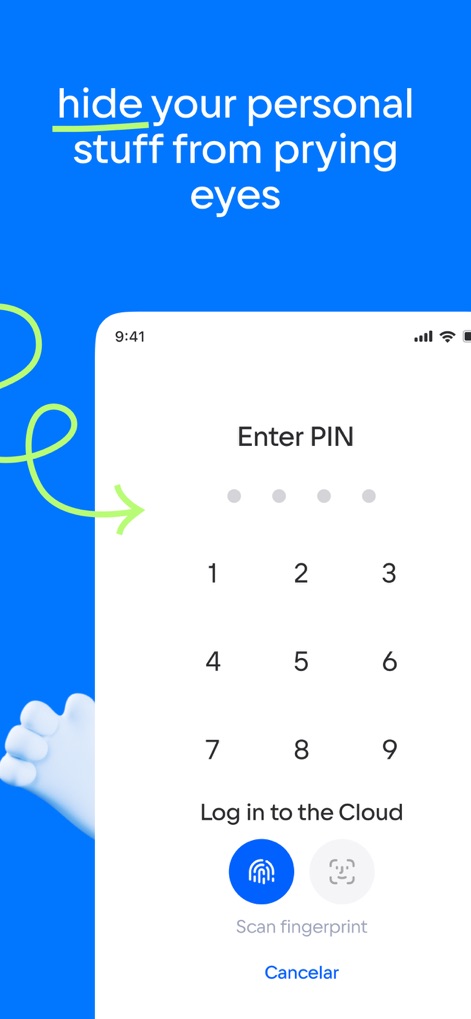
Enhanced Security Measures
Safeguard your data with advanced security options, including the intuitive PIN entry pad and convenient biometric authentication for quick access.
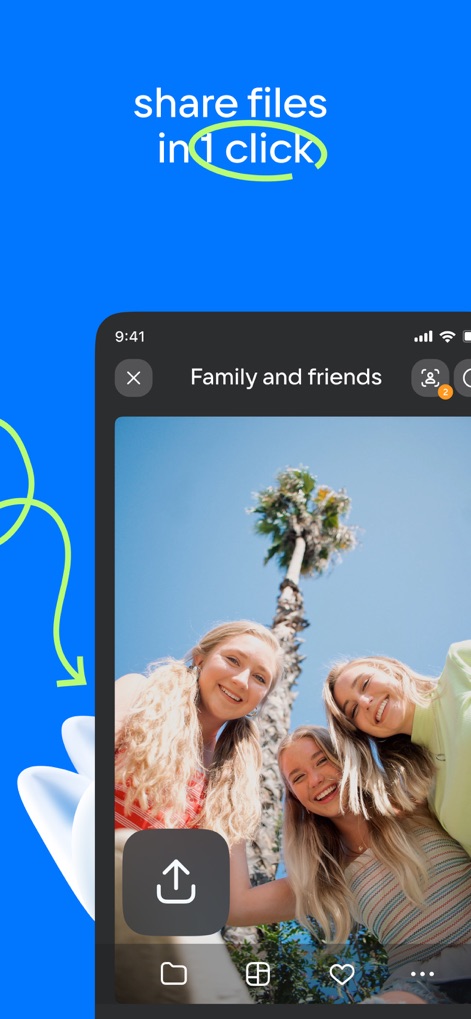
Effortless File Sharing
Streamline collaboration with the prominent one-click share button and easily upload new content directly from your device's gallery.

Secure Photo Backup
Ensure data integrity by backing up your precious memories, showcased by the organized gallery view with dated history sections and various photo thumbnails.
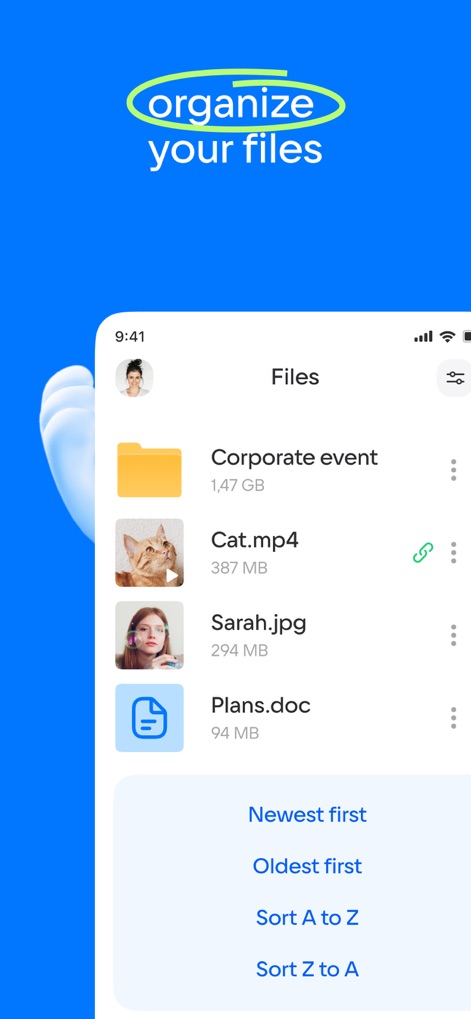
Intuitive File Management
Efficiently manage your digital assets with clear file listings showing different document types like images and videos, and versatile sorting options for easy navigation.
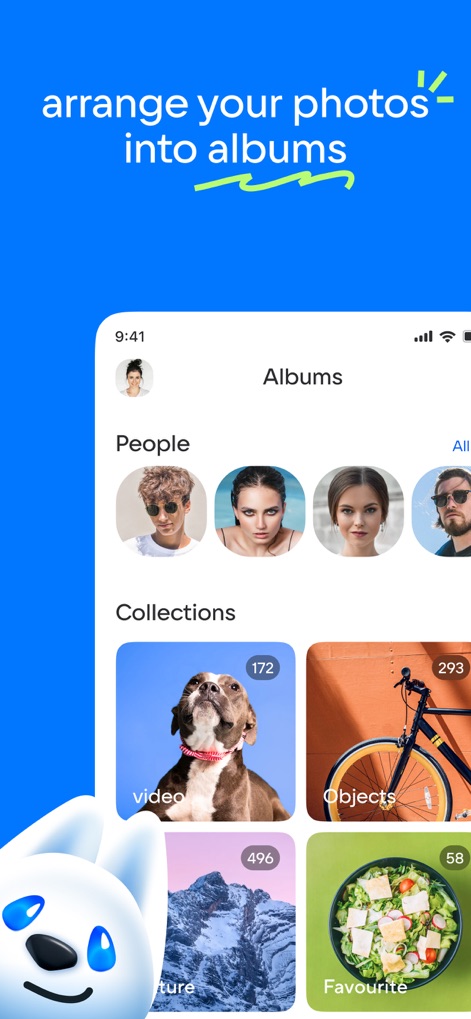
Smart Album Organization
Categorize your visual content effortlessly into smart albums, including automatically grouped 'People' albums and user-defined 'Collections' for a personalized experience.

Relive Cherished Moments
Browse your personal highlights with a captivating full-screen image display, complete with location tags and options to favorite or explore more details about your memories.
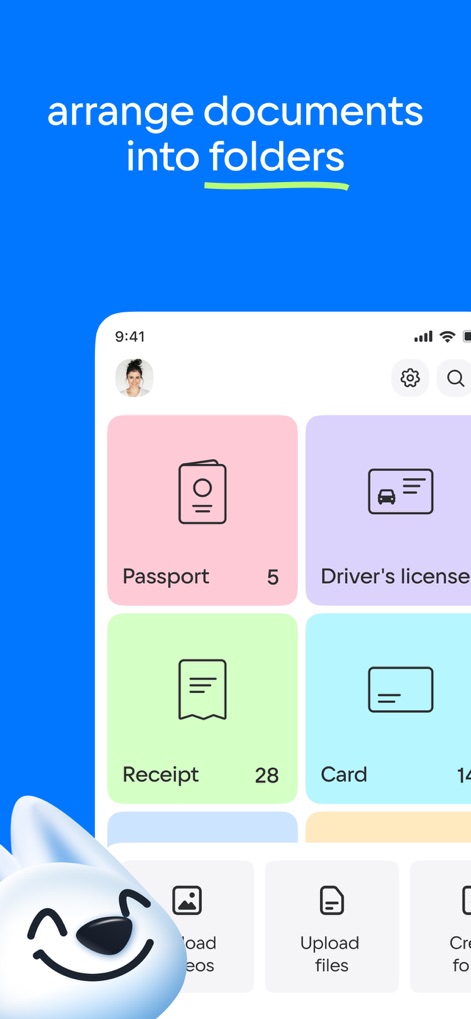
Streamlined Document Access
Organize your essential documents efficiently within dedicated folders, clearly presenting different categories like 'Passport' and 'Driver's license' with item counts.
Description
Download
More Like This
Apps with similar features and user experience

Google Drive
Google LLC

Яндекс Диск - Облако для фото
DIRECT CURSUS COMPUTER SYSTEMS TRADING LLC

Nutstore-Cloud Storage&Backup
Yicun Network Technology Co. Ltd.

Microsoft OneDrive
Microsoft Corporation

Dropbox: Cloud Storage Backup
Dropbox, Inc.

Google One
Google LLC

Cloud Storage: Cloud Drive App
Fazcon PTY LTD

Lifebox: Storage & Backup
LIFECELL BULUT COZUMLERI ANONIM SIRKETI

JioAICloud - Storage & Photos
JIO PLATFORMS LIMITED
This page is not an official page of the app or its developer, but an independent editorial publication created for informational and commentary purposes. Unless expressly stated otherwise, neither the app nor its developer is affiliated with, endorsed by, sponsored by, authorized by, or otherwise officially connected with MWM, Apple, Google Play, the app publisher, or the app's developer, and nothing on this page implies that the app was developed using MWM's services. Any trademarks, logos, screenshots, and other content remain the property of their respective owners.