
This page is not an official page of the app or its developer, but an independent editorial publication created for informational and commentary purposes. Unless expressly stated otherwise, neither the app nor its developer is affiliated with, endorsed by, sponsored by, authorized by, or otherwise officially connected with MWM, Apple, Google Play, the app publisher, or the app's developer, and nothing on this page implies that the app was developed using MWM's services. Any trademarks, logos, screenshots, and other content remain the property of their respective owners.


Microsoft OneDrive
Your digital assets demand control. The app offers users the strategic advantage to command every file, every photo, with unmatched access and ironclad security.
Downloads
100M+User Rating
Total Ratings
2.3MPublisher
Category
ProductivityLocales
33Latest Version
16.36.4Size
308.1 MBFirst Released
Dec 13, 2011Microsoft OneDrive: Core Capabilities Review
An analytical overview of key functionalities for diverse user segments.
Automatic Media Backup
The app provides automatic backup for phone photos and videos when Camera Upload is enabled, ensuring personal memories are safely stored and accessible.
Enhanced Data Security & Vault
This tool features a Personal Vault for highly sensitive files, protected by identity verification, alongside document version history and ransomware detection and recovery capabilities, significantly bolstering data security.
Universal File Access & Sync
It allows users to access and synchronize files, photos, and videos across all their devices including phones, computers, and web browsers, facilitating a consistent and accessible digital workspace.
Collaborative & Secure Sharing
The app provides robust file sharing capabilities, including sharing with friends and family, receiving notifications for document edits, and the option for password-protected or expiring sharing links to maintain control over shared content.
Microsoft 365 Integration
This tool offers deep integration with Microsoft 365 applications like Word, Excel, PowerPoint, and OneNote, enabling real-time editing and collaboration on documents stored within the cloud service.
Document Version History
It allows users to restore previous versions of documents using version history, providing a safety net against accidental changes or deletions and preserving document integrity.
Offline File Access
The app allows users to access entire folders even without an internet connection, ensuring continued productivity and access to critical documents while offline.
Flexible Storage Options
The app offers a starting point of 5 GB of free cloud storage, with flexible upgrade options to larger capacities (up to 1 TB+ with Microsoft 365 subscriptions), catering to varied storage needs.
Integrated Document Scanning
This tool features an integrated scanner to digitize documents, business cards, receipts, and whiteboards, with additional capabilities to mark up, sign, and send documents directly from the mobile app.
Robust File Search
It allows users to quickly find specific documents by searching through their names or content, enhancing efficiency in document retrieval.
Frequently Asked Questions
Everything you need to know about Microsoft OneDrive
Does Microsoft OneDrive automatically back up photos and videos?
Yes, Microsoft OneDrive offers automatic photo and video backup when users activate the Camera Upload feature. This ensures media is protected and accessible across devices.
Is there free storage available with Microsoft OneDrive?
Microsoft OneDrive provides 5 GB of free cloud storage to all users upon starting. Additional storage is available through various Microsoft 365 subscriptions.
What is the Personal Vault feature in Microsoft OneDrive?
The Personal Vault feature in Microsoft OneDrive protects important files with identity verification. It offers an extra layer of security for sensitive documents within the app.
Can I share files and photos using Microsoft OneDrive?
Yes, Microsoft OneDrive enables users to share files, photos, videos, and albums with friends and family. It also offers advanced sharing options with a Microsoft 365 subscription.
What types of documents can be scanned with the Microsoft OneDrive app?
The Microsoft OneDrive app allows users to scan and save documents, business cards, receipts, and whiteboards directly. Users can also mark up, sign, and send scanned documents.
How much storage comes with a Microsoft 365 subscription for OneDrive?
A Microsoft 365 Personal or Family subscription provides 1 TB of storage. The Family subscription offers 1 TB per person for up to six people.
Can I edit Microsoft Office documents within Microsoft OneDrive?
Yes, Microsoft OneDrive integrates with Word, Excel, PowerPoint, OneNote, and Outlook. Users can back up, view, save, edit, and collaborate on these files in real time.
Does Microsoft OneDrive support offline access to files?
Yes, Microsoft OneDrive allows access to entire folders within the app even without an internet connection. This feature requires a Microsoft 365 Personal or Family subscription.
How do I upgrade my storage plan in the Microsoft OneDrive app?
To upgrade storage in the Microsoft OneDrive app, users tap the 'Me' tab, then select 'Get More Storage' or the 'Go Premium' diamond icon. Subscriptions start at $1.99 monthly.
Does Microsoft OneDrive protect against ransomware?
Yes, Microsoft OneDrive provides ransomware detection and recovery as a premium feature. This functionality is included with a Microsoft 365 Personal or Family subscription.
The following screenshots and description are sourced directly from the app's official store listing and are the property of the app developer.
App Store
Screenshots

Photo Organization Hub
Discover how the app presents a user-friendly photo display with dedicated tabs for "Moments" and "Albums" to help users easily navigate their visual memories.

Secure File Management
Explore the intuitive file management interface, showcasing organized folders like "Documents" and the secure "Personal Vault" for protected files.

Seamless Sharing Options
Observe the simplified sharing process for photos, offering direct integration with communication platforms such as "Outlook" and "Message" for easy distribution.
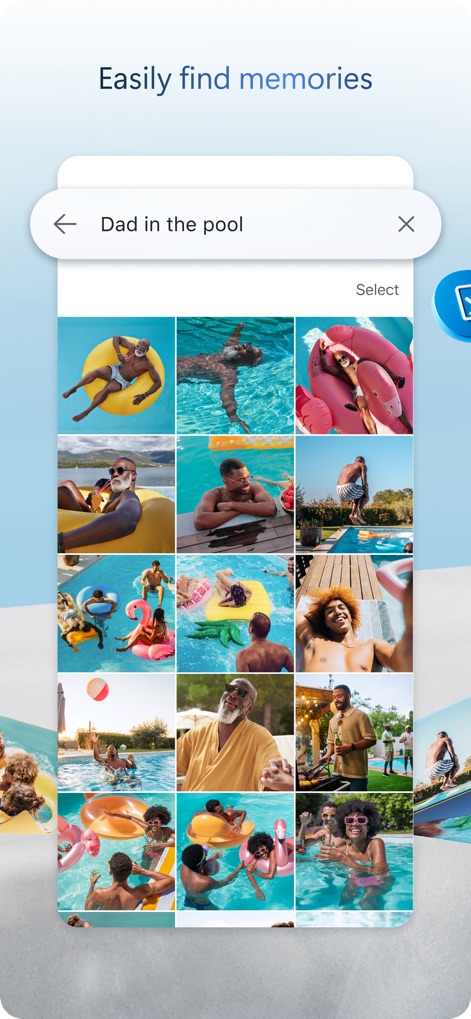
Effortless Photo Search
This view highlights the app's powerful search functionality, allowing users to quickly find specific memories using keywords like "Dad in the pool" and displaying them in a clear grid layout.
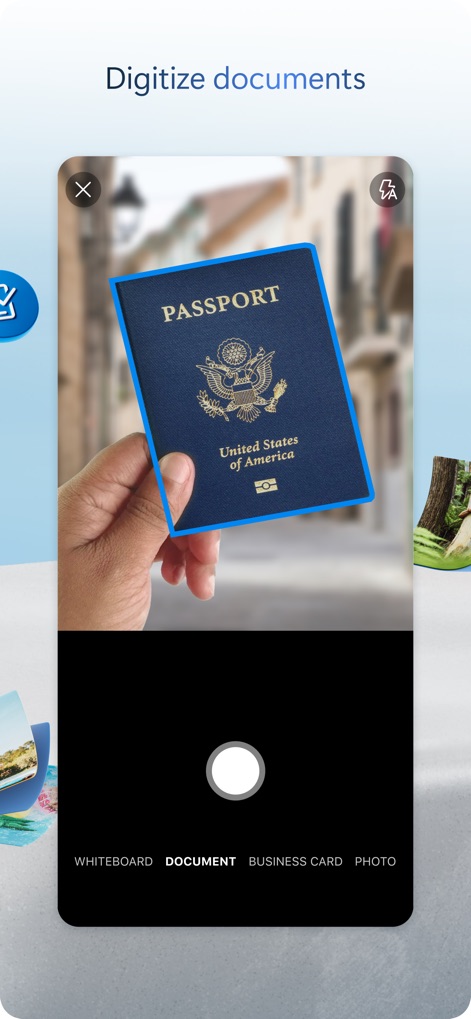
Integrated Document Scan
See the integrated scanning feature in action, demonstrating how users can digitize physical documents like a "Passport" with options to categorize them as "DOCUMENT" or "BUSINESS CARD".
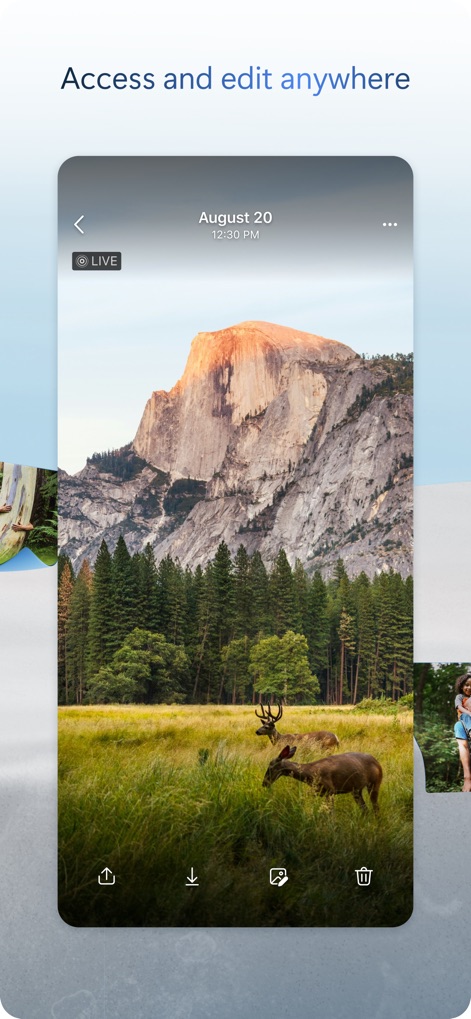
Universal File Access
The app provides universal access to files, as shown by the detailed photo view with options to "Share" and "Edit" directly from the screen.
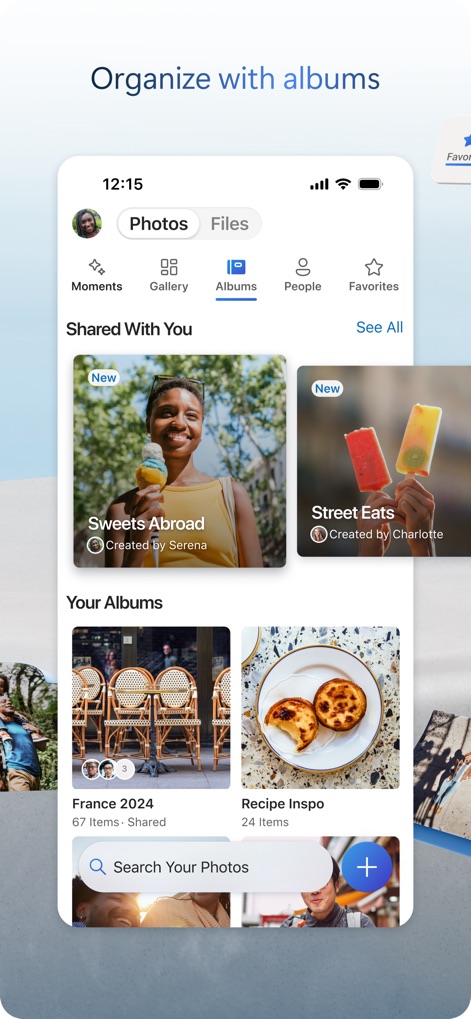
Creative Album Organization
Users can effectively organize their photos into personalized albums such as "France 2024" and explore shared collections within the "Shared With You" section.
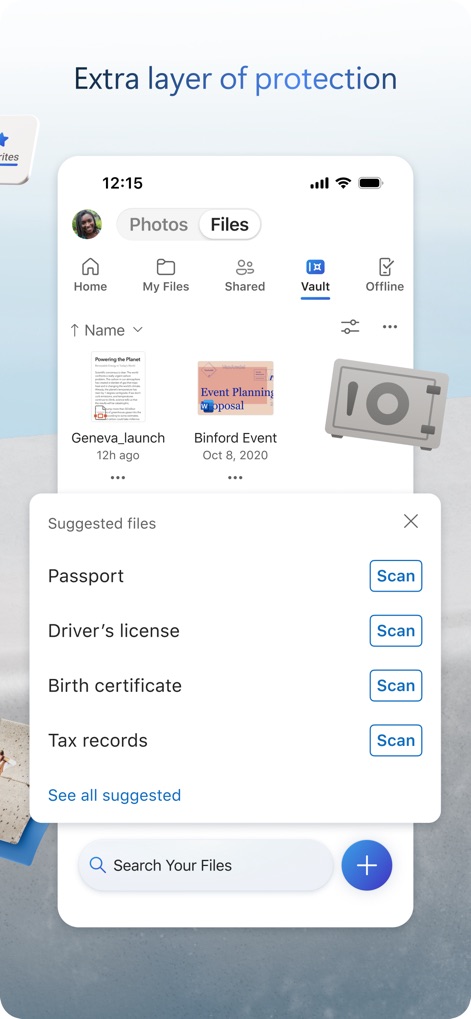
Enhanced Security Vault
This screenshot illustrates the "Personal Vault" feature, providing an extra layer of protection for sensitive documents and suggesting key items like "Passport" for scanning and secure storage.
Description
Download
More Like This
Apps with similar features and user experience

Google Drive
Google LLC

Яндекс Диск - Облако для фото
DIRECT CURSUS COMPUTER SYSTEMS TRADING LLC

Cloud: 1 drive - more storage
V Kontakte OOO

Nutstore-Cloud Storage&Backup
Yicun Network Technology Co. Ltd.

Dropbox: Cloud Storage Backup
Dropbox, Inc.

Google One
Google LLC

Cloud Storage: Cloud Drive App
Fazcon PTY LTD

Lifebox: Storage & Backup
LIFECELL BULUT COZUMLERI ANONIM SIRKETI

JioAICloud - Storage & Photos
JIO PLATFORMS LIMITED
This page is not an official page of the app or its developer, but an independent editorial publication created for informational and commentary purposes. Unless expressly stated otherwise, neither the app nor its developer is affiliated with, endorsed by, sponsored by, authorized by, or otherwise officially connected with MWM, Apple, Google Play, the app publisher, or the app's developer, and nothing on this page implies that the app was developed using MWM's services. Any trademarks, logos, screenshots, and other content remain the property of their respective owners.