
This page is not an official page of the app or its developer, but an independent editorial publication created for informational and commentary purposes. Unless expressly stated otherwise, neither the app nor its developer is affiliated with, endorsed by, sponsored by, authorized by, or otherwise officially connected with MWM, Apple, Google Play, the app publisher, or the app's developer, and nothing on this page implies that the app was developed using MWM's services. Any trademarks, logos, screenshots, and other content remain the property of their respective owners.


Nutstore-Cloud Storage&Backup
The essential bridge for WebDAV-ready apps like Zotero and Notability. Sync any folder effortlessly, restore version history, and keep your critical files accessible offline across PC, Mac, and iOS.
Downloads
1M+User Rating
Total Ratings
17K+Publisher
Category
ProductivityLocales
2Latest Version
5.6.24Size
288.9 MBFirst Released
Jun 27, 2011Supercharge Your Research and Professional Workflow
Experience seamless cross-platform synchronization designed for power users who demand more than just a folder in the cloud.
Universal WebDAV Integration
The perfect bridge for your favorite productivity tools like Zotero, Notability, and GoodReader.
Smart Offline Access
Access 'Favorite Folders' without a connection. Fast LAN-speed updates ensure your work is ready when you are.
Frequently Asked Questions
Everything you need to know about Nutstore-Cloud Storage&Backup
Does Nutstore support cross-platform file synchronization?
Yes, Nutstore provides real-time file synchronization across Mac, PC, iPhone, and iPad, transmitting data between mobiles and computers.
What apps can integrate with Nutstore using WebDAV?
Nutstore supports WebDAV protocol, enabling integration with popular apps like iWork, GoodReader, Notability, and Zotero to read and write files.
How does Nutstore allow offline access to files?
Nutstore's "Favorite Folder" feature enables offline access. Files within this folder automatically update from the LAN desktop client, allowing access without a network.
Can I automatically upload photos and videos to Nutstore?
Yes, Nutstore provides an automatic upload feature for photos and videos from your device, backing them up securely to your cloud storage.
How much does Nutstore Standard Pro cost annually?
Nutstore Standard Pro costs $40.99 annually. This subscription includes unlimited upload and download data transfer, plus additional features.
What is the yearly price for Nutstore Advanced Pro?
Nutstore Advanced Pro is priced at $86.99 yearly. This subscription provides unlimited data transfer for uploads and downloads, along with extra features.
How do I stop auto-renewal for my Nutstore subscription?
To prevent renewal, you must turn off auto-renew in your iTunes account settings at least 24 hours before your Nutstore subscription period ends.
What file types can Nutstore view directly within the app?
Nutstore can directly view Office, PDF, Photos, and Multimedia files. It also offers a smart file viewer that saves and restores reading positions.
Can users create and edit text files with Nutstore?
Yes, Nutstore allows users to create and edit text files directly within the app. These files automatically upload to the server after saving.
Where is the Nutstore privacy policy located?
The official Nutstore Privacy Policy is accessible via the link provided in the app description: http://help.jianguoyun.com/?p=3961.
How can I share files using the Nutstore app?
Nutstore enables easy file sharing with friends. Features include defining a sharing scope, setting an expire time, and adding an access password.
The following screenshots and description are sourced directly from the app's official store listing and are the property of the app developer.
App Store
Screenshots
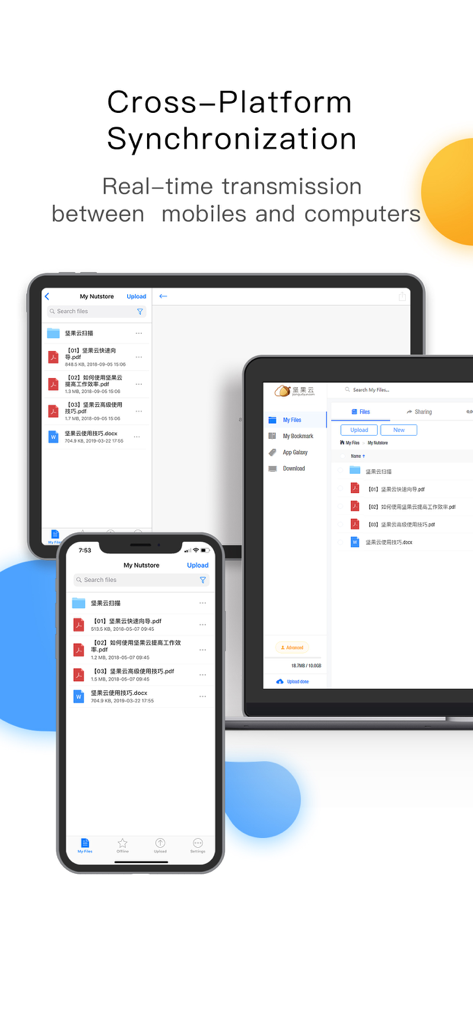
Nutstore app interface showing real-time file synchronization across a smartphone tablet and laptop
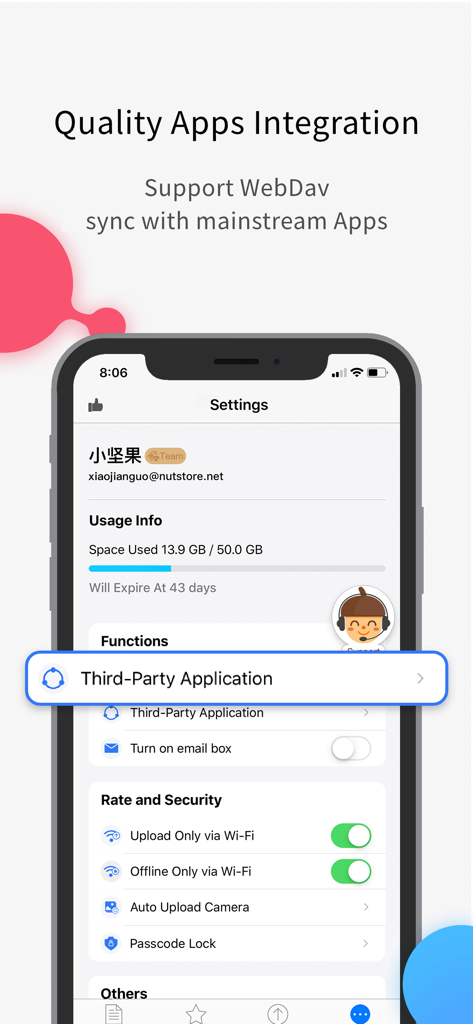
Screenshot of Nutstore app settings showing WebDAV support and third-party application integration options.
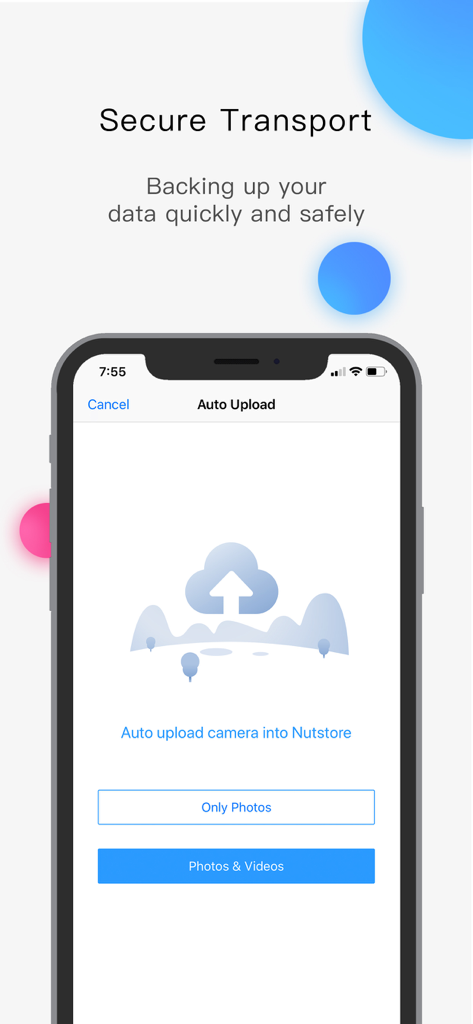
Nutstore mobile app interface showing the auto upload options for photos and videos to cloud storage
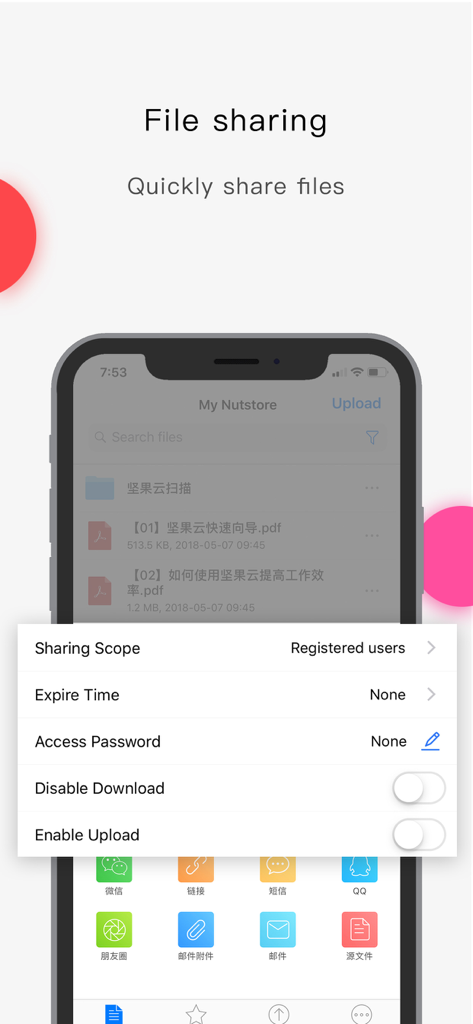
Smartphone screen showing Nutstore file sharing options like sharing scope expire time and access password
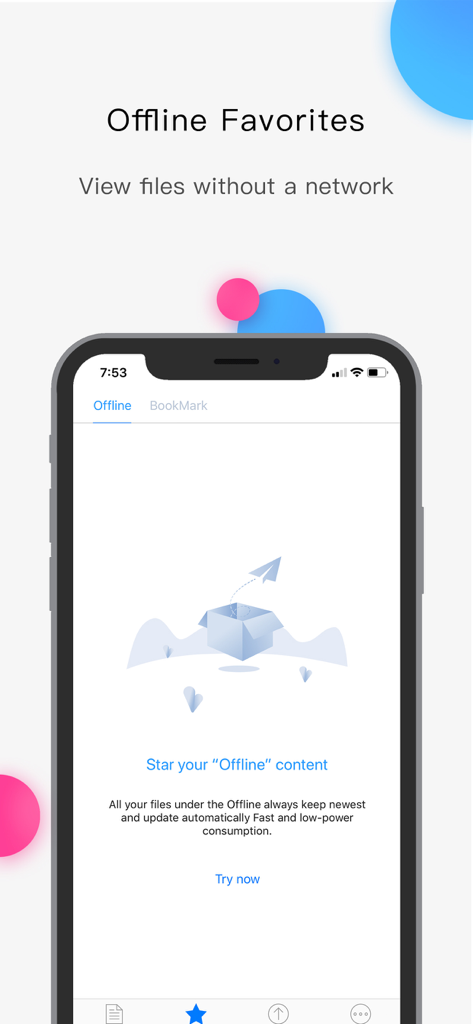
Nutstore app interface for managing offline favorite files without an internet connection.
Description
Download
More Like This
Apps with similar features and user experience

Google Drive
Google LLC

Яндекс Диск - Облако для фото
DIRECT CURSUS COMPUTER SYSTEMS TRADING LLC

Cloud: 1 drive - more storage
V Kontakte OOO

Microsoft OneDrive
Microsoft Corporation

Dropbox: Cloud Storage Backup
Dropbox, Inc.

Google One
Google LLC

Cloud Storage: Cloud Drive App
Fazcon PTY LTD

Lifebox: Storage & Backup
LIFECELL BULUT COZUMLERI ANONIM SIRKETI

JioAICloud - Storage & Photos
JIO PLATFORMS LIMITED
This page is not an official page of the app or its developer, but an independent editorial publication created for informational and commentary purposes. Unless expressly stated otherwise, neither the app nor its developer is affiliated with, endorsed by, sponsored by, authorized by, or otherwise officially connected with MWM, Apple, Google Play, the app publisher, or the app's developer, and nothing on this page implies that the app was developed using MWM's services. Any trademarks, logos, screenshots, and other content remain the property of their respective owners.