
This page is not an official page of the app or its developer, but an independent editorial publication created for informational and commentary purposes. Unless expressly stated otherwise, neither the app nor its developer is affiliated with, endorsed by, sponsored by, authorized by, or otherwise officially connected with MWM, Apple, Google Play, the app publisher, or the app's developer, and nothing on this page implies that the app was developed using MWM's services. Any trademarks, logos, screenshots, and other content remain the property of their respective owners.


Google One
Dispersed data becomes manageable. The app equips users with the tools to secure their digital assets and optimize every gigabyte across the Google platform.
Downloads
12.5M+User Rating
Total Ratings
51.5KPublisher
Category
ProductivityLocales
72Latest Version
1.117.3Size
184.6 MBFirst Released
Nov 9, 2020Google One: Core Capabilities and User Value
An Analytical Overview for the Integrated Google Ecosystem User
Unified Google Storage Management
It allows users to view and manage their storage across Google Drive, Gmail, and Google Photos from a single interface, making it easy to identify and free up space.
Comprehensive Phone Backup
The app provides automatic backup of essential phone data, including photos, videos, contacts, and messages, ensuring peace of mind against data loss.
Scalable Cloud Storage Plans
It offers various paid membership tiers to significantly expand cloud storage beyond the standard 15 GB, catering to individual and family needs for digital files and media.
Family Sharing of Benefits
This tool features the ability to share a single Google One membership, including storage and other benefits, with up to five family members, offering convenience and cost-effectiveness.
Access to Google Experts
It provides direct access to Google experts for personalized assistance with Google products and services, enhancing user support and troubleshooting capabilities.
Integrated VPN Service
Certain membership plans include a VPN service, allowing users to encrypt their online activity and enhance their privacy and security while browsing.
Frequently Asked Questions
Everything you need to know about Google One
What is the Google One app?
Google One is an app that allows users to back up important phone data such as photos, contacts, and messages. It also helps manage Google account storage across Google Drive, Gmail, and Google Photos efficiently.
Does Google One offer free storage?
Yes, Google One provides 15 GB of free storage with a Google account. This storage is utilized for backing up phone content and managing space across Google Drive, Gmail, and Google Photos.
How does Google One help users manage their storage?
The Google One app helps manage storage by providing a consolidated view of space used across Google Drive, Gmail, and Google Photos. It includes a storage manager feature to easily free up space within the app.
Can users upgrade their Google One storage?
Yes, users can upgrade their Google One account to a paid membership to obtain more storage beyond the initial 15 GB. Various plans are available to suit individual storage requirements.
What types of data can be backed up with Google One?
The Google One app enables users to back up essential phone data. This includes photos, contacts, and messages, ensuring peace of mind if the phone is lost, damaged, or upgraded.
Does Google One membership include extra benefits?
Yes, a Google One membership provides additional benefits beyond storage. These can include access to services like the Gemini app in Google AI Pro, among other helpful features and exclusive offers.
Can I share my Google One membership with family members?
Yes, Google One allows members to share their subscription with their family. Users can share their Google One storage and other associated benefits with up to five additional family members.
The following screenshots and description are sourced directly from the app's official store listing and are the property of the app developer.
App Store
Screenshots
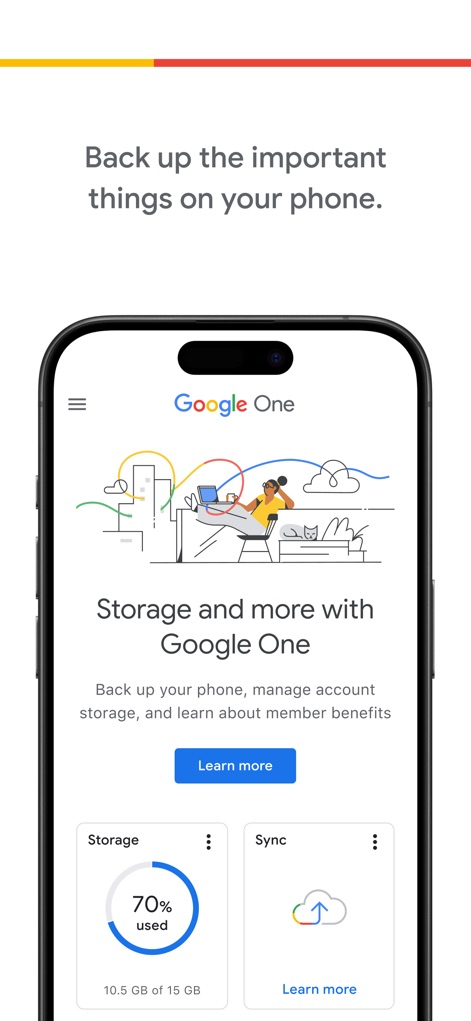
Home Dashboard Overview
Discover the intuitive home screen displaying the current storage usage percentage and direct access to backup and sync functionalities.
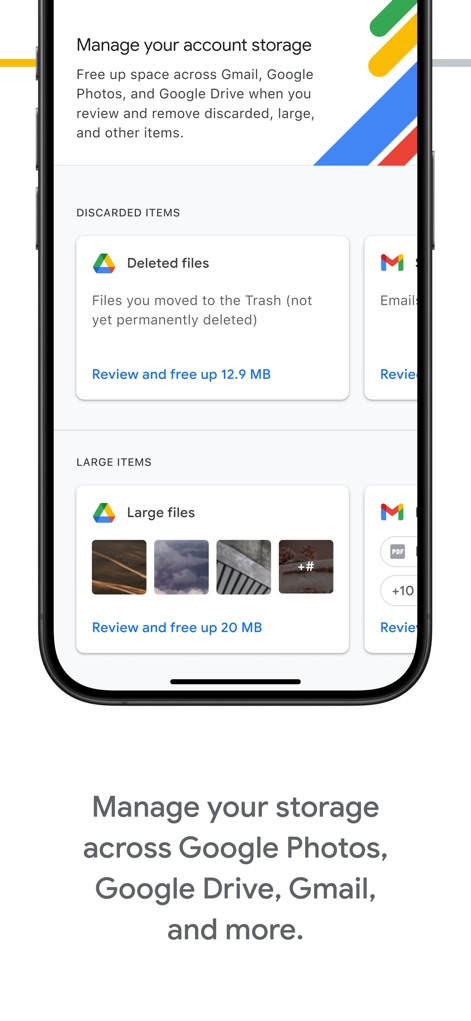
Storage Cleanup Tools
Observe how the app facilitates storage management through dedicated sections for reviewing discarded items and identifying large files.
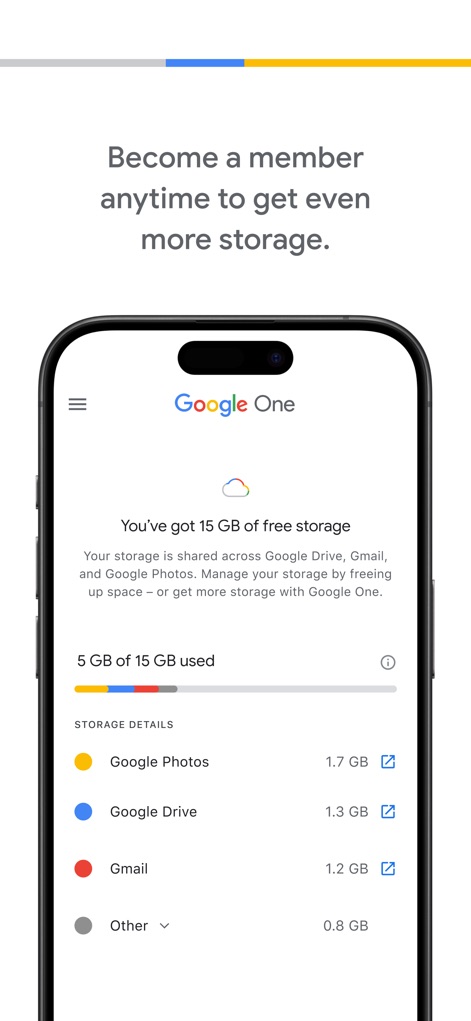
Detailed Usage View
Explore the detailed breakdown of storage consumption, clearly segmenting usage across Google Photos and Gmail for precise management.
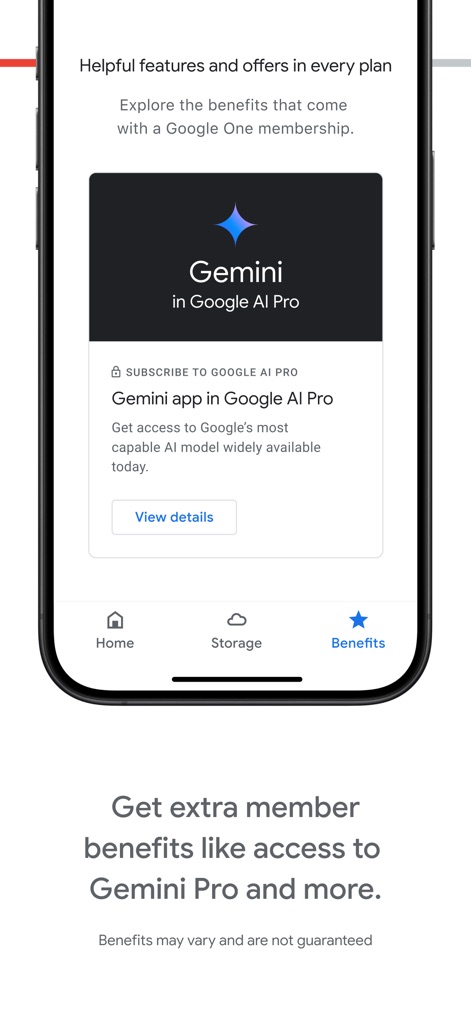
Exclusive Member Perks
This tool highlights exclusive member benefits like access to Gemini in Google AI Pro and organizes app navigation via a clear 'Benefits' tab.
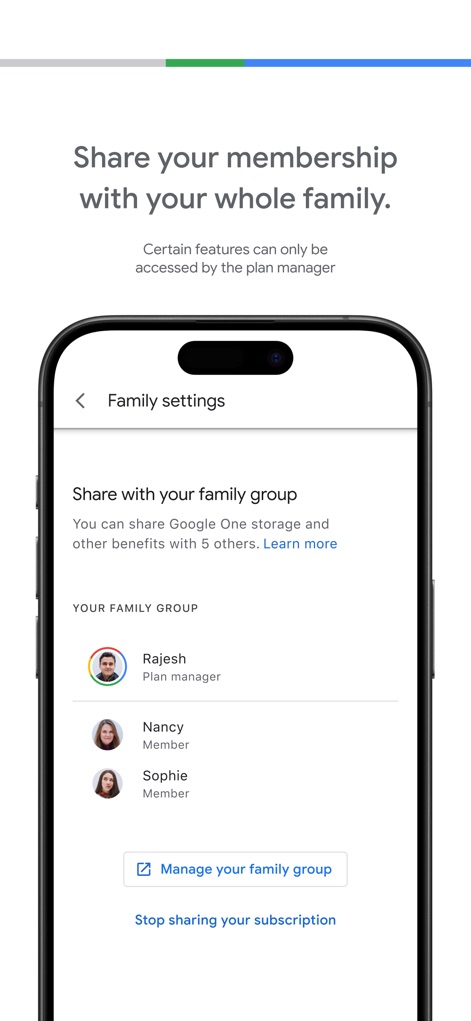
Family Sharing Setup
Users can easily manage family sharing settings and view the list of members within their family group, simplifying collaboration and shared benefits.
Description
Download
More Like This
Apps with similar features and user experience

Google Drive
Google LLC

Яндекс Диск - Облако для фото
DIRECT CURSUS COMPUTER SYSTEMS TRADING LLC

Cloud: 1 drive - more storage
V Kontakte OOO

Nutstore-Cloud Storage&Backup
Yicun Network Technology Co. Ltd.

Microsoft OneDrive
Microsoft Corporation

Dropbox: Cloud Storage Backup
Dropbox, Inc.

Cloud Storage: Cloud Drive App
Fazcon PTY LTD

Lifebox: Storage & Backup
LIFECELL BULUT COZUMLERI ANONIM SIRKETI

JioAICloud - Storage & Photos
JIO PLATFORMS LIMITED
This page is not an official page of the app or its developer, but an independent editorial publication created for informational and commentary purposes. Unless expressly stated otherwise, neither the app nor its developer is affiliated with, endorsed by, sponsored by, authorized by, or otherwise officially connected with MWM, Apple, Google Play, the app publisher, or the app's developer, and nothing on this page implies that the app was developed using MWM's services. Any trademarks, logos, screenshots, and other content remain the property of their respective owners.