ComicFlow - CBR & CBZ to PDF
Download on App Store

This page is not an official page of the app or its developer, but an independent editorial publication created for informational and commentary purposes. Unless expressly stated otherwise, neither the app nor its developer is affiliated with, endorsed by, sponsored by, authorized by, or otherwise officially connected with MWM, Apple, Google Play, the app publisher, or the app's developer, and nothing on this page implies that the app was developed using MWM's services. Any trademarks, logos, screenshots, and other content remain the property of their respective owners.

Logo of ComicFlow - CBR & CBZ to PDF
Download on App Store

ComicFlow - CBR & CBZ to PDF

Experience crystal-clear reading with 60fps performance and seamless conversion. Manage your collection with total privacy—no accounts, no ads, just your favorite stories on iPhone and iPad.

Key Figures

Downloads

100

User Rating

1.0/5

Total Ratings

0

Publisher

Navid Gooranourimi

Category

Utilities

Locales

6

Latest Version

2.0

Size

3.4 MB

First Released

Jan 5, 2026
Features

Master Your Digital Comic Collection

From seamless CBR/CBZ conversion to high-performance reading, ComicFlow gives you total control over your library with zero ads and 100% privacy.

Powerful Universal Conversion

Instantly turn CBR and CBZ archives into high-quality PDFs to future-proof your collection or share it across any device.

Pro-Grade Reading Experience

Enjoy fluid 60fps scrolling with specialized modes for Manga, Webtoons, and double-page spreads optimized for your iPad.

The following screenshots and description are sourced directly from the app's official store listing and are the property of the app developer.

App Store

Screenshots
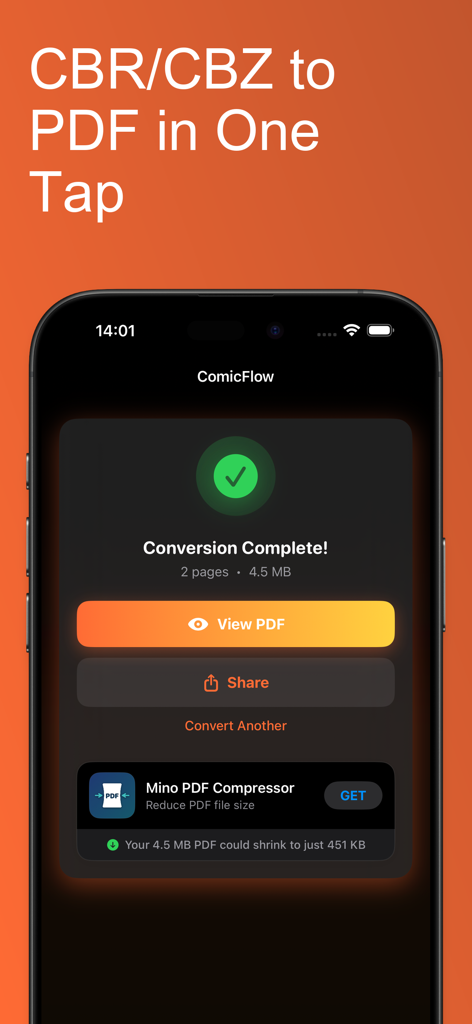
ComicFlow - CBR & CBZ to PDF - ComicFlow app showing a completed CBR to PDF conversion screen on an iPhone
ComicFlow app showing a completed CBR to PDF conversion screen on an iPhone

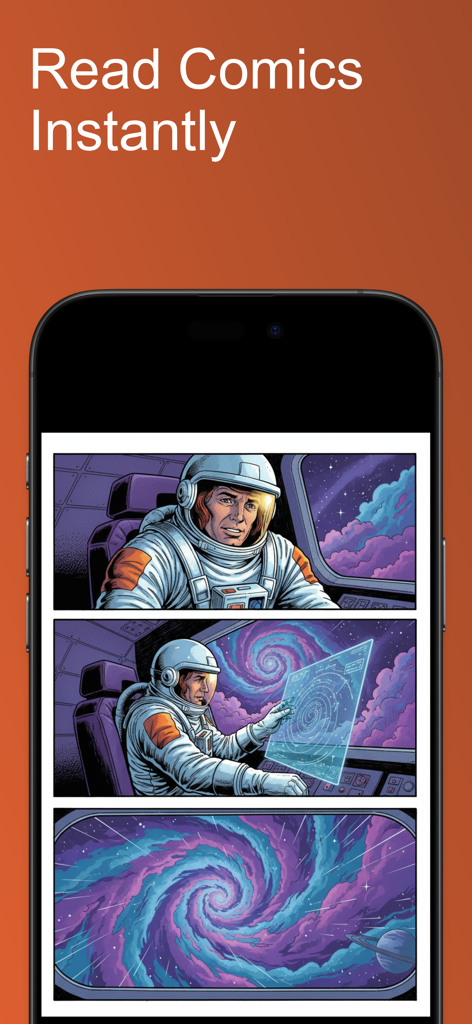
ComicFlow - CBR & CBZ to PDF - An iPhone displaying the ComicFlow app interface reading a space themed comic book
An iPhone displaying the ComicFlow app interface reading a space themed comic book

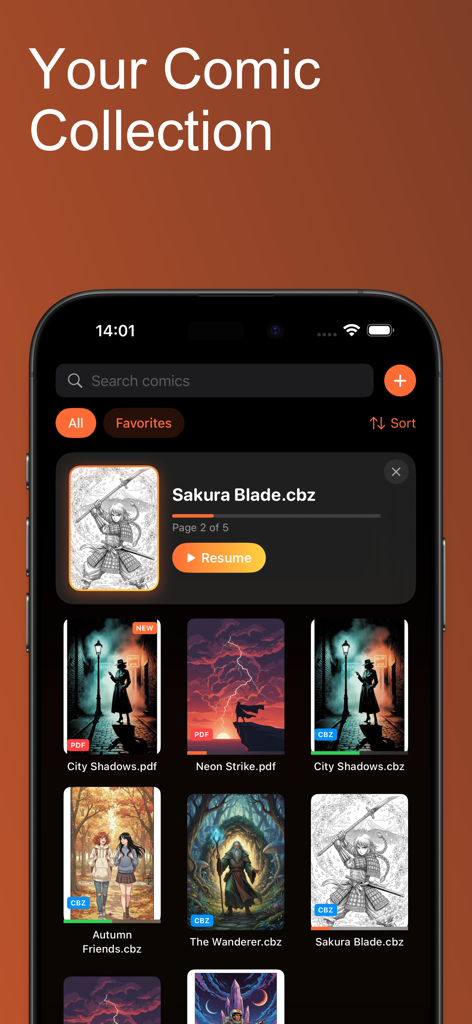
ComicFlow - CBR & CBZ to PDF - ComicFlow app interface showing a digital comic library with cover thumbnails and reading progress on an iPhone
ComicFlow app interface showing a digital comic library with cover thumbnails and reading progress on an iPhone

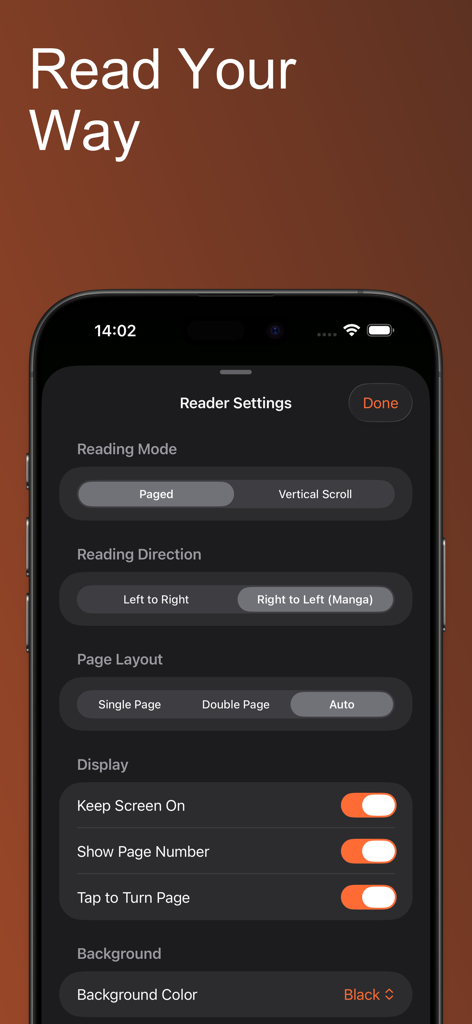
ComicFlow - CBR & CBZ to PDF - ComicFlow app interface displaying reader customization settings for reading mode, direction, and page layout.
ComicFlow app interface displaying reader customization settings for reading mode, direction, and page layout.

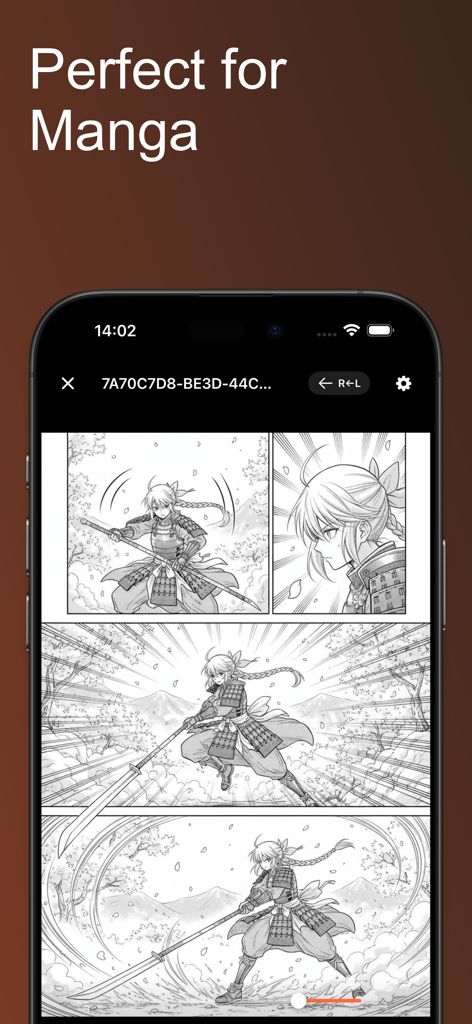
ComicFlow - CBR & CBZ to PDF - ComicFlow app displaying a manga comic with right to left reading mode active on an iPhone screen

ComicFlow app displaying a manga comic with right to left reading mode active on an iPhone screen
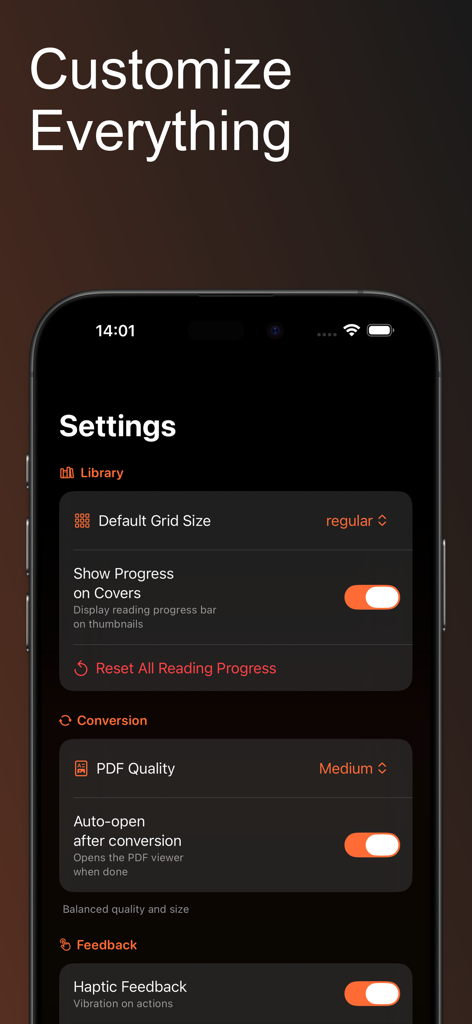
ComicFlow - CBR & CBZ to PDF - Screenshot of the ComicFlow settings screen showing options for library grid size, PDF conversion quality, and haptic feedback on a dark interface.

Screenshot of the ComicFlow settings screen showing options for library grid size, PDF conversion quality, and haptic feedback on a dark interface.

Description

ComicFlow is the ultimate comic book app for iPhone and iPad. Convert CBR and CBZ archives to PDF, or read them directly without conversion. Organize your collection with ratings, notes, and reading progress. 100% offline and private. POWERFUL CBR/CBZ TO PDF CONVERTER Convert your comic book archives to PDF with one tap. ComicFlow extracts every page from your CBR, CBZ, RAR, and ZIP files and creates perfectly formatted PDF documents in seconds. Choose from three quality settings: - Low: Smaller file size, great for sharing - Medium: Balanced quality and size for everyday reading - High: Pristine image quality for collectors Watch real-time progress as your comics are converted. The converted PDFs work everywhere - share with friends, save to cloud storage, or print your favorites. READ COMICS DIRECTLY - NO CONVERSION NEEDED New in 2.0: Open and read CBR, CBZ, and PDF files instantly without converting. ComicFlow includes a powerful built-in comic reader with smooth 60fps page viewing optimized for high-resolution comic pages. - Double-tap to zoom into detailed artwork and panels - Pinch to zoom for precise control - Swipe or tap to turn pages - Tap zones for easy one-handed navigation - Reading position saved automatically for every file ORGANIZE YOUR COMIC COLLECTION Build and manage your personal comic library: - Create custom collections to group series or genres - Rate your comics with 5-star ratings - Add personal notes and tags to any comic - Track reading status: unread, reading, or completed - Search your entire library instantly - Filter by publisher, year, genre, rating, or status - ComicInfo.xml metadata automatically extracted FLEXIBLE READING MODES ComicFlow adapts to how you like to read: - Single page mode for phones or focused reading - Double page spread for tablets and landscape viewing - Right-to-left page order for manga readers - Vertical scroll mode for webtoons and long-strip comics - Thumbnail grid for quick navigation - Switch between modes instantly while reading 100% OFFLINE AND PRIVATE ComicFlow works completely offline. No internet required. No account sign-up. No cloud uploads. No tracking. No ads ever. Your comic collection stays on your device. Your reading habits are nobody's business but yours. BUILT-IN LIBRARY Every comic displays with a cover thumbnail and file type badge (CBR, CBZ, PDF). - Search your collection instantly - Sort by name, date, size, rating, or progress - Swipe to delete or share any comic - Continue reading card shows your current comic IMPORT ANY COMIC FORMAT ComicFlow supports all popular formats: - CBR (Comic Book RAR) - CBZ (Comic Book ZIP) - RAR and ZIP archives - PDF files Open files from the Files app, email, cloud storage, or any sharing app. NOW IN 6 LANGUAGES Fully localized in English, German, Spanish, French, Japanese, and Korean. THOUGHTFULLY DESIGNED - Clean, intuitive interface - Full Dark Mode support - Optimized for iPhone and iPad - iOS 18 ready PERFECT FOR - Comic collectors who want CBR/CBZ to PDF conversion - Readers who prefer reading comics directly - Anyone with CBR, CBZ, or RAR files - Manga readers who need right-to-left reading - Webtoon fans who prefer vertical scrolling - Readers who value privacy and offline access Download ComicFlow - the best way to convert, read, and organize your comics on iOS.

Download

Download on App Store

This page is not an official page of the app or its developer, but an independent editorial publication created for informational and commentary purposes. Unless expressly stated otherwise, neither the app nor its developer is affiliated with, endorsed by, sponsored by, authorized by, or otherwise officially connected with MWM, Apple, Google Play, the app publisher, or the app's developer, and nothing on this page implies that the app was developed using MWM's services. Any trademarks, logos, screenshots, and other content remain the property of their respective owners.








