
This page is not an official page of the app or its developer, but an independent editorial publication created for informational and commentary purposes. Unless expressly stated otherwise, neither the app nor its developer is affiliated with, endorsed by, sponsored by, authorized by, or otherwise officially connected with MWM, Apple, Google Play, the app publisher, or the app's developer, and nothing on this page implies that the app was developed using MWM's services. Any trademarks, logos, screenshots, and other content remain the property of their respective owners.

Cut Notes
Stop looking down to write. Log frame-accurate feedback with a single tap and export markers directly into Premiere Pro, Avid, and Final Cut Pro.
Downloads
22K+User Rating
Total Ratings
0Publisher
Category
UtilitiesLocales
1Latest Version
2.6.1Size
10.1 MBFirst Released
Dec 20, 2010Streamline Your Post-Production Workflow
Cut Notes bridges the gap between viewing and editing, allowing you to take frame-accurate notes on your iPad that sync instantly with your professional editing suite.
Frame-Accurate Sync
Connect directly to Premiere Pro, Avid, or FCPX. Your notes are automatically timestamped to the exact frame of your edit without manual timecode entry.
Instant One-Tap Logging
Stay focused on the screen with customizable preset buttons. Log common issues like 'Great Take' or 'Fix Audio' with a single tap, keeping your eyes on the cut.
Frequently Asked Questions
Everything you need to know about Cut Notes
What is Cut Notes?
Cut Notes is an iPad note-taking app for post-production professionals. It enables users to take notes quickly using preset buttons, all synchronized to the timecode of their editing application.
Does Cut Notes play video content?
No, Cut Notes does not play video content. It functions strictly as a companion app, designed to synchronize with an external video source or editing application for note-taking purposes.
Which editing software does Cut Notes support for timecode sync?
Cut Notes supports timecode synchronization with Kollaborate, Final Cut Pro (6/7/X), Adobe Premiere Pro (CS 6.0.2/CC), Avid Media Composer/Symphony, Adobe Audition, Pro Tools, and any app supporting MIDI timecode.
How does Cut Notes allow for quick note entry?
Cut Notes allows quick note entry through its notekeys. Tapping a notekey instantly adds the note at the current timecode position. Users can organize notes by creating custom notekey sets.
Is manual note entry available in Cut Notes?
Yes, manual note entry is available in Cut Notes. Users can type custom notes in the provided text box. The app inserts the note at the time the user begins typing, eliminating the need to rush.
What export options are available for notes from Cut Notes?
Cut Notes exports notes to Final Cut Pro 6/7, Final Cut Pro X, Avid Media Composer, and Pro Tools. For Pro Tools, export requires the third-party application EdiMarker, which is separate.
Does Cut Notes offer cloud integration features?
Yes, Cut Notes integrates with the Kollaborate cloud platform. This integration enables note sharing with colleagues, collaborative note-taking sessions, timecode sync from a web browser, and remote playback control.
Can users customize the notekey buttons in Cut Notes?
Yes, users can customize the notekey buttons in Cut Notes. The app allows modifying existing notekeys, creating new notekey sets, and assigning distinct color codes to the individual keys.
Who is the target user for the Cut Notes app?
Cut Notes is designed for post-production professionals, including studios and freelancers. It serves as a dedicated iPad note-taking tool to streamline workflows in film and video editing.
The following screenshots and description are sourced directly from the app's official store listing and are the property of the app developer.
App Store
Screenshots
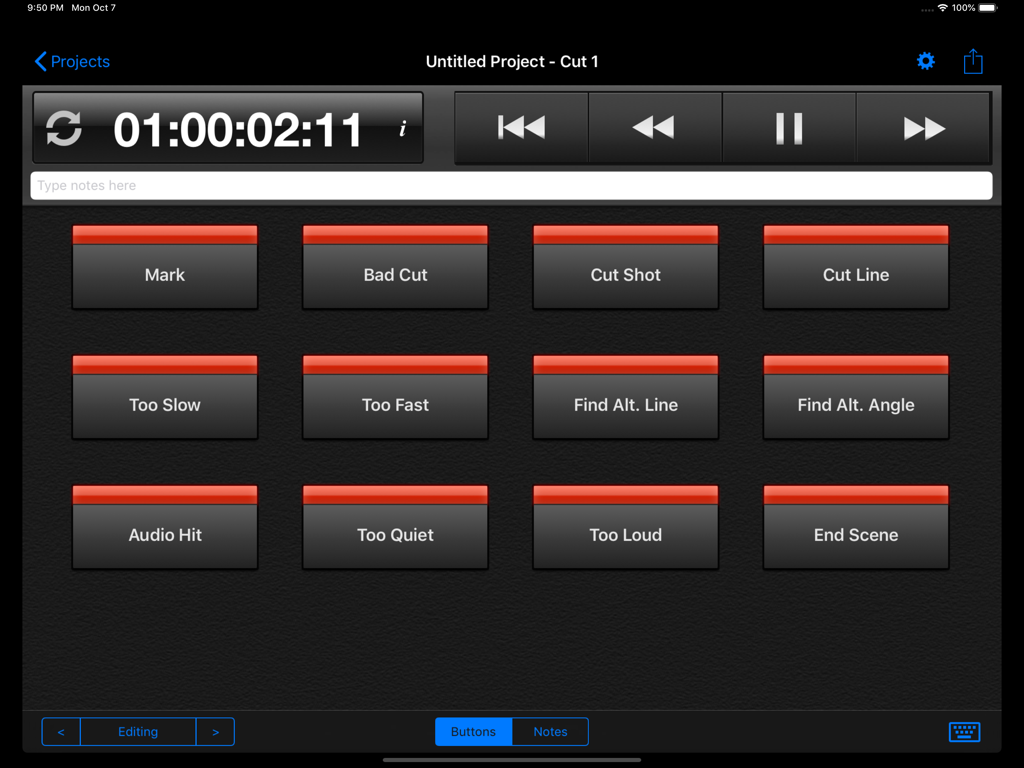
Cut Notes iPad app interface showing a timecode display and custom note shortcut keys for video editing
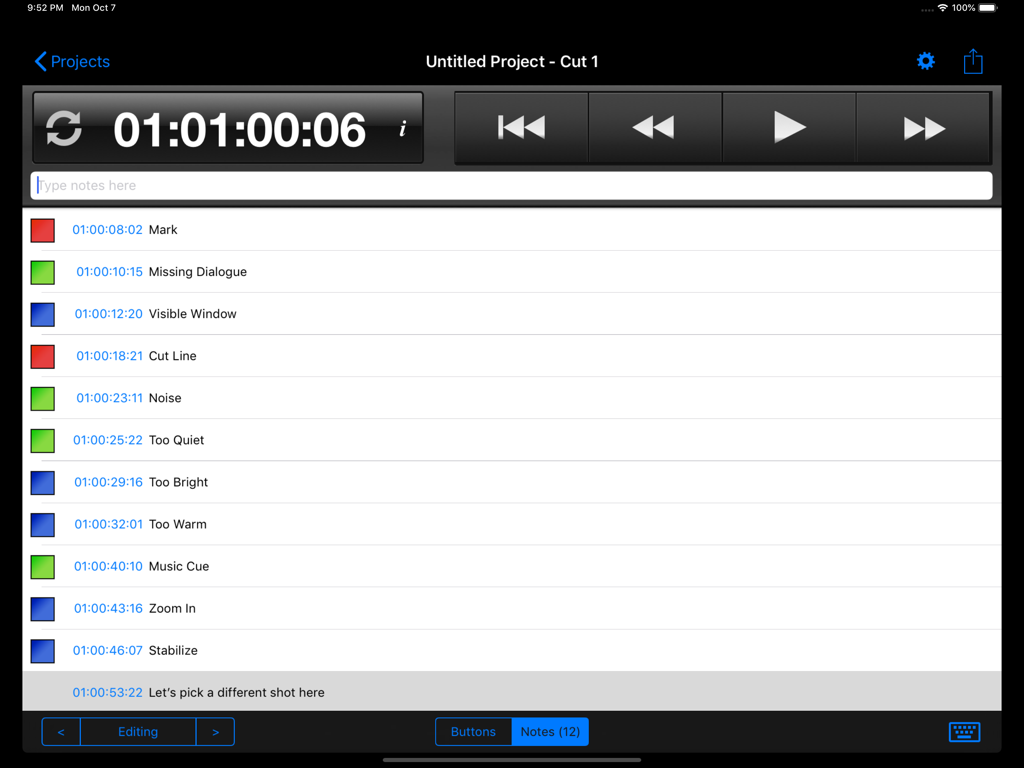
Interface of the Cut Notes app on an iPad showing a list of time-stamped video editing notes and transport controls.
Description
Download
More Like This
Top-ranked apps in the same category

Google LLC

Google Chrome
Google LLC

中国移动(手机营业厅)
China Mobile Online Services Co., Ltd.

Google Authenticator
Google LLC

CNH do Brasil
Servicos e Informacoes do Brasil

Cleanup: Phone Storage Cleaner
DEEP FLOW SOFTWARE SERVICES - FZCO

gov.br
Servicos e Informacoes do Brasil

中国电信-全国统一官方服务平台
CHINA TELECOM Corporation Ltd.

Microsoft Edge: AI Browser
Microsoft Corporation
This page is not an official page of the app or its developer, but an independent editorial publication created for informational and commentary purposes. Unless expressly stated otherwise, neither the app nor its developer is affiliated with, endorsed by, sponsored by, authorized by, or otherwise officially connected with MWM, Apple, Google Play, the app publisher, or the app's developer, and nothing on this page implies that the app was developed using MWM's services. Any trademarks, logos, screenshots, and other content remain the property of their respective owners.