
Denon AVR Remote


Transform your iPhone or iPad into the ultimate control center. Effortlessly manage volume, inputs, and multi-room audio with the precision and reliability your Denon system deserves.
Publisher
Category
MusicDownloads
1M+User Rating
Total Ratings
2K+Locales
11Discover the interface used by 1M+ users.
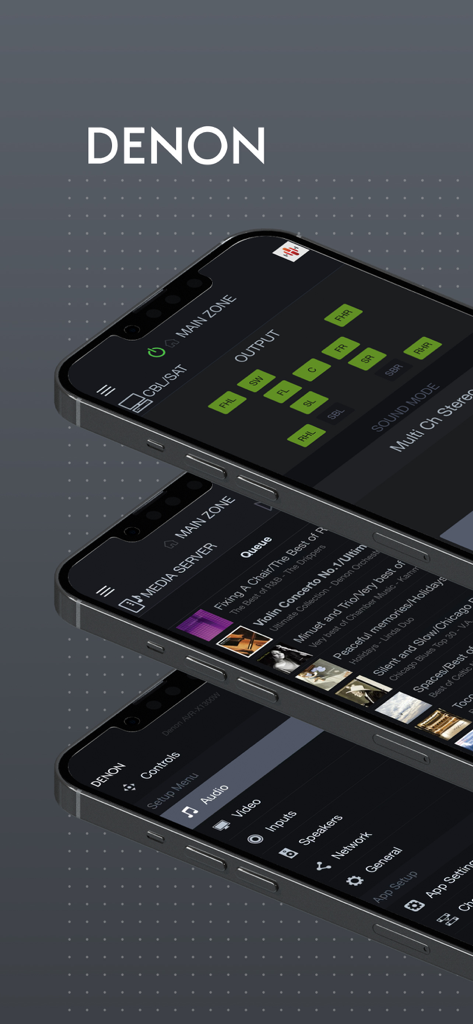
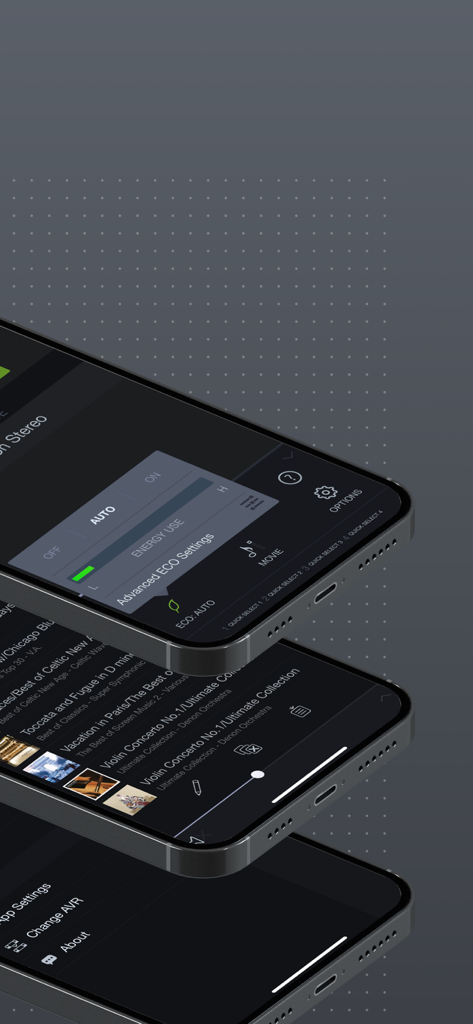
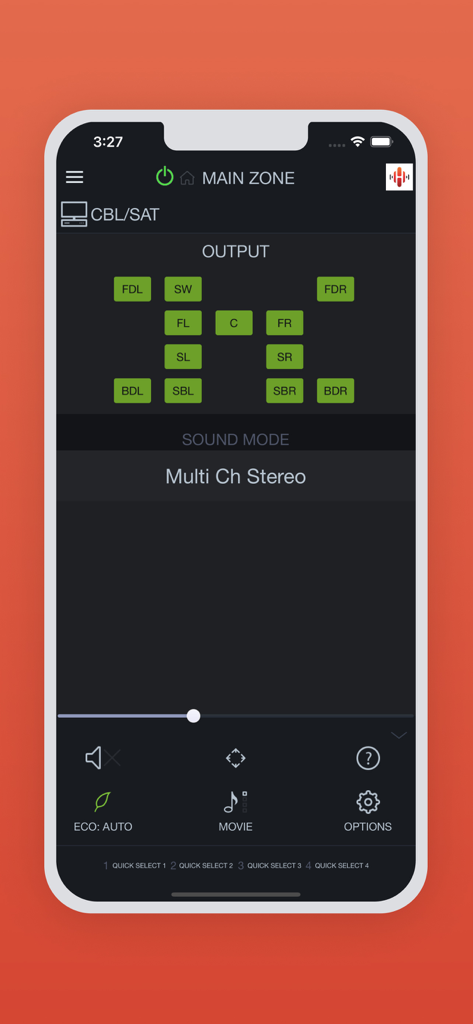
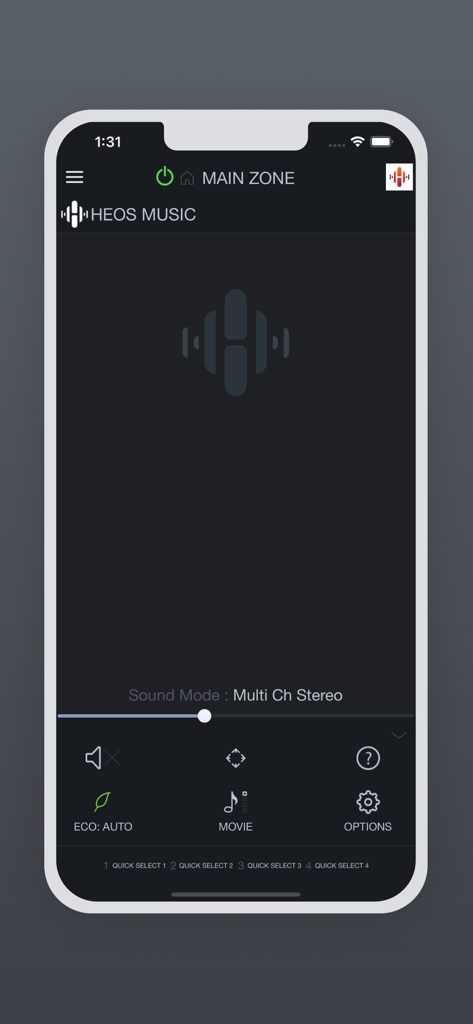
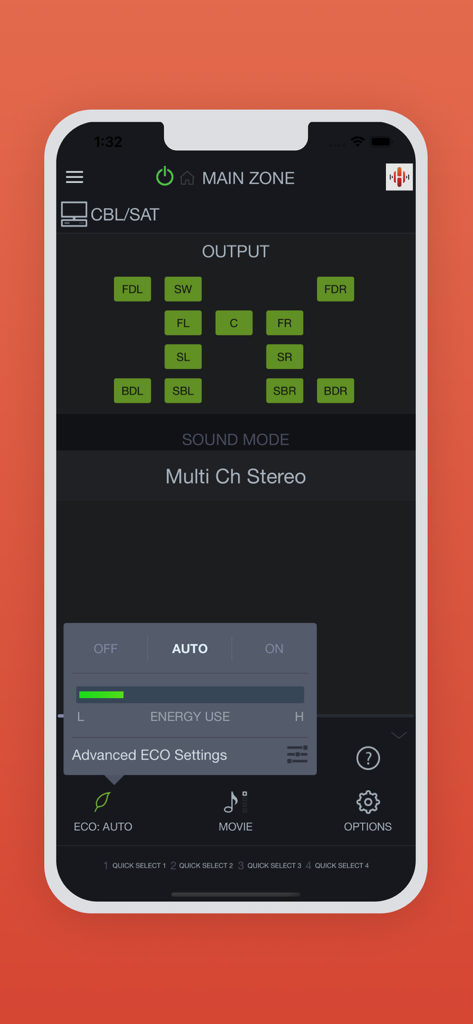
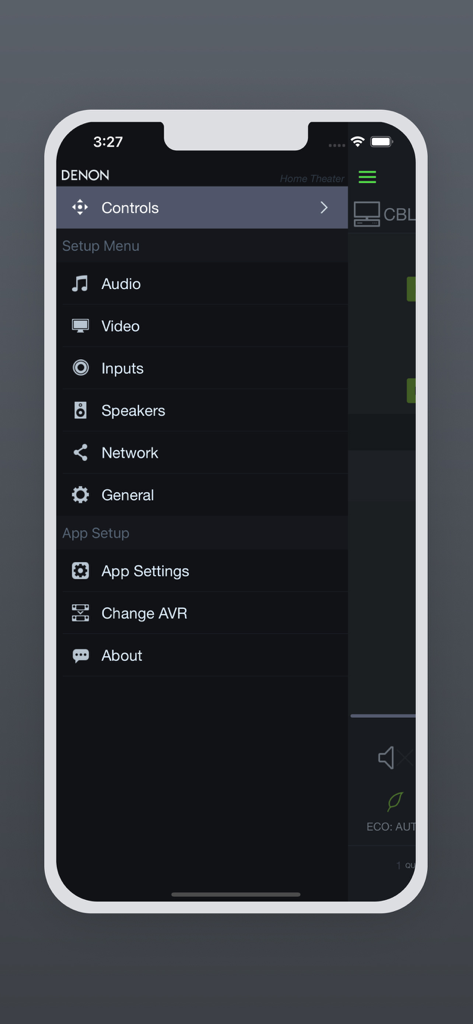
The tools that make this app stand out, trusted by 1M+ users.
Fine-tune channel levels and subwoofer settings instantly without ever leaving your seat or interrupting the screen.
Command your entire home's audio by managing HEOS zones and inputs across different rooms from one single interface.
Replace remote clutter with seamless Wi-Fi control over power, volume, and input selection from any room in your house.
Insights from user reviews.
Sentiment Score
Summary
General feedback for the app is overwhelmingly negative, with users citing frequent crashes, particularly after updating to iOS 26 or recent app versions like 3.12.1. Many struggle with unreliable device detection and connectivity to their Denon AVRs, often requiring network troubleshooting or device resets. Users also express frustration with the app's sluggish performance, outdated interface, and the removal or malfunction of key features like internet radio and web-based speaker settings. While some users appreciate its use for firmware updates or find recent updates (like version 3.12.3) have improved stability, the overall consensus is that the app significantly underperforms for a premium brand.
Common Themes
Everything you need to know about Denon AVR Remote.
Description
Latest Version
3.12.5
Size
69.0 MB
First Released
Jan 28, 2016
Join over 1 million audiophiles and fine-tune your Denon experience. Control power, volume, and multi-room HEOS zones with precision, directly from your iPhone or iPad.
Everything you need to know about Denon AVR Remote
The Denon AVR Remote app provides command and control over compatible network-ready Denon AV Receivers from 2014 or later model years using an iPhone or iPad. It offers enhanced graphics and user interface.
The Denon AVR Remote app is compatible with network-ready Denon AV Receivers from 2014 or later model years, including specific AVR-A, AVR-X, AVR-S, and DRA series models listed in the app description.
Yes, the Denon AVR Remote app controls basic functions of your Denon product, including power, volume, input selection, and various settings.
Yes, the Denon AVR Remote app supports network browsing. Users can browse within the app or select HEOS network as an input to automatically open the HEOS app.
To use the Denon AVR Remote app, set "Network Control" to "ON" in your Denon product's system setup menu. Navigate to Network > Network Control.
Yes, the Denon AVR Remote app includes an ECO Mode setting. Users can adjust energy use via "OFF", "AUTO", or "ON" toggles and access advanced ECO settings.
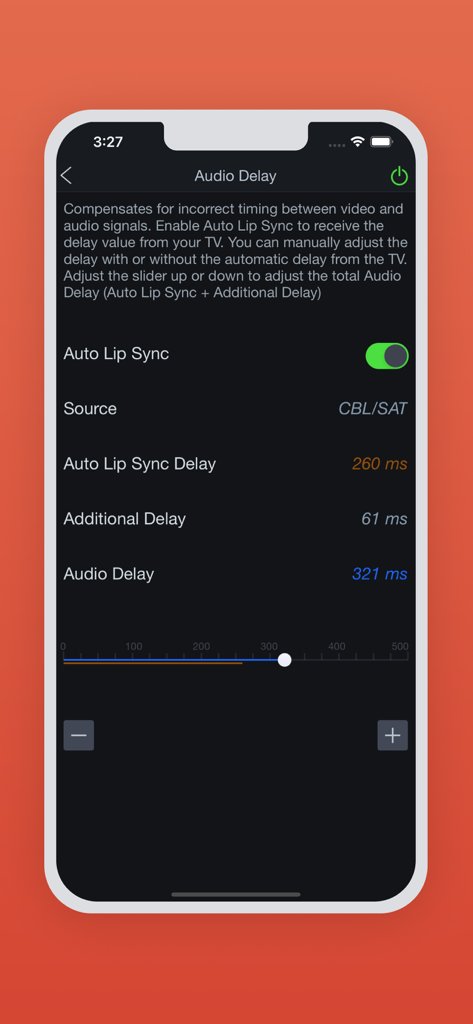
Yes, the Denon AVR Remote app allows adjustment of audio delay settings. This includes Auto Lip Sync, Auto Lip Sync Delay, and Additional Delay, accessible via a slider.
Yes, the Denon AVR Remote app supports multiple languages including English, French, German, Spanish, Dutch, Italian, Swedish, Japanese, Simplified Chinese, Russian, and Polish.
If the app malfunctions, try rebooting your mobile device, unplugging and re-inserting the main unit's power cord, or checking your home network connection.
Yes, the Denon AVR Remote app provides a feature for viewing user manuals directly within the application.
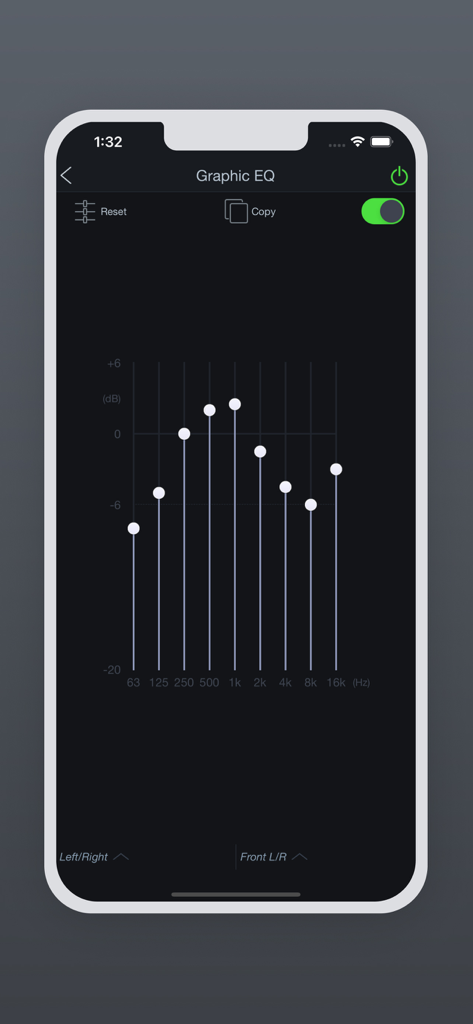
Yes, the Denon AVR Remote app features a Graphic EQ. This allows users to adjust frequency bands, reset settings, and copy configurations.
Apps with similar features and user experience

Bose Corporation

Marshall Group AB (publ)

Harman International Industries

Bose Corporation

Bose Corporation

Harman International Industries

Power Mobile Life LLC

Harman International Industries

Beijing Xiaomi Co., Ltd
App information, icons, screenshots, and descriptions displayed on this page are sourced from the Apple App Store and are the property of their respective developers. Download estimates and rankings are based on MWM's proprietary models and may not reflect actual figures. This page is provided for informational and analytical purposes only.
Believe this page infringes your intellectual property? File a dispute