
This page is not an official page of the app or its developer, but an independent editorial publication created for informational and commentary purposes. Unless expressly stated otherwise, neither the app nor its developer is affiliated with, endorsed by, sponsored by, authorized by, or otherwise officially connected with MWM, Apple, Google Play, the app publisher, or the app's developer, and nothing on this page implies that the app was developed using MWM's services. Any trademarks, logos, screenshots, and other content remain the property of their respective owners.


Bose Connect
Without it, Bose devices are underutilized. The app grants users precise command over their sound, transforming individual units into a cohesive, powerful audio system.
Downloads
25M+User Rating
Total Ratings
825.2KPublisher
Category
MusicLocales
20Latest Version
25.2Size
231.5 MBFirst Released
Dec 8, 2015Bose Connect: Feature Analysis
Evaluating core functionalities and user impact for Bose wireless audio device owners.
Controllable Noise Cancellation
It provides precise control over noise cancellation levels, allowing users to adjust ambient sound based on their environment.
Music Share
The app enables users to share audio from a single source with another pair of Bose wireless headphones, fostering a shared listening experience.
Party & Stereo Mode for Speakers
This tool allows users to link two compatible Bose SoundLink speakers to play audio simultaneously in Party Mode or create an immersive stereo soundstage.
Comprehensive Device Management
The app offers seamless management of key device settings, including auto-off timers, volume control, battery status, and easy switching between multiple Bluetooth connections.
Integrated Heart Rate Monitoring
For owners of SoundSport Pulse headphones, the app displays real-time heart rate data, integrating fitness tracking directly into the listening experience.
Background Software Updates
It facilitates discreet background downloads of the latest software updates, ensuring products remain current with new features and improvements, ready for user-initiated installation.
Frequently Asked Questions
Everything you need to know about Bose Connect
What does the Bose Connect app do?
The Bose Connect app unlocks the full potential of your Bose Bluetooth® product. It provides easy access to key features like auto-off timer, volume control, battery readings, and manages multiple Bluetooth connections.
Can I share music with another person using Bose Connect?
Yes, the Bose Connect app enables Music Share. This feature allows two pairs of Bose® wireless headphones to share the listening experience simultaneously, with one user acting as the DJ.
Does the Bose Connect app support multiple speaker connections?
Yes, the Bose Connect app supports connecting multiple speakers. Party Mode syncs two SoundLink® speakers for double audio, and Stereo Mode separates sound into Left and Right channels across two paired speakers.
How does Bose Connect manage noise cancellation for headphones?
For QC®30 headphones, the Bose Connect app offers controllable noise cancellation. Users adjust the level of noise cancellation directly within the app, deciding how much of the external world to let in.
Which Bose products are compatible with the Bose Connect app?
The Bose Connect app is compatible with Bose Frames, QC®35, SoundSport® wireless, QuietControl™ 30, SoundLink® wireless II, ProFlight® headphones, and various SoundLink® and S1 Pro® speakers.
Does Bose Connect display heart rate information?
Yes, for SoundSport® Pulse headphones, the Bose Connect app displays the built-in heart rate monitor's readings. The heart rate information appears clearly within the app interface.
Can I rename my Bose device in the Bose Connect app?
Yes, the Bose Connect app allows users to personalize device settings, including nicknaming their Bose products. This feature enhances device identification within the application.
Does the Bose Connect app provide battery status?
Yes, the Bose Connect app provides battery readings for connected Bose Bluetooth® products. This feature is easily accessible within the app for convenient monitoring of your device's power level.
The following screenshots and description are sourced directly from the app's official store listing and are the property of the app developer.
App Store
Screenshots
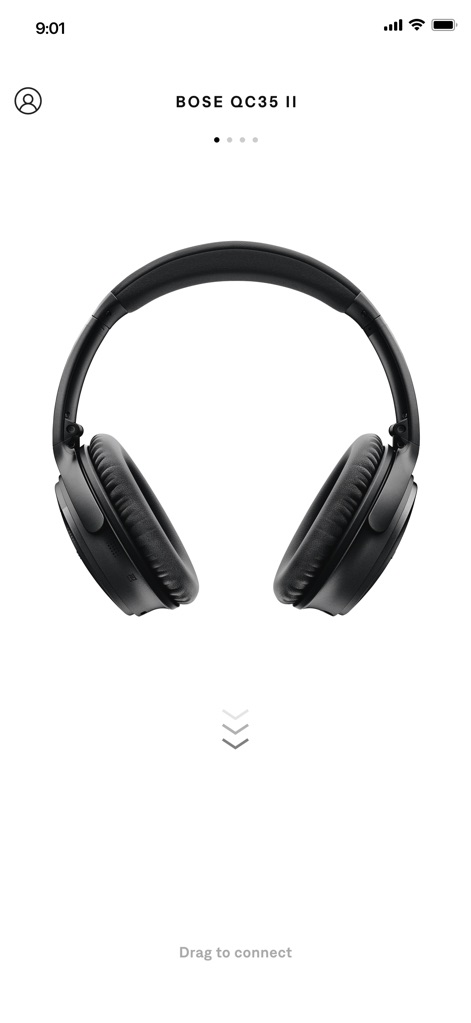
Headphone Connection Guide
Discover how easy it is to pair your Bose QC35 II headphones using the intuitive "Drag to connect" feature displayed prominently on the screen.
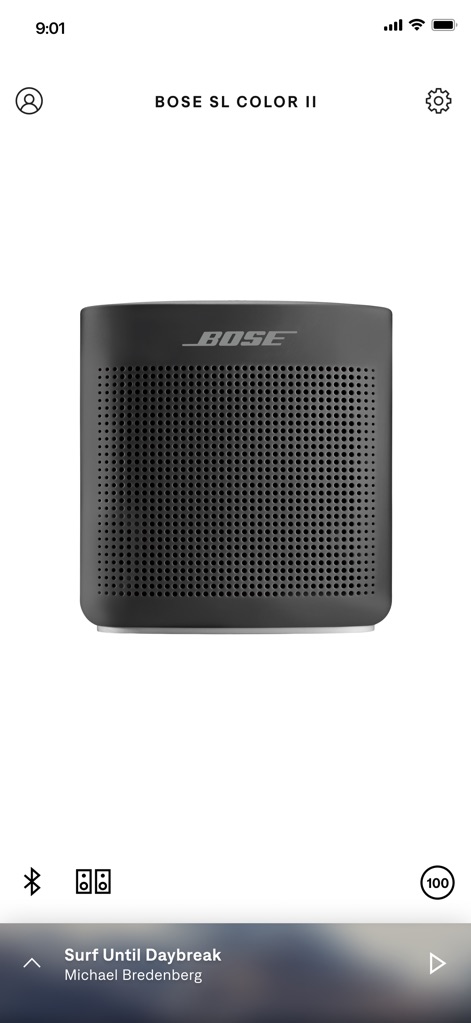
Speaker Status View
Monitor your device's readiness with the clear battery indicator and easily access music sharing options with the speaker pairing icon for an enhanced listening experience.
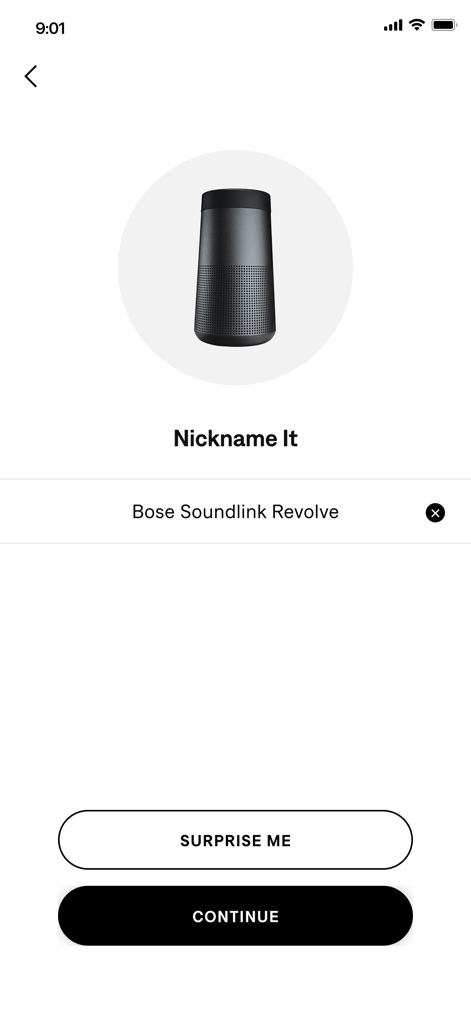
Personalize Your Device
Users can customize their connected devices, such as the Bose SoundLink Revolve, by assigning unique nicknames through the "Nickname It" input field for easy identification.
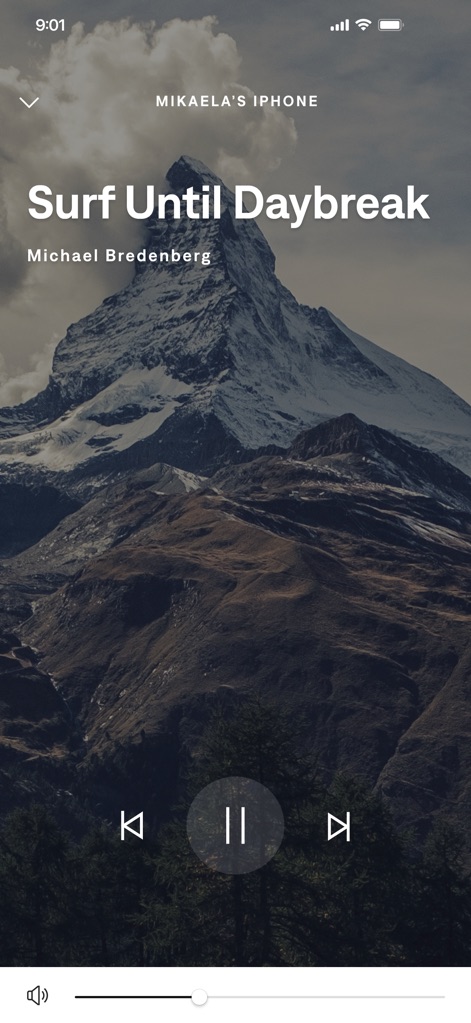
Immersive Playback Control
Take full command of your audio with the prominent play/pause button and precise volume slider, all presented against a beautiful background image of a mountain landscape.
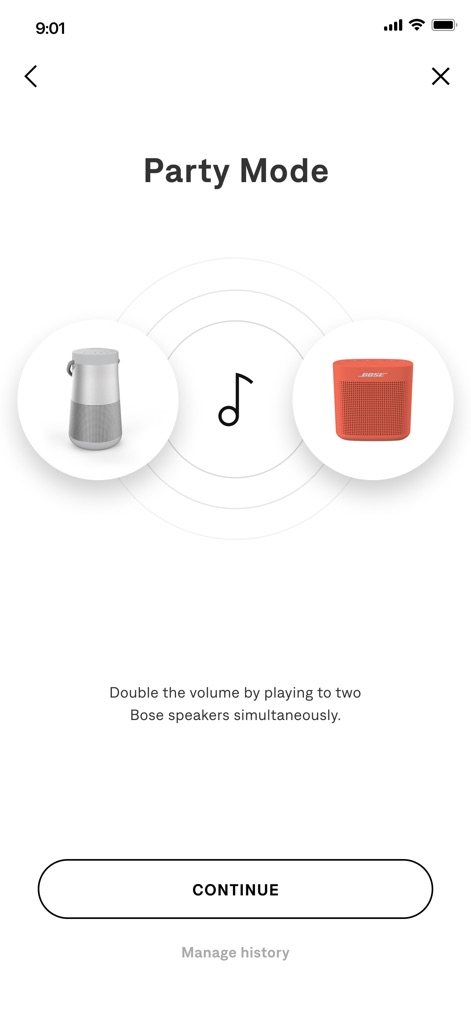
Enhanced Audio Experience
Explore the innovative "Party Mode" feature, enabling users to synchronize two Bose speakers, like the SoundLink Revolve and Color II, for amplified sound across multiple locations.
Description
Download
More Like This
Apps with similar features and user experience

Bose
Bose Corporation

Marshall Bluetooth
Marshall Group AB (publ)

JBL PartyBox
Harman International Industries

Bose QC Earbuds
Bose Corporation

JBL Headphones
Harman International Industries

soundcore
Power Mobile Life LLC

JBL Portable
Harman International Industries

Xiaomi Earbuds
Beijing Xiaomi Co., Ltd

Shokz
Shenzhen Shokz Co., Ltd.
This page is not an official page of the app or its developer, but an independent editorial publication created for informational and commentary purposes. Unless expressly stated otherwise, neither the app nor its developer is affiliated with, endorsed by, sponsored by, authorized by, or otherwise officially connected with MWM, Apple, Google Play, the app publisher, or the app's developer, and nothing on this page implies that the app was developed using MWM's services. Any trademarks, logos, screenshots, and other content remain the property of their respective owners.