
This page is not an official page of the app or its developer, but an independent editorial publication created for informational and commentary purposes. Unless expressly stated otherwise, neither the app nor its developer is affiliated with, endorsed by, sponsored by, authorized by, or otherwise officially connected with MWM, Apple, Google Play, the app publisher, or the app's developer, and nothing on this page implies that the app was developed using MWM's services. Any trademarks, logos, screenshots, and other content remain the property of their respective owners.


Marshall Bluetooth
The ultimate companion for your Marshall speakers and headphones. Tweak the EQ, manage noise cancellation, and crank the volume from across the room—all while keeping your heritage gear updated with the latest features.
Downloads
8M+User Rating
Total Ratings
188K+Publisher
Category
MusicLocales
11Latest Version
3.5.6Size
65.3 MBFirst Released
Oct 9, 2018Legendary Sound, Modern Mastery
The Marshall Bluetooth app bridges the gap between rock-and-roll heritage and modern convenience, giving you total command over your audio ecosystem.
Precision Equalization
Sculpt your signature sound with professional-grade EQ presets. Whether it's heavy bass or crisp highs, tailor every track to match your unique taste.
Effortless Remote Control
Stay in control of the vibe without leaving the conversation. Adjust volume and playback across your Marshall speakers from anywhere in the room.
Frequently Asked Questions
Everything you need to know about Marshall Bluetooth
What is the Marshall Bluetooth app?
The Marshall Bluetooth app manages Marshall audio devices remotely. It controls volume, customizes sound with equalizers, manages noise cancellation, and ensures device connectivity for a personalized listening experience.
Can I adjust volume with the Marshall Bluetooth app?
Yes, the Marshall Bluetooth app provides remote volume control for connected Marshall devices. Users adjust audio levels from their mobile device, ensuring convenient management of their sound environment.
Does the Marshall Bluetooth app offer an equalizer feature?
Yes, the Marshall Bluetooth app includes a customizable equalizer. Users select preset sound profiles or create their own, adjusting frequency bands like 160 Hz, 400 Hz, 1 kHz, 2.5 kHz, and 6.25 kHz.
What noise control settings are available in the Marshall Bluetooth app?
The Marshall Bluetooth app provides noise control options including Active Noise Cancellation (ANC), Off, and Transparency (TRA) modes. Users adjust the ANC level directly within the app for their headphones.
Which Marshall products are compatible with the Marshall Bluetooth app?
The Marshall Bluetooth app supports products like Bromley 750, Middleton II, Kilburn III, Monitor III A.N.C., Emberton III, Willen II, Motif II A.N.C., and many other listed Marshall audio devices.
Is the Marshall Bluetooth app required to use Marshall products?
Yes, Marshall products function independently without the Marshall Bluetooth app. The app offers advanced controls and customization, but it is not essential for basic operation of the devices.
How do I connect my Marshall device to the Marshall Bluetooth app?
To connect a device, launch the Marshall Bluetooth app and ensure your Marshall device is powered on and nearby. The app automatically searches for and lists available devices for pairing.
Can I personalize device settings using the Marshall Bluetooth app?
Yes, the Marshall Bluetooth app allows users to personalize various settings, including media playback controls for actions like play/pause and skipping tracks, as well as call management options.
Does the Marshall Bluetooth app offer product information or tips?
Yes, the Marshall Bluetooth app provides access to product information, such as guidance on fitting earbuds for optimal comfort and sound, and details regarding device firmware.
Can I update my Marshall device's firmware via the Marshall Bluetooth app?
Yes, the Marshall Bluetooth app manages firmware updates for compatible devices. It displays the current firmware version and confirms if the device's firmware is already up to date.
The following screenshots and description are sourced directly from the app's official store listing and are the property of the app developer.
App Store
Screenshots
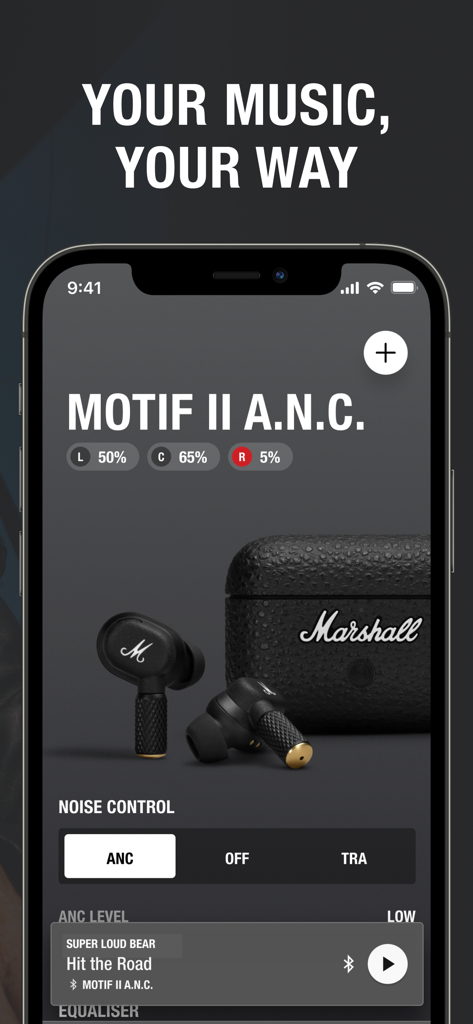
Interface of the Marshall Bluetooth app displaying noise control and battery levels for Motif II ANC earbuds.
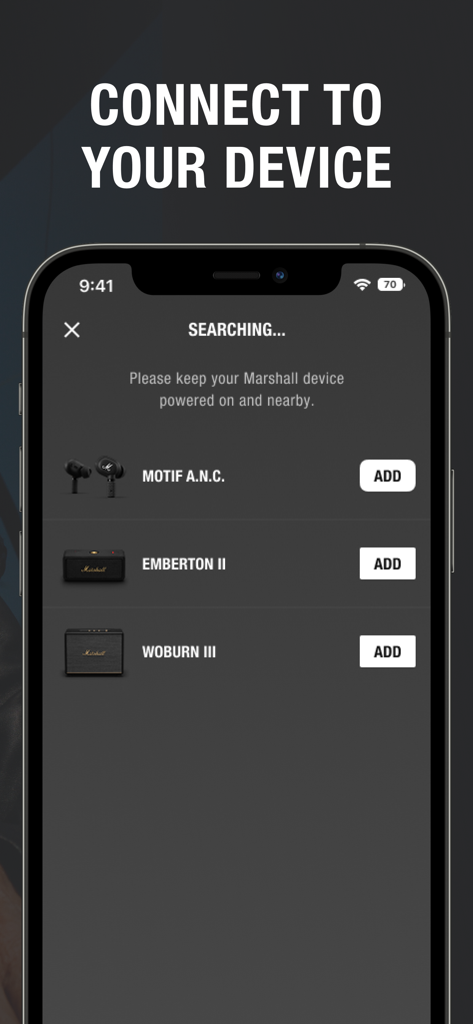
Marshall Bluetooth app searching for and connecting audio devices
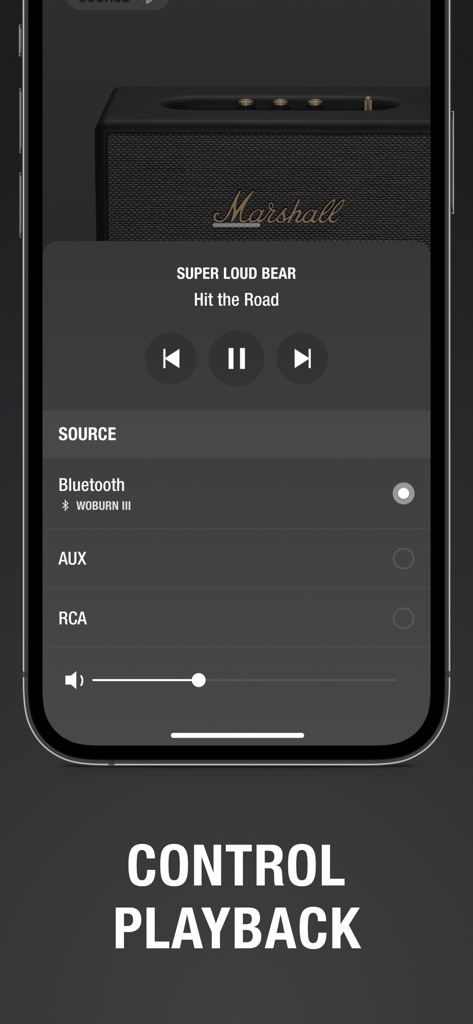
Marshall Bluetooth app interface showing playback controls for a Woburn III speaker including volume and input source selection
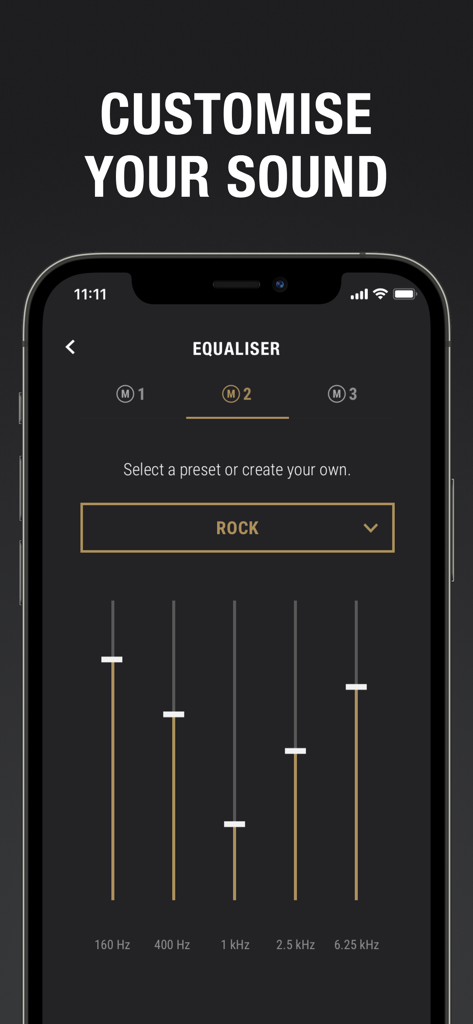
Marshall Bluetooth app equalizer screen for custom sound adjustment
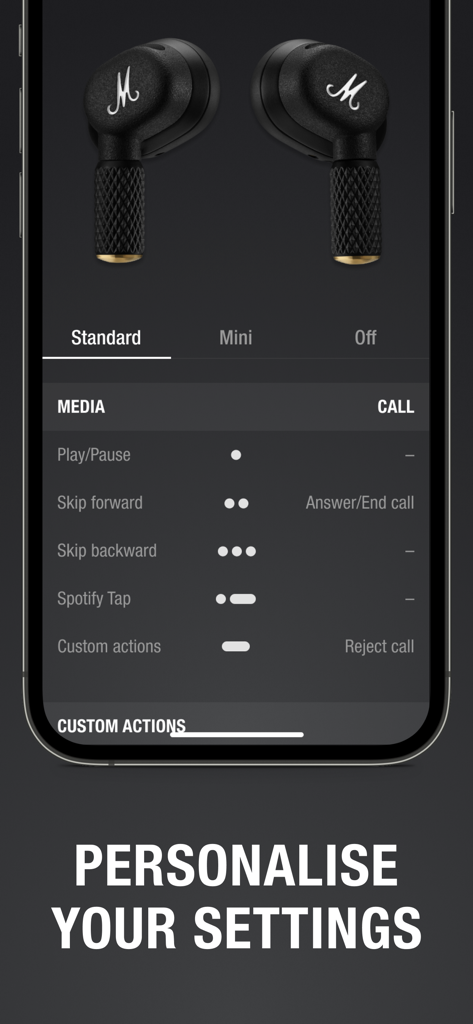
Screenshot of Marshall Bluetooth app showing touch control customization for earbuds.
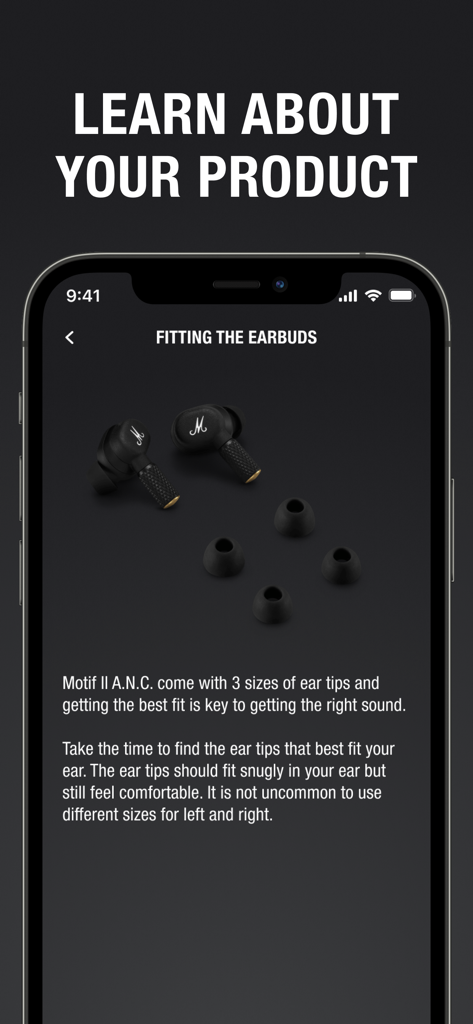
Marshall Bluetooth app showing a guide for fitting Motif II ANC earbuds with different ear tip sizes
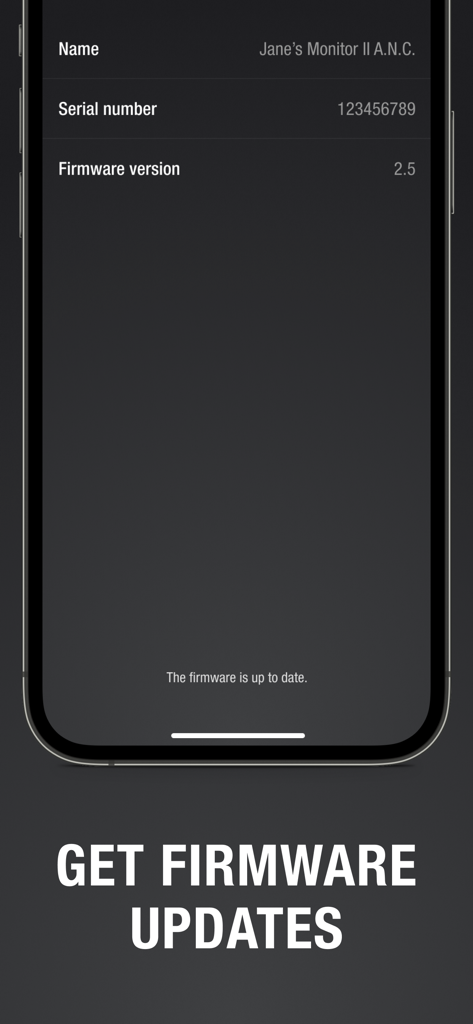
A screenshot of the Marshall Bluetooth app showing device information and a notification that the firmware is up to date.
Description
Download
More Like This
Apps with similar features and user experience

Bose
Bose Corporation

JBL PartyBox
Harman International Industries

Bose Connect
Bose Corporation

Bose QC Earbuds
Bose Corporation

JBL Headphones
Harman International Industries

soundcore
Power Mobile Life LLC

JBL Portable
Harman International Industries

Xiaomi Earbuds
Beijing Xiaomi Co., Ltd

Shokz
Shenzhen Shokz Co., Ltd.
This page is not an official page of the app or its developer, but an independent editorial publication created for informational and commentary purposes. Unless expressly stated otherwise, neither the app nor its developer is affiliated with, endorsed by, sponsored by, authorized by, or otherwise officially connected with MWM, Apple, Google Play, the app publisher, or the app's developer, and nothing on this page implies that the app was developed using MWM's services. Any trademarks, logos, screenshots, and other content remain the property of their respective owners.