
This page is not an official page of the app or its developer, but an independent editorial publication created for informational and commentary purposes. Unless expressly stated otherwise, neither the app nor its developer is affiliated with, endorsed by, sponsored by, authorized by, or otherwise officially connected with MWM, Apple, Google Play, the app publisher, or the app's developer, and nothing on this page implies that the app was developed using MWM's services. Any trademarks, logos, screenshots, and other content remain the property of their respective owners.


Bose QC Earbuds
Audio control hits a new peak. This app grants total dominion over your sound, transforming how you engage with every track and environment.
Downloads
1M+User Rating
Total Ratings
45.8KPublisher
Category
UtilitiesLocales
7Latest Version
3.0.1Size
227.7 MBFirst Released
Sep 14, 2024Evaluating core functionalities for premium audio and user customization.
Bose QC Earbuds: App Feature Analysis
Advanced Noise Control
This tool features seamless switching between Quiet, Aware, and off modes for active noise cancellation, adapting to various environmental needs.
Customizable EQ
The app allows users to fine-tune bass, mids, and treble frequencies with a five-band adjustable equalizer, optimizing sound to personal preference.
Apple Music Integration
The app integrates with Apple Music Premium, allowing users to instantly start playlists via earbud shortcut buttons for enhanced convenience.
Customizable Shortcuts
It allows users to personalize earbud button actions and create custom shortcuts for frequently used functions.
Device Connection Management
This tool enables users to manage and switch between multiple connected devices efficiently.
Battery Status Monitoring
The app provides real-time monitoring of the earbuds' battery life, ensuring users are always aware of their power status.
Frequently Asked Questions
Everything you need to know about Bose QC Earbuds
What EQ settings does the Bose QC Earbuds app offer?
The Bose QC Earbuds app offers a five-band adjustable EQ. Users control bass, mid-range, and treble levels to personalize their sound.
Can Bose QC Earbuds users adjust active noise cancellation (ANC) through the app?
Yes, Bose QC Earbuds users adjust ANC settings through the app. They can switch between Quiet Mode, Aware Mode, or turn ANC off.
How do I check the battery life of my Bose QC Earbuds?
Users check the battery life of their Bose QC Earbuds directly within the Bose QC Earbuds app. The main dashboard displays individual battery percentages for each earbud.
Can I customize the touch controls on my Bose QC Earbuds using the app?
Yes, the Bose QC Earbuds app allows users to customize touch controls. Users assign actions like Play/Pause, Next Track, or Remote Selfie to single, double, triple press, or hold gestures for each earbud.
Do Bose QC Earbuds support multipoint connection?
Yes, Bose QC Earbuds support multipoint connection via the app. This feature enables simultaneous connection to two devices and seamless switching of audio playback between them.
Can I use voice commands with my Bose QC Earbuds?
Yes, users control their Bose QC Earbuds with voice commands through the app, without an internet connection. Commands manage calls and media playback.
What is the purpose of the Bose QC Earbuds app?
The Bose QC Earbuds app personalizes the earbud experience. It controls sound EQ, manages noise cancellation, monitors battery life, and customizes touch and voice commands.
The following screenshots and description are sourced directly from the app's official store listing and are the property of the app developer.
App Store
Screenshots
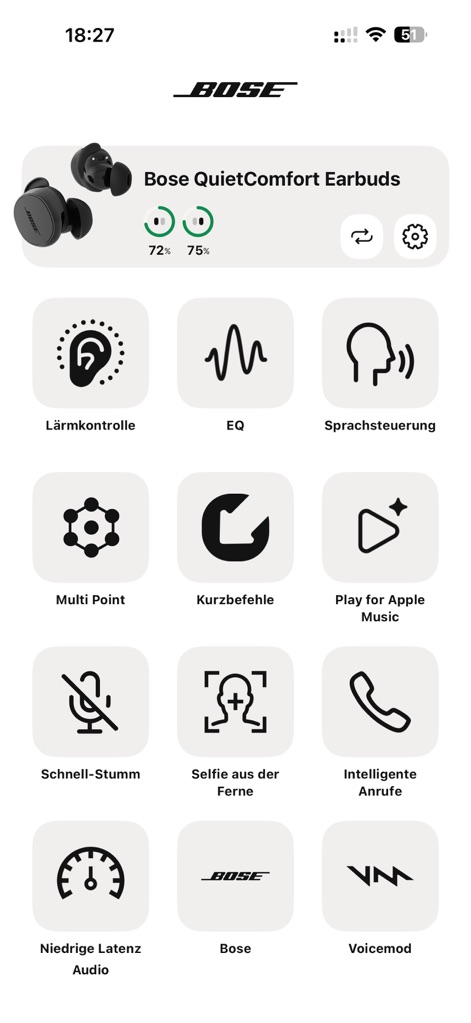
Discover the intuitive main dashboard, featuring a clear battery life display and quick access icons for key settings like EQ and Noise Control.
Main Control Hub
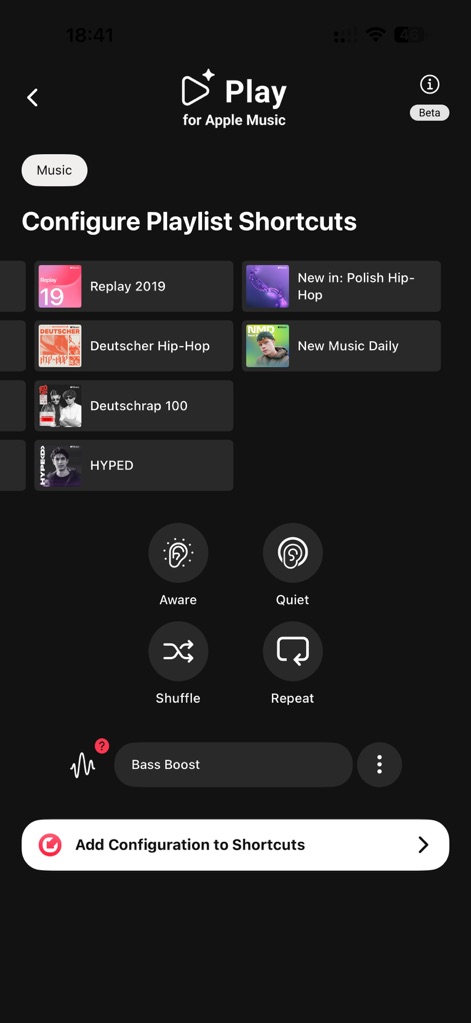
Configure playlist shortcuts seamlessly with Apple Music integration, allowing users to customize instant playback and quick settings like 'Aware' and 'Quiet' modes.
Personalized Playlists
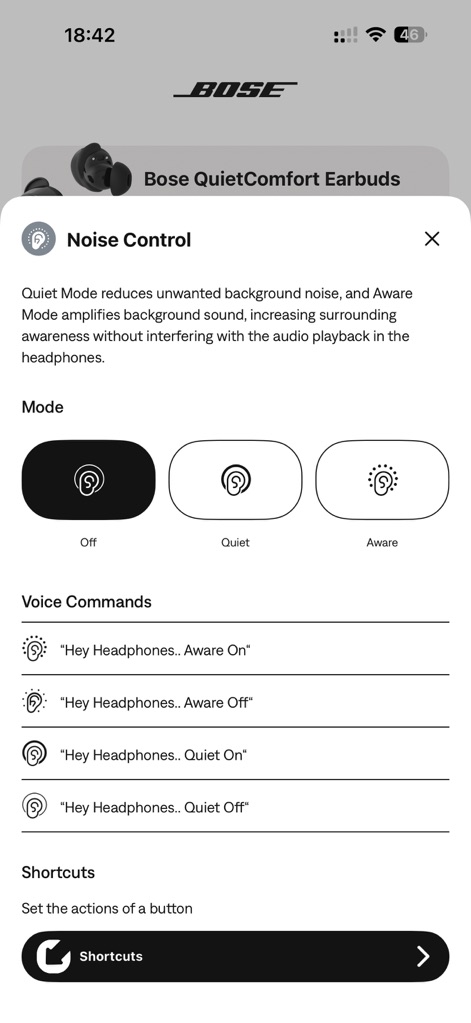
Explore the sophisticated noise control options, switching between 'Quiet' and 'Aware' modes and activating convenience features via voice commands.
Advanced Noise Control
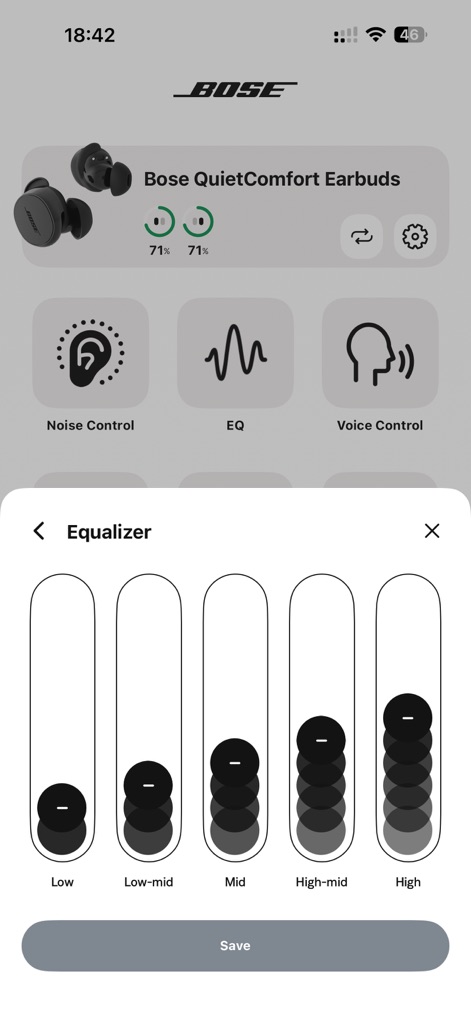
Fine-tune your sound experience with the five-band adjustable equalizer, providing granular control over frequencies from Low to High.
Precision Audio Tuning
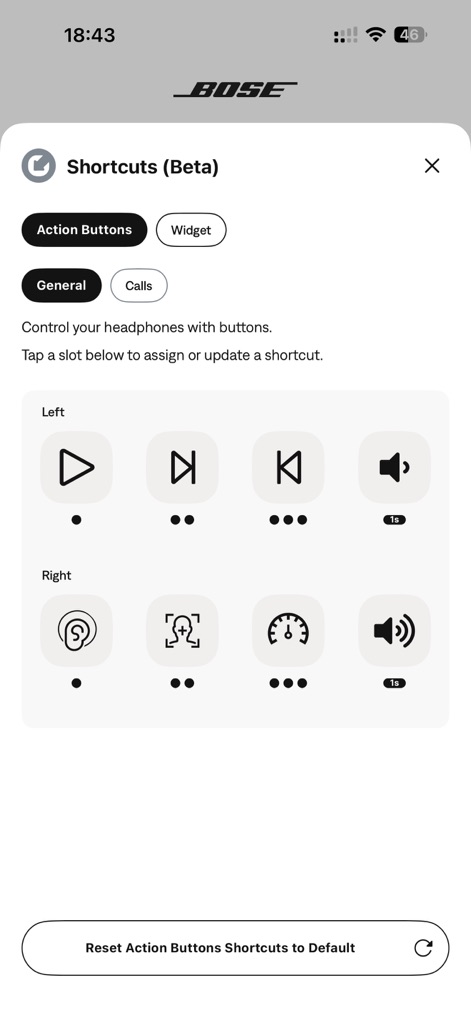
Personalize earbud controls by assigning custom actions to left and right buttons, enabling quick access to functions like playback and noise control.
Custom Button Actions
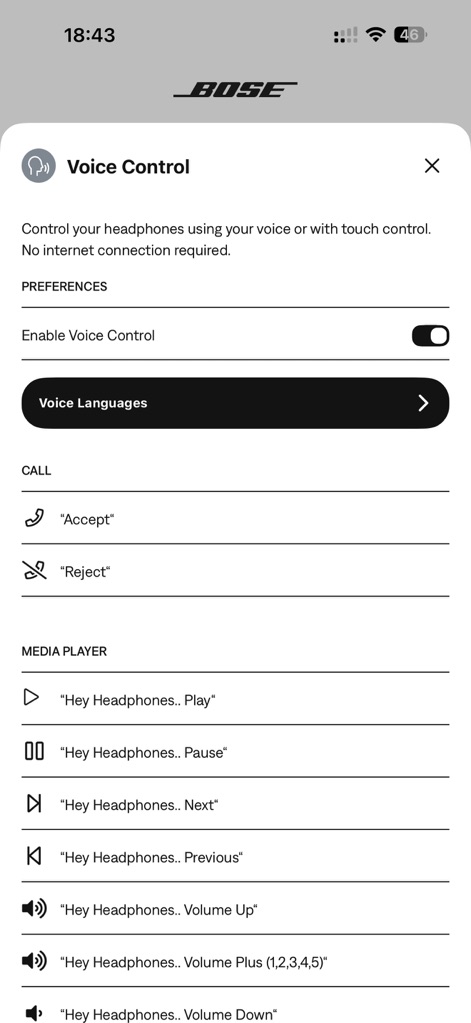
Enable hands-free operation with robust voice control settings, allowing users to manage calls and media playback effortlessly.
Intuitive Voice Commands
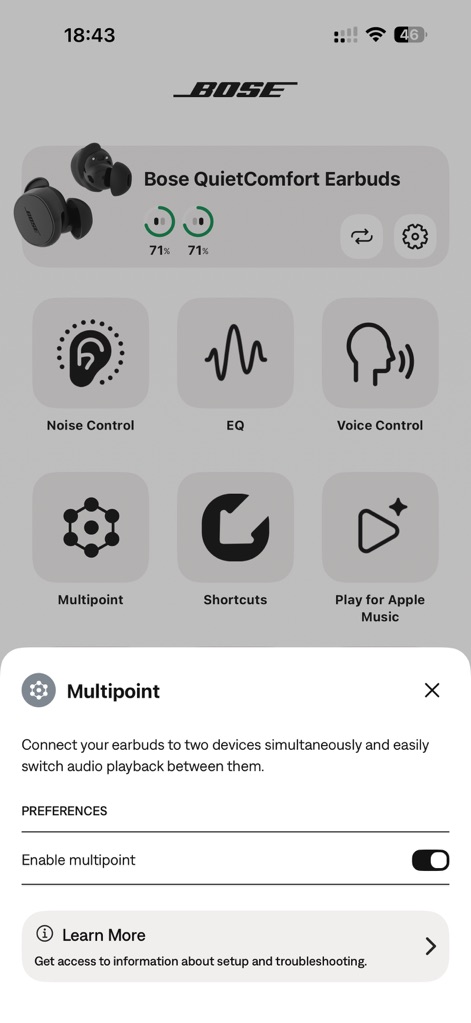
Utilize multipoint connectivity to effortlessly switch between two paired devices, ensuring an uninterrupted audio experience across different platforms.
Seamless Device Switching
Description
Download
More Like This
Apps with similar features and user experience

Bose
Bose Corporation

Marshall Bluetooth
Marshall Group AB (publ)

JBL PartyBox
Harman International Industries

Bose Connect
Bose Corporation

JBL Headphones
Harman International Industries

soundcore
Power Mobile Life LLC

JBL Portable
Harman International Industries

Xiaomi Earbuds
Beijing Xiaomi Co., Ltd

Shokz
Shenzhen Shokz Co., Ltd.
This page is not an official page of the app or its developer, but an independent editorial publication created for informational and commentary purposes. Unless expressly stated otherwise, neither the app nor its developer is affiliated with, endorsed by, sponsored by, authorized by, or otherwise officially connected with MWM, Apple, Google Play, the app publisher, or the app's developer, and nothing on this page implies that the app was developed using MWM's services. Any trademarks, logos, screenshots, and other content remain the property of their respective owners.