
This page is not an official page of the app or its developer, but an independent editorial publication created for informational and commentary purposes. Unless expressly stated otherwise, neither the app nor its developer is affiliated with, endorsed by, sponsored by, authorized by, or otherwise officially connected with MWM, Apple, Google Play, the app publisher, or the app's developer, and nothing on this page implies that the app was developed using MWM's services. Any trademarks, logos, screenshots, and other content remain the property of their respective owners.


JBL PartyBox
Unleash the beat. This app hands users total dominion over their PartyBox, transforming gatherings into events.
Downloads
5M+User Rating
Total Ratings
156.5KPublisher
Category
MusicLocales
19Latest Version
3.13.26Size
144.4 MBFirst Released
Jul 27, 2020An Analytical Overview for Enhanced Party Experiences
Key Features of the JBL PartyBox App
Customizable Audio and Light Shows
This tool features comprehensive controls for audio settings, allowing users to fine-tune equalization, and personalize dynamic light shows to match the mood and energy of any party or event.
Wireless Speaker Connectivity
The app enables users to wirelessly connect multiple compatible JBL PartyBox speakers, creating a more expansive and immersive sound experience for larger gatherings or outdoor events.
Frequently Asked Questions
Everything you need to know about JBL PartyBox
Which JBL PartyBox speakers are compatible with the JBL PartyBox app?
The JBL PartyBox app is compatible with PartyBox 310, 110, 710, Encore Essential, Encore, 520, Stage 320, Club 120, Encore 2, Encore Essential 2, Partylight Beam, and Partylight Stick speakers.
Is the JBL PartyBox app compatible with older PartyBox models like PartyBox 100 or 1000?
No, the JBL PartyBox app is not compatible with PartyBox 100, 200, 300, 1000, or On-The-Go models. These older models are specifically listed as incompatible.
What can users do with the JBL PartyBox app?
The JBL PartyBox app allows users to connect compatible speakers wirelessly, personalize and control their speakers, get software updates, and access product support.
Can I control the light show of my JBL PartyBox speaker using the app?
Yes, the JBL PartyBox app includes a "Light Control" feature to switch between various light show modes such as Neon, Loop, and Bounce for compatible speakers.
Does the JBL PartyBox app allow me to adjust the equalizer settings for my speaker?
Yes, the JBL PartyBox app provides an equalizer feature to customize sound settings, allowing precise adjustments for low, mid, and high frequencies to suit user preferences.
Can the JBL PartyBox app add DJ sound effects to my music?
Yes, the JBL PartyBox app features an "Effect Lab" to boost DJ sound, offering various pre-set sound effects and samples like "LET'S GO" and "PARTY!".
Does the JBL PartyBox app offer microphone effect tuning?
Yes, the JBL PartyBox app includes a "Mic Effect" feature. Users can tune microphone audio by adjusting bass, treble, and echo levels directly within the app.
Can I stereo pair JBL PartyBox speakers using the app?
Yes, the JBL PartyBox app allows users to create a "Stereo Group" by assigning channels (Left/Right) to compatible JBL PartyBox speakers for enhanced stereo sound.
How does the JBL PartyBox app support multiple speakers for a party?
The JBL PartyBox app features "PartyTogether" functionality, enabling users to wirelessly connect and manage multiple compatible JBL PartyBox speakers for a unified party experience.
Does the JBL PartyBox app connect speakers wirelessly?
Yes, the JBL PartyBox app connects compatible JBL PartyBox speakers wirelessly. This enables seamless control and management of your audio setup through the app.
The following screenshots and description are sourced directly from the app's official store listing and are the property of the app developer.
App Store
Screenshots
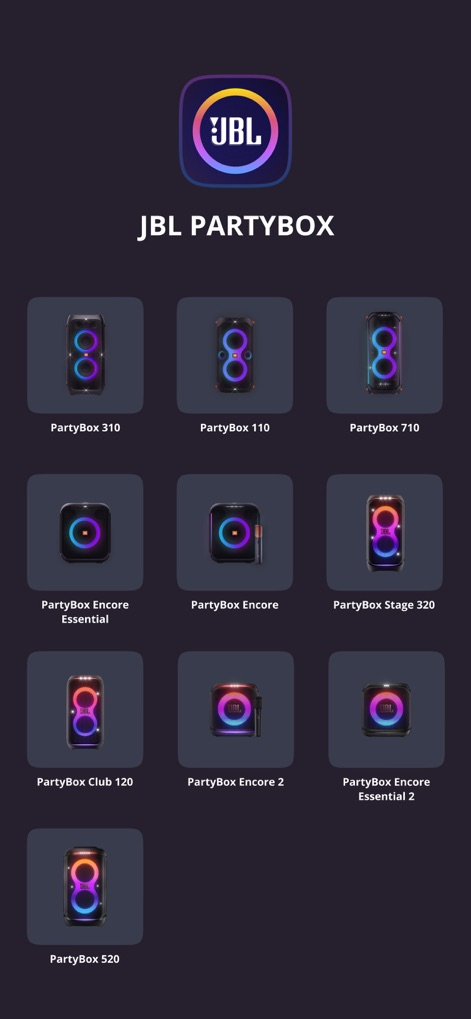
Discover the range of compatible PartyBox models shown with their distinct speaker images, ensuring seamless integration for the ultimate party experience.
Speaker Compatibility
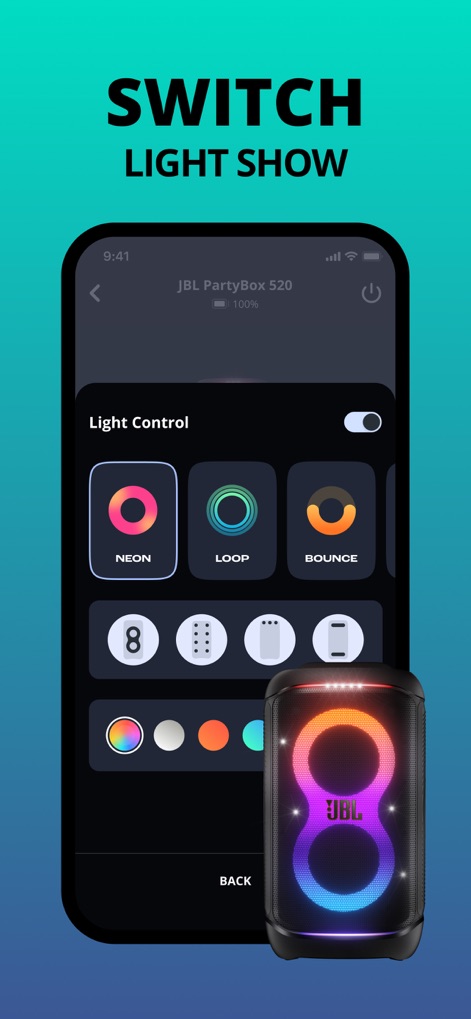
Users can effortlessly switch between vibrant light show patterns like 'Neon' and 'Loop', directly influencing the PartyBox speaker's illuminated display.
Dynamic Light Control
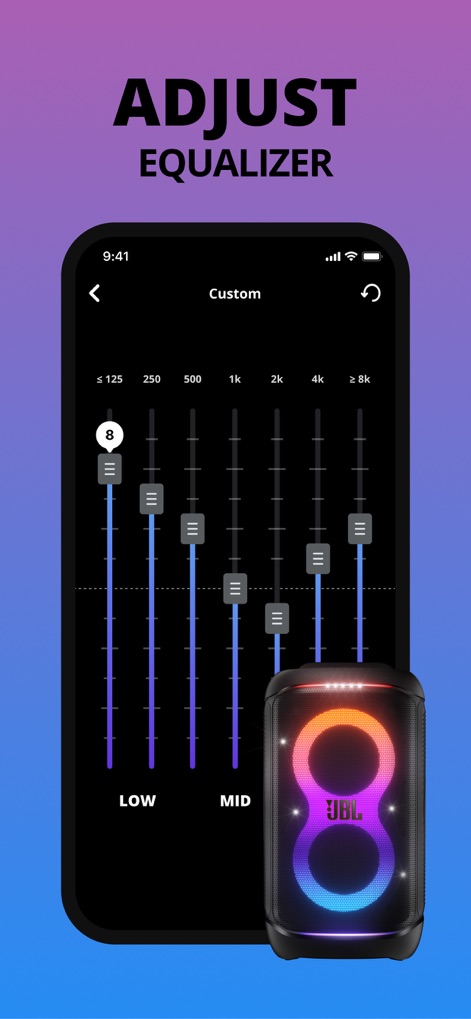
This app allows for detailed audio customization, offering precise equalizer sliders across various frequency bands from 'Low' to 'Mid' to fine-tune sound.
Precision Audio EQ
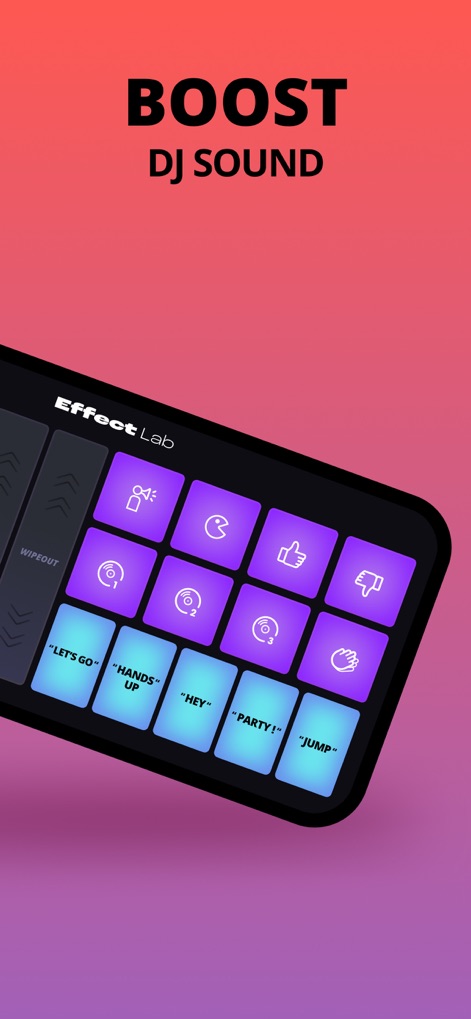
Elevate any party with the "Effect Lab" interface, providing instant sound effect pads and engaging voice prompts such as "LET'S GO" and "PARTY!".
DJ Sound Effects
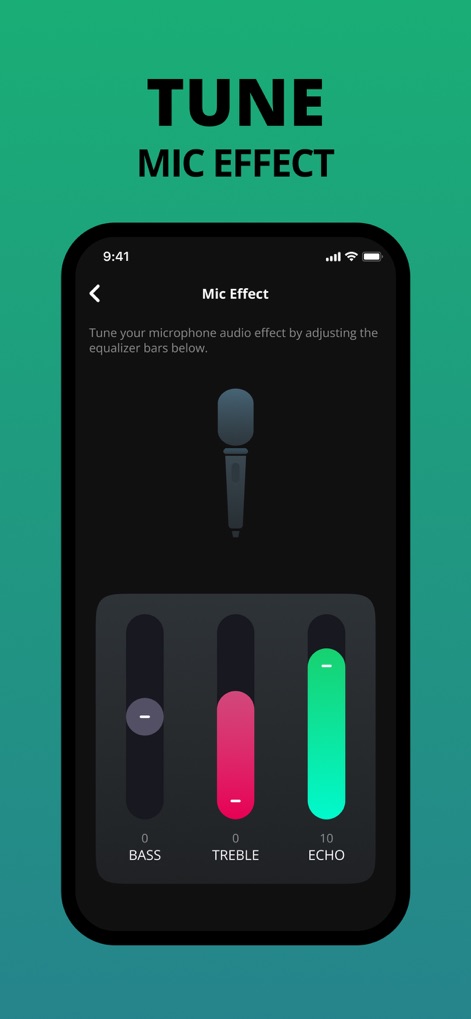
The app enables users to refine microphone audio effects, utilizing dedicated sliders for 'Bass' and 'Echo' to perfect vocal delivery.
Vocal Effect Tuning
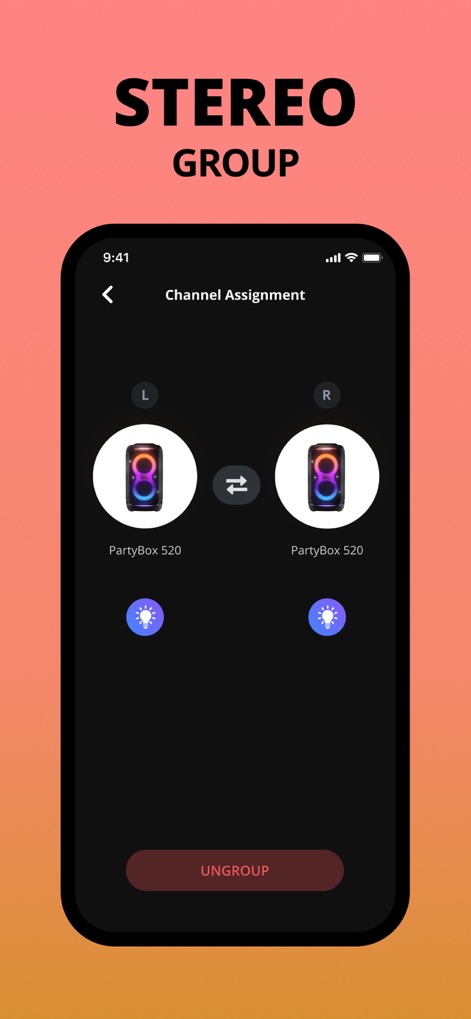
Achieve immersive sound by grouping two compatible speakers for stereo output, visually represented by the 'L' and 'R' channel assignment and the 'UNGROUP' option.
Stereo Speaker Pairing
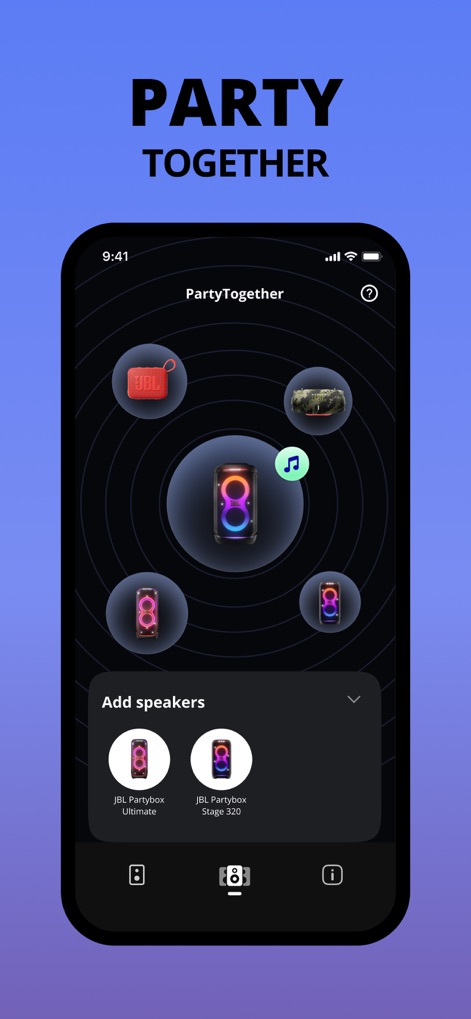
The "PartyTogether" feature allows users to connect multiple JBL PartyBox speakers, showcasing a central speaker with surrounding connected units and a clear 'Add speakers' interface.
Multi-Speaker Sync
Description
Download
More Like This
Apps with similar features and user experience

Bose
Bose Corporation

Marshall Bluetooth
Marshall Group AB (publ)

Bose Connect
Bose Corporation

Bose QC Earbuds
Bose Corporation

JBL Headphones
Harman International Industries

soundcore
Power Mobile Life LLC

JBL Portable
Harman International Industries

Xiaomi Earbuds
Beijing Xiaomi Co., Ltd

Shokz
Shenzhen Shokz Co., Ltd.
This page is not an official page of the app or its developer, but an independent editorial publication created for informational and commentary purposes. Unless expressly stated otherwise, neither the app nor its developer is affiliated with, endorsed by, sponsored by, authorized by, or otherwise officially connected with MWM, Apple, Google Play, the app publisher, or the app's developer, and nothing on this page implies that the app was developed using MWM's services. Any trademarks, logos, screenshots, and other content remain the property of their respective owners.