
This page is not an official page of the app or its developer, but an independent editorial publication created for informational and commentary purposes. Unless expressly stated otherwise, neither the app nor its developer is affiliated with, endorsed by, sponsored by, authorized by, or otherwise officially connected with MWM, Apple, Google Play, the app publisher, or the app's developer, and nothing on this page implies that the app was developed using MWM's services. Any trademarks, logos, screenshots, and other content remain the property of their respective owners.


Bose
Fragmented audio setups end here. The app empowers users to sculpt their acoustic reality, from profound silence to tailored sonic immersion, across every Bose device.
Downloads
12.5M+User Rating
Total Ratings
435.7KPublisher
Category
MusicLocales
24Latest Version
12.1.7Size
675.4 MBFirst Released
Sep 22, 2018Key Features of the Bose App
An Analytical Review for Premium Audio Users
Centralized Control of Bose Products
The app provides a single, unified interface for managing all connected Bose devices, ensuring seamless control across an entire audio ecosystem.
Multi-room Audio Management
It allows users to synchronize audio across multiple Bose speakers and soundbars or play different content in various rooms, offering flexible whole-home listening.
Customizable EQ Settings & On-Product Shortcuts
This tool features extensive equalization controls to fine-tune audio profiles and enables users to assign custom functions to physical buttons for personalized operation.
Access to Immersive Audio Features
The app grants direct control and configuration of advanced sound technologies, such as Immersive Audio, enhancing the listening experience for compatible devices.
Controllable Noise Cancellation & Awareness Modes
It enables precise adjustment of noise cancellation levels and activation of Aware Mode with ActiveSense technology, offering tailored environmental sound control.
Integrated Music Streaming Services
The app offers direct access and playback from popular streaming platforms like Spotify, Pandora, and Amazon Music, consolidating music sources into one convenient location.
One-Touch Presets for Favorite Content
It allows users to save preferred playlists or radio stations as presets for instant recall via the app or physical device buttons, streamlining access to favorite audio.
Effortless Product Setup
This tool guides users through a simple and quick setup process for new Bose devices, ensuring a smooth and rapid initial integration into their audio setup.
Frequently Asked Questions
Everything you need to know about Bose
What is the purpose of the Bose app?
The Bose app controls compatible Bose products, such as speakers, soundbars, headphones, and portable PA systems, from one central location to enhance your listening experience.
Can I manage noise cancellation for my Bose QuietComfort products using the Bose app?
Yes, the Bose app allows you to control noise cancellation on QuietComfort products. You can choose between Quiet Mode for full cancellation or Aware Mode to hear surroundings and music simultaneously.
Does the Bose app offer audio equalization (EQ) features?
Yes, the Bose app provides full customization of your audio experience. You can balance EQ settings and pick on-product shortcuts for your compatible Bose devices directly within the app.
Which music streaming services are integrated with the Bose app?
The Bose app integrates popular music services including Spotify, Pandora, Amazon Music, SiriusXM, iHeartRadio, and TuneIn, allowing you to browse and play music directly.
Can I set up multi-room audio with the Bose app?
Yes, the Bose app supports multi-room audio. You can play the same content throughout your home or different content in various areas, controlling all your Bose products from any room.
Does the Bose app support one-touch access to favorite music?
Yes, the Bose app features one-touch access. You can set favorite playlists or stations as presets, accessing them effortlessly via the app, speaker buttons, or soundbar remote.
What is Immersive Audio in the Bose app?
Immersive Audio is a feature available for QuietComfort and OpenAudio Ultra line products, accessible through the Bose app, designed to enhance the listening experience.
Can I manage a portable PA system with the Bose app?
Yes, the Bose app is compatible with portable PA systems. You can control settings like volume, treble, bass, reverb, and ToneMatch for devices such as the Bose S1 Pro +.
Is a My Bose account required to use the Bose app?
The Bose app provides an option to sign in or sign up for a My Bose account to harness its features. A "Do It Later" option is also available.
The following screenshots and description are sourced directly from the app's official store listing and are the property of the app developer.
App Store
Screenshots
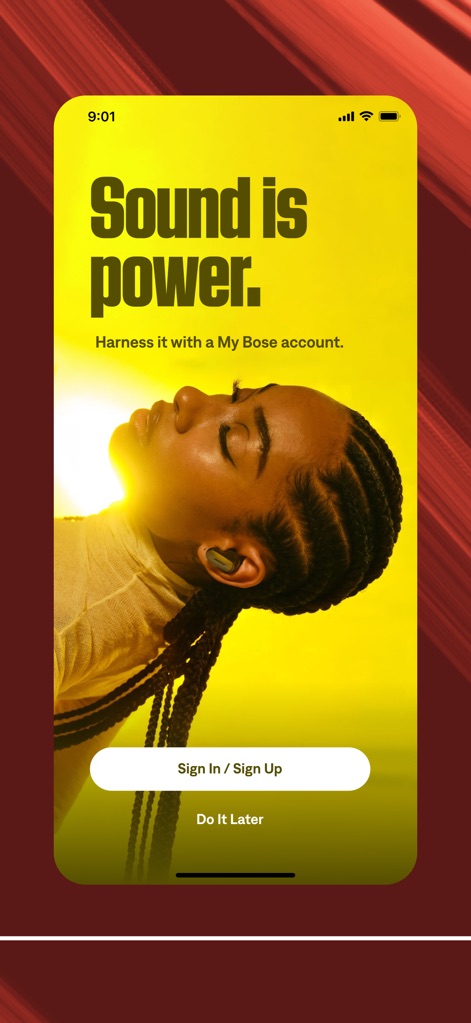
Seamless Onboarding Access
The app welcomes users with an empowering 'Sound is power' message and offers clear sign-in/sign-up options for immediate engagement.
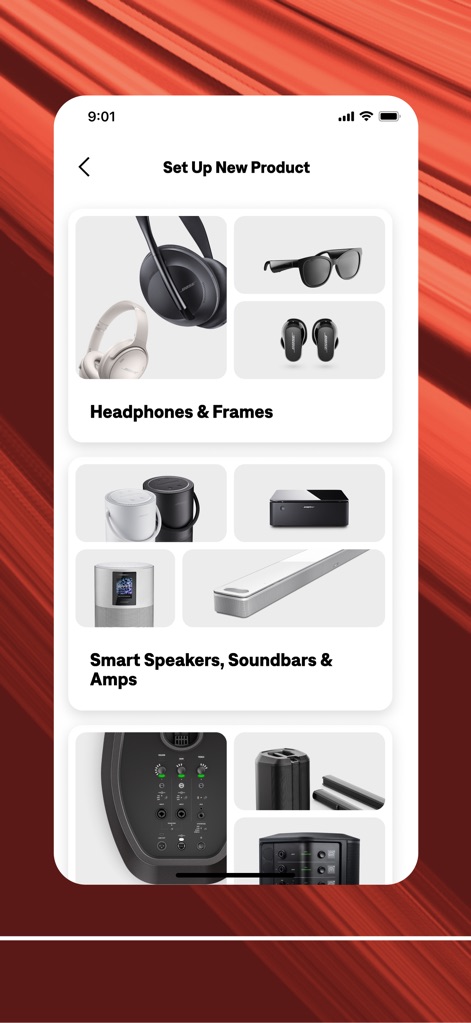
Effortless Product Pairing
This tool simplifies device integration by presenting categorized product options like 'Headphones & Frames' and visually showcasing various Bose devices.
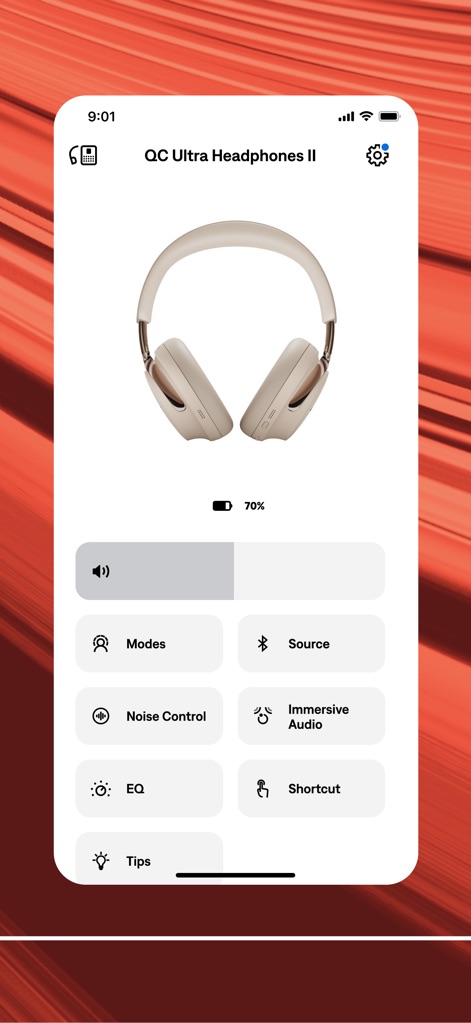
Headphone Control Hub
Users gain granular control over their listening experience, accessing specific features like 'Noise Control' settings and the immersive audio toggle for personalized sound.
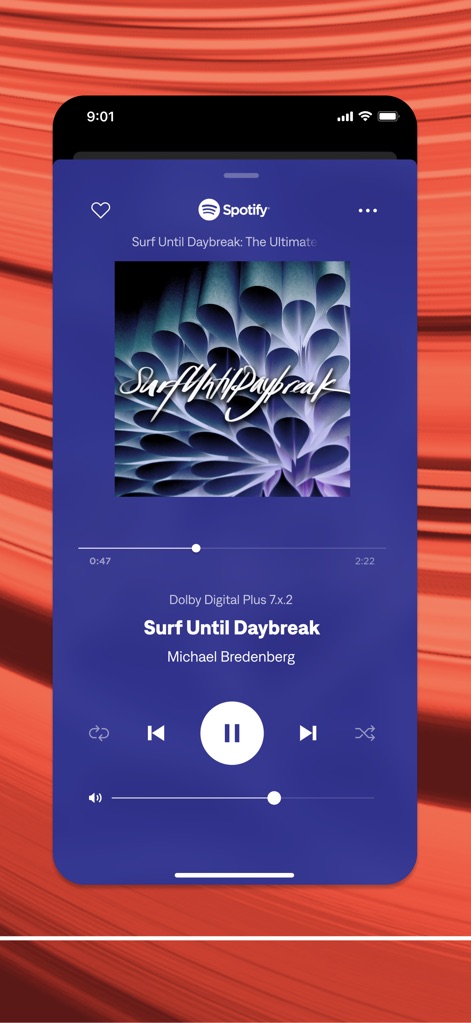
Integrated Music Playback
The app offers an integrated music playback experience, displaying album art for the current Spotify track and providing a precise volume control slider.
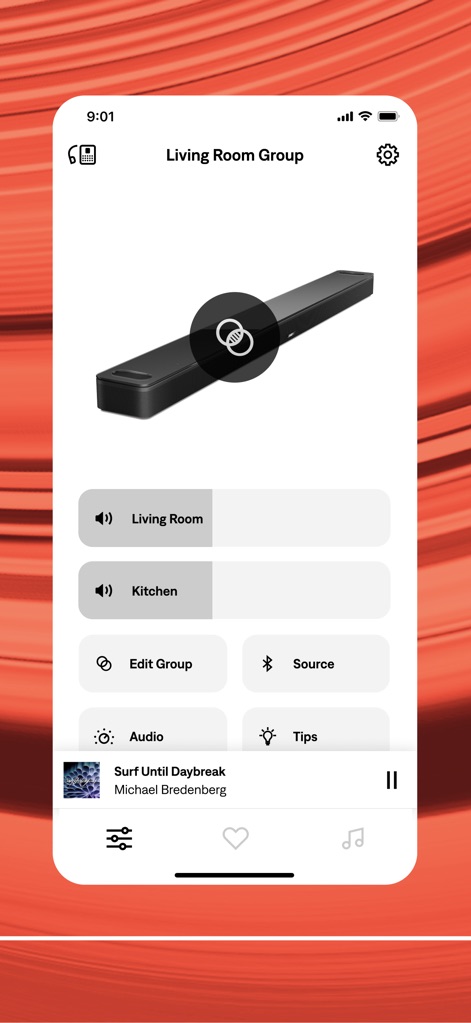
Multi-Room Audio Mastery
This tool enables sophisticated multi-room audio control, allowing users to manage distinct zones like 'Living Room' and 'Kitchen' with visual feedback of connected devices.
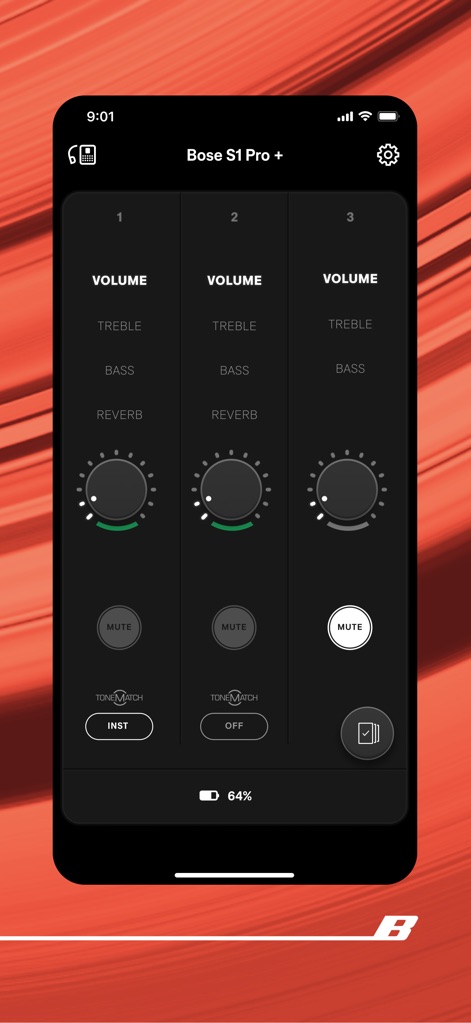
Advanced Mixer Interface
The app provides an advanced mixer interface for professional audio setups, offering individual 'Volume' adjustments and 'ToneMatch' selections across multiple channels.
Description
Download
More Like This
Apps with similar features and user experience

Marshall Bluetooth
Marshall Group AB (publ)

JBL PartyBox
Harman International Industries

Bose Connect
Bose Corporation

Bose QC Earbuds
Bose Corporation

JBL Headphones
Harman International Industries

soundcore
Power Mobile Life LLC

JBL Portable
Harman International Industries

Xiaomi Earbuds
Beijing Xiaomi Co., Ltd

Shokz
Shenzhen Shokz Co., Ltd.
This page is not an official page of the app or its developer, but an independent editorial publication created for informational and commentary purposes. Unless expressly stated otherwise, neither the app nor its developer is affiliated with, endorsed by, sponsored by, authorized by, or otherwise officially connected with MWM, Apple, Google Play, the app publisher, or the app's developer, and nothing on this page implies that the app was developed using MWM's services. Any trademarks, logos, screenshots, and other content remain the property of their respective owners.