DirectTalk (Walkie Talkie P2P)
Download on App Store

This page is not an official page of the app or its developer, but an independent editorial publication created for informational and commentary purposes. Unless expressly stated otherwise, neither the app nor its developer is affiliated with, endorsed by, sponsored by, authorized by, or otherwise officially connected with MWM, Apple, Google Play, the app publisher, or the app's developer, and nothing on this page implies that the app was developed using MWM's services. Any trademarks, logos, screenshots, and other content remain the property of their respective owners.

Logo of DirectTalk (Walkie Talkie P2P)
Download on App Store

DirectTalk (Walkie Talkie P2P)

Stay connected when the grid goes down. Turn your iPhone into a secure, peer-to-peer communication tool that works without internet, cellular data, or subscriptions. Whether you are navigating the backcountry or managing a crowded job site, experience private voice and text chat with zero tracking and a simple one-time purchase.

Key Figures

Downloads

0

User Rating

1.0/5

Total Ratings

0

Publisher

Wern Jie Lim

Category

Utilities

Locales

1

Latest Version

2.0.6

Size

4.9 MB

First Released

Jan 8, 2025
Features

Reliable Communication, No Signal Required

DirectTalk turns your iPhone into a professional-grade, peer-to-peer communication tool that works in dead zones, at crowded events, and deep in the wilderness.

True Offline Connectivity

Chat and talk without cellular data or internet. Perfect for remote trails, stadiums, and emergency dead zones where standard networks fail.

Private & Subscription-Free

No tracking, no accounts, and zero monthly fees. Your data never leaves your device, and one small purchase unlocks the full power for life.

The following screenshots and description are sourced directly from the app's official store listing and are the property of the app developer.

App Store

Screenshots
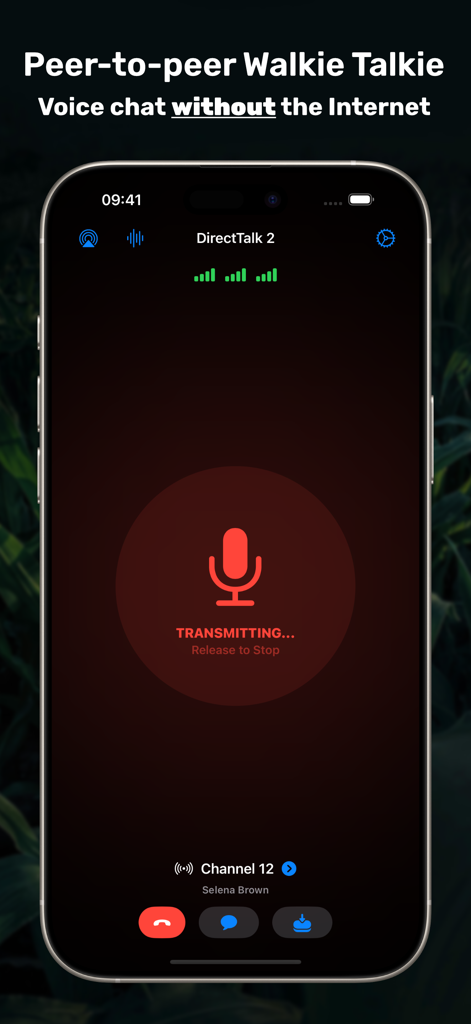
DirectTalk (Walkie Talkie P2P) - DirectTalk app interface showing peer to peer voice chat transmitting without an internet connection
DirectTalk app interface showing peer to peer voice chat transmitting without an internet connection

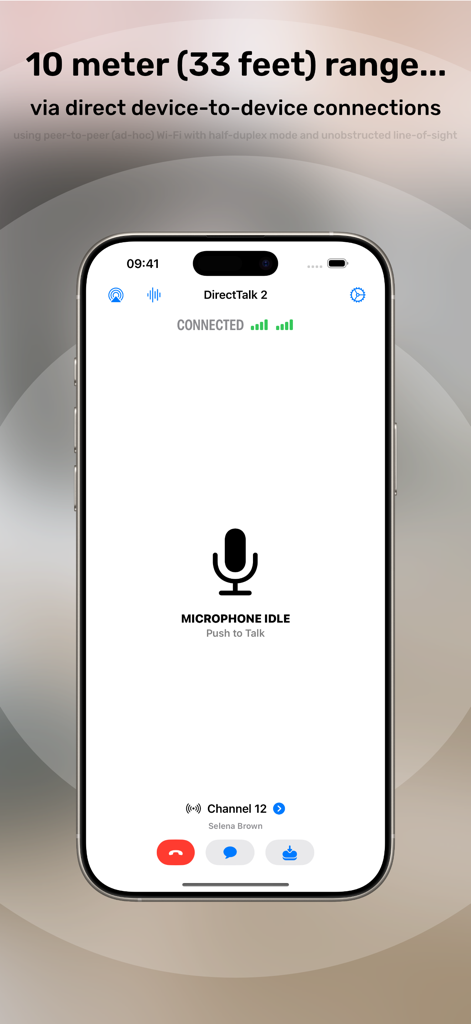
DirectTalk (Walkie Talkie P2P) - DirectTalk app interface showing connected peer to peer communication with a 10 meter range
DirectTalk app interface showing connected peer to peer communication with a 10 meter range

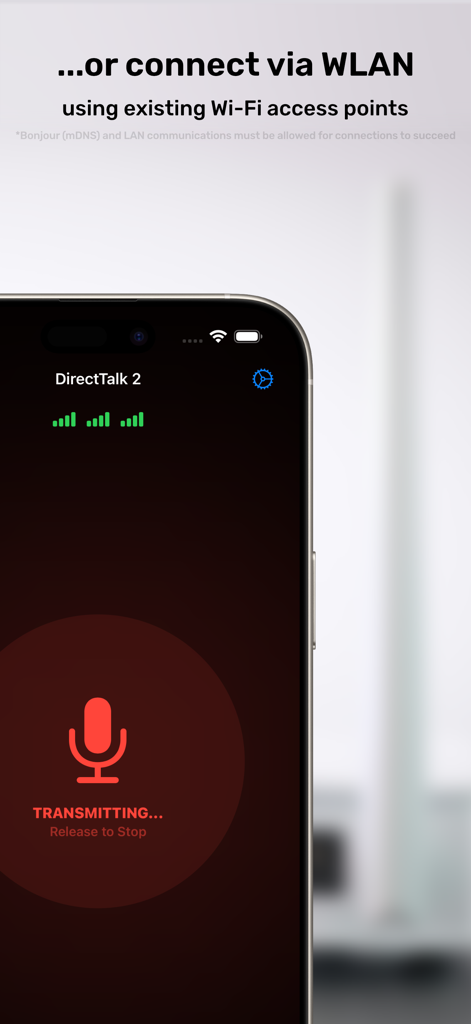
DirectTalk (Walkie Talkie P2P) - DirectTalk app interface on iPhone showing voice transmission over existing WLAN access points
DirectTalk app interface on iPhone showing voice transmission over existing WLAN access points

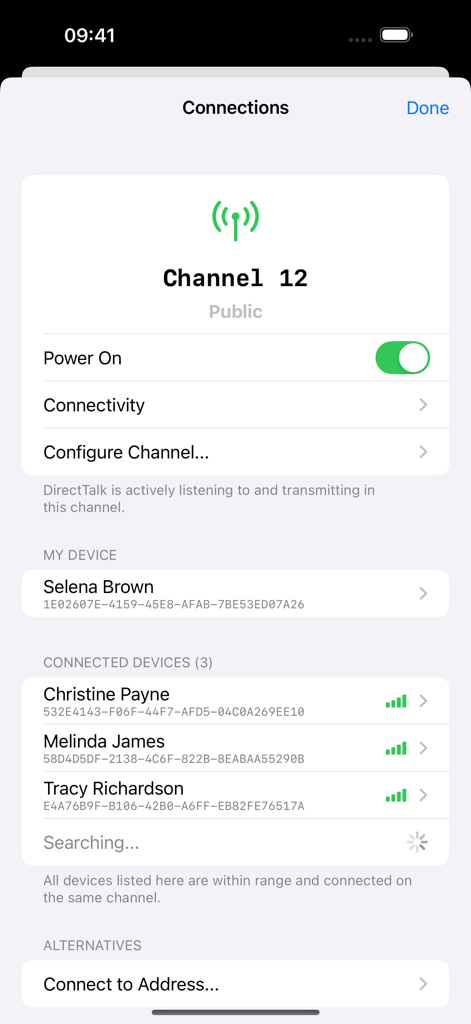
DirectTalk (Walkie Talkie P2P) - DirectTalk app screen showing the list of nearby connected devices and active public channel status.
DirectTalk app screen showing the list of nearby connected devices and active public channel status.

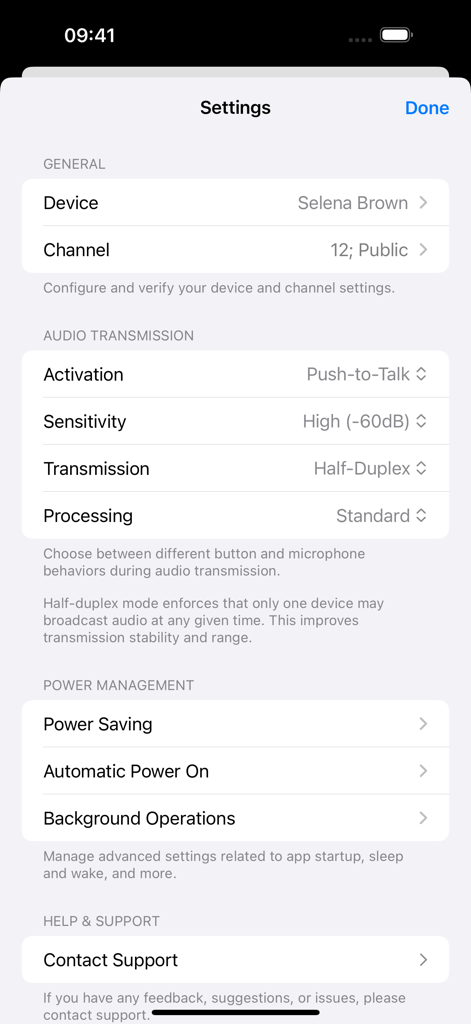
DirectTalk (Walkie Talkie P2P) - Settings screen of the DirectTalk app showing audio transmission activation sensitivity and power management options.

Settings screen of the DirectTalk app showing audio transmission activation sensitivity and power management options.

Description

~ TEXT and VOICE CHAT with your nearby friends with NO INTERNET connection! ~ DirectTalk 2 is a text/call/walkie-talkie app that works *offline*, without sending data over the Internet, unlike others on the App Store! Just turn on your WiFi radio, and be in range of other devices. All devices on a channel connect effortlessly when nearby, just like Wi-Fi Direct and Bluetooth. When available, it uses your Local Area Network (LAN) as well, and you can leave it running in the background! NOTE: Please read the specifications carefully - This app transmits data directly using your Wi-Fi antenna. ***WI-FI IS NOT THE INTERNET!*** This means it has limits in areas like range, and does NOT work like Internet-based apps that functions anywhere with an Internet connection. PSA: DirectTalk was formerly known as Walkie Talkie P2P. == Requirements == For maximum performance, please use the same app version and same OS version. It usually maintains a good performance within 10 meters (33 feet) apart. Clear line-of-sight in open spaces with no signal interference, together with device models with newer Wi-Fi radio antennas, can increase range - potentially up to 30 meters (100 feet) in perfect scenarios. These ranges can also be extended via LAN if all users are connected to the same LAN over Wi-Fi access points spread across multiple locations, such as in workplaces. == Feature Set & Specifications == Completely offline & private: - No connection to the Internet needed. - No Wi-Fi network nor Cellular connection needed. - Broadcast to offline public channels, or use an encrypted private channel with a secret password. Transmit to nearby devices with minimal configuration: - Choose the same channel, then start talking! - 10 meters (33 feet) standard range via direct connections. - Extra range available with unobstructed line-of-sight, low interference and modern antennas. - Extra range available via WLAN,* e.g., workplaces with multiple Wi-Fi access points. Multiple microphone activation modes, via: - Push-to-Talk (PTT): for a traditional walkie talkie experience, or - Voice Activated (VOX): for a hands-free experience, or - Raise to Speak: for a phone-call-like experience. Advanced audio configuration: - Use Voice Isolation for improved voice quality on supported devices, even in noisy environments. - Choose your preferred audio input & output source. - Configure microphone audio sensitivity. - Choose between half- and full-duplex transmission (note: half-duplex has better range and stability).** Simple group texting: - Broadcast text messages with instant notifications. - View message history and past activity. Supplementary features: - Continues running even in the background or when locked. - Configure the app to stay awake indefinitely, even in the background. - Control the app even in the lock screen via the system voice call UI, or hide it entirely. - View advanced connection details.** - Specify network addresses to connect to manually.** - No ads, no tracking, and a generous free trial! If the above features and specifications are what you’re looking for, try the app today! *To use extra range via WLAN automatically, Bonjour (mDNS) and LAN connections must be allowed on the network. **Advanced settings are hidden by default but can be enabled. == Free-trial policy == New users get a free trial with a per-session limit of 15 minutes. You can launch a new session after one ends, which resets the timer, for as many times as you wish. Once you're satisfied that DirectTalk suits your use case, just make a small one-time purchase to get the full license - no subscriptions! PSA: If you wish to test a use case that requires a session length longer than 15 minutes before your purchase, please contact support. Users of previous versions may claim a discount by keeping the old version installed during the purchase process. Full license and some features are temporarily unavailable in certain regions.

Download

Download on App Store

This page is not an official page of the app or its developer, but an independent editorial publication created for informational and commentary purposes. Unless expressly stated otherwise, neither the app nor its developer is affiliated with, endorsed by, sponsored by, authorized by, or otherwise officially connected with MWM, Apple, Google Play, the app publisher, or the app's developer, and nothing on this page implies that the app was developed using MWM's services. Any trademarks, logos, screenshots, and other content remain the property of their respective owners.








