
This page is not an official page of the app or its developer, but an independent editorial publication created for informational and commentary purposes. Unless expressly stated otherwise, neither the app nor its developer is affiliated with, endorsed by, sponsored by, authorized by, or otherwise officially connected with MWM, Apple, Google Play, the app publisher, or the app's developer, and nothing on this page implies that the app was developed using MWM's services. Any trademarks, logos, screenshots, and other content remain the property of their respective owners.


DLNA Browser
Get complete visibility into your local network. Discover, analyze, and troubleshoot DLNA and UPnP devices—from media servers to smart home sensors—with precision technical data.
Downloads
27K+User Rating
Total Ratings
0Publisher
Category
UtilitiesLocales
1Latest Version
1.14Size
5.0 MBFirst Released
Apr 11, 2015Master Your Local Network
Get total control and deep technical insights into every DLNA and UPnP device connected to your home or office environment.
Total Device Mapping
Scan and identify everything from Plex servers and smart TVs to thermostats with professional-grade UPnP discovery.
Deep Technical Auditing
Access essential data like MAC addresses, vendor IDs, and WHOIS records to ensure your network is secure and optimized.
Frequently Asked Questions
Everything you need to know about DLNA Browser
What is the DLNA Browser app?
The DLNA Browser app discovers and explores local network devices compatible with DLNA (Digital Living Network Alliance) and UPnP (Universal Plug and Play) standards. It identifies media servers, TVs, wireless speakers, and other network devices.
What types of devices can the DLNA Browser app detect?
The DLNA Browser detects DLNA (UPnP) compatible devices like media servers, smart TVs, wireless speakers, printers, security cameras, home sensors, lights, HVAC thermostats, and LAN/WAN network devices.
Does the DLNA Browser app identify the operating system of discovered devices?
Yes, the DLNA Browser app determines the operating system and version of discovered UPnP devices. It also identifies the UPnP server product and its version, such as Microsoft-Windows 10.0.
Can users view IP addresses and network details using DLNA Browser?
Yes, DLNA Browser displays the DLNA host IP address, port number, and UPnP version. It also shows local network details, default gateways, DNS servers, and external IP addresses with ISP information.
How does the DLNA Browser app assist with network analysis?
DLNA Browser performs in-depth network analysis by showing DNS servers, search domains, MAC addresses with vendor info, and PING capability. It also provides external address analysis including ISP name, autonomous system, and WHOIS data.
Does the DLNA Browser app display MAC addresses of network devices?
Yes, the DLNA Browser app shows local MAC addresses with vendor information. It also provides a full offline MAC vendor database for identification purposes.
How can a user take a screenshot within the DLNA Browser app?
Yes, users can create a screenshot from the entire page using the camera icon in the upper-right corner of the DLNA Browser app. This screenshot can then be printed, sent, or shared.
How do I refresh the displayed information in the DLNA Browser app?
You can refresh the information displayed in the DLNA Browser app by pulling down with your finger on the screen. Alternatively, shaking your device also updates the displayed data.
Does DLNA Browser support media management functions?
Yes, DLNA Browser uses Universal Plug and Play (UPnP) for media management, discovery, and control. The app identifies devices with these capabilities on the network.
Does the DLNA Browser app provide details about the device it is running on?
Yes, DLNA Browser displays extensive information about the host device running the app. This includes its product, release year, processor, memory, storage, screen, and firmware version.
The following screenshots and description are sourced directly from the app's official store listing and are the property of the app developer.
App Store
Screenshots
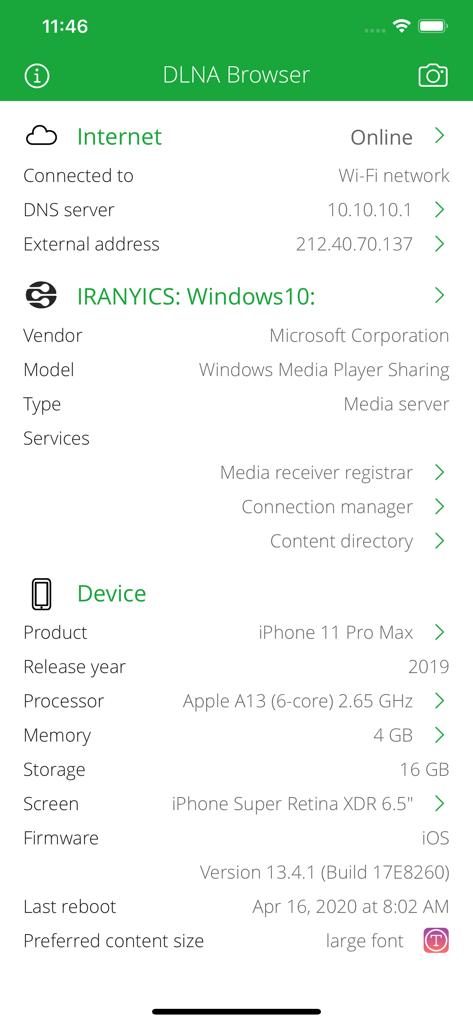
DLNA Browser screen with network status and device specifications
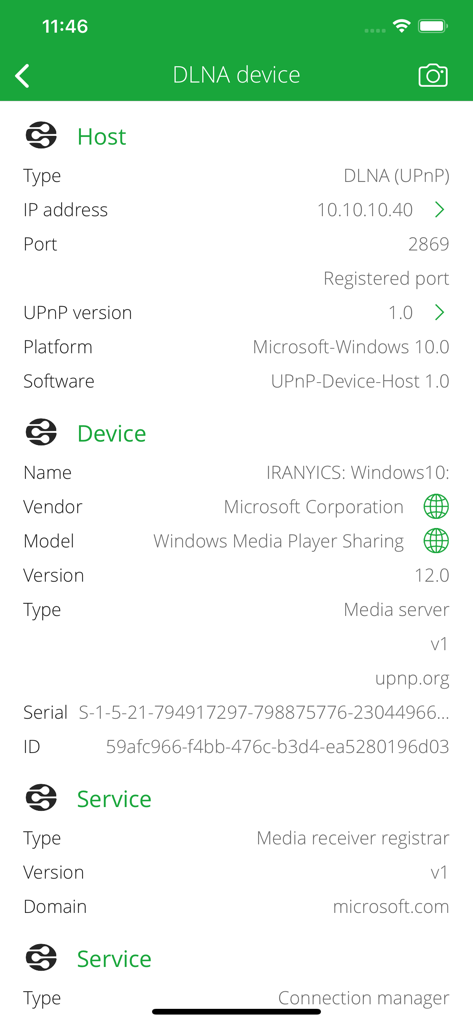
Technical information for a Windows media server displayed in the DLNA Browser app interface.
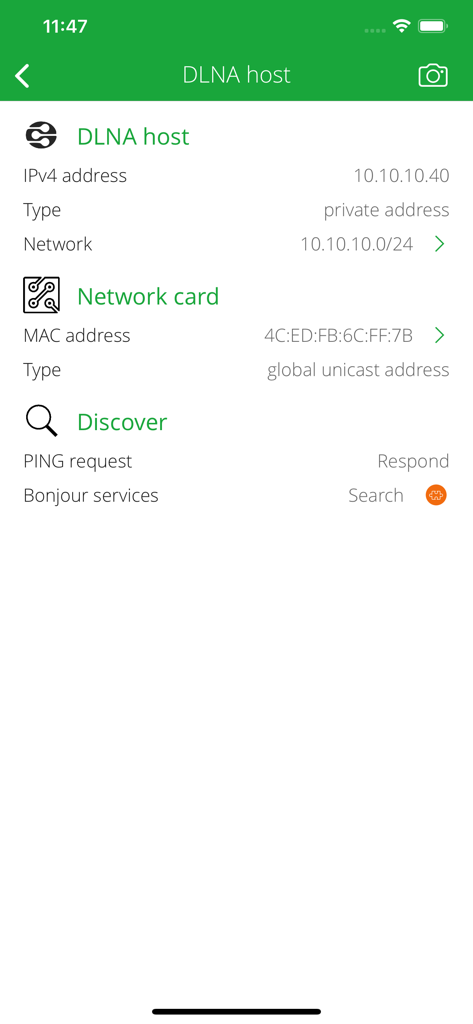
Technical details of a DLNA host showing IP address, MAC address, and network information
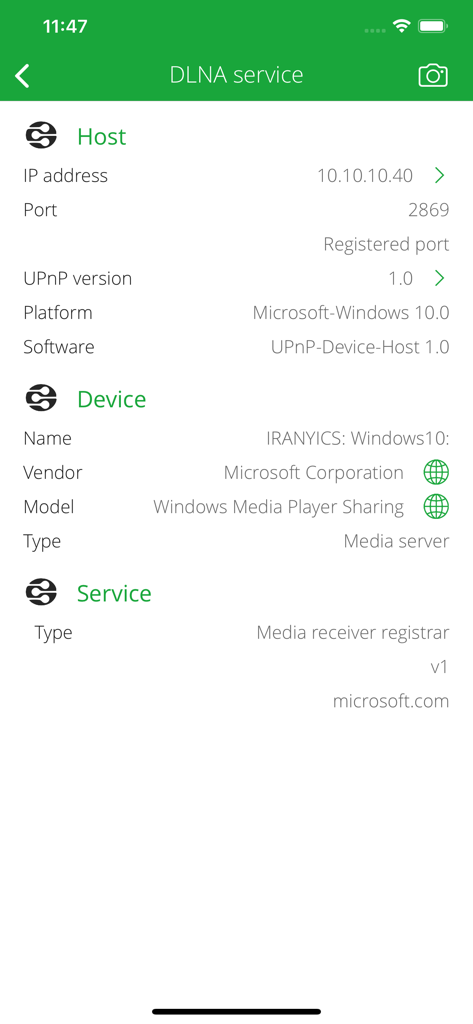
Screenshot of DLNA Browser app showing technical details for a Microsoft Windows media server including IP address, port, and UPnP version
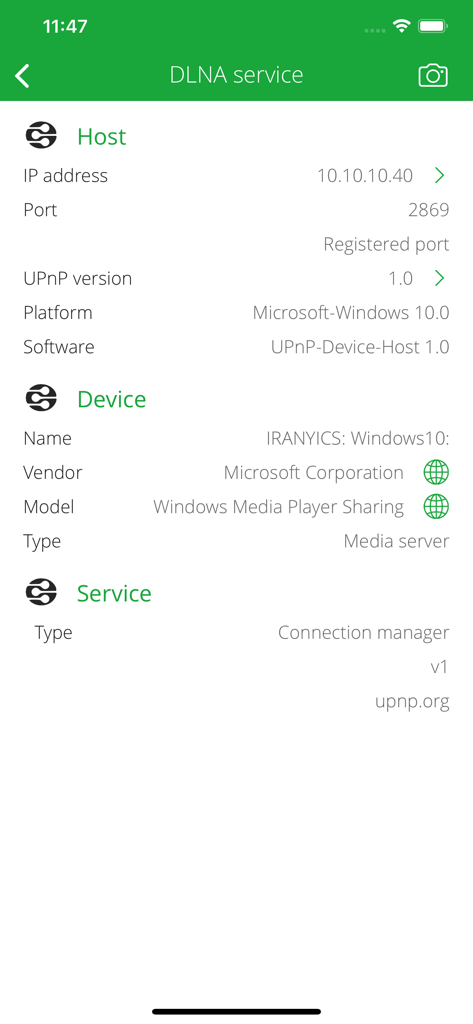
Detailed view of a DLNA media server host and device information in the DLNA Browser app.
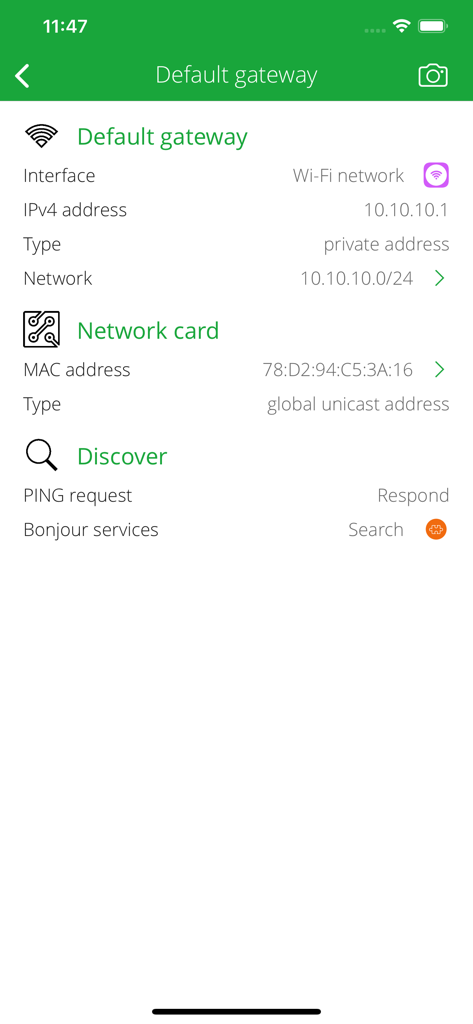
DLNA Browser app screen showing default gateway IPv4 and network card MAC address details.
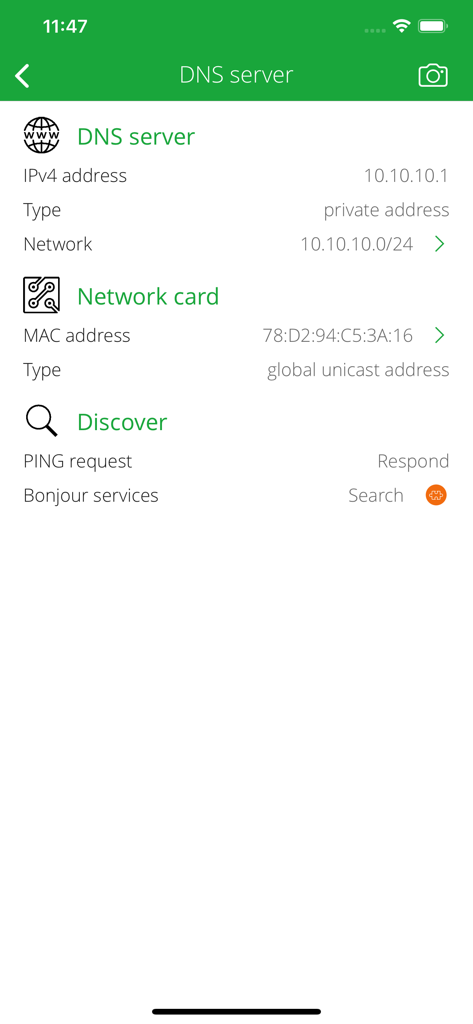
DLNA Browser app screenshot showing DNS server and network card technical information
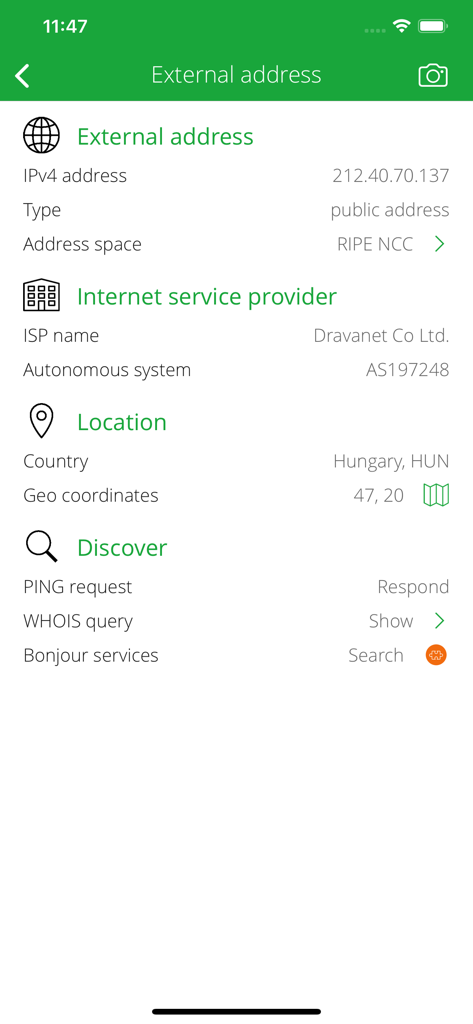
DLNA Browser app interface showing external IP address ISP and location details
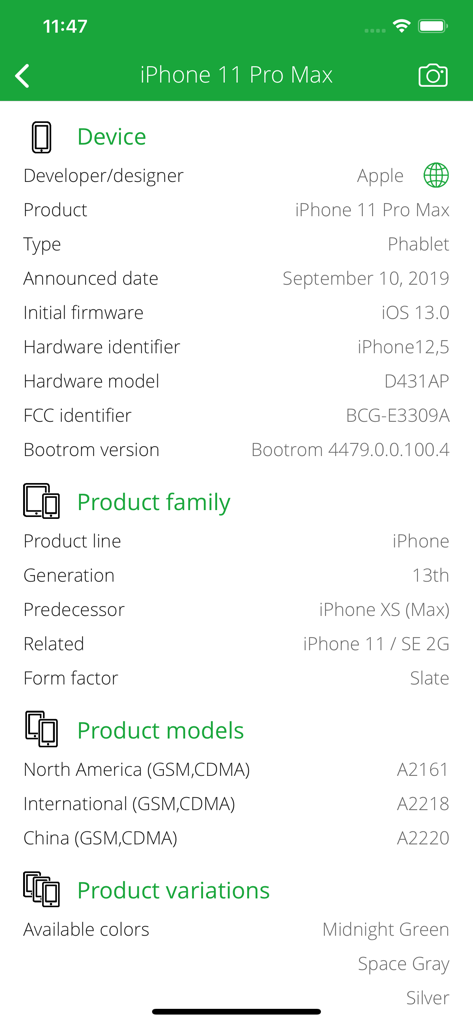
Technical specifications and hardware details for an iPhone 11 Pro Max
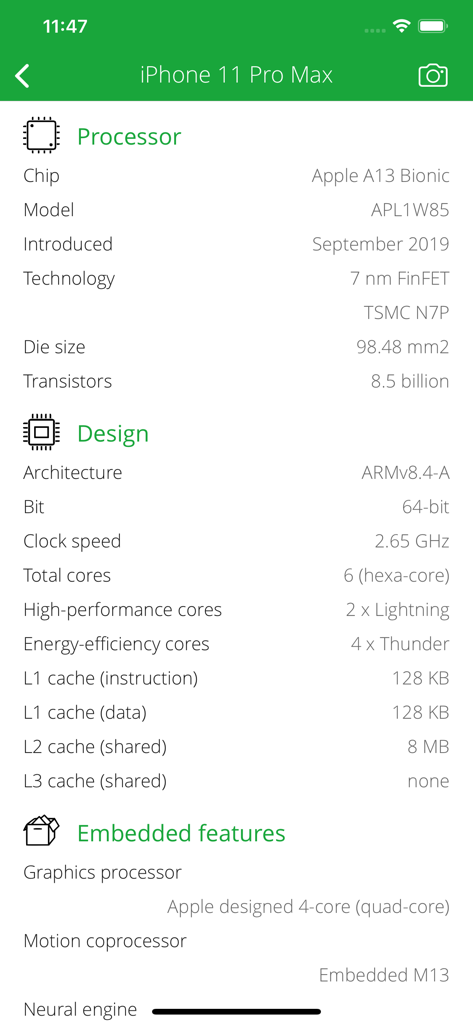
Detailed technical hardware specifications for iPhone 11 Pro Max in the DLNA Browser app including processor and architecture information.
Description
Download
More Like This
Top-ranked apps in the same category

Google LLC

Google Chrome
Google LLC

中国移动(手机营业厅)
China Mobile Online Services Co., Ltd.

Google Authenticator
Google LLC

CNH do Brasil
Servicos e Informacoes do Brasil

Cleanup: Phone Storage Cleaner
DEEP FLOW SOFTWARE SERVICES - FZCO

gov.br
Servicos e Informacoes do Brasil

中国电信-全国统一官方服务平台
CHINA TELECOM Corporation Ltd.

Microsoft Edge: AI Browser
Microsoft Corporation
This page is not an official page of the app or its developer, but an independent editorial publication created for informational and commentary purposes. Unless expressly stated otherwise, neither the app nor its developer is affiliated with, endorsed by, sponsored by, authorized by, or otherwise officially connected with MWM, Apple, Google Play, the app publisher, or the app's developer, and nothing on this page implies that the app was developed using MWM's services. Any trademarks, logos, screenshots, and other content remain the property of their respective owners.