
This page is not an official page of the app or its developer, but an independent editorial publication created for informational and commentary purposes. Unless expressly stated otherwise, neither the app nor its developer is affiliated with, endorsed by, sponsored by, authorized by, or otherwise officially connected with MWM, Apple, Google Play, the app publisher, or the app's developer, and nothing on this page implies that the app was developed using MWM's services. Any trademarks, logos, screenshots, and other content remain the property of their respective owners.


Document Scanner · Scan to PDF
Paperwork dissolves. This app hands users absolute control over their documents, instantly.
Downloads
1M+User Rating
Total Ratings
16.1KPublisher
Category
BusinessLocales
12Latest Version
2.5Size
35.8 MBFirst Released
Jul 29, 2020An analytical overview of core functionalities impacting productivity and document management workflows.
Key Features Analysis: Document Scanner · Scan to PDF
Fast, Clear Scans
The app provides rapid and high-quality digitization of physical documents.
Smart OCR
It features intelligent Optical Character Recognition (OCR) for extracting text from scanned documents.
Secure File Protection
This tool offers robust security options, including password and biometric protection, for confidential files.
Cloud Sync
It enables seamless synchronization with popular cloud services for flexible file access and storage.
Easy Sharing
The app supports convenient sharing of documents via various communication channels and wireless printing.
Pro-Grade PDFs
It allows users to convert scanned items into professional-grade PDFs that maintain original formatting.
Frequently Asked Questions
Everything you need to know about Document Scanner · Scan to PDF
What is the "Document Scanner · Scan to PDF" app?
The Document Scanner · Scan to PDF app transforms your iPhone or iPad into a powerful, portable PDF scanner. It allows you to scan, organize, and share documents easily for work, school, or travel.
Does the Document Scanner · Scan to PDF app provide clear scans?
Yes, the Document Scanner · Scan to PDF app provides fast and clear scans. It digitizes documents in seconds with crisp, accurate results, ensuring high-quality output for all your needs.
Can I extract text from scanned documents using "Document Scanner · Scan to PDF"?
Yes, the Document Scanner · Scan to PDF app features Smart OCR (Optical Character Recognition). This allows you to extract text from your scans for quick editing and searching purposes directly within the app.
What file formats does the "Document Scanner · Scan to PDF" app support for saving?
The Document Scanner · Scan to PDF app converts documents into polished PDFs that retain their original format. You can also save your scanned documents as JPGs, offering flexibility for various uses.
What editing features are available in the Document Scanner · Scan to PDF app?
The Document Scanner · Scan to PDF app offers effortless editing, including options to crop, rotate, or highlight your scanned files. You can also quickly edit images with various filters and tools.
Can I sync my documents with cloud services using "Document Scanner · Scan to PDF"?
Yes, the Document Scanner · Scan to PDF app supports Cloud Sync. You can save and access your files using popular cloud services such as Dropbox, Google Drive, or OneDrive for convenient access.
How can I protect my scanned documents in the "Document Scanner · Scan to PDF" app?
The Document Scanner · Scan to PDF app allows you to secure confidential documents. You can protect your files with passwords, Face ID, or Touch ID for enhanced privacy and data security.
What are the sharing options for documents in the "Document Scanner · Scan to PDF" app?
The Document Scanner · Scan to PDF app provides easy sharing. You can send your files via email, messaging apps, Wi-Fi Transfer, or print them wirelessly directly from the app's interface.
How do I manage my premium subscription for "Document Scanner · Scan to PDF"?
You can manage your premium subscription for Document Scanner · Scan to PDF and turn off auto-renewal in your iTunes account settings after purchase. Auto-renewal must be off 24 hours before the period ends.
Do subscriptions for "Document Scanner · Scan to PDF" automatically renew?
Yes, subscriptions for Document Scanner · Scan to PDF automatically renew. Payment is charged to your iTunes account upon purchase, and renewal charges occur within 24 hours prior to the end of the current period.
Can I sign documents within the "Document Scanner · Scan to PDF" app?
Yes, the Document Scanner · Scan to PDF app allows you to sign documents directly within the application. This feature streamlines the process of finalizing paperwork digitally and efficiently.
Where can I find the Privacy Policy for the "Document Scanner · Scan to PDF" app?
The Privacy Policy for the Document Scanner · Scan to PDF app is accessible at: https://lazy-solutions.com/privacy-policy-scanner/. Users agree to these terms by using the application.
The following screenshots and description are sourced directly from the app's official store listing and are the property of the app developer.
App Store
Screenshots

See how the app digitizes documents with options like "AUTO" detection and various paper sizes.
Quick Document Scan

This tool offers clear organization with dedicated folders like "Receipts" and a comprehensive list of digitized documents.
Organize Your Scans
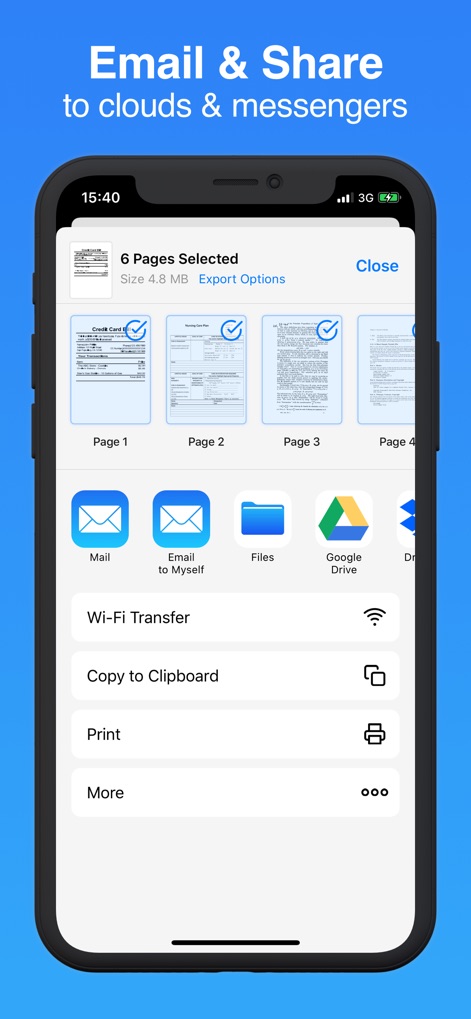
Users can easily share multiple selected pages via "Mail" or integrate with "Google Drive" for cloud storage.
Seamless Sharing Options
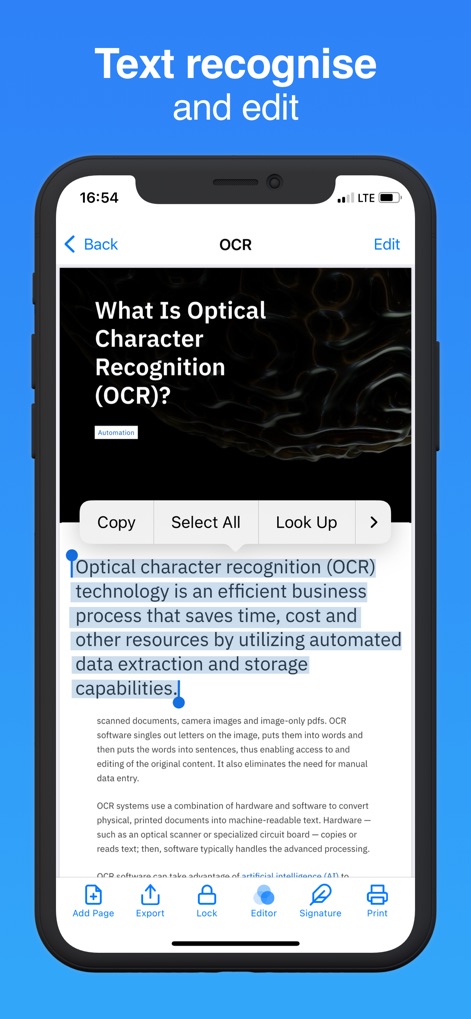
The app's intelligent OCR highlights editable text and provides direct editing and "Copy" functionalities.
Smart Text Recognition

This tool allows users to effortlessly add and adjust digital signatures directly onto documents, offering intuitive move and resize controls.
Digital Signature Feature
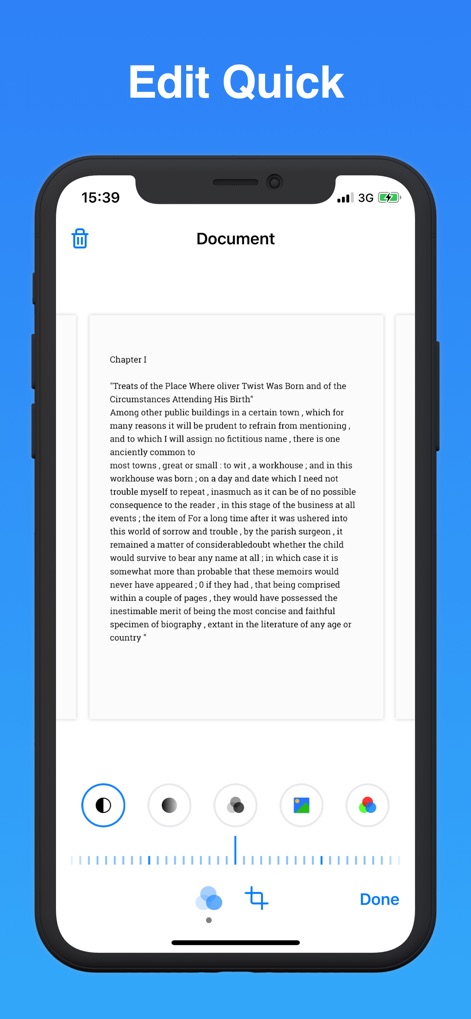
Refine scanned documents using quick editing features like various color filters and a precise cropping tool.
Enhance Scan Quality

Digitise diverse documents, from passport pages to a "Nursing Care Plan", with comprehensive bottom bar actions for management.
Versatile Document Digitization

The app ensures privacy by allowing users to protect sensitive scans with a secure password or convenient "Face ID" authentication.
Secure Your Documents
Description
Download
More Like This
Apps with similar features and user experience

PDF PRO Scan Image & Documents
Balzo srl

The PDF Scanner, PDF editor HQ
NEXT K.U.M. LTD

CamScanner - PDF Scanner App
INTSIG Information Co., Ltd

Adobe Scan: PDF & OCR Scanner
Adobe Inc.

WPS Office: PDF, Docs, Sheets
KINGSOFT OFFICE SOFTWARE CORPORATION LIMITED

iLovePDF - PDF Editor & Scan
ILOVEPDF S.L.

Scanner App: Genius Scan
The Grizzly Labs

Microsoft Lens: PDF Scanner
Microsoft Corporation

Clear Scan: Doc Scanner App
INDY MOBILE APP COMPANY LIMITED
This page is not an official page of the app or its developer, but an independent editorial publication created for informational and commentary purposes. Unless expressly stated otherwise, neither the app nor its developer is affiliated with, endorsed by, sponsored by, authorized by, or otherwise officially connected with MWM, Apple, Google Play, the app publisher, or the app's developer, and nothing on this page implies that the app was developed using MWM's services. Any trademarks, logos, screenshots, and other content remain the property of their respective owners.