Documents (Office Docs)

Documents (Office Docs)

Download on App Store
Logo of Documents (Office Docs)

Documents (Office Docs): The Ultimate Lightweight Suite for Professionals

Streamline your workflow with the all-in-one mobile office for spreadsheets and file management. Work offline, sync across all cloud platforms, and ditch the bloat of traditional apps.

Publisher

Savy Soda Pty Ltd

Category

Business

Downloads

3M+

User Rating

4.0/5

Total Ratings

162K+

Locales

16

Efficiency at a Glance

Discover the interface used by 3M+ users.
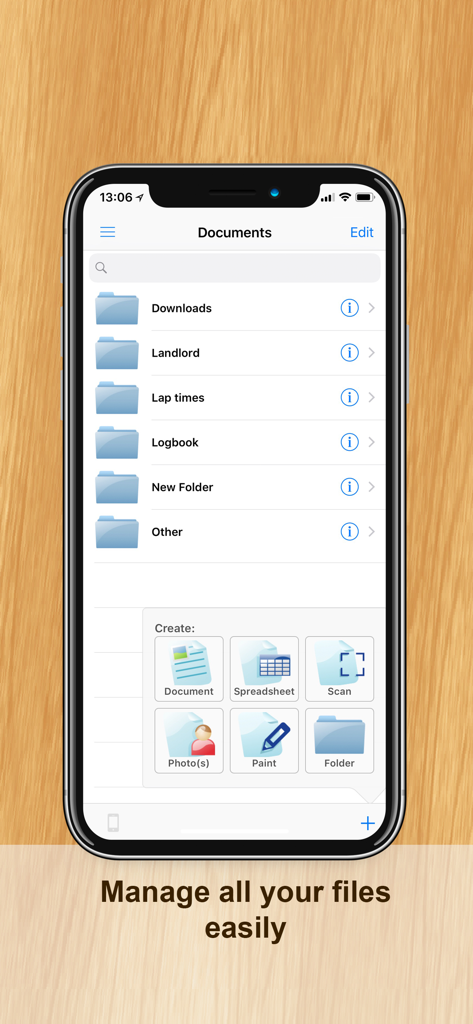
iPhone screen of the Documents app showing a file management interface with folders and document creation options

iPhone screen of the Documents app showing a file management interface with folders and document creation options

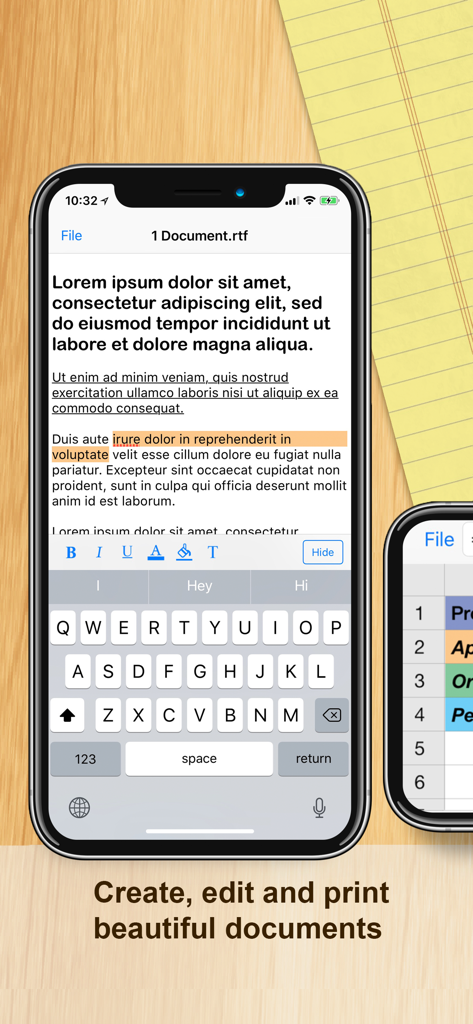
iPhone screen displaying the text editor and formatting tools of the Documents Office Docs app.

iPhone screen displaying the text editor and formatting tools of the Documents Office Docs app.

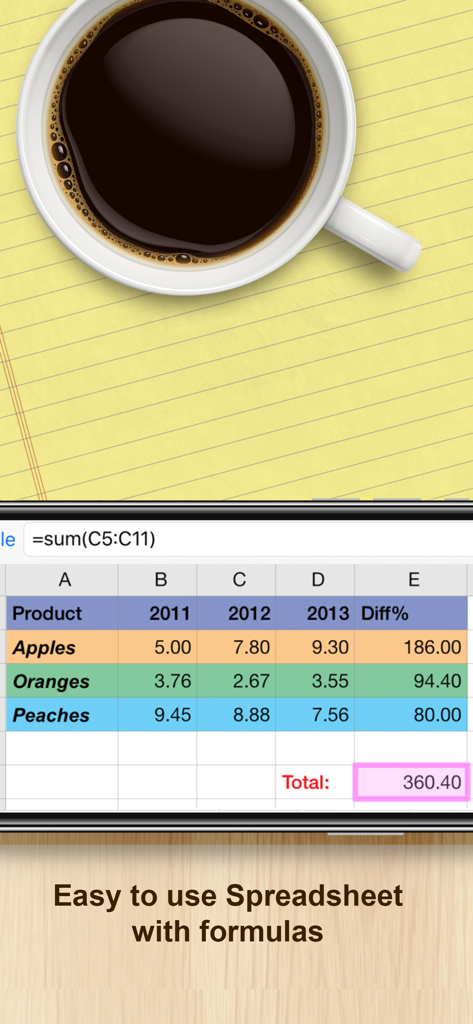
Documents app mobile spreadsheet interface with data table and sum formula

Documents app mobile spreadsheet interface with data table and sum formula

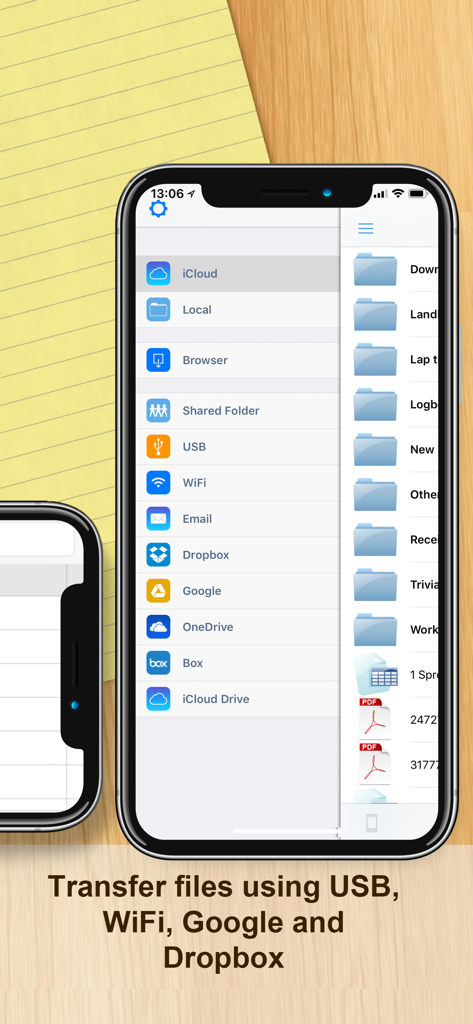
Mobile app interface showing file transfer options for USB WiFi Google and Dropbox

Mobile app interface showing file transfer options for USB WiFi Google and Dropbox

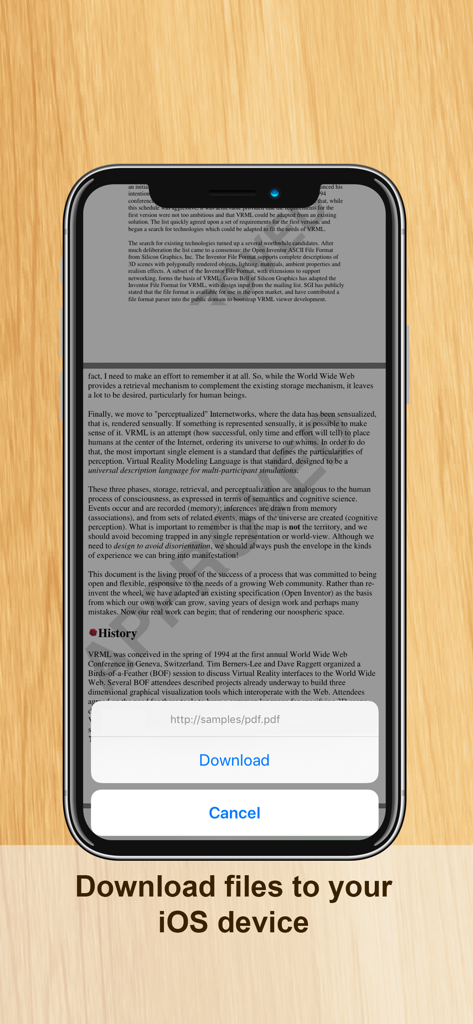
iPhone interface of the Documents app showing a pop-up window to download a PDF file from a URL.

iPhone interface of the Documents app showing a pop-up window to download a PDF file from a URL.

Master Your Workflow on the Move

The tools that make this app stand out, trusted by 3M+ users.

Lightweight & Lightning Fast

Save storage and battery life with an app that opens instantly. Perform essential edits without the lag of heavy, brand-name office software.

📂

Unified Cloud Hub

Bridge the gap between Google Drive, Dropbox, and OneDrive. Access, sync, and manage all your professional files from one central dashboard.

📶

True Offline Productivity

Keep working where others can't. Edit spreadsheets and documents on the subway or in flight with full offline support and auto-syncing.

About the app

Everything you need to know about Documents (Office Docs).

Description

Documents by SavySoda™ ••• Reached #1 overall BUSINESS APP ••• ••• on App Store in OVER 40 COUNTRIES. ••• ••• Over 30 Million Users on iOS ••• ••• AS FEATURED BY APPLE, USA TODAY ••• iPhone's and iPad's lightweight mobile office suite. This essential application allows you to edit and manage spreadsheet & rich text files on your iPhone. Works both online and offline. You can also synchronize files to your Google Drive, Dropbox, Box, and SkyDrive accounts and open files on your PC or Mac. Works with Dropbox™ Works with Google Drive™ Works with Microsoft OneDrive™ Files can be opened using Microsoft Word and Excel, Open Office, Numbers, and all major office suites. INCLUDES • iSpreadsheet (a premier spreadsheet app) • Text Editor (to edit basic text) • iPhone file browser (to view iPhone files) • Google Sync (to upload/download documents) • Dropbox Integration FEATURES • Smooth User Interface • Portrait & Landscape mode • Full support for .txt and .csv files • Limited support for .doc, .docx, .xls, .xlsx files from Google Docs • Google upload & download • Files can be opened in Microsoft Excel, Word, Apple Numbers, TextEdit, Notepad, Openoffice & all leading office suites. • Works anywhere online or offline. • Spreadsheet supports formulas, formatting, resizing, and all basic spreadsheet features. • Beautiful UI. SOME USES • Lightweight office work on the run • Backup of documents • Quick access to spreadsheets, notes, memos • Basic word processing • Pocket Spreadsheet The Documents suite of apps is the ORIGINAL and most popular mobile office and file management solution for the iPhone and iPod. Over 30 million users choose Documents for their everyday business and productivity use. And it's now available for everyone to use for free. There is also an option to upgrade. iPhone Business Apps: http://www.savysoda.com

Latest Version

18.0

Size

44.9 MB

First Released

Mar 4, 2009

Ready to Work Smarter, Not Heavier?

Join over 30 million professionals who trust the original all-in-one mobile office. Get the lightweight, offline-ready suite that replaces the bloat with pure productivity.

Download on App Store
FAQ

Frequently Asked Questions

Everything you need to know about Documents (Office Docs)

What is the "Documents by SavySoda" app?

Documents by SavySoda is a mobile office suite for iPhone and iPad. It allows users to edit and manage spreadsheet and rich text files, functioning both online and offline.

Does Documents by SavySoda integrate with cloud storage?

Yes, Documents by SavySoda integrates with major cloud storage services. Users can synchronize files with Google Drive, Dropbox, Box, and Microsoft OneDrive accounts.

Can I use the Documents app offline?

Yes, the Documents by SavySoda app works both online and offline. This enables users to edit and manage files without requiring an active internet connection.

What file formats does Documents (Office Docs) support for editing?

Documents (Office Docs) fully supports .txt and .csv files. It offers limited support for .doc, .docx, .xls, and .xlsx files, specifically when sourced from Google Docs.

Does the Documents app include spreadsheet functionality?

Yes, the Documents by SavySoda app includes iSpreadsheet, a premier spreadsheet application. It fully supports formulas, formatting, resizing, and all basic spreadsheet features for comprehensive data management.

How do I transfer files into the Documents (Office Docs) application?

You can transfer files into Documents (Office Docs) using USB, WiFi, Email, or directly through integrated cloud services like Google Drive, Dropbox, Box, OneDrive, and iCloud Drive.

Is the "Documents by SavySoda" app a free download?

Yes, the Documents by SavySoda app is available as a free download for all users. The application also provides an option for users to upgrade.

Can I create new documents or folders within the Documents app?

Yes, the Documents by SavySoda app allows users to create new documents, spreadsheets, and folders. It also offers options for creating scans, photo files, and paint files directly within the application.

Does Documents by SavySoda support both portrait and landscape viewing?

Yes, the Documents by SavySoda app supports both portrait and landscape display orientations. This feature ensures flexible viewing and editing capabilities for all users.

App information, icons, screenshots, and descriptions displayed on this page are sourced from the Apple App Store and are the property of their respective developers. Download estimates and rankings are based on MWM's proprietary models and may not reflect actual figures. This page is provided for informational and analytical purposes only.

Believe this page infringes your intellectual property? File a dispute