Documents Pro, Download & Edit

Documents Pro, Download & Edit


Download on App Store
Logo of Documents Pro, Download & Edit

Documents Pro: Your Ultimate All-In-One Mobile Office Suite

Join 7 million users who edit, download, and manage files on the go. Replace 8 apps with one powerful hub to handle spreadsheets, cloud storage, and secure transfers—anywhere, even offline.

Publisher

Savy Soda Pty Ltd

Category

Productivity

Downloads

1M+

User Rating

3.5/5

Total Ratings

112K+

Locales

16

Efficiency in Every Pixel

Discover the interface used by 1M+ users.
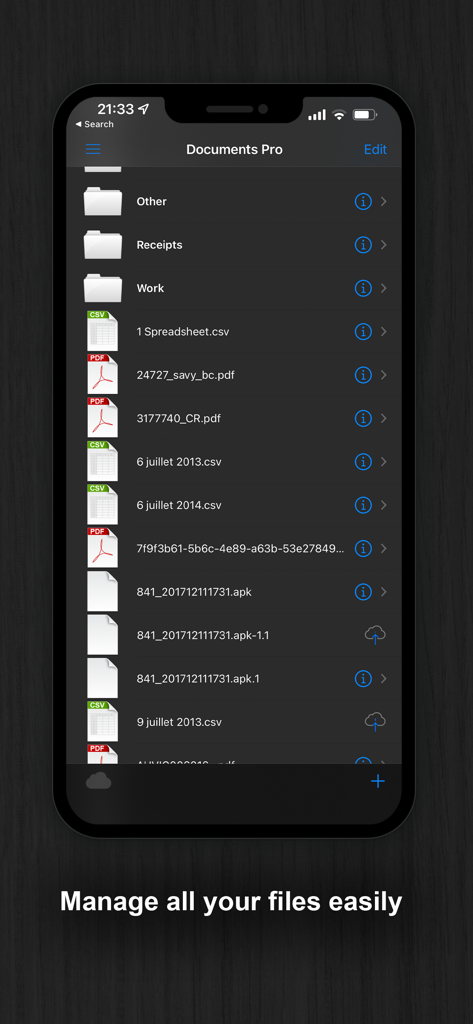
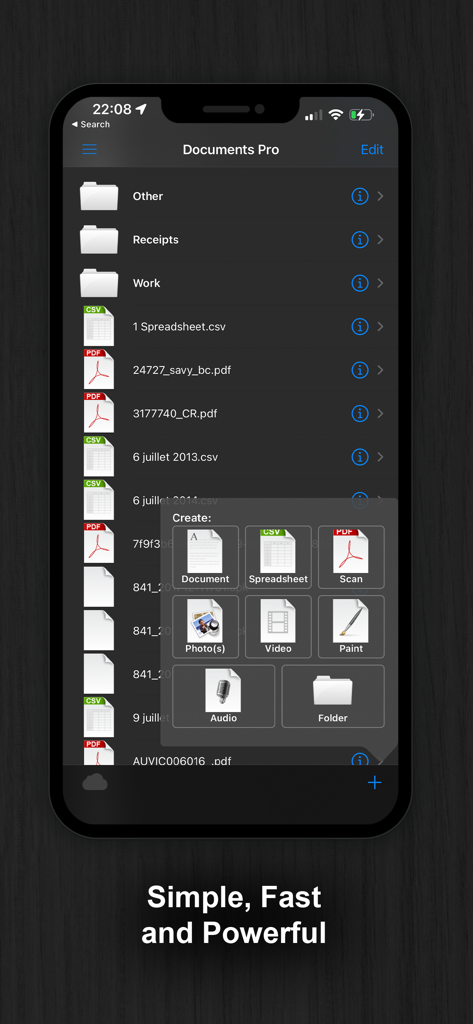
Mobile file manager interface showing folders and various file types like PDF and CSV in a dark mode theme.

Mobile file manager interface showing folders and various file types like PDF and CSV in a dark mode theme.

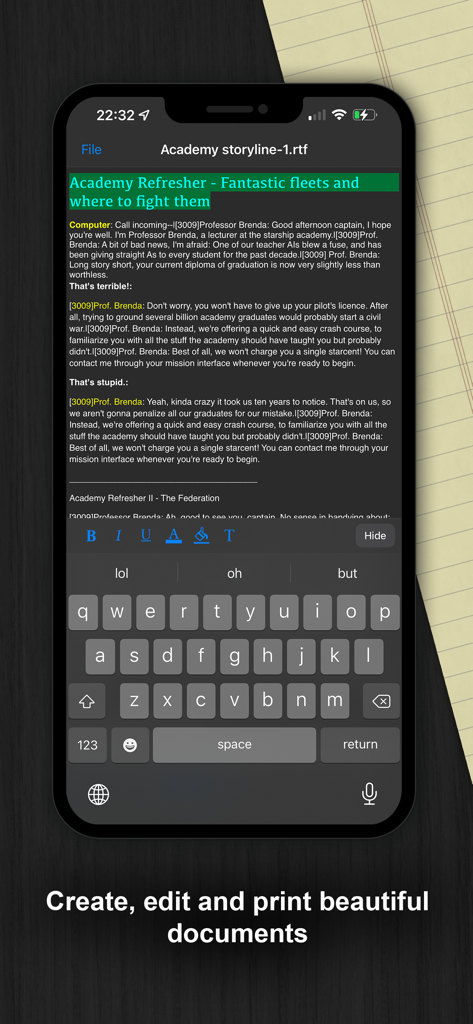
Mobile text editing interface in the Documents Pro app with dark mode

Mobile text editing interface in the Documents Pro app with dark mode

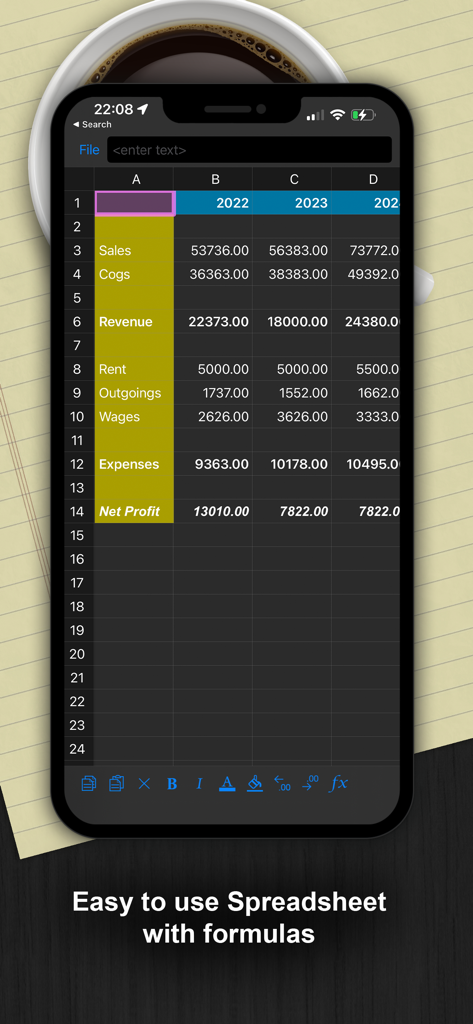
A dark mode mobile spreadsheet interface showing financial data and formulas

A dark mode mobile spreadsheet interface showing financial data and formulas

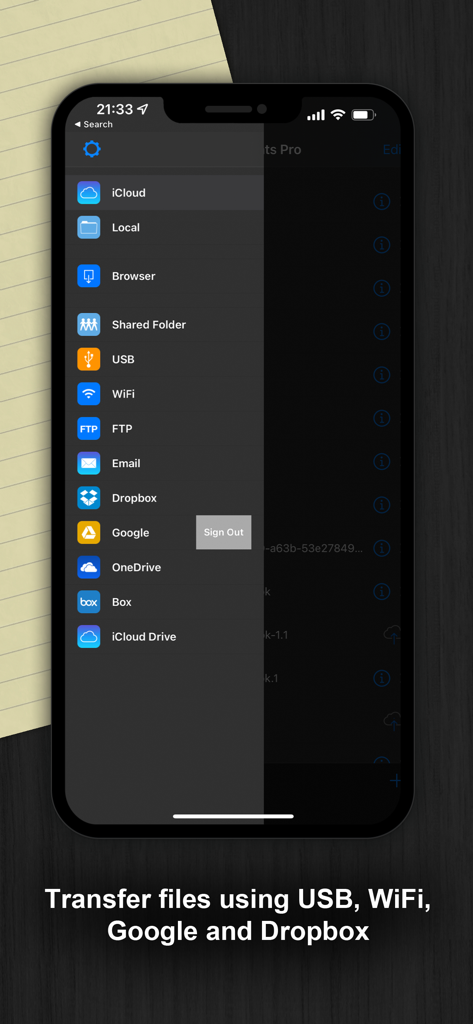
Documents Pro app sidebar showing file transfer and cloud storage options including USB, WiFi, and Dropbox.

Documents Pro app sidebar showing file transfer and cloud storage options including USB, WiFi, and Dropbox.

Interface of Documents Pro app showing file organization and creation options

Interface of Documents Pro app showing file organization and creation options

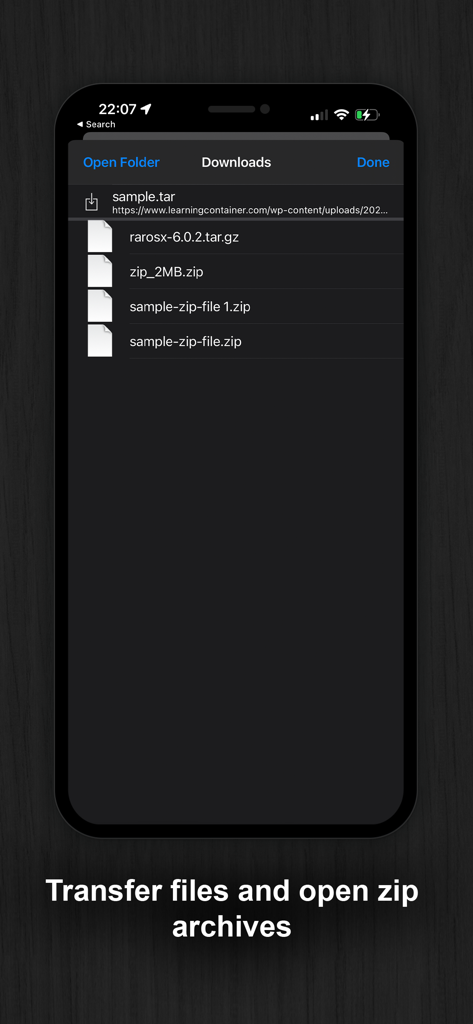
App screen showing a list of downloaded zip and tar archives

App screen showing a list of downloaded zip and tar archives

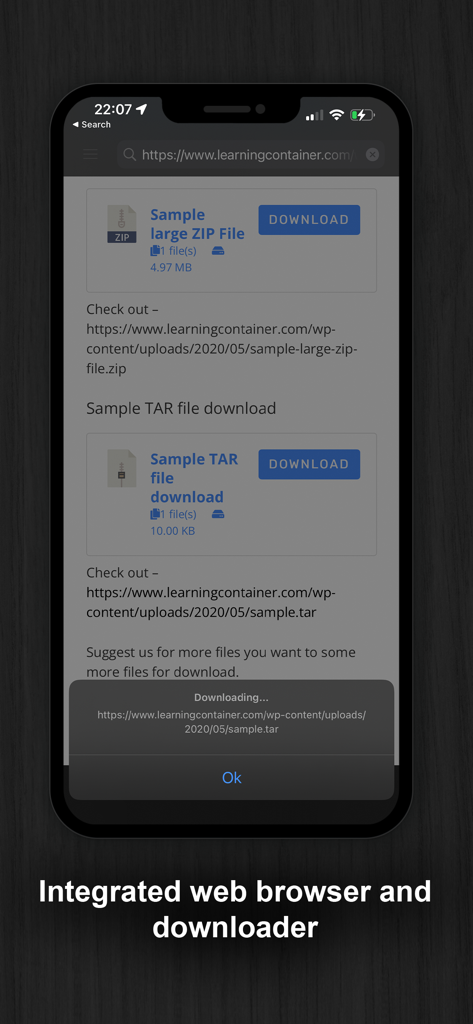
A screenshot of the Documents Pro app featuring its integrated web browser and file downloader tool.

A screenshot of the Documents Pro app featuring its integrated web browser and file downloader tool.

The Ultimate Pocket Office

The tools that make this app stand out, trusted by 1M+ users.

☁️

Unified Cloud Hub

Access Dropbox, Google Drive, and OneDrive in one place. Stop switching apps and start managing all your cloud storage from a single, secure dashboard.

📊

Pro Mobile Editing

Create spreadsheets with full formula support, write documents, and preview PDFs. It is a complete office suite that works perfectly even when you are offline.

📡

Wireless Desktop Sync

Turn your device into a WiFi HD. Transfer files between your iPhone and PC or Mac using just your browser—no cables or complex software required.

About the app

Everything you need to know about Documents Pro, Download & Edit.

Description

• Free Pro Mobile Office and File Manager • • Trusted by Over 7 Million iOS Users • Built on top of the acclaimed documents iPhone suite. Documents PRO is the most comprehensive file manager and mini office suite for the iPhone. View and edit many types of files including documents, spreadsheets, photos, and media. Easily copy and share files using WiFi, dropbox, SkyDrive, and Google Docs. DOCUMENTS PRO FREE EDITION by SavySoda™ - Take your documents anywhere - Works with Dropbox™ Works with iCloud™ Works with Microsoft OneDrive™ Works with Google Drive™ Works with Box™ DOCUMENTS PRO DETAILS The ultimate All-In-One Mobile Office Suite for the iPhone. 8 Premium Apps in One. Most essential productivity & business apps in one easy to use, high quality package. Transfer documents to/from your iPhone via FTP or WiFi, Google, or Email. Edit & View many types of documents on the fly. A powerful, top value, must have app for any iPhone. INCLUDES - Latest iSpreadsheet (mobile spreadsheet app) - Integrated FTP Server and WiFi HD (mobile hard drive) - Text Editor (Easy to use text pad) - Google Sync (Upload & Download directly to Google) - Photo Album (Photo manager) - Direct Email (Email any documents to anyone) - Pixi Sound Recorder (High Quality Sound Recorder) - Integrated Preview (Preview any known document) GENERAL FEATURES - Full Portrait & Landscape Support - Smooth all black interface - Formatting & Formulas in Spreadsheet - Works online or offline - Folder Management WIFI HD - Transfer Files between iPhone, iPod, Mac, PC, or any network device with a Browser - Easy to use, no additional software necessary - Can be used as file server Google Docs Connection - Upload & Download directly to your google docs account Direct Email - Email files as attachments to anyone - Select email from contacts iSpreadsheet - Full CSV support - Formatting - Formulas - Selection Assist - Multi Touch Interface - Beautiful Smooth UI File Preview: - View any file, PDF Reader - Microsoft Word: .doc, .docx - Microsoft Excel: .xls, .xlsx - Microsoft PowerPoint: .ppt, .pptx - Images: .jpg, .jpeg, .tif, .gif, .svg - iWork: Pages, Number, Keynote - Adobe Acrobat: .pd - Web Pages: .htm, .html - Web Archive: .mht - Audio: .mp3, .wav Pixi Sound Recorder: - 44.1khz high quality recording - Scrolling - Playback Text Editor - Wide screen or normal view text editing Photo Album - Take photos - Resize, Zoom - Preview in Slide Show Direct Email - Email documents to anyone - Access to address book More Apps: http://www.savysoda.com Note on Auto-Renewing Subscription - Documents Pro contains optional in-app subscription to activate premium services - "1 Month, 3 Month and 1 Year Premium Subscription". Premium subscription adds support for more file types. The active work area is increased and all ads from the Application are removed. Biometric security features are unlocked by the premium subscription feature. The price of subscription in local currency is displayed in Extra Features page in app. 1 Month Subscription USD 99 cents. 3 Month Subscription USD 1.99. 12 Month Subscription USD 2.99. Subscriptions are auto-renewable and can be cancelled through User Account Settings. Payment will be charged to iTunes Account at confirmation of purchase. Account will be charged for renewal within 24-hours prior to the end of the current period, and identify the cost of the renewal. No cancellation of the current subscription is allowed during active subscription period. There is also a 7 day free trial for the membership; the free trial period is not transferrable and any remaining free time is cancelled if a paying subscription starts. EULA: www.documentsforios.com/eula.html Privacy Policy: www.documentsforios.com/privacypolicy.html

Latest Version

18.0

Size

44.3 MB

First Released

May 21, 2009

Master Your Workflow in One App

Join over 7 million users who have ditched the app bloat for a smarter, all-in-one mobile office. Start editing, syncing, and managing files like a pro today.

Download on App Store
FAQ

Frequently Asked Questions

Everything you need to know about Documents Pro, Download & Edit

What is Documents Pro?

Documents Pro is a comprehensive mobile office suite and file manager for iPhone. It allows users to view, edit, and manage various file types, acting as an all-in-one productivity tool.

Can I manage files with the Documents Pro app?

Yes, Documents Pro allows users to easily manage all their files, including documents, spreadsheets, and PDFs. It provides folder management capabilities and supports various file types.

Can I edit documents with Documents Pro?

Yes, Documents Pro allows users to create, edit, and print various documents. It includes a text editor, iSpreadsheet for spreadsheets, and supports editing many file types directly within the app.

Which cloud services does Documents Pro support for file transfer?

Documents Pro integrates with Dropbox, iCloud, Microsoft OneDrive, Google Drive, and Box. Users can transfer documents to and from these popular cloud services directly within the application.

How can I transfer files to and from Documents Pro?

Documents Pro facilitates file transfers via FTP, WiFi, Google, and Email. It also supports connections through USB and various cloud services like Dropbox and OneDrive for comprehensive file management.

Does Documents Pro include a spreadsheet application with formulas?

Yes, Documents Pro includes iSpreadsheet, a mobile spreadsheet app with full CSV support, formatting, and formulas. It offers a multi-touch interface for easy data manipulation.

What features does the Documents Pro Premium subscription offer?

The Premium subscription in Documents Pro offers support for more file types, an increased active work area, removal of all ads from the application, and unlocks biometric security features.

How much does a Documents Pro Premium subscription cost?

Documents Pro Premium subscriptions cost 99 cents USD for 1 month, $1.99 USD for 3 months, and $2.99 USD for 12 months. Prices in local currency are displayed within the app.

Is there a free trial available for Documents Pro Premium?

Yes, Documents Pro offers a 7-day free trial for the Premium membership. This free trial period is not transferable, and any remaining free time is canceled if a paid subscription begins.

What file types can Documents Pro view?

Documents Pro can view various file types including PDF, Microsoft Word (.doc, .docx), Excel (.xls, .xlsx), PowerPoint (.ppt, .pptx), images (JPG, GIF), iWork (Pages, Number), and audio (MP3, WAV).

Does Documents Pro include an integrated web browser and downloader?

Yes, Documents Pro features an integrated web browser that also functions as a downloader. This allows users to browse the web and directly download various files within the app interface.

Can Documents Pro open and manage zip archives?

Yes, Documents Pro is capable of opening and managing zip archives. It allows users to transfer files and subsequently open these compressed files directly within the application's environment.

Where can I find the privacy policy for Documents Pro?

The privacy policy for Documents Pro is accessible online. Users can review the full policy at www.documentsforios.com/privacypolicy.html to understand how personal data is handled.

App information, icons, screenshots, and descriptions displayed on this page are sourced from the Apple App Store and are the property of their respective developers. Download estimates and rankings are based on MWM's proprietary models and may not reflect actual figures. This page is provided for informational and analytical purposes only.

Believe this page infringes your intellectual property? File a dispute