Duet Air - Remote Desktop

Duet Air - Remote Desktop

Download on App Store
Logo of Duet Air - Remote Desktop

Duet Air: Transform Your iPad into a Lag-Free Professional Second Display

Engineered by ex-Apple experts for zero-lag performance. Double your productivity with a portable dual-monitor setup or turn your iPad into a professional graphics tablet with full Apple Pencil support.

Publisher

Duet, Inc.

Category

Productivity

Downloads

479K+

User Rating

4.2/5

Total Ratings

5K+

Locales

15

Productivity, Visualized

Discover the interface used by 479K+ users.

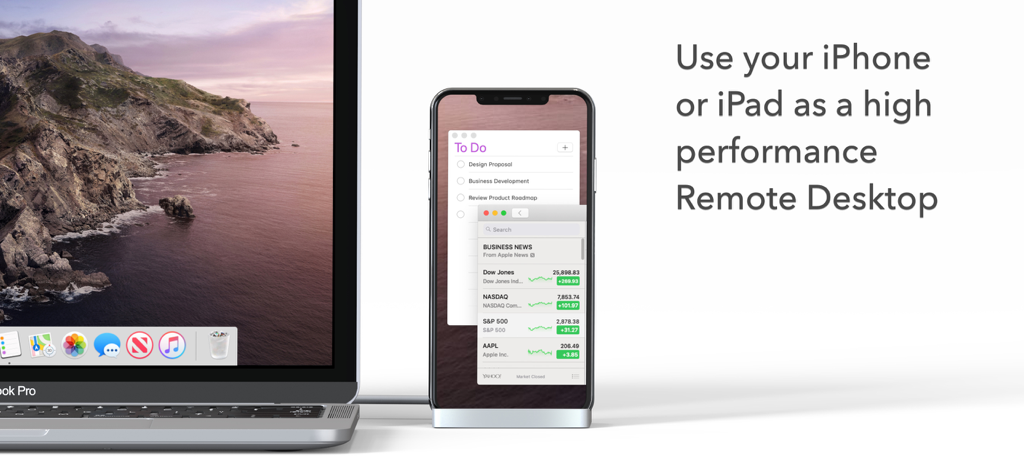
A MacBook Pro connected to an iPhone used as a high-performance remote desktop display showing a To-Do list and news.
A MacBook Pro connected to an iPhone used as a high-performance remote desktop display showing a To-Do list and news.

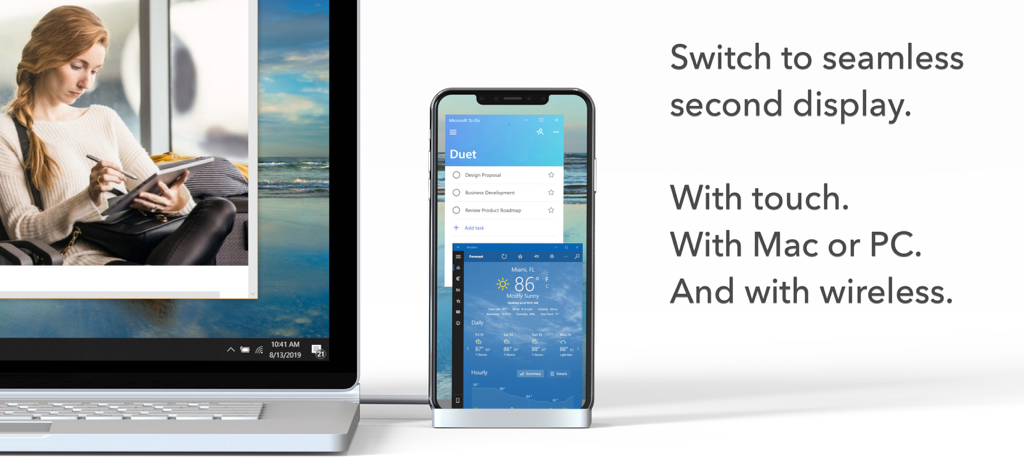
A laptop connected to a smartphone acting as a wireless second display for productivity apps
A laptop connected to a smartphone acting as a wireless second display for productivity apps

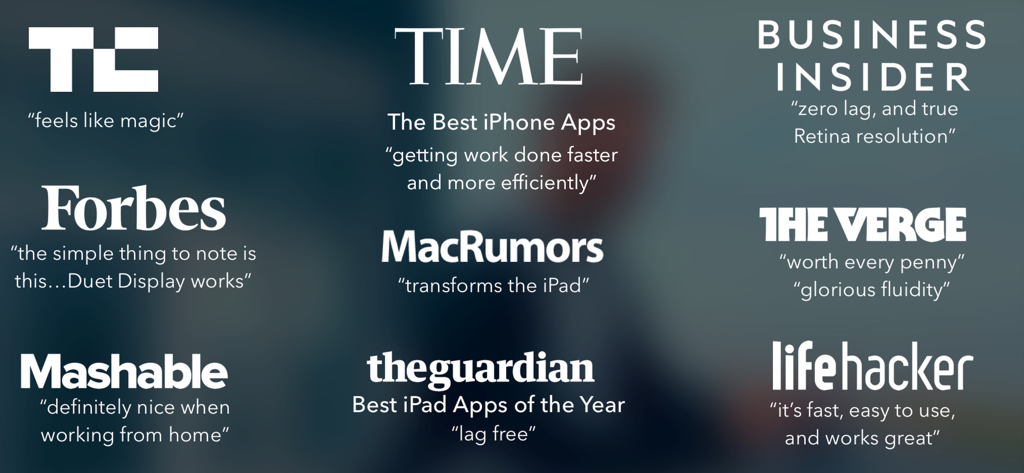
A collection of positive press quotes and logos from major publications like TechCrunch, Time, and The Verge about Duet Air

A collection of positive press quotes and logos from major publications like TechCrunch, Time, and The Verge about Duet Air

Maximize Your Workflow from Anywhere

The tools that make this app stand out, trusted by 479K+ users.

🖥️

Double Your Workspace

Enhance your multitasking by turning your iPad into a portable, high-resolution second monitor for your Mac or PC, perfect for remote setups.

✏️

Pro-Grade Graphics Tablet

Unlock full pressure and tilt sensitivity for your Apple Pencil to design directly in professional tools like Photoshop and Illustrator.

Lag-Free Performance

Experience true 60 FPS and retina resolution with zero latency, ensuring your flow state remains uninterrupted whether wired or wireless.

Review Analysis

Insights from user reviews.

Sentiment Score

34%
Negative

Summary

User reviews for the app present a highly mixed but generally negative sentiment. While many users appreciate its core functionality to transform iPads into external monitors, serving as a superior alternative to Apple's Sidecar and offering a cost-effective solution, significant frustration stems from various issues. A major point of contention is the app's pricing model, with complaints about misleading free trials, unexpected charges, high costs, and difficulty unsubscribing. Users frequently report technical problems including unreliable wireless and wired connectivity, performance lags, and specific bugs such as keyboard/mouse input issues on certain iPad models (e.g., 10.9 inch), crashes on iPhone 15 Pro with iOS 17.4, and incompatibility with iPadOS 17.

Common Themes

Second Display Functionality(9)
Performance & Stability(6)
Ease of Setup(3)
Wired Connection Reliability(2)
Remote Desktop Capabilities(1)
Customer Support(1)

About the app

Everything you need to know about Duet Air - Remote Desktop.

Description

#1 best-selling iPad app in US, Japan, UK, Germany, and 17 other countries! Duet turns your iPad or iPhone into the most advanced Remote Desktop or extra display for your Mac & PC. Developed by a team of ex-Apple engineers, Duet offers unparalleled performance and display quality - all with zero lag. — DO MORE — Be twice as productive by multitasking with two screens. And for those that travel, have a portable way to stay productive. — INCREDIBLY SIMPLE — To get started, plug your iPad into your desktop using your charging cable or choose the desktop to wirelessly connect to. The Duet desktop app will automatically detect your device, and transform it into a high performance touchscreen display. — TOUCHSCREEN — Interact with Mac & PC like never before, with touch & gestures, including two-finger scrolling, pan and zoom. And with our latest release, you can even add a touch bar to any iPad with any Mac. — PERFECT FOR APPLE PENCIL — With Duet Pro, you can turn your iPad and Apple Pencil into a professional graphics tablet. We’ve re-engineered our rendering algorithms for ultra-responsive drawing, optimized specifically for designers, illustrators and artists. Duet Pro also unlocks pressure & tilt sensitivity, hover, palm rejection, and more to seamlessly draw in the most powerful programs for professionals. Get precise control in Photoshop, Corel Painter, Lightroom, ToonBoom, Illustrator, Manga Studio and more. — PRESS — TechCrunch - "Feels Like Magic" TIME - "Getting Work Done Faster and More Efficiently" The Guardian - "Lag-free" Forbes - "The simple thing to note is this...Duet Display works." The Verge - "Glorious Fluidity" Lifehacker - "It's fast, easy to use, and works great" Business Insider - "Zero lag and true retina resolution” Wall Street Journal - “It’s as easy as just plugging it in" — REVIEWS — “Awesome! My iPad Pro can be an extra monitor! Cool app” ~CEO of T-Mobile, John Legere “Very smooth and responsive indeed, plus you could use the touch screen to “click” on screen interfaces!” ~Photographer, Lok Cheung “Love the ability to use my iPad as a monitor with Duet.” ~Former Chief Evangelist of Apple, Guy Kawasaki “Just started using this app called Duet… Kinda love it so far.” ~Comedian and Youtube, Phillip DeFranco “All my mac folks look at the Duet app… GREAT!” ~Actor and Comedian, Sinbad "I really like the app, I suppose the biggest compliment I can give is that it's so easy to setup it almost seems like an Apple product.” ~Early Adopter, M. Nightingale "Amazing solution for me by the way. Works as I was hoping for and actually my main reason for getting an iPad : )” ~Early Adopter, M. Gemzoe Duet Works With: All iPhones and iPads with iOS 11.0 and later All Macs with 10.11 (Mavericks) and later All PCs with Windows 10 64-bit and later Duet Air is a $24.99 per year service built for professionals and remote workers. Price may vary by location. Duet Air subscriptions will be charged to your credit card through your iTunes account. Your subscription will automatically renew unless canceled at least 24 hours before the end of the current period. You will not be able to cancel the subscription once activated. Manage Duet Air in Account Settings after the optional upgrade. Learn more at http://www.duetdisplay.com Terms: https://help.duetdisplay.com/duet-terms-services Privacy Policy: https://help.duetdisplay.com/duet-privacy-policy

Latest Version

3.0.3

Size

67.0 MB

First Released

Nov 3, 2020

Transform Your iPad into a High-Performance Workspace

Join over 479,000 professionals and creatives. Experience the zero-lag, desktop-class performance engineered by ex-Apple experts to double your productivity today.

Download on App Store

App information, icons, screenshots, and descriptions displayed on this page are sourced from the Apple App Store and are the property of their respective developers. Download estimates and rankings are based on MWM's proprietary models and may not reflect actual figures. This page is provided for informational and analytical purposes only.

Believe this page infringes your intellectual property? File a dispute