Astropad Studio Drawing Tablet
Download on App Store

This page is not an official page of the app or its developer, but an independent editorial publication created for informational and commentary purposes. Unless expressly stated otherwise, neither the app nor its developer is affiliated with, endorsed by, sponsored by, authorized by, or otherwise officially connected with MWM, Apple, Google Play, the app publisher, or the app's developer, and nothing on this page implies that the app was developed using MWM's services. Any trademarks, logos, screenshots, and other content remain the property of their respective owners.


Logo of Astropad Studio Drawing Tablet
Download on App Store

Astropad Studio Drawing Tablet

Transform your iPad into a high-end creative workspace for Mac and PC. Built for professionals who demand zero-lag performance, complete gesture customization, and the freedom to work anywhere.

Key Figures

Downloads

883K+

User Rating

4.6/5

Total Ratings

4K+

Publisher

Astro HQ LLC

Category

Productivity

Locales

4

Latest Version

5.5.2

Size

109.8 MB

First Released

Jan 11, 2017
Features

Designed for the Professional Workflow

Astropad Studio transforms your iPad into a high-end production tool, combining the precision of the Apple Pencil with the full power of your desktop creative suite.

Pro-Grade Speed & Precision

Experience lag-free drawing with Liquid Extreme technology and color-corrected retina resolution that perfectly mirrors your desktop.

Custom Magic Gestures

Create your own touch-and-pencil combinations to trigger shortcuts, keeping your focus on the canvas and your hand off the keyboard.

The following screenshots and description are sourced directly from the app's official store listing and are the property of the app developer.

App Store

Screenshots
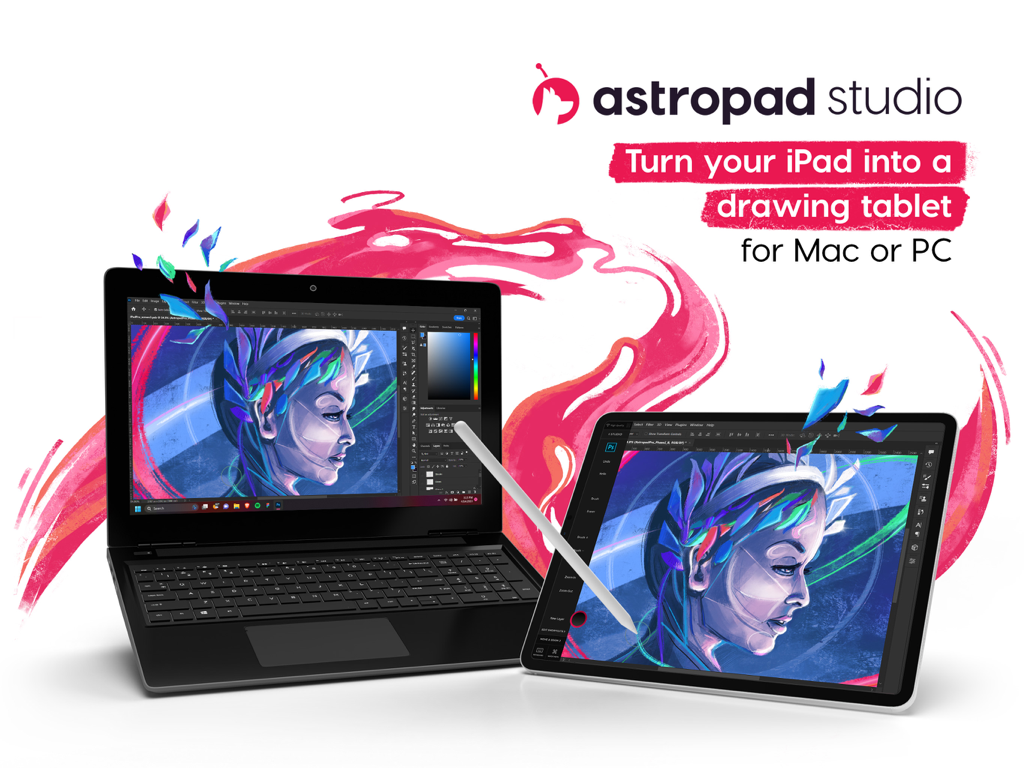
Astropad Studio Drawing Tablet - An iPad being used as a professional drawing tablet connected to a laptop running creative software
An iPad being used as a professional drawing tablet connected to a laptop running creative software

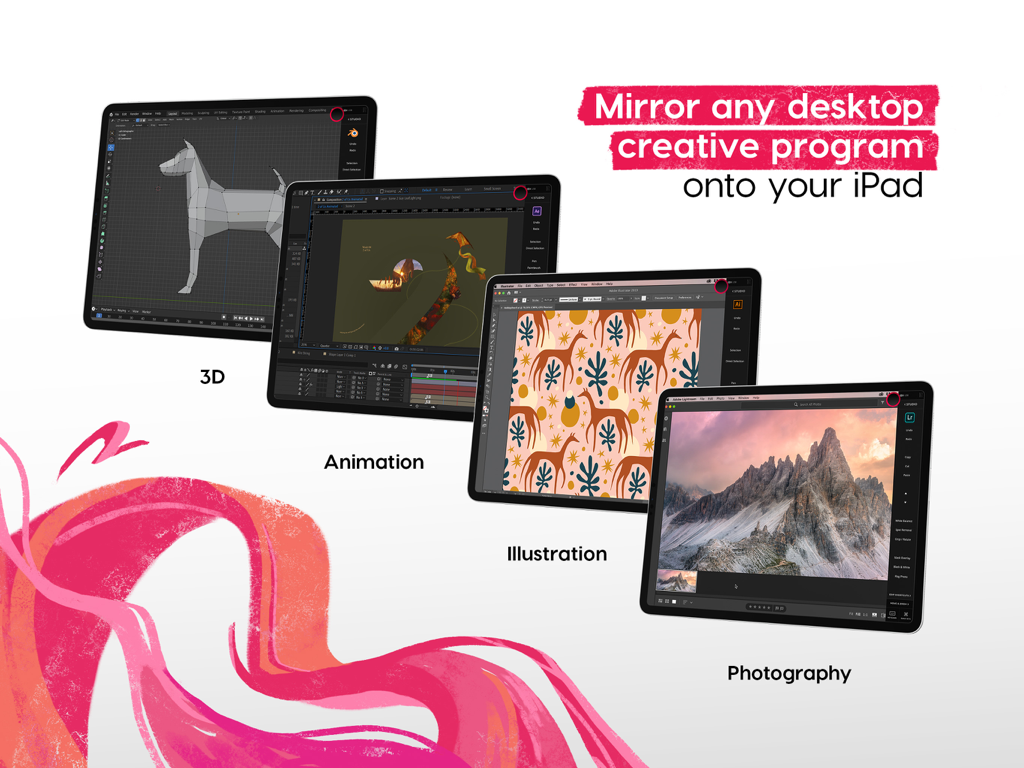
Astropad Studio Drawing Tablet - Astropad Studio mirroring desktop creative software like 3D animation and illustration onto an iPad
Astropad Studio mirroring desktop creative software like 3D animation and illustration onto an iPad

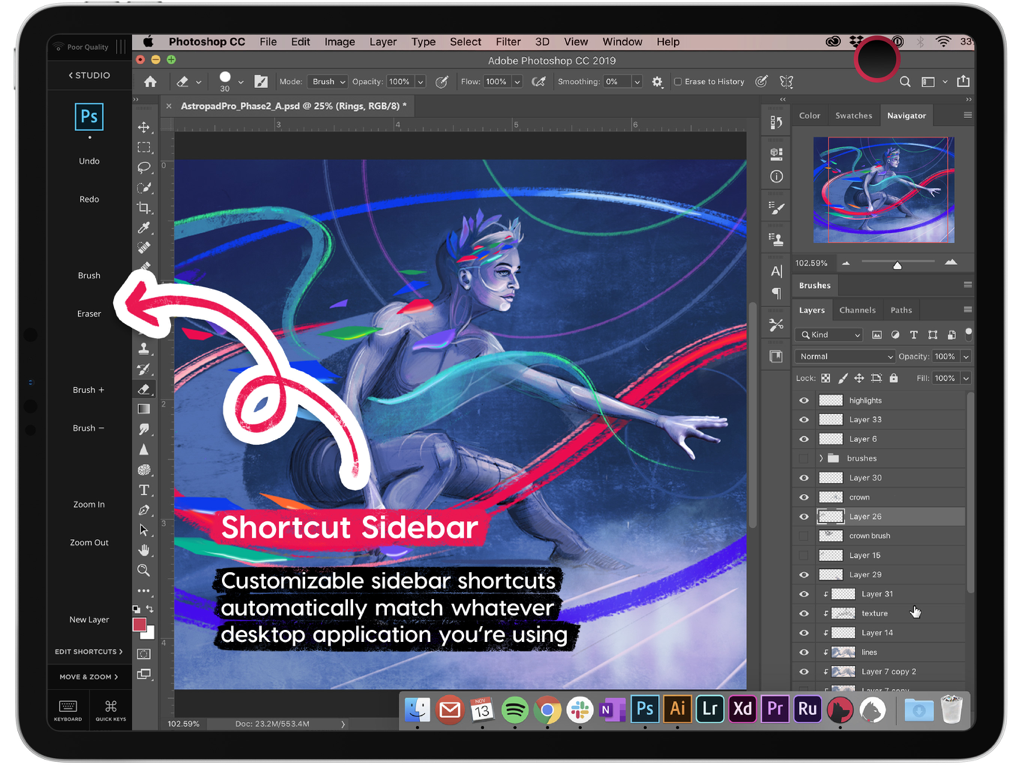
Astropad Studio Drawing Tablet - Astropad Studio shortcut sidebar showing customizable tools for Photoshop on iPad
Astropad Studio shortcut sidebar showing customizable tools for Photoshop on iPad

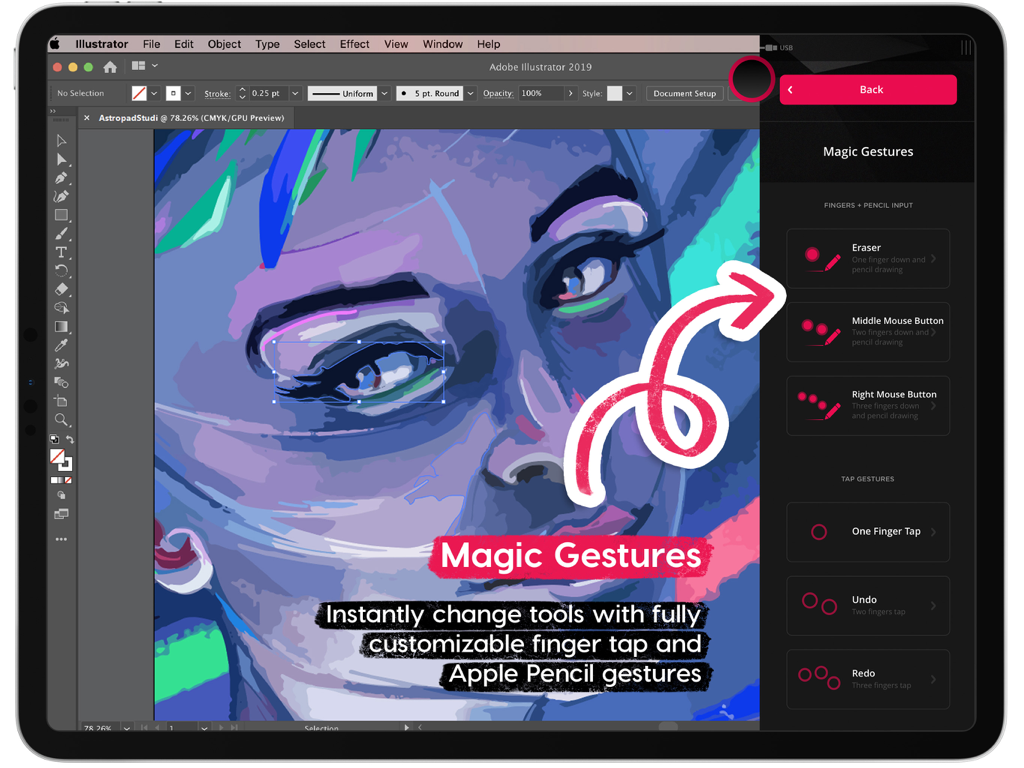
Astropad Studio Drawing Tablet - Astropad Studio Magic Gestures interface for customizable iPad drawing shortcuts
Astropad Studio Magic Gestures interface for customizable iPad drawing shortcuts

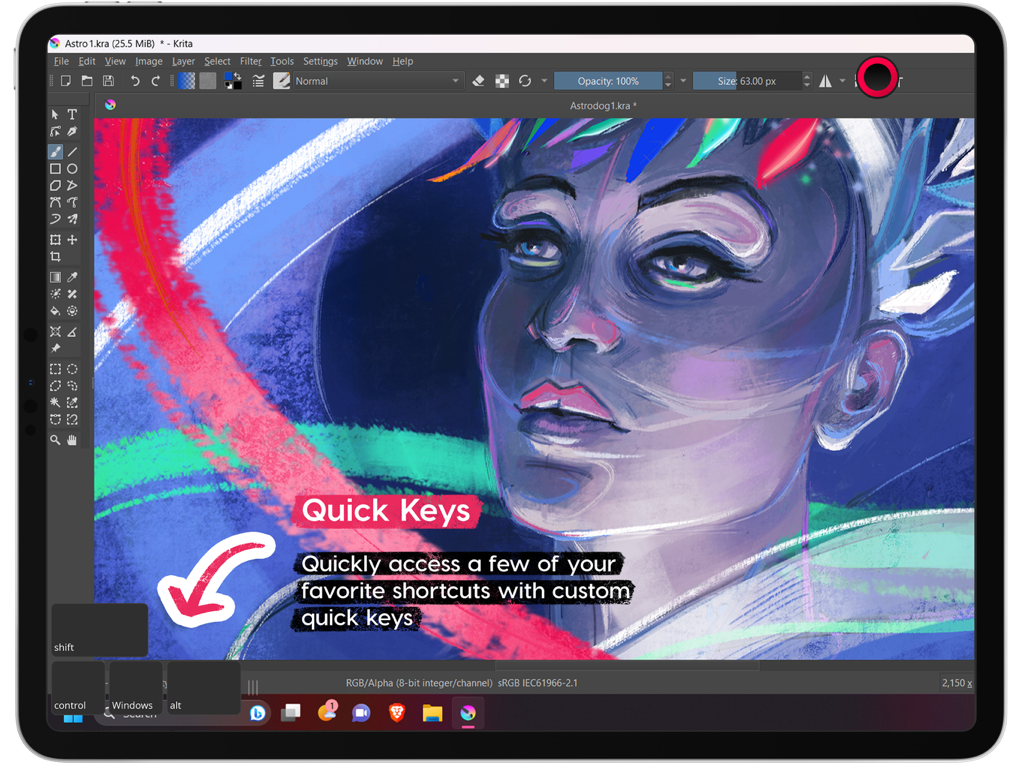
Astropad Studio Drawing Tablet - Astropad Studio interface on iPad highlighting the Quick Keys feature while running Krita software

Astropad Studio interface on iPad highlighting the Quick Keys feature while running Krita software
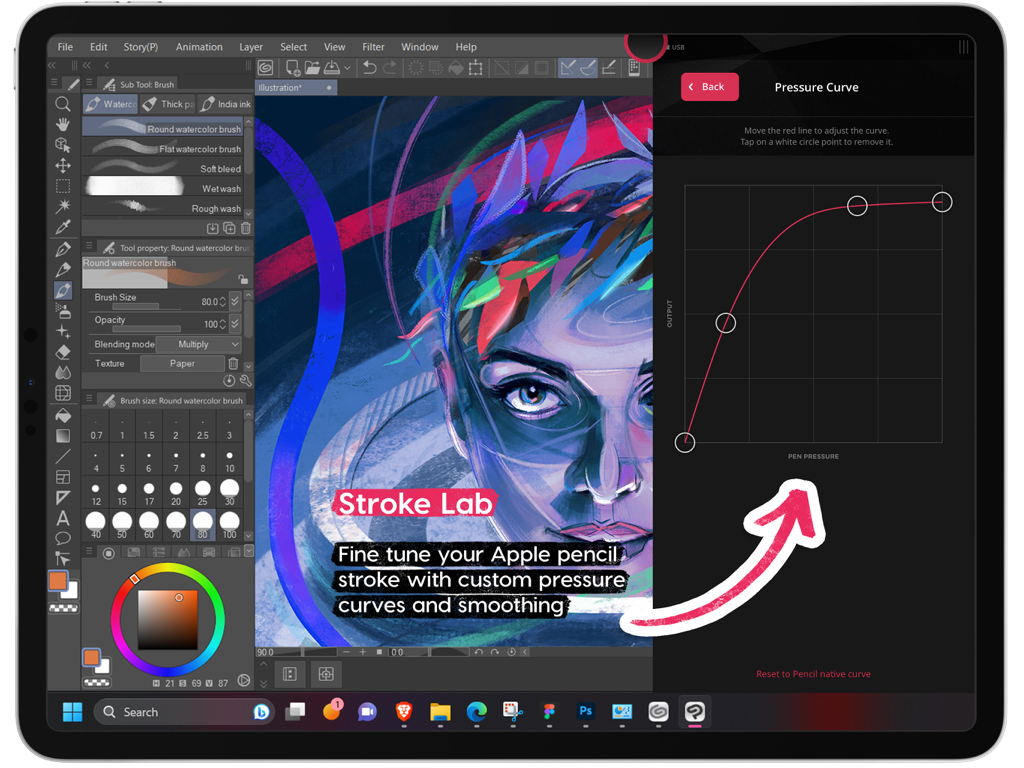
Astropad Studio Drawing Tablet - Custom pressure curve settings in Astropad Studio for Apple Pencil on iPad
Custom pressure curve settings in Astropad Studio for Apple Pencil on iPad

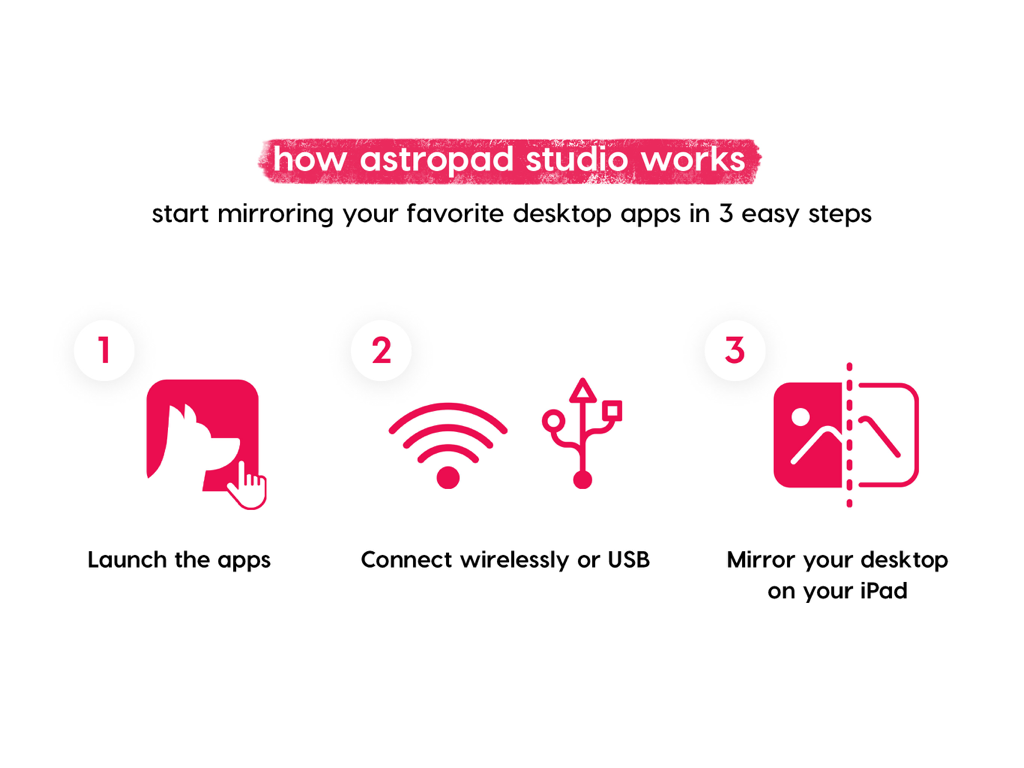
Astropad Studio Drawing Tablet - Infographic explaining how to mirror desktop apps to iPad in three steps with Astropad Studio

Infographic explaining how to mirror desktop apps to iPad in three steps with Astropad Studio

Astropad Studio Drawing Tablet - Astropad Studio 14 day free trial offer screen

Astropad Studio 14 day free trial offer screen

Description

Go beyond a drawing tablet with Astropad Studio. Start a free 14-day trial today! Astropad Studio is the ultimate wireless drawing tablet, designed for the most demanding creative work. With complete workspace customization, Studio allows artists to work faster and more efficiently, with the freedom to work in the studio, at home, or on-the-go. Built for creative professionals with features like: · Wifi or USB connectivity · Built in 2nd display · Crystal clear & ultra-fast · Gesture shortcut customization · Keyboard support · Customizable pressure curves · Magic Gestures: Create your own gesture shortcuts with touch-Pencil combinations · Shortcut Sets: Sidebar shortcuts automatically adapt to match whatever Mac app you’re working in · Unlimited upgrades · Works on Mac and PC $14.99 monthly or $79.99 annually ___ STREAMLINED PRODUCTIVITY · Pinch to Zoom: Pinch to zoom and pan in Mac or PC Apps · Liquid Extreme: Up to 5x faster than baseline Liquid · Wifi & USB: Use your iPad as a drawing tablet plugged in or wirelessly · Keyboard Support: Access our built-in keyboard or use your own Bluetooth keyboard · Velocity Control: Analyzes network conditions dozens of times per second to balance image quality and latency COMPLETE CUSTOMIZATION · Magic Gestures: Create your own gesture shortcuts with touch-Pencil combinations · Shortcut Sets: Sidebar shortcuts automatically adapt to match whatever Mac app you’re working in BUILT FOR CREATIVES · Apple Pencil Optimized: Designed exclusively for the precision of Apple Pencil · Color Corrected: True to your source material with color corrected output and retina resolution ___ SYSTEM REQUIREMENTS · Mac: OS X 10.14 or later · PC: Windows 10 64-bit, build 1809 or later · iPad iOS 13.1 or later: iPad Mini 4 (2015+), iPad Air (2014+), iPad Pro (2016+), iPad 5th generation (2017+) · Optimized for iPad Pro and Apple Pencil SUBSCRIPTION TERMS · $14.99 monthly or $79.99 annually · Price may vary by location. ___ Subscriptions will be charged to your credit card using your iTunes account. Your subscription will automatically renew unless canceled at least 24 hours before the end of the current period. Subscriptions may be managed by the user and auto-renewal may be turned off by going to the user's Account Settings after purchase. No cancellation of the current subscription is allowed during active subscription period. Any unused portion of a free trial period will be forfeited when the user purchases a subscription. Your account will be charged for renewal within 24-hours prior to the end of the current period. ___ MORE RESOURCES Download the free desktop companion app: astropad.com/downloads FAQ: astropad.com/faq Support: support@astropad.com Twitter: @astropad Instagram: @astropadco Facebook: facebook.com/astropadco ___ Privacy Policy: http://astropad.com/studio/privacy.html Terms of Use: http://astropad.com/studio/terms.html

Download

Download on App Store

This page is not an official page of the app or its developer, but an independent editorial publication created for informational and commentary purposes. Unless expressly stated otherwise, neither the app nor its developer is affiliated with, endorsed by, sponsored by, authorized by, or otherwise officially connected with MWM, Apple, Google Play, the app publisher, or the app's developer, and nothing on this page implies that the app was developed using MWM's services. Any trademarks, logos, screenshots, and other content remain the property of their respective owners.








