
This page is not an official page of the app or its developer, but an independent editorial publication created for informational and commentary purposes. Unless expressly stated otherwise, neither the app nor its developer is affiliated with, endorsed by, sponsored by, authorized by, or otherwise officially connected with MWM, Apple, Google Play, the app publisher, or the app's developer, and nothing on this page implies that the app was developed using MWM's services. Any trademarks, logos, screenshots, and other content remain the property of their respective owners.


Mouse · Keyboard
Turn your iPhone into a secure, wireless controller for your Mac or PC. Perfect for streaming movies, giving presentations, and clutter-free control without the need for batteries.
Downloads
249K+User Rating
Total Ratings
5K+Publisher
Category
ProductivityLocales
33Latest Version
2025.27Size
39.5 MBFirst Released
May 27, 2020Master Your Media from the Couch
Turn your iPhone into a powerful wireless trackpad and keyboard. The perfect solution for streaming, presentations, and effortless computer control from across the room.
Ultimate Lean-Back Control
Say goodbye to balancing bulky keyboards on your lap. Browse, click, and scroll with precision while relaxing on your sofa or bed.
Zero-Lag Setup
Get connected in under 60 seconds. No dongles or extra hardware required—just a simple local Wi-Fi connection for instant responsiveness.
Frequently Asked Questions
Everything you need to know about Mouse · Keyboard
What is the "Input" app?
Input, also known as Mouse · Keyboard, transforms your iPhone or iPad into a powerful trackpad and keyboard. It enables seamless control of your Mac or PC from your mobile device.
What devices can "Mouse · Keyboard" control?
The Mouse · Keyboard app allows you to control Mac and PC computers. It requires installing a free helper application on the target Mac or PC.
What operating systems are compatible with the "Input" app?
Input is compatible with Macs running macOS 10.10+ and PCs running Windows 7 SP1+. The latest helper app is required for proper functionality on both platforms.
Does "Input" support multi-touch trackpad gestures?
Yes, Input supports smooth, precise multi-touch tracking. It includes scrolling, swipes, and gestures that function identically to a physical trackpad.
What keyboard features does "Input" offer?
Input offers a full-screen keyboard with text shortcuts, emoji, and function keys. It is designed for comfortable typing of long messages or quick replies.
Is the "Input" app secure and private?
Yes, Input prioritizes privacy. All data remains on your local network. Connections utilize HTTPS and require explicit on-device approval before any pairing occurs.
How do I connect my device using the "Input" app?
To connect, download the free helper app for Mac or PC from rs.ltd/get. Ensure both devices share the same Wi-Fi or Personal Hotspot. Then, open Input and select your computer.
Can I use "Input" with multiple computers?
Yes, Input works with all your computers. Users install the free helper application on any Mac or PC and can switch between connected devices with a single tap.
Does "Input" support emoji and dictation?
Yes, the Input keyboard supports emoji input and dictation. It features a dedicated emoji keyboard for quick access and a microphone icon for voice-to-text functionality.
What are the network requirements for the "Mouse · Keyboard" app?
The Mouse · Keyboard app requires a shared network connection, either via Wi-Fi or Personal Hotspot. This ensures communication between your mobile device and computer.
The following screenshots and description are sourced directly from the app's official store listing and are the property of the app developer.
App Store
Screenshots
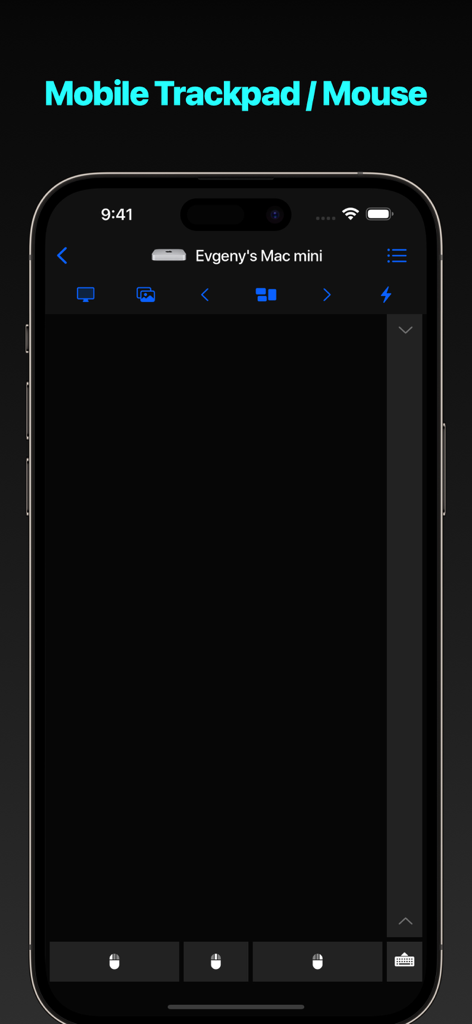
Mobile trackpad and remote mouse interface on an iPhone screen
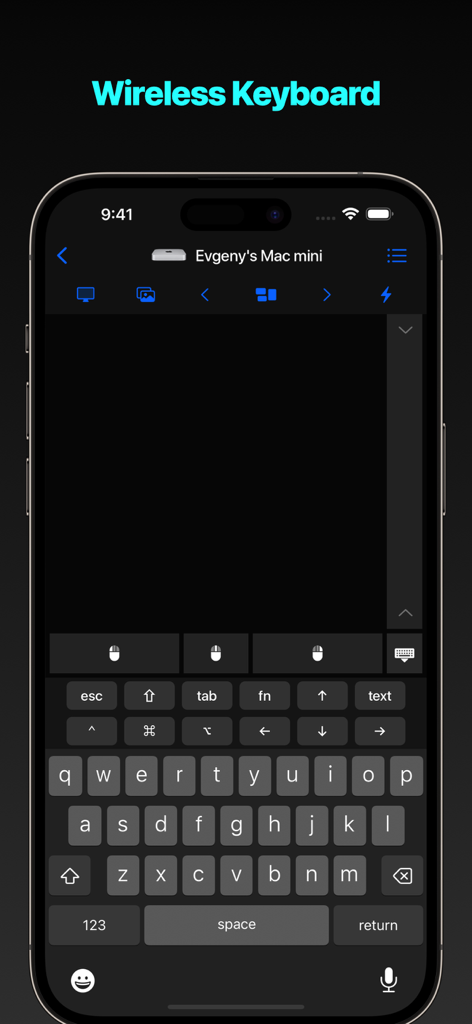
Smartphone screen displaying a wireless keyboard and trackpad control interface for a remote computer
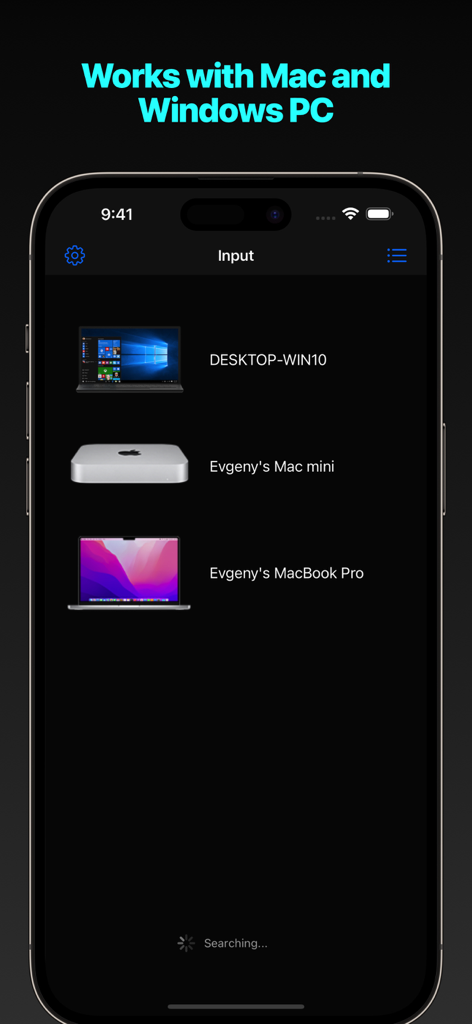
Interface of Mouse · Keyboard app showing a list of available Mac and Windows PCs for remote connection
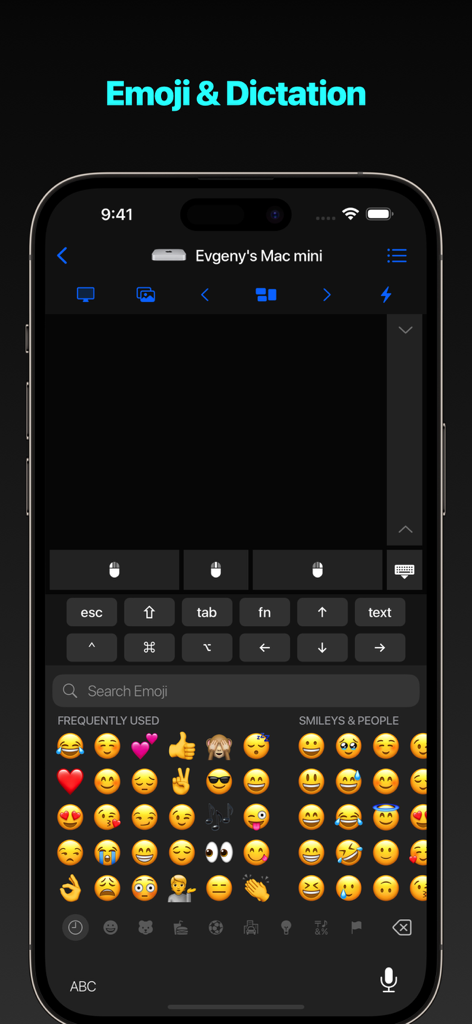
Interface of the Mouse Keyboard app displaying an emoji keyboard and dictation tool for remote computer control
Description
Download
More Like This
Apps with similar features and user experience

Camo Camera
Reincubate Ltd

DroidCam Webcam & OBS Camera
DEV47 APPS LTD.

spacedesk - USB Display for PC
datronicsoft Technology GmbH

iVCam Webcam
俊红 柴

Remote Mouse
耀 阮

CamX - USB Camera
Touchbits Inc.

Genki Studio
Human Things, Inc

Astropad Studio Drawing Tablet
Astro HQ LLC

Remote Mouse & Keyboard
horhe dor
This page is not an official page of the app or its developer, but an independent editorial publication created for informational and commentary purposes. Unless expressly stated otherwise, neither the app nor its developer is affiliated with, endorsed by, sponsored by, authorized by, or otherwise officially connected with MWM, Apple, Google Play, the app publisher, or the app's developer, and nothing on this page implies that the app was developed using MWM's services. Any trademarks, logos, screenshots, and other content remain the property of their respective owners.