
This page is not an official page of the app or its developer, but an independent editorial publication created for informational and commentary purposes. Unless expressly stated otherwise, neither the app nor its developer is affiliated with, endorsed by, sponsored by, authorized by, or otherwise officially connected with MWM, Apple, Google Play, the app publisher, or the app's developer, and nothing on this page implies that the app was developed using MWM's services. Any trademarks, logos, screenshots, and other content remain the property of their respective owners.

CamX - USB Camera
Transform your iPad into a high-definition, low-latency portable display for your camera or console. The ultimate toolkit for creators and gamers on the move.
Downloads
166K+User Rating
Total Ratings
300Publisher
Category
Photo & VideoLocales
15Latest Version
1.51Size
11.6 MBFirst Released
Sep 19, 2023Maximize Every Pixel of Your iPad
Why carry a dedicated monitor when you already own the world’s best display? CamX unlocks pro-level UVC features to transform your setup into a high-performance gaming rig or production studio.
Low-Latency Gaming
Play your Nintendo Switch or Steam Deck on a gorgeous Retina display with zero lag and optimized color profiles for an immersive experience anywhere.
Pro Production Monitor
Get perfect exposure and composition every time with real-time histograms and framing grids—turning your iPad into a professional-grade field monitor.
Frequently Asked Questions
Everything you need to know about CamX - USB Camera
What is CamX - USB Camera?
CamX transforms USB-C iPads into portable monitors using a capture card. It also provides internal video capture capabilities for other devices, including iPhones, making it ideal for content creators and gamers.
What devices are compatible with CamX - USB Camera for UVC capture?
CamX supports UVC capture on USB-C iPads, including iPad Pro 12.9-inch (3rd gen+), iPad Pro 11-inch (1st gen+), iPad (10th gen+), iPad Air (4th gen+), and iPad mini (6th gen+).
Can CamX - USB Camera be used with an iPhone?
Yes, CamX provides built-in camera support for internal capture on iPhones, including the iPhone 17 series. It allows iPhones to function as a videography toolkit.
Does CamX support high-quality video recording?
Yes, CamX enables high-quality recording with customizable resolution and frame rate options. Users can select resolutions such as 1920x1080 and frame rates like 60 FPS for professional output.
What features does CamX - USB Camera offer for gamers?
CamX offers a Gaming Mode to optimize the gaming experience. It includes picture settings like color adjustment, contrast enhancement, and low-latency performance for an enhanced portable display.
What is the maximum resolution and FPS supported by CamX?
CamX supports video recording resolutions up to 1920 x 1080 and frame rates of 60 FPS, as shown in the application's settings. These options ensure high-quality video output.
Can CamX capture audio?
Yes, CamX supports audio capture. The settings menu includes an "Audio Capture" toggle and a "System Sound" toggle, allowing users to enable or disable audio recording and system sound.
Does CamX offer features for videography professionals?
Yes, CamX features a Videography Mode. This mode includes real-time histograms for exposure control and customizable grid lines, assisting in improved composition and framing for video production.
The following screenshots and description are sourced directly from the app's official store listing and are the property of the app developer.
App Store
Screenshots
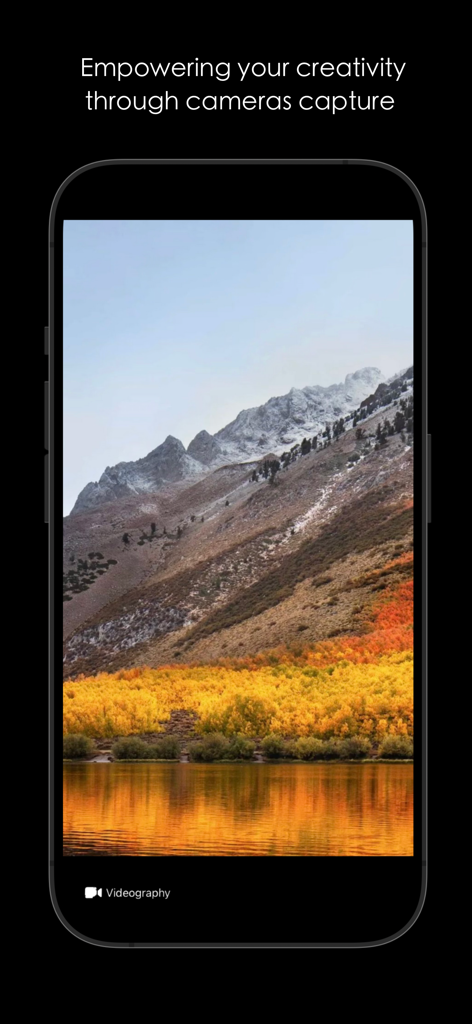
CamX app interface showing a mountain landscape in videography mode
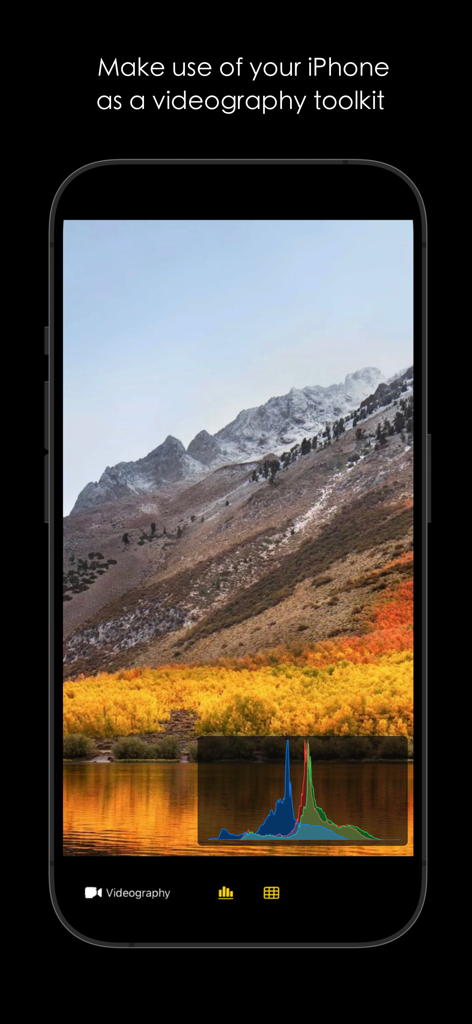
CamX app interface on an iPhone showing videography mode with a real-time RGB histogram overlay
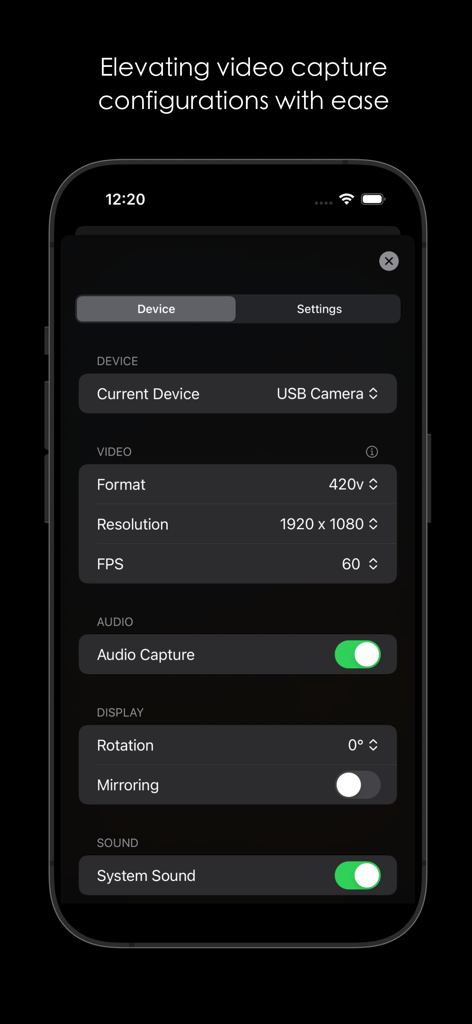
CamX app interface showing video capture configuration settings for a USB camera
Description
Download
More Like This
Apps with similar features and user experience

Mouse · Keyboard
Remote Sunrise LTD

Camo Camera
Reincubate Ltd

DroidCam Webcam & OBS Camera
DEV47 APPS LTD.

spacedesk - USB Display for PC
datronicsoft Technology GmbH

iVCam Webcam
俊红 柴

Remote Mouse
耀 阮

Genki Studio
Human Things, Inc

Astropad Studio Drawing Tablet
Astro HQ LLC

Remote Mouse & Keyboard
horhe dor
This page is not an official page of the app or its developer, but an independent editorial publication created for informational and commentary purposes. Unless expressly stated otherwise, neither the app nor its developer is affiliated with, endorsed by, sponsored by, authorized by, or otherwise officially connected with MWM, Apple, Google Play, the app publisher, or the app's developer, and nothing on this page implies that the app was developed using MWM's services. Any trademarks, logos, screenshots, and other content remain the property of their respective owners.