
This page is not an official page of the app or its developer, but an independent editorial publication created for informational and commentary purposes. Unless expressly stated otherwise, neither the app nor its developer is affiliated with, endorsed by, sponsored by, authorized by, or otherwise officially connected with MWM, Apple, Google Play, the app publisher, or the app's developer, and nothing on this page implies that the app was developed using MWM's services. Any trademarks, logos, screenshots, and other content remain the property of their respective owners.

Fast Scanner : PDF Doc Scan
Transform your iPhone into a powerful multipage scanner. Effortlessly digitize, export, and share unlimited documents, receipts, and notes in seconds.
Downloads
2M+User Rating
Total Ratings
7K+Publisher
Category
BusinessLocales
2Latest Version
3.8.9Size
61.2 MBFirst Released
Jan 19, 2013Streamline Your Digital Workflow
Turn your iPhone into a professional-grade mobile office. Experience lightning-fast document digitization with unlimited scanning and zero subscription fatigue.
Lightning-Fast Capture
Digitize everything from single receipts to multi-page textbooks in seconds with a highly optimized, high-speed scanning engine.
Truly Unlimited Freedom
Break free from page limits and hidden paywalls. Scan an unlimited number of documents and export them without restrictions.
Frequently Asked Questions
Everything you need to know about Fast Scanner : PDF Doc Scan
What is Fast Scanner: PDF Doc Scan?
Fast Scanner: PDF Doc Scan transforms your iPhone into a multipage scanner. It digitizes documents, receipts, notes, and other paper text into high-quality PDF or JPEG files for easy saving, sharing, and printing.
What file formats does Fast Scanner export?
Fast Scanner: PDF Doc Scan exports scanned documents as industry-standard PDF files or JPEG files. Users can also save PDF files directly to their iPhone or open them in other compatible apps.
Can users edit scanned documents within Fast Scanner?
Yes, Fast Scanner: PDF Doc Scan supports multi-editing for scanned documents. It provides various image editing options to optimize readability, including adjustments for brightness, contrast, and color modes (Photo, Gray, Color, B&W).
How can I share documents scanned with Fast Scanner?
You can share documents scanned with Fast Scanner: PDF Doc Scan via email, AirPrint for printing, or by uploading them to cloud services. The app also allows sending faxes and saving to the camera roll.
Does Fast Scanner have limits on features or document scans?
No, Fast Scanner: PDF Doc Scan offers unlimited access to all features and allows for an unlimited number of scanned documents. There are no restrictions on the quantity of scans or available functionalities.
Does Fast Scanner automatically detect document edges?
Yes, Fast Scanner: PDF Doc Scan automatically detects page edges when scanning. This feature ensures precise framing and high-quality digitization of your documents, notes, and receipts.
What iOS versions does Fast Scanner support?
Fast Scanner: PDF Doc Scan supports iOS version 7.0 and later. Users must have an iPhone running iOS 7.0 or a newer version to utilize the application.
Does Fast Scanner provide document organization features?
Yes, Fast Scanner: PDF Doc Scan allows users to organize their scanned documents. The app displays a folder structure for managing various categories like Math, Thesis, Receipts, and Bills.
The following screenshots and description are sourced directly from the app's official store listing and are the property of the app developer.
App Store
Screenshots
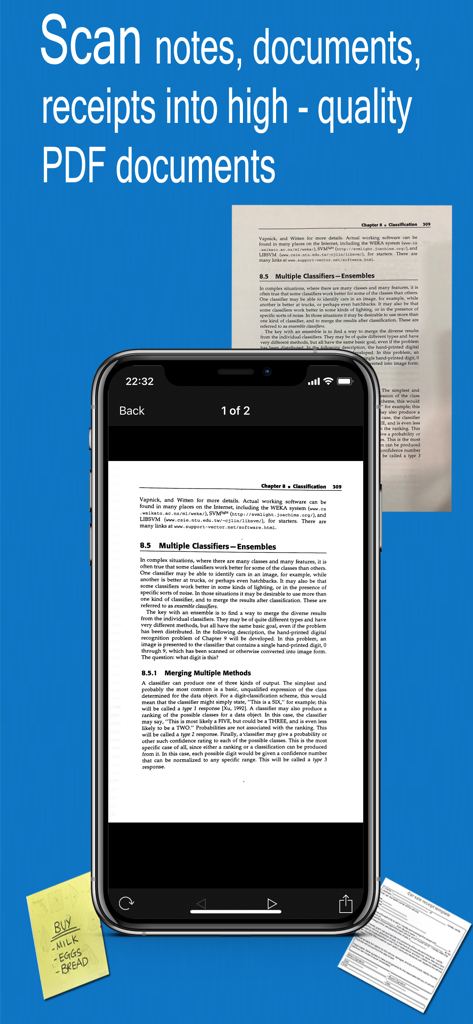
iPhone screen displaying a scanned document in the Fast Scanner app interface
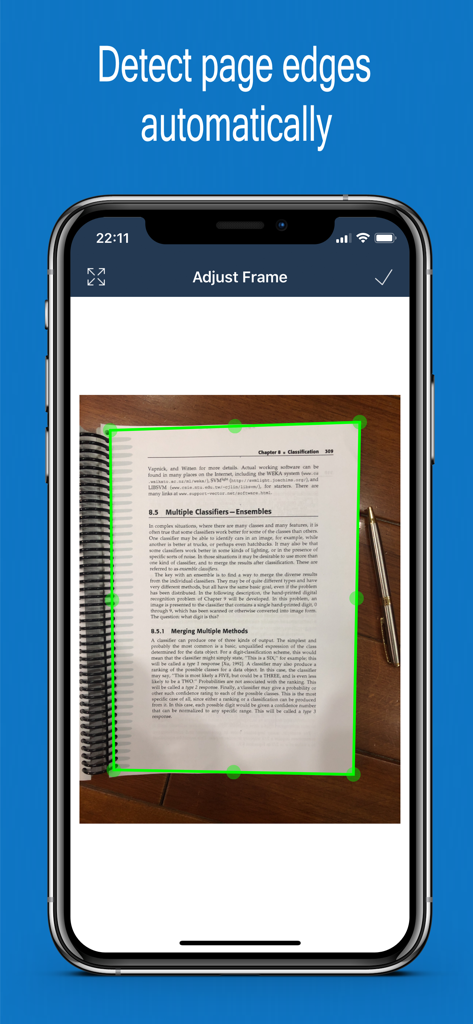
Fast Scanner mobile app automatically detecting page edges of a document
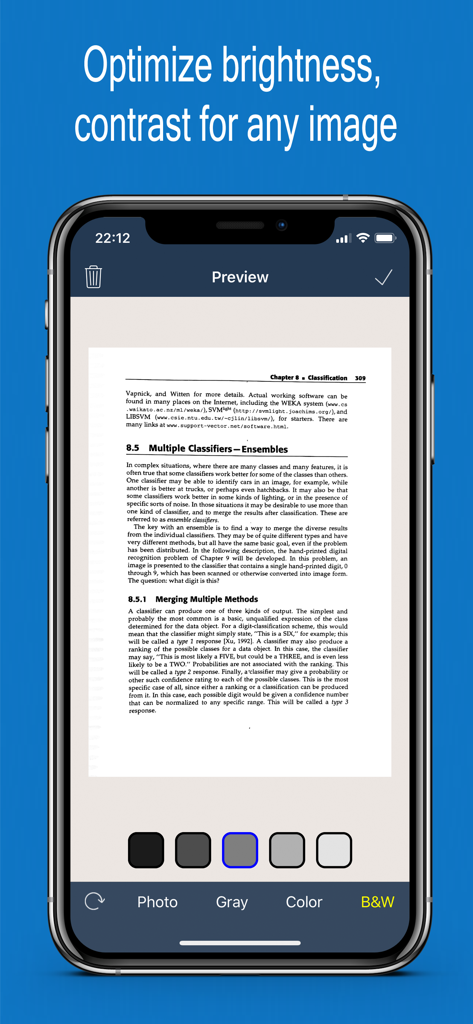
Smartphone screen showing Fast Scanner app preview with brightness and contrast editing options for a scanned document.
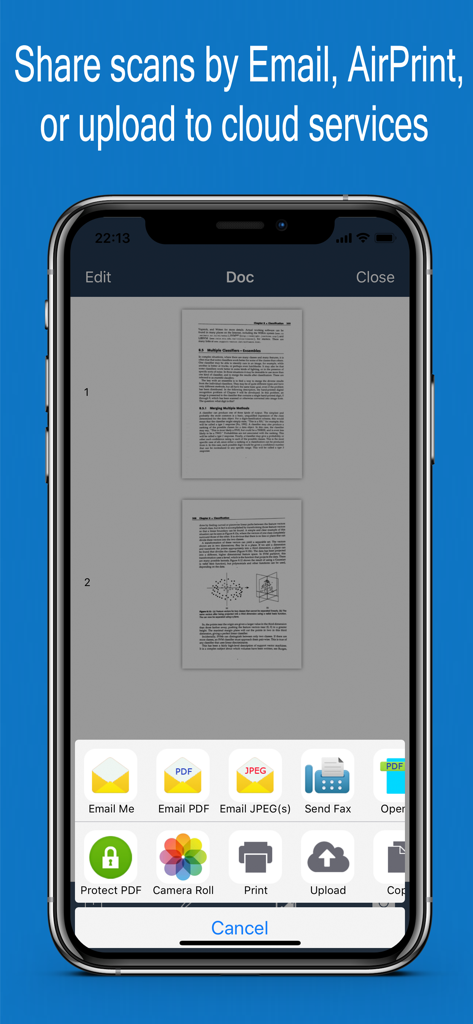
Sharing menu in Fast Scanner showing options to email print or upload scanned documents
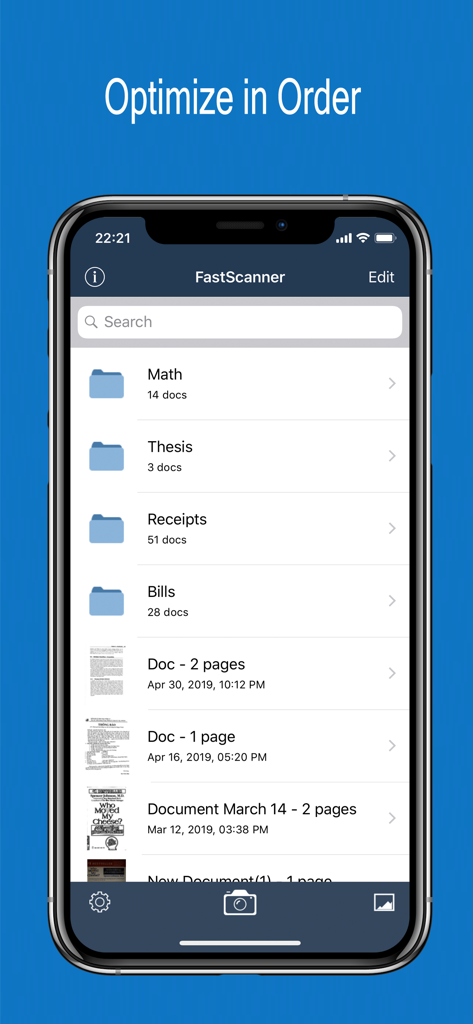
Fast Scanner app showing folders for math, thesis, and receipts for document organization.
Description
Download
More Like This
Apps with similar features and user experience

PDF PRO Scan Image & Documents
Balzo srl

The PDF Scanner, PDF editor HQ
NEXT K.U.M. LTD

CamScanner - PDF Scanner App
INTSIG Information Co., Ltd

Adobe Scan: PDF & OCR Scanner
Adobe Inc.

WPS Office: PDF, Docs, Sheets
KINGSOFT OFFICE SOFTWARE CORPORATION LIMITED

iLovePDF - PDF Editor & Scan
ILOVEPDF S.L.

Scanner App: Genius Scan
The Grizzly Labs

Microsoft Lens: PDF Scanner
Microsoft Corporation

Clear Scan: Doc Scanner App
INDY MOBILE APP COMPANY LIMITED
This page is not an official page of the app or its developer, but an independent editorial publication created for informational and commentary purposes. Unless expressly stated otherwise, neither the app nor its developer is affiliated with, endorsed by, sponsored by, authorized by, or otherwise officially connected with MWM, Apple, Google Play, the app publisher, or the app's developer, and nothing on this page implies that the app was developed using MWM's services. Any trademarks, logos, screenshots, and other content remain the property of their respective owners.