
This page is not an official page of the app or its developer, but an independent editorial publication created for informational and commentary purposes. Unless expressly stated otherwise, neither the app nor its developer is affiliated with, endorsed by, sponsored by, authorized by, or otherwise officially connected with MWM, Apple, Google Play, the app publisher, or the app's developer, and nothing on this page implies that the app was developed using MWM's services. Any trademarks, logos, screenshots, and other content remain the property of their respective owners.


Focos
Forget camera limitations. This app grants users the power to sculpt depth and light into any photo, post-capture, achieving DSLR-grade artistry.
Downloads
25M+User Rating
Total Ratings
297.5KPublisher
Category
Photo & VideoLocales
34Latest Version
2.11.38Size
332.3 MBFirst Released
Oct 31, 2017Focos App Evaluation: Key Features
An in-depth analysis of Focos' core functionalities for mobile photography enhancement.
DSLR-Quality Bokeh Simulation
It allows users to simulate large apertures, creating authentic bokeh effects typically found only with professional DSLR cameras and expensive lenses.
3D Studio Lighting Effects
The app provides the ability to add and manipulate multiple light sources within a 3D space, allowing users to precisely adjust color, brightness, and position for studio-quality illumination.
Automated Depth of Field
This tool features automated shallow depth of field capture, eliminating the need for manual selections or painting to achieve a professional, blurred background.
Post-Capture Re-focusing
It allows users to re-focus portrait photos that have already been taken, offering crucial flexibility and creative control with a simple tap.
AI-Powered Depth Calculation
The app's AI engine automatically calculates depth of field for virtually any photo, extending professional depth effects beyond dedicated portrait modes.
Advanced Lens Characteristics Simulation
This tool provides professional options to simulate various lens characteristics, such as creamy, bilinear, swirly, and reflex effects, for unique artistic expression.
Edit Existing Photos with Bokeh
It enables users to import all existing photos from their library and apply customizable bokeh effects, enhancing their entire collection with advanced depth.
Customizable Bokeh Styles
The app allows users to choose from various simulated aperture diaphragms, enabling the generation of distinct and aesthetically pleasing bokeh spot effects.
3D Depth Visualization & Filters
This tool features a 3D view for visualizing depth areas within portrait photos, allowing for intuitive manipulation and the application of depth filters.
True 3D Imaging
The app is built upon true 3D imaging technology, providing the foundational data necessary for its advanced depth manipulation and lighting capabilities.
Frequently Asked Questions
Everything you need to know about Focos
What is Focos?
Focos is a computational photography app bringing DSLR-like photography to iPhone and iPad Pro. It enables beautiful bokeh effects, focus adjustment after the fact, and multi-light 3D space editing. The app offers unlimited changes to photos.
Can Focos adjust focus on photos already taken?
Yes, Focos allows users to re-focus portrait photos that have already been taken with a simple tap. It provides the capability to adjust focus after the fact, exceeding traditional editing limits.
Does Focos automatically calculate depth of field?
Yes, Focos's AI engine automatically calculates depth of field for all photos. This feature enables users to achieve shallow depth of field without manual painting or selections.
Can Focos simulate different aperture shapes?
Yes, Focos allows users to choose from various simulated aperture diaphragms to generate different bokeh spot effects. The app features multiple aperture shapes for creative control.
Does Focos support 3D lighting effects?
Yes, Focos enables users to add multiple lights in a 3D space. Users can intuitively adjust the color, brightness, and other properties for each individual light source.
Is Focos compatible with iPad Pro and Apple Pencil?
Yes, Focos is compatible with iPad Pro. It is possible to precisely patch the depth map on iPad using an Apple Pencil, enhancing editing capabilities and workflow.
Can Focos simulate real camera lens characteristics?
Yes, Focos offers professional options to simulate real lens characteristics. These include creamy, bilinear, swirly, and reflex effects, replicating qualities found in expensive lenses like Olympus Zuiko or Helios 44.
Is Focos an essential tool for all iOS devices?
Yes, Focos is designed as an essential tool for all iPhones and iPads. It extends powerful computational photography and editing features across these Apple mobile devices.
The following screenshots and description are sourced directly from the app's official store listing and are the property of the app developer.
App Store
Screenshots
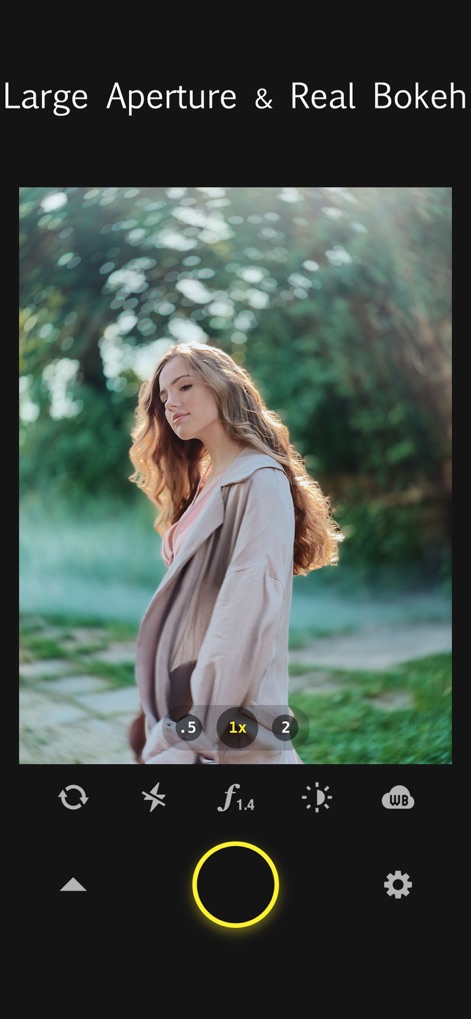
DSLR-Like Depth
See how the app simulates large apertures to achieve stunning bokeh effects and offers intuitive zoom controls for precision.
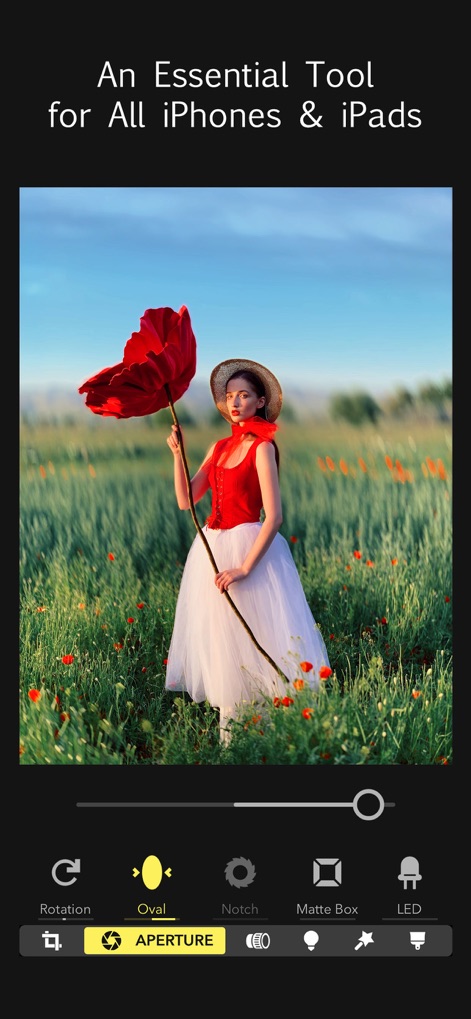
Custom Bokeh Control
Explore the diverse aperture settings, including 'Oval' and 'Notch', allowing users to precisely customize bokeh effects in imported photos.

Post-Capture Refocus
Witness the power of refocusing photos after capture, enabling adjustments to the focus point and fine-tuning bokeh size with ease.

Creative Bokeh Shapes
Discover a range of aperture diaphragm shapes, such as the hexagonal bokeh shown, for unique and artistic light effects.

Advanced 3D Lighting
Examine the dynamic 3D lighting feature, allowing users to add multiple light sources and adjust their color and brightness.

Authentic Lens Simulations
Explore the app's professional lens simulations, including the classic 'Helios 44' effect, to achieve distinctive photographic styles.
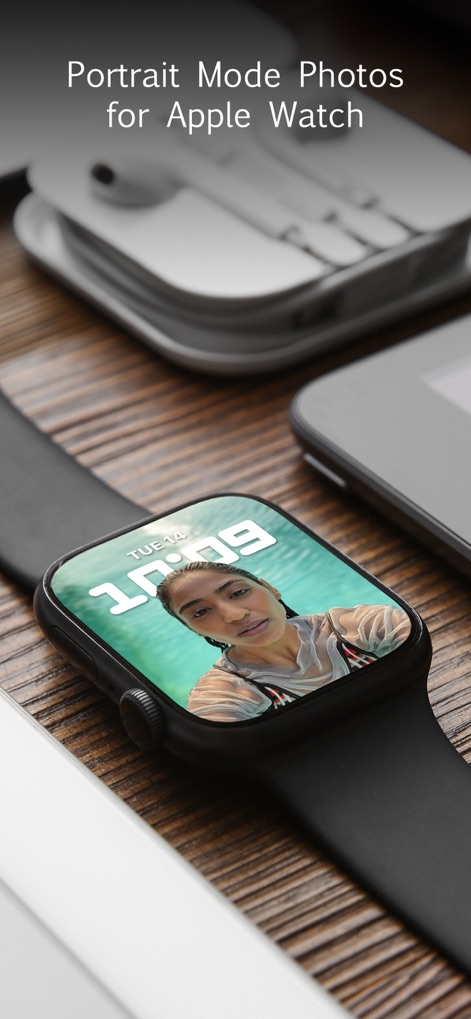
Watch Face Integration
Highlighting seamless integration, users can showcase their stunning portrait mode photos directly on their Apple Watch face.
Description
Download
More Like This
Apps with similar features and user experience

Evoto-AI Photo Editor&Retouch
TRUESIGHT PTE. LTD.

Darkroom: Photo & Video Editor
Bergen Co.

LD - Photo & Video Finishing
Lens Distortions, LLC

SKRWT
Mathaeus Jagielski

Polarr Pro Photo Editor
Polarr Inc

Photomator – Photo Editor
Apple Inc.

Canon DPP Express
Canon Inc.

Snapseed: Photo Editor
Google LLC

原片
Beijing Kwai Technology Co., Ltd.
This page is not an official page of the app or its developer, but an independent editorial publication created for informational and commentary purposes. Unless expressly stated otherwise, neither the app nor its developer is affiliated with, endorsed by, sponsored by, authorized by, or otherwise officially connected with MWM, Apple, Google Play, the app publisher, or the app's developer, and nothing on this page implies that the app was developed using MWM's services. Any trademarks, logos, screenshots, and other content remain the property of their respective owners.