
This page is not an official page of the app or its developer, but an independent editorial publication created for informational and commentary purposes. Unless expressly stated otherwise, neither the app nor its developer is affiliated with, endorsed by, sponsored by, authorized by, or otherwise officially connected with MWM, Apple, Google Play, the app publisher, or the app's developer, and nothing on this page implies that the app was developed using MWM's services. Any trademarks, logos, screenshots, and other content remain the property of their respective owners.


LD - Photo & Video Finishing
Elevate your storytelling with layer-based editing, natural light textures, and elegant typography designed for the modern creator.
Downloads
4M+User Rating
Total Ratings
11K+Publisher
Category
Photo & VideoLocales
1Latest Version
6.10.0Size
154.4 MBFirst Released
Nov 19, 2014Professional Finishing for the Modern Creator
Step beyond basic filters. Harness the same cinematic tools used by the pros to craft vivid, high-production visuals directly on your iPhone.
Cinematic Light & Atmosphere
Add professional Light Volume™ and natural textures to your shots, creating a realistic depth that looks captured in-camera, not digitally added.
Pro-Grade Layered Workflow
Unlock total creative control with a layer-based editor. Stack adjustments, use precision masking, and fine-tune every detail without compromise.
Frequently Asked Questions
Everything you need to know about LD - Photo & Video Finishing
What is LD - Photo & Video Finishing?
LD - Photo & Video Finishing is a layer-based editor for creating cinematic content. It adds color grades, typography, and elegant overlays to photos and videos, offering fine-tuning details through its layer-based approach.
Does LD - Photo & Video Finishing support layer-based editing?
Yes, LD - Photo & Video Finishing features a layer-based editing approach. This unlocks possibilities for adding multiple layers of color, adjustments, and effects, allowing precise control over photo and video elements.
Can users add typography to photos and videos with LD - Photo & Video Finishing?
Yes, LD - Photo & Video Finishing includes Typography Presets. These allow users to add text to achieve a classy key art look in their photos and videos, enhancing visual storytelling.
Does LD - Photo & Video Finishing offer light effects like dynamic rays?
Yes, LD - Photo & Video Finishing features Light Volume™. This tool adds dynamic light rays and atmospheric textures to images, enabling cinematic visual enhancements. Screenshot #5 demonstrates these premium light effects.
Is the Erase/Mask tool available in LD - Photo & Video Finishing?
Yes, the Erase/Mask tool is available in LD - Photo & Video Finishing. It allows users to paint out parts of an effect precisely. This is a premium feature included with an LD+ subscription.
Can I create before/after videos in LD - Photo & Video Finishing?
Yes, LD - Photo & Video Finishing includes a Before/After feature. This allows users to elegantly showcase their edits with comparative videos, highlighting the transformations applied.
What is the subscription model for premium features in LD - Photo & Video Finishing?
LD - Photo & Video Finishing offers an annual subscription called LD+. This subscription unlocks premium features including more layers, the full suite of color and photo effects, TIFF photo export, and automatic Portrait mode layers.
Does the LD+ subscription in LD - Photo & Video Finishing auto-renew?
Yes, the LD+ subscription in LD - Photo & Video Finishing auto-renews annually. Users must cancel 24 hours before the billing period ends to prevent the automatic renewal.
How can I manage my LD+ subscription for LD - Photo & Video Finishing?
Users manage their LD+ subscription and auto-renewal settings via their device's Settings after purchase. The subscription payment is charged to the iTunes account upon confirmation.
How many premium photo effects are available in LD - Photo & Video Finishing?
LD - Photo & Video Finishing provides over 400 premium overlays as photo effects. These extensive options expand creative possibilities for users. The full suite is unlocked with an LD+ subscription.
The following screenshots and description are sourced directly from the app's official store listing and are the property of the app developer.
App Store
Screenshots
Simple tools for better content slogan from the LD app
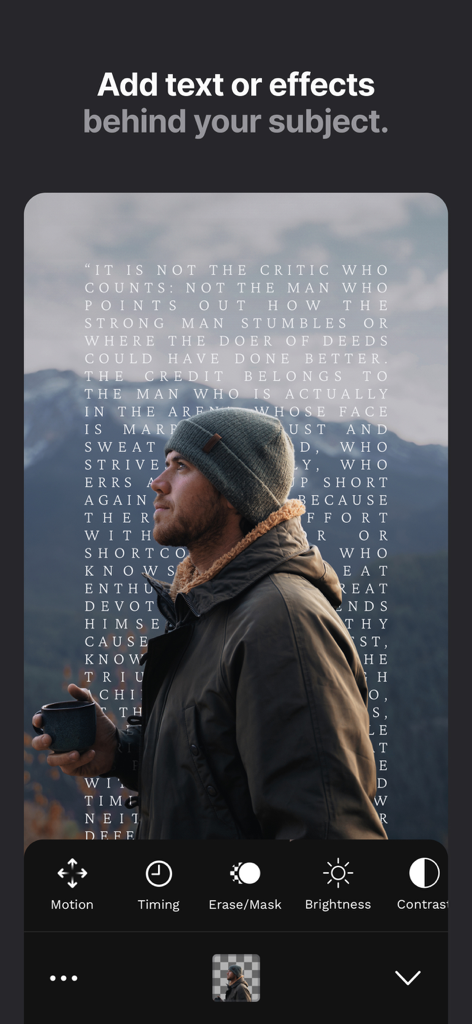
Adding text behind a subject in the Lens Distortions app
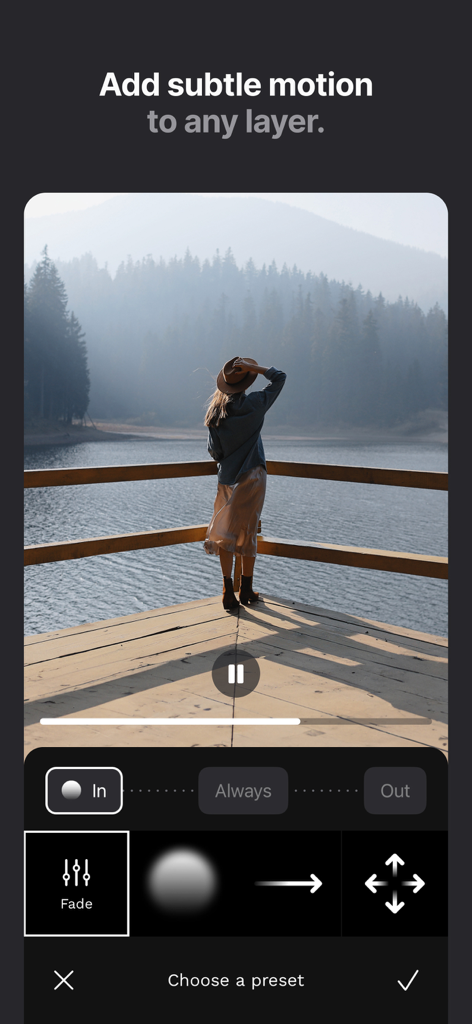
A screenshot of the LD app showing the motion layer tool with a cinematic photo of a woman by a lake
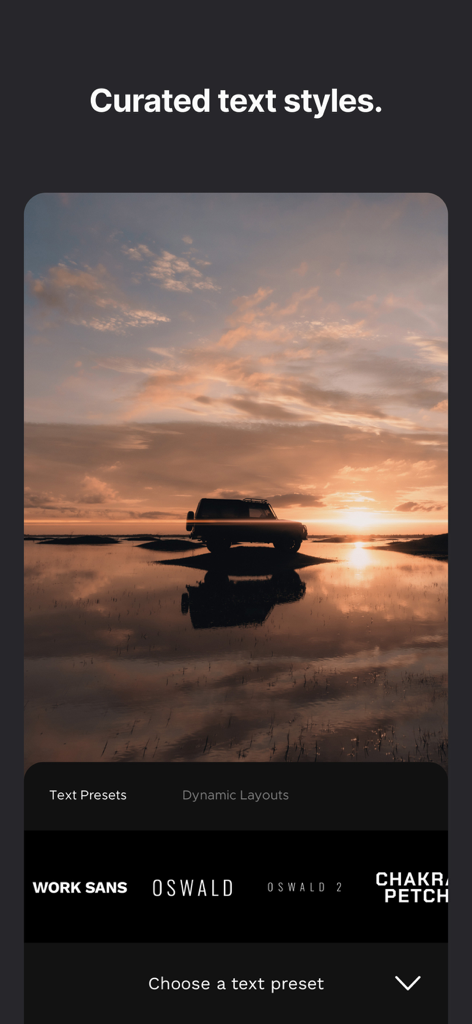
Interface of the LD app showing curated typography presets and text styles over a cinematic sunset landscape photo.
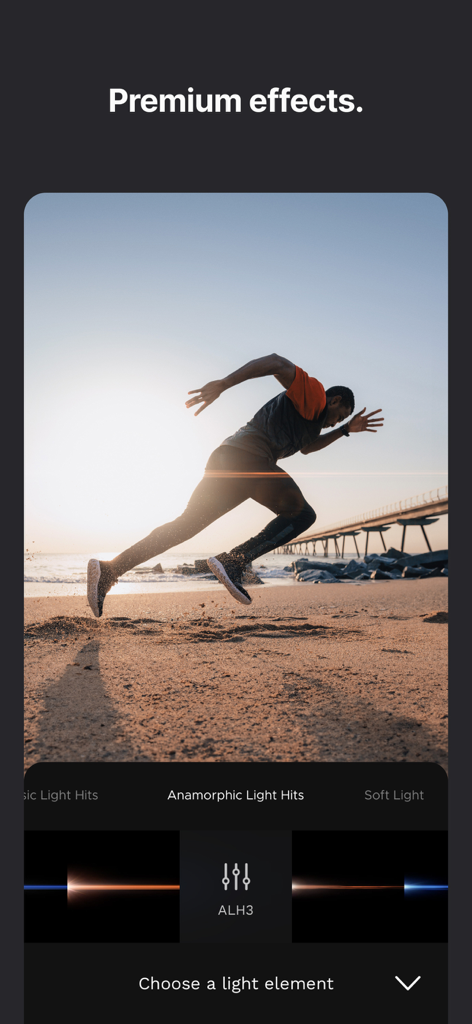
Photo of a runner on a beach with a cinematic anamorphic light flare
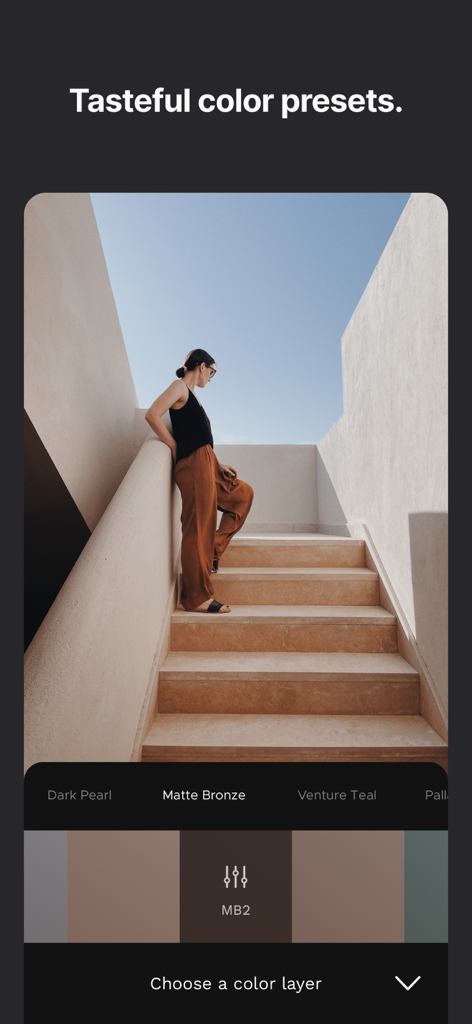
Lens Distortions app showing cinematic color presets on a photo of a woman on stairs
Description
Download
More Like This
Apps with similar features and user experience

Evoto-AI Photo Editor&Retouch
TRUESIGHT PTE. LTD.

Darkroom: Photo & Video Editor
Bergen Co.

Focos
Mosaic S.r.l.

SKRWT
Mathaeus Jagielski

Polarr Pro Photo Editor
Polarr Inc

Photomator – Photo Editor
Apple Inc.

Canon DPP Express
Canon Inc.

Snapseed: Photo Editor
Google LLC

原片
Beijing Kwai Technology Co., Ltd.
This page is not an official page of the app or its developer, but an independent editorial publication created for informational and commentary purposes. Unless expressly stated otherwise, neither the app nor its developer is affiliated with, endorsed by, sponsored by, authorized by, or otherwise officially connected with MWM, Apple, Google Play, the app publisher, or the app's developer, and nothing on this page implies that the app was developed using MWM's services. Any trademarks, logos, screenshots, and other content remain the property of their respective owners.