
This page is not an official page of the app or its developer, but an independent editorial publication created for informational and commentary purposes. Unless expressly stated otherwise, neither the app nor its developer is affiliated with, endorsed by, sponsored by, authorized by, or otherwise officially connected with MWM, Apple, Google Play, the app publisher, or the app's developer, and nothing on this page implies that the app was developed using MWM's services. Any trademarks, logos, screenshots, and other content remain the property of their respective owners.

Snapseed: Photo Editor
Dismissing ads and bloated workflows, this app delivers unparalleled editing depth. Users unlock desktop-level control on any mobile screen.
Downloads
100M+User Rating
Total Ratings
193.8KPublisher
Category
Photo & VideoLocales
38Latest Version
3.17.1Size
180.2 MBFirst Released
Jun 7, 2011Snapseed: Core Strengths for Creative Professionals
An analytical overview of key features empowering advanced mobile photo editing.
Fine, Precise Control
This tool features fine-grain adjustments for all styles and filters, allowing users to tweak exposure, color, details, and more with exceptional precision.
Ad-Free Professional Editing
The app provides a distraction-free editing environment, ensuring users can focus solely on their creative process without interruptions from advertisements.
Advanced RAW & Non-Destructive Editing
The app supports opening and tweaking native camera RAW files, allowing for high-quality edits without permanently altering the original image. It provides the flexibility to export as JPG or save non-destructively.
Selective Adjustments
It allows users to make highly localized enhancements using the "Control Point" technology and selective brushes, targeting specific areas of an image for exposure, saturation, brightness, or warmth adjustments.
Customizable Personal Looks
The app allows users to save their personalized editing styles and apply them consistently to new photos, streamlining their workflow and maintaining a cohesive aesthetic.
Healing and Object Removal
This tool features a powerful healing function that enables users to effortlessly remove unwanted elements or distractions from their photographs.
Frequently Asked Questions
Everything you need to know about Snapseed: Photo Editor
What is Snapseed?
Snapseed is a comprehensive photo editor developed by Google. It offers a wide range of tools and filters for editing JPG and RAW files without displaying any advertisements.
Does Snapseed display advertisements?
No, Snapseed does not display advertisements. It is an ad-free photo editing application developed by Google, focusing solely on providing editing functionalities.
What types of files can Snapseed open for editing?
Snapseed is capable of opening both JPG and RAW files for editing. Users can develop and tweak native camera RAW files non-destructively or export them as JPGs.
How many editing tools and filters does Snapseed offer?
Snapseed provides over 25 tools and filters for photo editing. These include features like Healing, Brush, Structure, HDR, Perspective, and various film-inspired styles.
Can users save custom editing styles in Snapseed?
Yes, users can save their personal editing looks within Snapseed and apply them to other photos later. This feature allows for consistent editing across multiple images.
How can Snapseed remove unwanted objects from a photo?
Snapseed features a "Healing" tool that allows users to remove unwanted elements or distractions from their pictures. This tool helps clean up images by seamlessly blending the surrounding areas.
Does Snapseed allow for non-destructive editing?
Yes, Snapseed supports non-destructive editing. It maintains an "Edits" history, allowing users to undo any modification at any time and revert to the original or any previous editing step.
Can custom looks be shared with others from Snapseed?
Yes, Snapseed allows users to easily share their custom-created looks. The application includes a "Share QR" option, enabling convenient sharing of these personalized editing styles.
The following screenshots and description are sourced directly from the app's official store listing and are the property of the app developer.
App Store
Screenshots
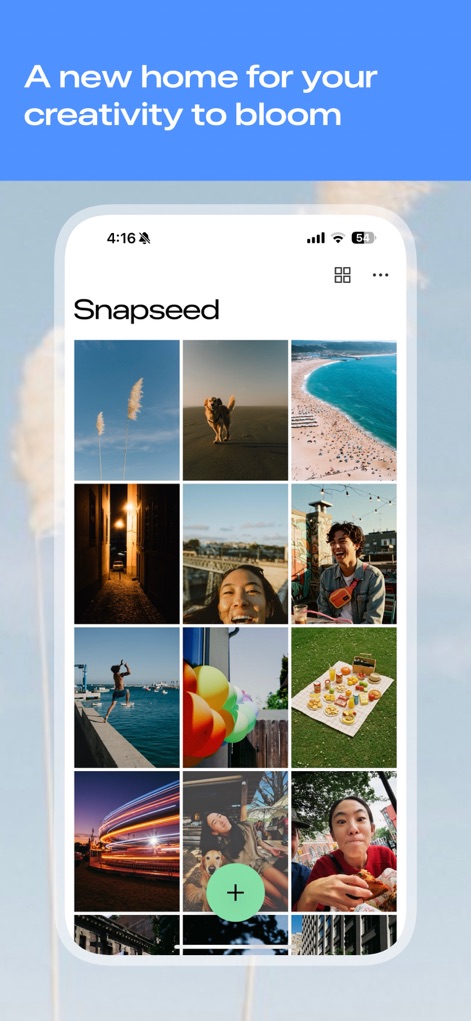
Creative Launchpad
Explore the app's intuitive image gallery layout and centralized 'plus' button for easy photo importing.
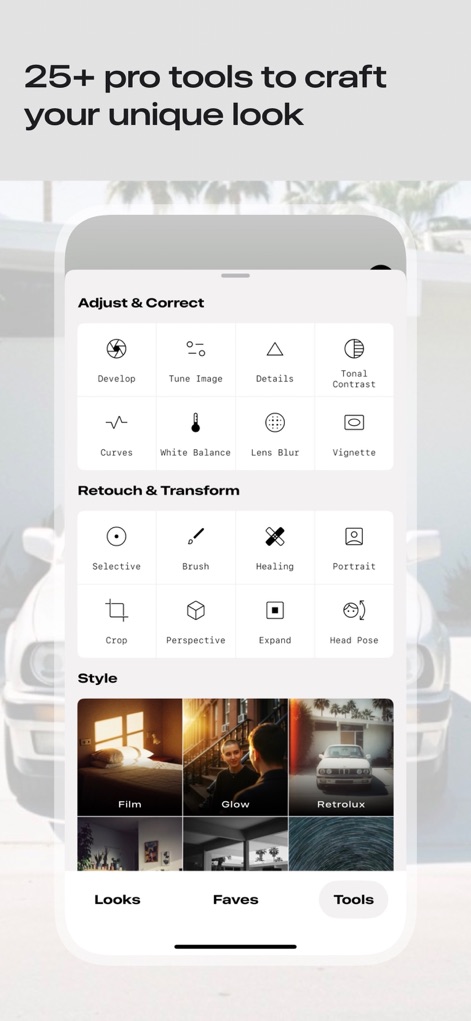
Tool Arsenal
Discover the app's comprehensive suite of categorized tool groups and over 25 professional editing options.
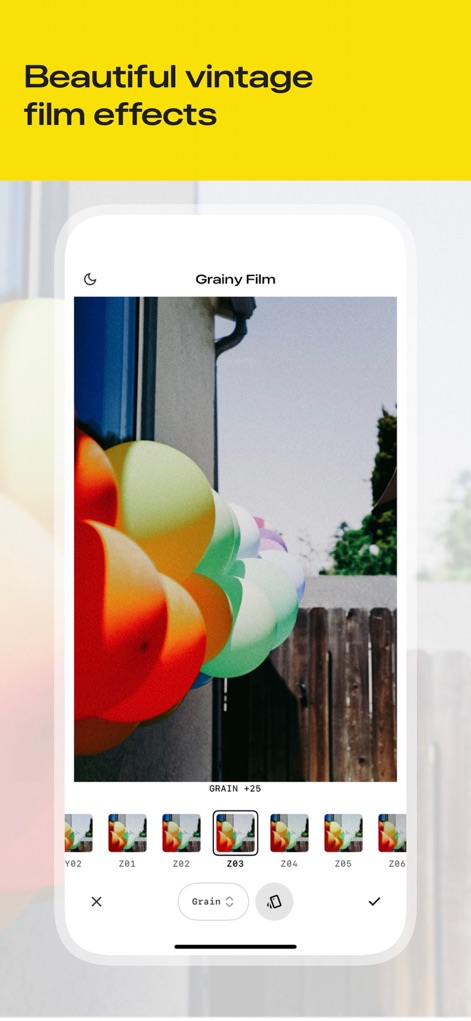
Film Aesthetics
Experience the diverse 'Grainy Film' filter options and fine-tune aesthetics with the adjustable grain intensity slider.
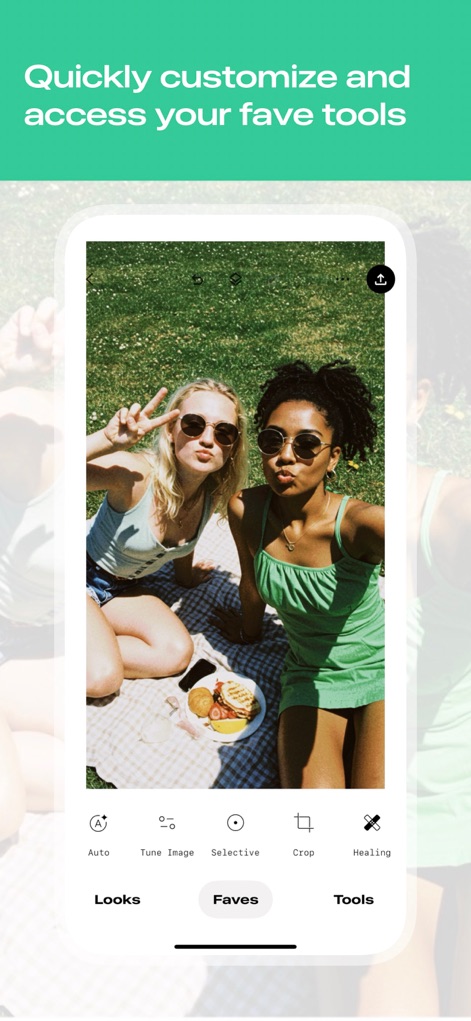
Personalized Workflow
Users can streamline editing with the intuitive 'Faves' tab, providing quick access to customizable tool shortcuts.

Spotless Retouching
This tool's 'Healing' feature allows users to effortlessly remove unwanted elements using a clear red overlay selection area.
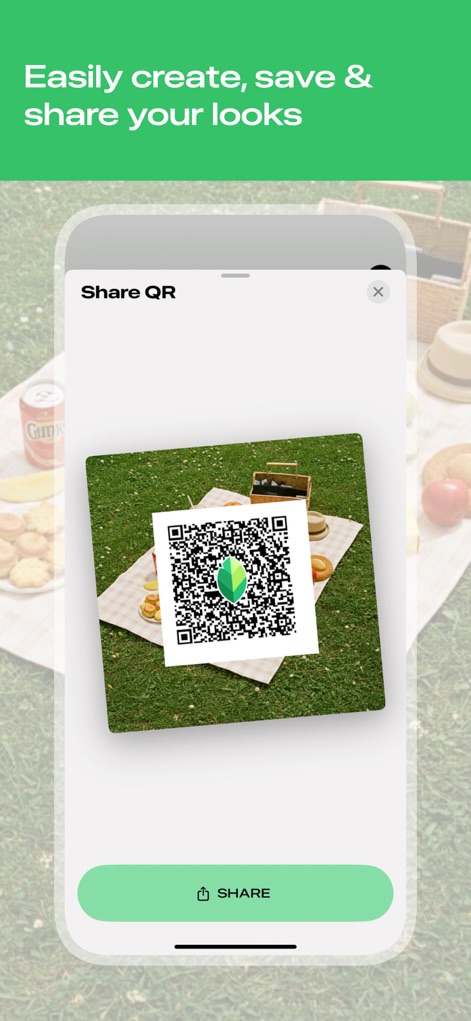
Shareable Styles
The app facilitates creative exchange through its innovative 'Share QR' feature, enabling instant preset sharing with others.
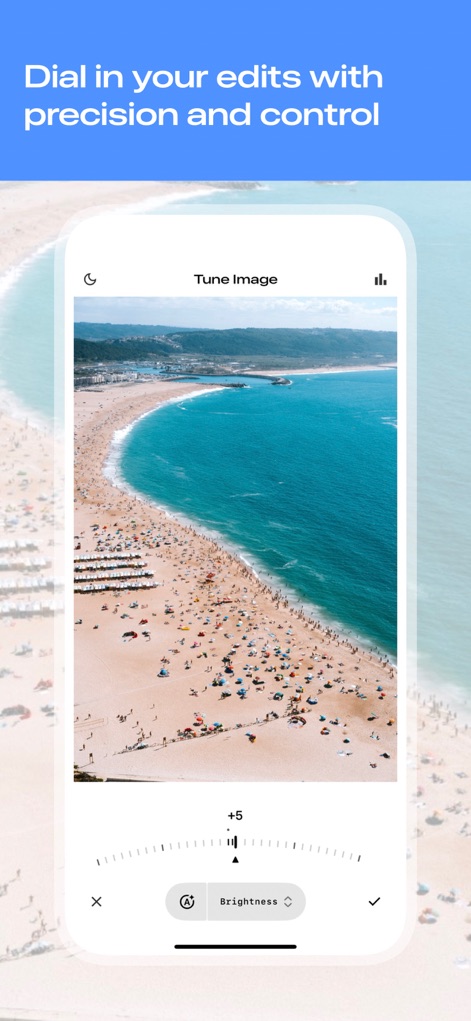
Precise Adjustments
Achieve meticulous control over images with the 'Tune Image' interface and its precise numerical adjustment sliders for exposure and color.
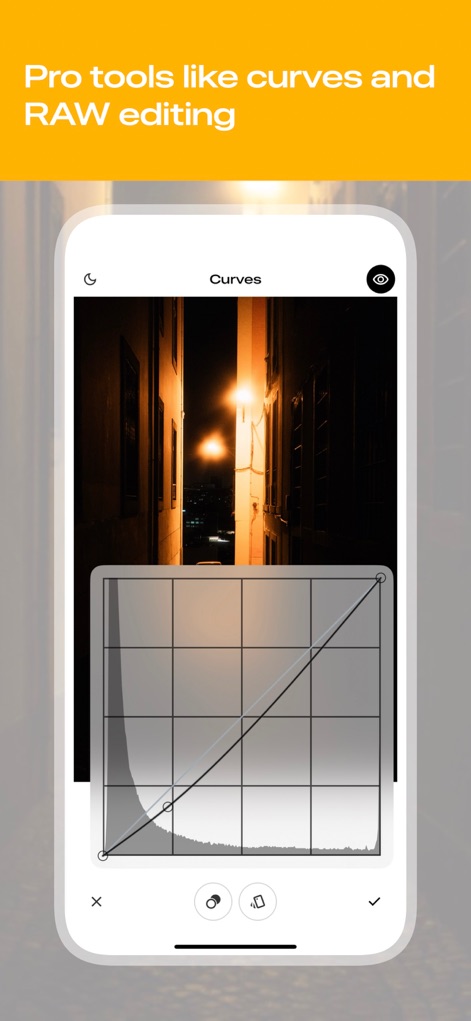
Advanced Color Grading
Unlock professional-grade editing with the 'Curves' adjustment graph, offering meticulous control over tonal range and a detailed histogram representation.
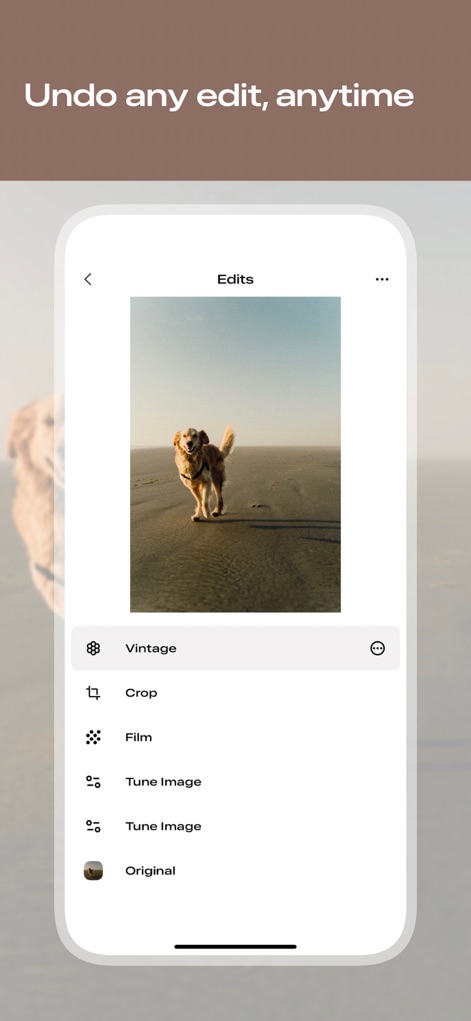
Non-Destructive Workflow
The app ensures flexibility with its comprehensive 'Edits' history panel, displaying a sequential list of applied modifications for easy revision.
Description
Download
More Like This
Apps with similar features and user experience

Evoto-AI Photo Editor&Retouch
TRUESIGHT PTE. LTD.

Darkroom: Photo & Video Editor
Bergen Co.

LD - Photo & Video Finishing
Lens Distortions, LLC

Focos
Mosaic S.r.l.

SKRWT
Mathaeus Jagielski

Polarr Pro Photo Editor
Polarr Inc

Photomator – Photo Editor
Apple Inc.

Canon DPP Express
Canon Inc.

原片
Beijing Kwai Technology Co., Ltd.
This page is not an official page of the app or its developer, but an independent editorial publication created for informational and commentary purposes. Unless expressly stated otherwise, neither the app nor its developer is affiliated with, endorsed by, sponsored by, authorized by, or otherwise officially connected with MWM, Apple, Google Play, the app publisher, or the app's developer, and nothing on this page implies that the app was developed using MWM's services. Any trademarks, logos, screenshots, and other content remain the property of their respective owners.