
This page is not an official page of the app or its developer, but an independent editorial publication created for informational and commentary purposes. Unless expressly stated otherwise, neither the app nor its developer is affiliated with, endorsed by, sponsored by, authorized by, or otherwise officially connected with MWM, Apple, Google Play, the app publisher, or the app's developer, and nothing on this page implies that the app was developed using MWM's services. Any trademarks, logos, screenshots, and other content remain the property of their respective owners.


FUJIFILM WPS Photo Transfer
Quickly and wirelessly send your favorite shots to any FUJIFILM Wonder Print Station kiosk for instant, high-quality printing without the hassle of cables.
Downloads
4M+User Rating
Total Ratings
800Publisher
Category
Photo & VideoLocales
2Latest Version
2.3.12Size
7.5 MBFirst Released
Mar 12, 2015Bring Your Memories to Life
The fastest way to turn your favorite digital photos into high-quality Fujifilm prints at any Wonder Print Station.
Wireless Convenience
Skip the messy cables. Connect your iPhone directly to the kiosk via Wi-Fi for a fast, cord-free transfer in seconds.
Pre-Select on the Go
Choose your favorite shots while relaxing at home. Spend less time at the kiosk and more time enjoying your day.
Frequently Asked Questions
Everything you need to know about FUJIFILM WPS Photo Transfer
What is FUJIFILM WPS Photo Transfer?
FUJIFILM WPS Photo Transfer is an iOS application designed to send images from an iOS device to a FUJIFILM "Wonder Print Station" kiosk for printing via Wi-Fi connection.
How does FUJIFILM WPS Photo Transfer work?
The FUJIFILM WPS Photo Transfer app allows users to select photos on their iOS device. After selection, the smartphone connects to the Wonder Print Station order terminal to transfer images for printing.
Which kiosks are compatible with FUJIFILM WPS Photo Transfer?
FUJIFILM WPS Photo Transfer works exclusively with the FUJIFILM "Wonder Print Station" kiosk. It does not function with any other kiosk systems.
What are the system requirements for FUJIFILM WPS Photo Transfer?
The FUJIFILM WPS Photo Transfer application requires an iPhone 7 or later device. It operates on iOS 15 or later versions to ensure full compatibility and functionality.
How do I grant photo library access to FUJIFILM WPS Photo Transfer?
Upon installation, press "Allow to Full Access" when prompted. If access is denied, go to Settings, then Privacy & Security, select Photos, and set "WPS Photo Transfer" to "Full Access."
Is there a limit to how many images I can select in FUJIFILM WPS Photo Transfer?
Yes, users can select a maximum of 300 images within the FUJIFILM WPS Photo Transfer application for transfer to the kiosk.
The following screenshots and description are sourced directly from the app's official store listing and are the property of the app developer.
App Store
Screenshots
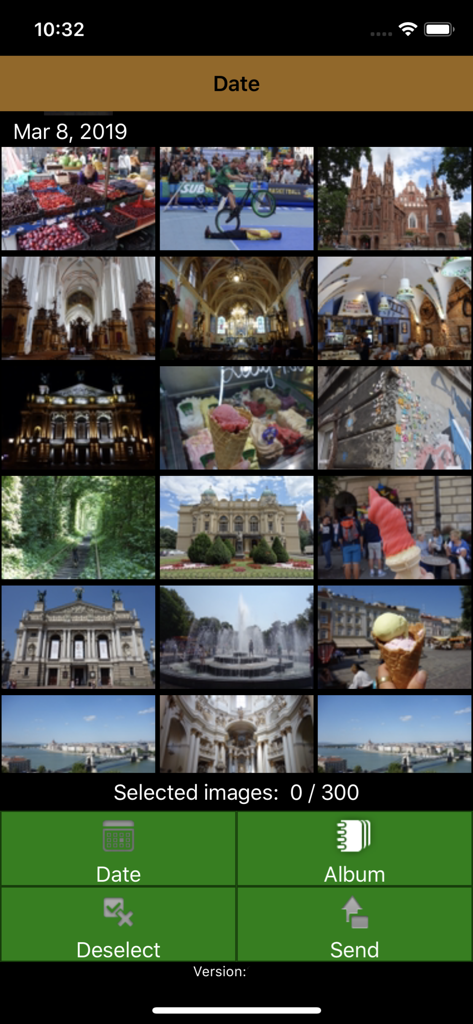
FUJIFILM WPS Photo Transfer app showing a grid of photos to select for printing with menu buttons for date and album
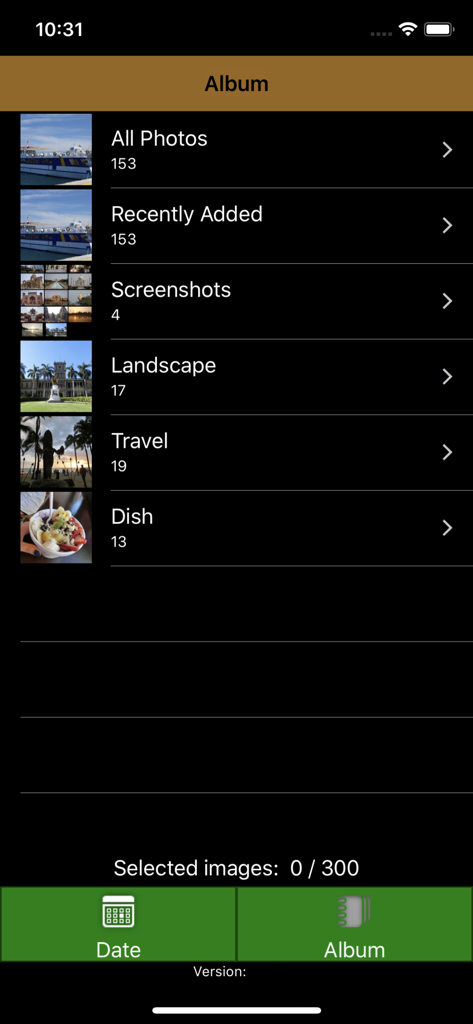
Fujifilm WPS Photo Transfer app album screen for selecting photos
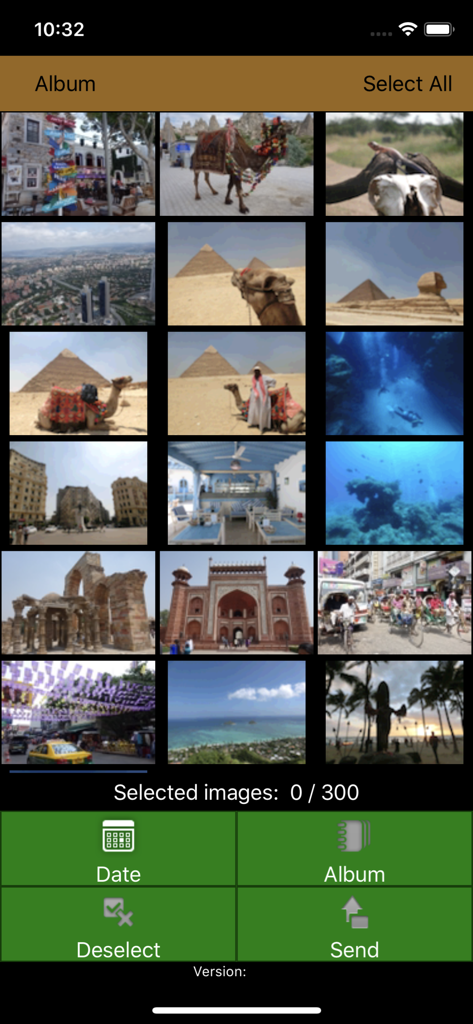
Interface of the FUJIFILM WPS Photo Transfer app displaying a grid of travel photos for selection and printing
Description
Download
More Like This
Apps with similar features and user experience

Photo Print: CVS Quick Prints
PlusMinusOne, Inc.

Princh
Princh ApS

7-Eleven Multicopy
FUJIFILM Business Innovation Corp.

COPIX
KOPIKS, OOO

Network Print
Sharp Corporation

ファミマネットワークプリント
FamilyMart Co.,Ltd.

printingbox
VISIONOTS Co.,Ltd

Wepa Print
WEPA Inc.

Xerox® Workplace
Xerox Corporation
This page is not an official page of the app or its developer, but an independent editorial publication created for informational and commentary purposes. Unless expressly stated otherwise, neither the app nor its developer is affiliated with, endorsed by, sponsored by, authorized by, or otherwise officially connected with MWM, Apple, Google Play, the app publisher, or the app's developer, and nothing on this page implies that the app was developed using MWM's services. Any trademarks, logos, screenshots, and other content remain the property of their respective owners.