
This page is not an official page of the app or its developer, but an independent editorial publication created for informational and commentary purposes. Unless expressly stated otherwise, neither the app nor its developer is affiliated with, endorsed by, sponsored by, authorized by, or otherwise officially connected with MWM, Apple, Google Play, the app publisher, or the app's developer, and nothing on this page implies that the app was developed using MWM's services. Any trademarks, logos, screenshots, and other content remain the property of their respective owners.

Network Print
Seamlessly print documents, travel vouchers, and photos at thousands of convenience stores like FamilyMart and Lawson—no local printer needed.
Downloads
2M+User Rating
Total Ratings
1K+Publisher
Category
UtilitiesLocales
2Latest Version
4.43.0Size
18.1 MBFirst Released
Oct 3, 2015Your Pocket Printer for Every Corner of Japan
Turn any convenience store into your personal office. Print travel vouchers, business documents, and photos at over 30,000 locations across Japan with just a few taps.
Essential Travel Printing
Forgot your hotel voucher or JR Pass confirmation? Print any PDF or map instantly at the nearest FamilyMart or Lawson without needing a Japanese printer.
Mobile Office for Professionals
Stay productive on your business trip. Securely upload Word, Excel, and PowerPoint files to print high-quality documents for your next meeting in minutes.
Frequently Asked Questions
Everything you need to know about Network Print
What is Network Print?
Network Print enables users to register files via the internet and print them at Sharp Multi-Function Copiers located in Japanese convenience stores like FamilyMart, Poplar Group, and Lawson.
How do I use the Network Print service?
First, register your file in the Network Print app after free membership. Then, go to a Japanese convenience store with a Sharp Multi-Function Copier and select your file to print the required copies.
Where can I print with Network Print in Japan?
Network Print allows printing at Sharp Multi-Function Copiers found in Japanese convenience stores. Supported stores include FamilyMart, Poplar Group, and Lawson. Service availability may vary by location.
What file types can I print using Network Print?
Network Print supports printing Word, Excel, PowerPoint, PDF documents, and various image types, including photos, ID photos, calendars, posters, postcards, and map images.
Is a membership required for Network Print?
Yes, a prior membership registration is required to use the Network Print app. This membership registration is completely free of charge.
Can Network Print print photos in specific sizes?
Yes, Network Print supports registering and printing photos in L/2L sizes. Users specify the desired size at the Sharp Multi-Function Copier during the printing process.
How do I access my registered files in the Network Print app?
Users access their registered files through the "My Box" section within the Network Print app. This section lists all files along with their expiration dates and details.
What is the storage capacity for files in Network Print?
The Network Print app provides a "My Box" with a maximum storage capacity of 60MB for all registered files. Users can monitor their usage within the app.
Can Network Print be used for urgent printing needs during travel?
Yes, Network Print is designed to resolve urgent printing needs while traveling in Japan. Users can print documents like hotel vouchers or reservation coupons quickly at convenience stores.
The following screenshots and description are sourced directly from the app's official store listing and are the property of the app developer.
App Store
Screenshots
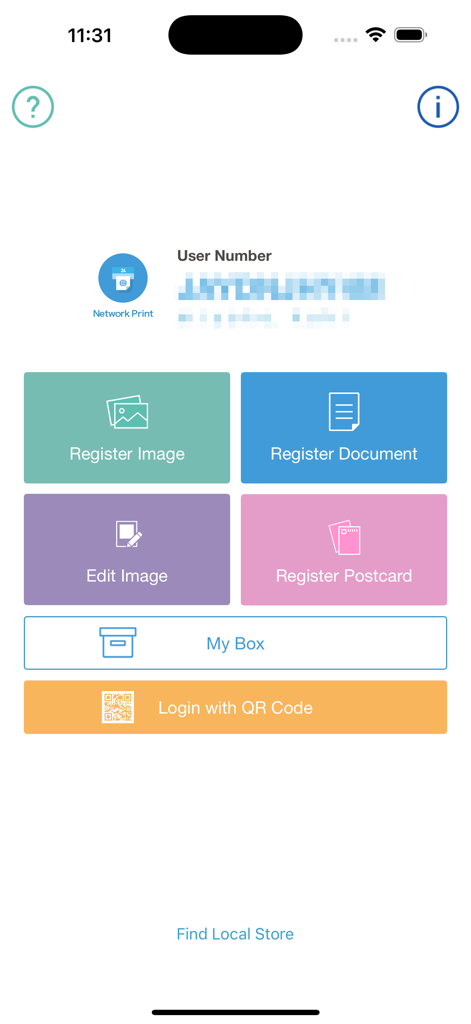
The home screen of the Network Print app showing options to register images and documents for printing at convenience stores in Japan
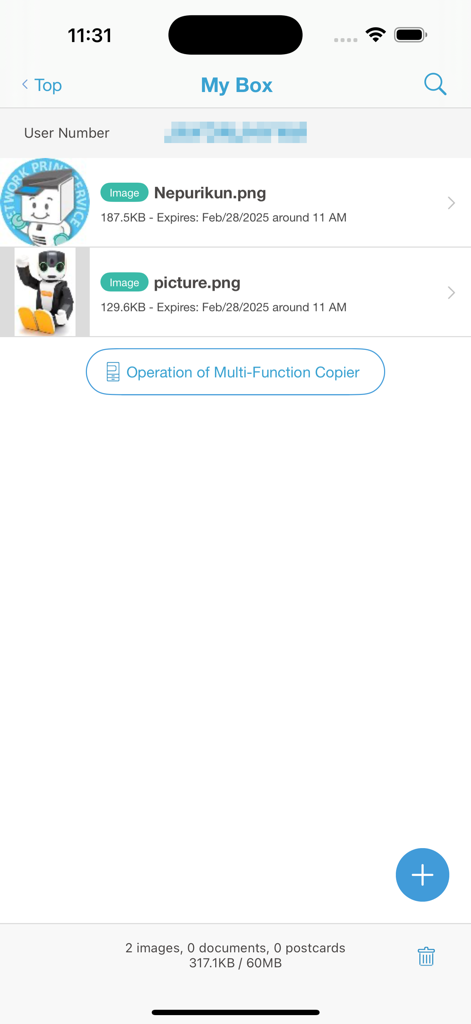
Network Print app My Box screen showing uploaded images for printing
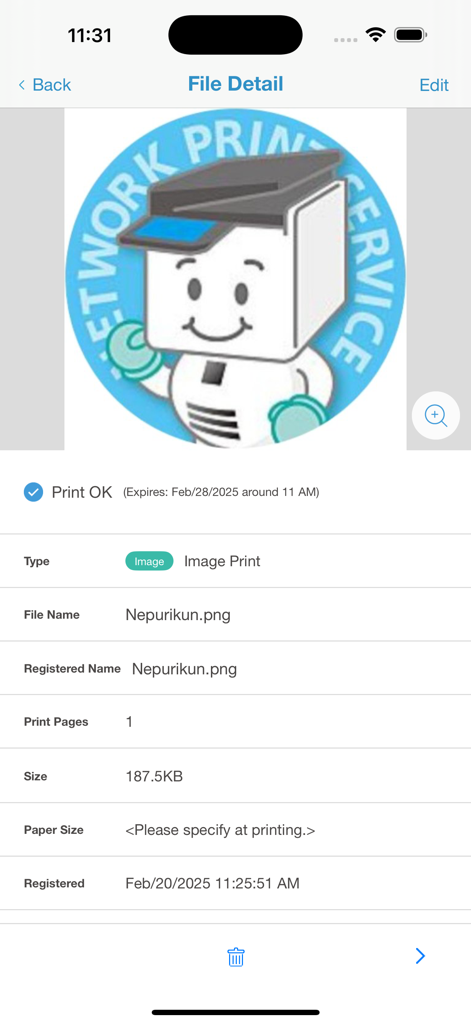
A mobile screen showing the details of an image file registered for printing through the Network Print app
Description
Download
More Like This
Apps with similar features and user experience

Photo Print: CVS Quick Prints
PlusMinusOne, Inc.

Princh
Princh ApS
7-Eleven Multicopy
FUJIFILM Business Innovation Corp.

COPIX
KOPIKS, OOO

ファミマネットワークプリント
FamilyMart Co.,Ltd.
FUJIFILM WPS Photo Transfer
FUJIFILM Corporation

printingbox
VISIONOTS Co.,Ltd

Wepa Print
WEPA Inc.
Xerox® Workplace
Xerox Corporation
This page is not an official page of the app or its developer, but an independent editorial publication created for informational and commentary purposes. Unless expressly stated otherwise, neither the app nor its developer is affiliated with, endorsed by, sponsored by, authorized by, or otherwise officially connected with MWM, Apple, Google Play, the app publisher, or the app's developer, and nothing on this page implies that the app was developed using MWM's services. Any trademarks, logos, screenshots, and other content remain the property of their respective owners.