Gear Simulation & Calculation
Download on App Store

This page is not an official page of the app or its developer, but an independent editorial publication created for informational and commentary purposes. Unless expressly stated otherwise, neither the app nor its developer is affiliated with, endorsed by, sponsored by, authorized by, or otherwise officially connected with MWM, Apple, Google Play, the app publisher, or the app's developer, and nothing on this page implies that the app was developed using MWM's services. Any trademarks, logos, screenshots, and other content remain the property of their respective owners.


Logo of Gear Simulation & Calculation
Download on App Store

Gear Simulation & Calculation

Stop wasting filament and manual math. Instantly calculate gear ratios, torque, and speed, then simulate your systems on the fly before you 3D print or build.

Key Figures

Downloads

1K+

User Rating

4.3/5

Total Ratings

0

Publisher

Heng Jia Liang

Category

Utilities

Locales

1

Latest Version

1.1

Size

0.5 MB

First Released

Apr 11, 2022
Features

Design with Engineering Precision

Turn complex mechanical formulas into working models. Gear Simulation & Calculation provides makers, students, and engineers with the tools to design and verify gear systems before building.

Real-Time Visual Simulation

See your gear train in motion before you build. Preview exactly how your system functions to prevent failed 3D prints and wasted material.

Instant Torque & Speed Math

Calculate gear ratios, mechanical advantage, and output RPM instantly. Find the perfect balance between power and speed for your robotics or RC projects.

The following screenshots and description are sourced directly from the app's official store listing and are the property of the app developer.

App Store

Screenshots
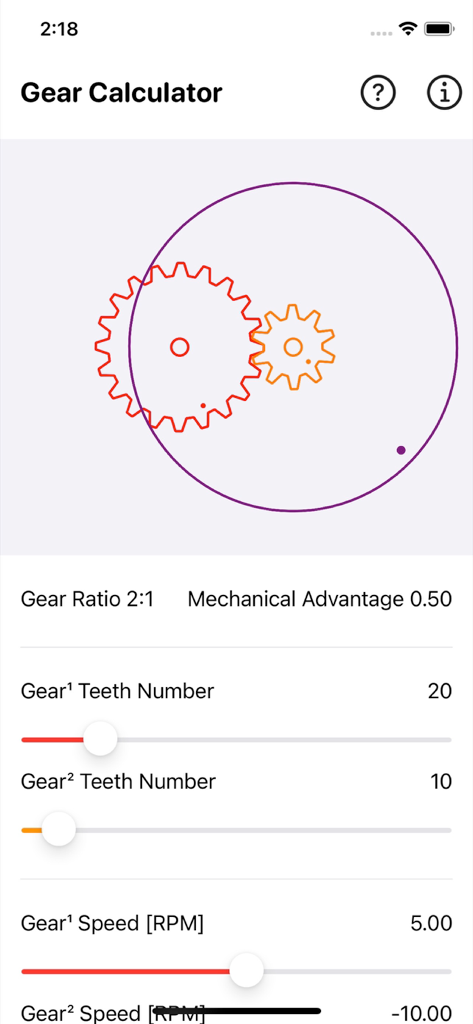
Gear Simulation & Calculation - Interface of the Gear Calculator app showing a mechanical simulation with gear ratio and teeth number adjustments
Interface of the Gear Calculator app showing a mechanical simulation with gear ratio and teeth number adjustments

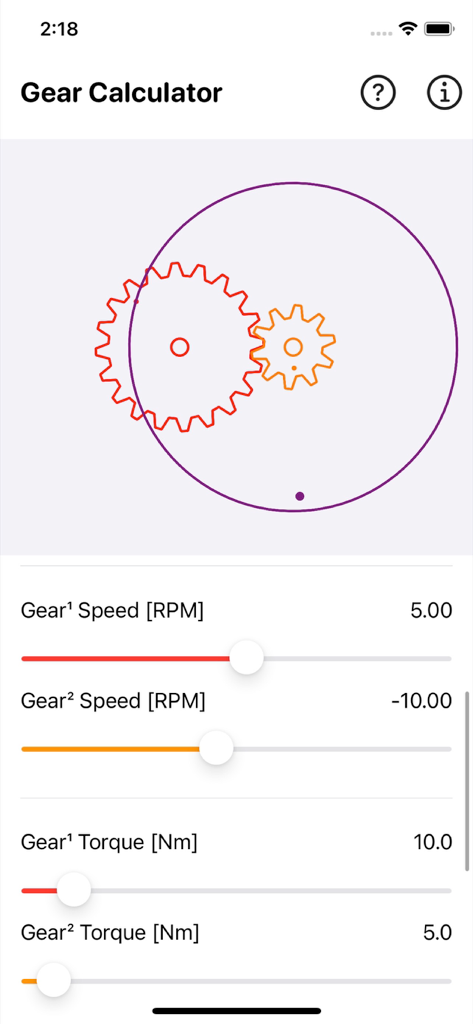
Gear Simulation & Calculation - Interface of Gear Simulation and Calculation app with gear visuals and speed settings
Interface of Gear Simulation and Calculation app with gear visuals and speed settings

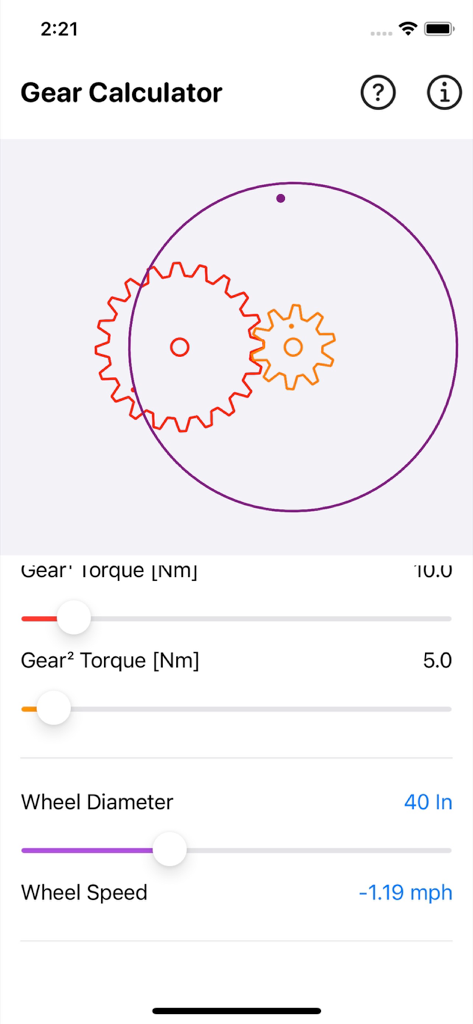
Gear Simulation & Calculation - Gear calculator app interface with visual gear simulation and torque adjustment sliders
Gear calculator app interface with visual gear simulation and torque adjustment sliders

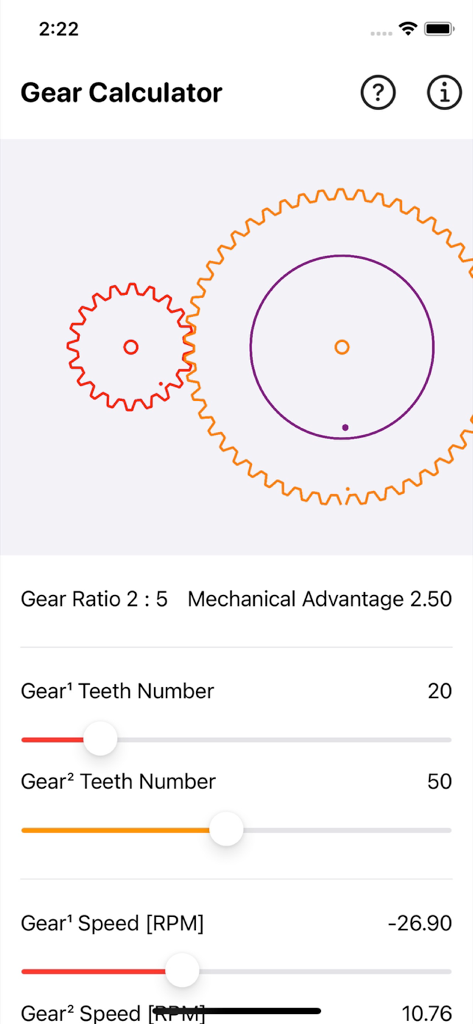
Gear Simulation & Calculation - Interface of the Gear Simulation and Calculation app showing two meshed gears and gear ratio settings.
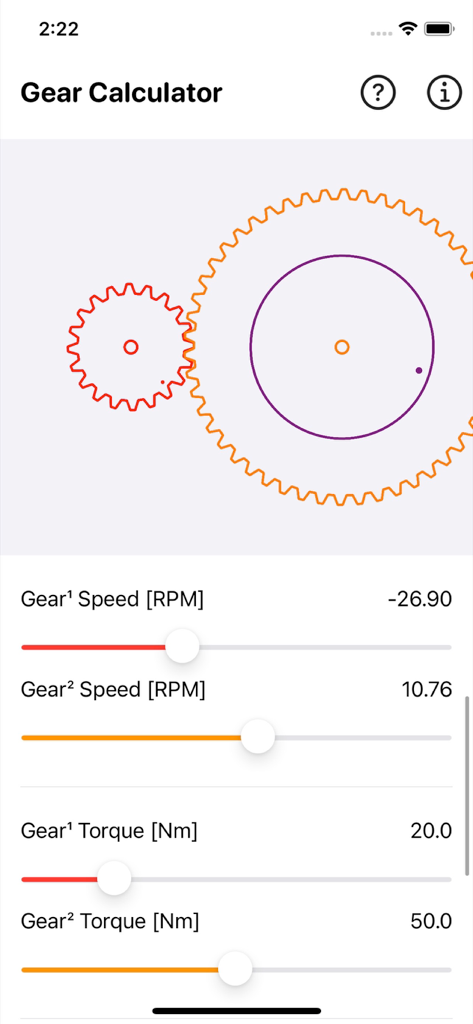
Interface of the Gear Simulation and Calculation app showing two meshed gears and gear ratio settings.

Gear Simulation & Calculation - Gear calculator app interface showing speed and torque adjustments for a two gear system simulation
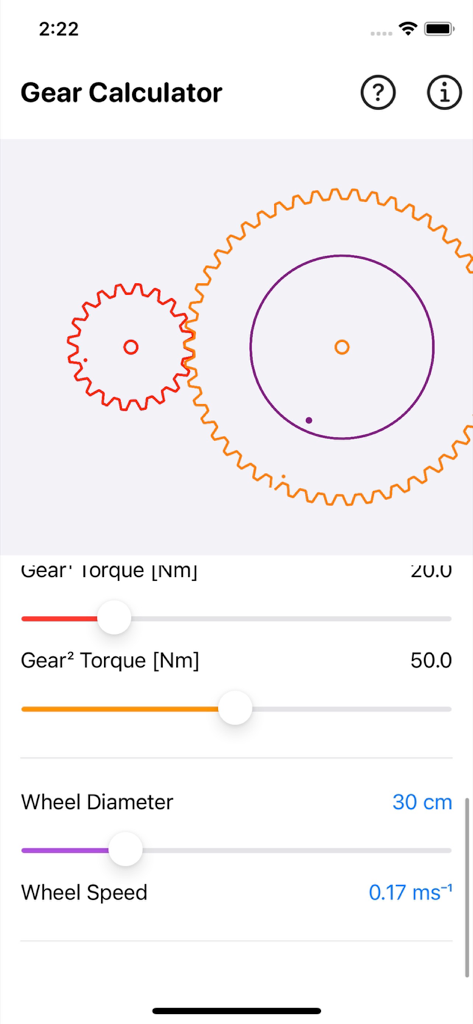
Gear calculator app interface showing speed and torque adjustments for a two gear system simulation

Gear Simulation & Calculation - Interface of the Gear Simulation app showing two gears and sliders for torque and wheel speed calculation
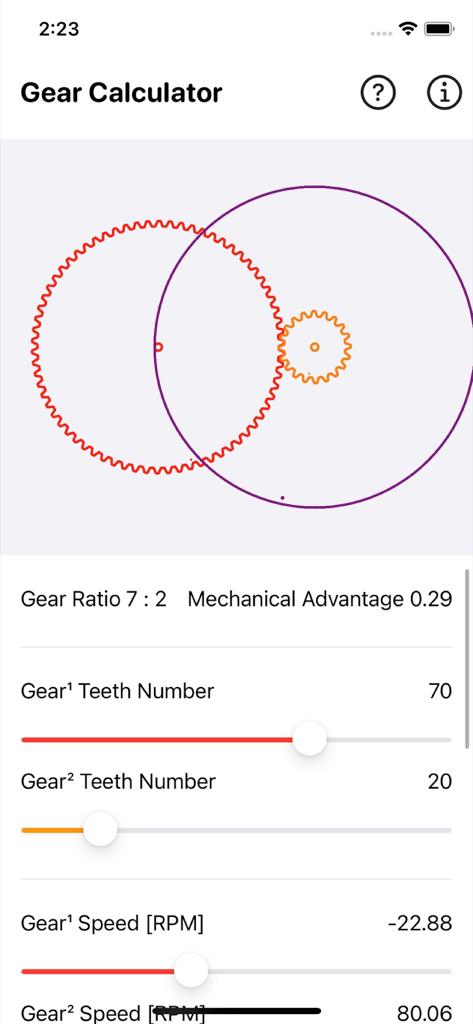
Interface of the Gear Simulation app showing two gears and sliders for torque and wheel speed calculation

Gear Simulation & Calculation - Gear simulation and calculation app interface with visual gear meshing and parameter sliders
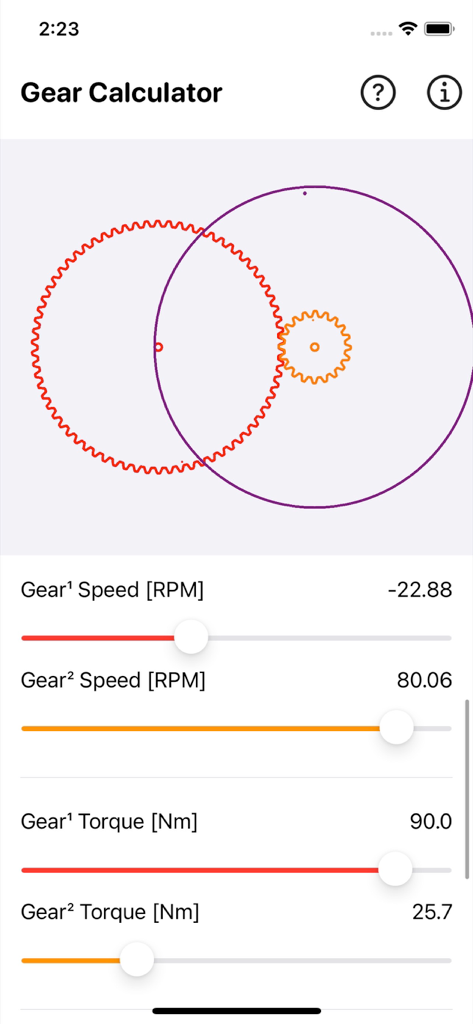
Gear simulation and calculation app interface with visual gear meshing and parameter sliders

Gear Simulation & Calculation - Gear simulation and calculation app interface with speed and torque sliders for two gears
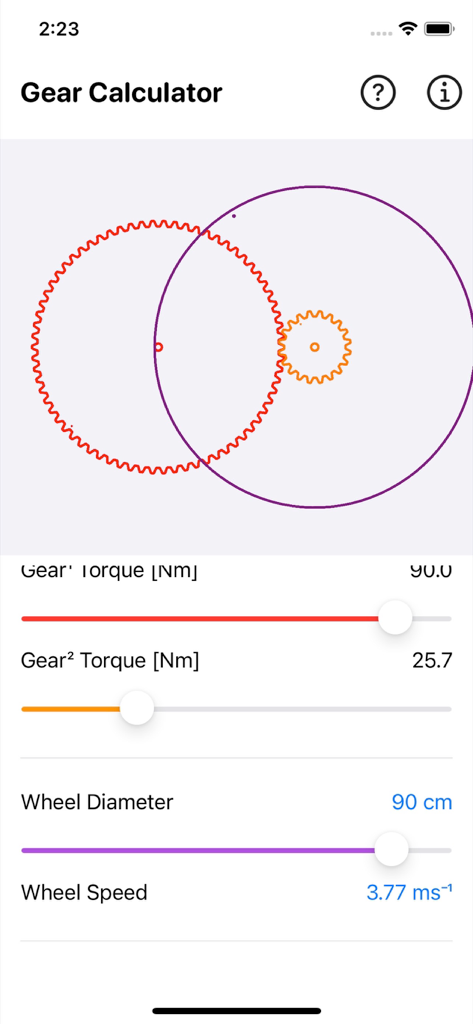
Gear simulation and calculation app interface with speed and torque sliders for two gears

Gear Simulation & Calculation - Mobile app interface for gear torque and wheel speed calculation with a visual simulation
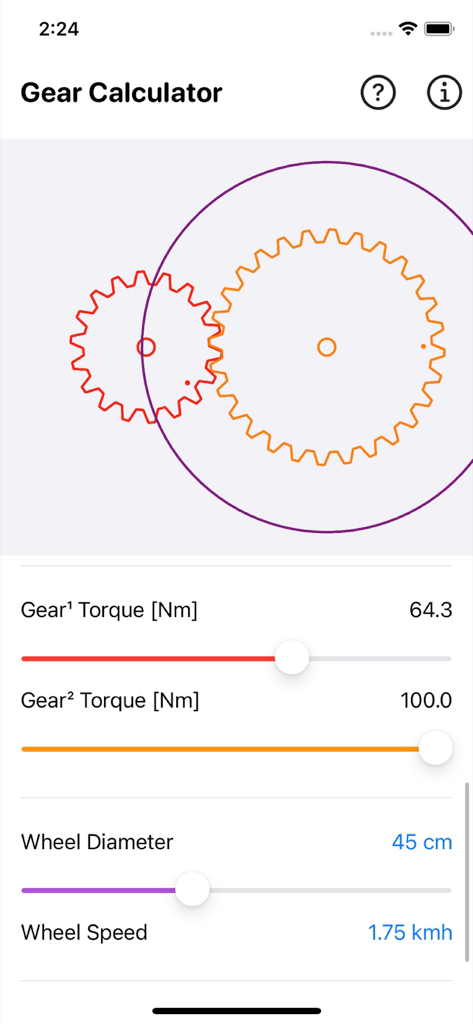
Mobile app interface for gear torque and wheel speed calculation with a visual simulation

Gear Simulation & Calculation - Gear calculator app interface with visual gear simulation and torque sliders

Gear calculator app interface with visual gear simulation and torque sliders

Description

Gear Simulation and Calculation calculate the gear ratio, torque and speed of gears train system. Plus quickly simulate how the gear train work on the fly. This is a great tool especially for DIYer who want to design their own Gears Train System quick and easy. Preview how these system work before 3D print own gear system. Features: ∙ Calculate gears fast and easy with parameter ∙ Input gear teeth number ∙ Output gear teeth number ∙ Input gear speed [rpm] ∙ Output gear speed [rpm] ∙ Input gear torque [Nm] ∙ Output gear torque [Nm] ∙ Output wheel diameter [in/cm] ∙ Calculate wheel speed [mph/kmh/ms⁻¹] ∙ Calculate Gear Ratio ∙ Calculate Mechanical Advantage Formula: Gear Ratio = input gear teeth number / output gear teeth number Mechanical Advantage = output gear teeth number / input gear teeth number Wheel Speed = output gear speed * wheel diameter * .pi * 60 / 63360 Law of Gearing: T1/T2 = d1/d2 = n1/n2 = ω1/ω2 T1 and T2 = Number of Teeth on driver and driven gear respectively. d1 and d2 = driver and driven gear diameter respectively. n1 and n2 = Gear Speed in RPM for driver and driven gear respectively. ω1 and ω2 = Angular Velocity in radian/sec for driver and driven gear respectively. A gear is a circular machine element that can control the rotational movement's direction, torque, and speed. Gears are a necessary component of any machine having moving parts, such as a wristwatch or a car. are important components in modern engineering. A Gear train consists of two or more gears in series. It is used to increase or decrease the speed or torque of the output shaft. The Gear Calculator calculates the mechanical advantage of a two-gear system in a machine. The gear ratio indicates how much a system's output gear is sped up or slowed down, as well as how much torque is lost or gained. Gears available in a variety of shapes and sizes (the most common are involute gears), and these distinctions indicate how the rotating movement is translated or transferred. When two or more gears in a system mesh together while in motion, movement is transmitted. This set of gears is referred to as a gear train. In a gear train, the gear ratio is the ratio of the input gear circumference to the output gear circumference. The gear ratio is used to calculate the number of teeth required for each gear to achieve the specified output speed/angular velocity, or torque. Mechanical advantage in terms of torque Riding a bike uphill is easier if you use a low-speed gear. When you do this, you get more torque and more power when travelling uphill. Mechanical advantage in terms of speed Hand drills are a good example of a simple machine that has a mechanical speed advantage. The drill bit spins at a high speed when the handle is cranked. Thanks for your support and do visit nitrio.com for more apps for your iOS devices.

Download

Download on App Store

This page is not an official page of the app or its developer, but an independent editorial publication created for informational and commentary purposes. Unless expressly stated otherwise, neither the app nor its developer is affiliated with, endorsed by, sponsored by, authorized by, or otherwise officially connected with MWM, Apple, Google Play, the app publisher, or the app's developer, and nothing on this page implies that the app was developed using MWM's services. Any trademarks, logos, screenshots, and other content remain the property of their respective owners.








