
This page is not an official page of the app or its developer, but an independent editorial publication created for informational and commentary purposes. Unless expressly stated otherwise, neither the app nor its developer is affiliated with, endorsed by, sponsored by, authorized by, or otherwise officially connected with MWM, Apple, Google Play, the app publisher, or the app's developer, and nothing on this page implies that the app was developed using MWM's services. Any trademarks, logos, screenshots, and other content remain the property of their respective owners.

Google Keep - Notes and lists
Fleeting ideas vanish; this app ensures every thought, list, and reminder is locked down, searchable, and always accessible, no matter the device.
Downloads
25M+User Rating
Total Ratings
127.7KPublisher
Category
ProductivityLocales
74Latest Version
2.2026.13101Size
177.9 MBFirst Released
Sep 24, 2015Key Features Analysis: Google Keep - Notes and lists
An evaluation of core functionalities vital for individual productivity and light team collaboration.
Versatile Note Formats
It allows users to capture information in various formats, including text notes, lists, photos, and audio recordings, offering versatile ways to jot down thoughts.
Seamless Collaboration
This tool facilitates real-time collaboration on notes and lists, allowing multiple users to edit and update shared content simultaneously, enhancing teamwork efficiency.
Multi-device Accessibility
The app ensures notes are always available on any device, anywhere, allowing users to capture, edit, share, and collaborate seamlessly across platforms.
Smart Reminders
This tool features intelligent reminder capabilities, allowing users to set time-based or location-based alerts for notes, ensuring important tasks or information are not missed.
Advanced Search & Filter
The app offers powerful search and filtering capabilities, allowing users to quickly locate specific notes by color, labels, type, or shared status, saving time and improving information retrieval.
Efficient Note Organization
The app provides robust organization features, enabling users to categorize and differentiate notes using labels and distinct colors for easy visual identification.
Voice-to-Text Transcription
It allows users to record voice memos and automatically transcribes them into text, streamlining the capture of spoken ideas and making them searchable.
Image Text Recognition
The app provides optical character recognition (OCR) functionality, enabling users to extract text from images, which enhances searchability and content repurposing.
Frequently Asked Questions
Everything you need to know about Google Keep - Notes and lists
What is Google Keep?
Google Keep is a note-taking application designed for capturing, editing, and organizing notes, lists, photos, and audio. It supports collaboration and synchronizes across multiple devices.
How can I organize notes in Google Keep?
Yes, Google Keep enables efficient note organization. Users can categorize and easily find notes by applying labels and colors.
Does Google Keep allow setting reminders?
Yes, Google Keep supports reminders. Users can set time-based or location-based reminders for notes to ensure important tasks or information are not missed.
Can Google Keep transcribe voice recordings?
Yes, Google Keep automatically transcribes voice memos. This feature converts spoken notes into text, making them easily searchable and readable.
Is it possible to extract text from images in Google Keep?
Yes, Google Keep provides functionality to grab text directly from images. This feature helps users quickly locate notes through the search function.
Is Google Keep available on different devices?
Yes, Google Keep is available across multiple devices including phones, tablets, and computers. All content added to Keep synchronizes instantly across these platforms.
Can I share my notes with other people using Google Keep?
Yes, Google Keep supports sharing notes and lists with others. Collaborative lists, like shopping lists, update in real-time for all participants.
Does Google Keep offer a dark mode?
Yes, Google Keep includes a dark mode feature. This visual setting optimizes the app for comfortable viewing during nighttime or in low-light environments.
Can I draw in Google Keep?
Yes, Google Keep allows users to create drawings within notes. The application offers tools for sketching and doodling to capture visual ideas.
How do I search for specific notes in Google Keep?
Users can quickly search and filter notes in Google Keep. Search options include filtering by color, specific labels, audio notes, reminders, or shared notes.
The following screenshots and description are sourced directly from the app's official store listing and are the property of the app developer.
App Store
Screenshots
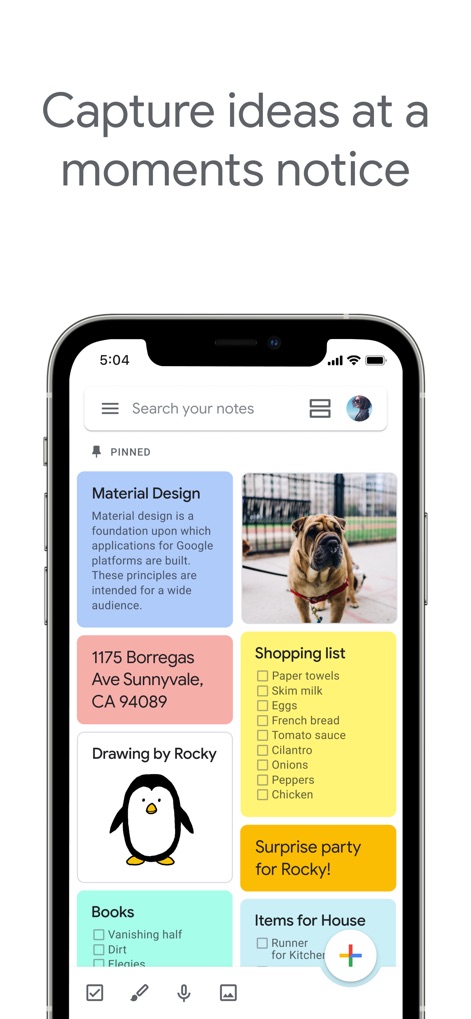
Dynamic Note Capture
See how the app showcases diverse note formats like image notes and colorful text blocks, allowing users to capture ideas instantly.

Seamless Collaboration
Observe the intuitive checklist feature and the visible user avatars, demonstrating easy real-time collaboration on shared lists.

Expressive Sketching
Discover the integrated drawing canvas and the accessible drawing tools palette, empowering users to sketch ideas directly within the app.
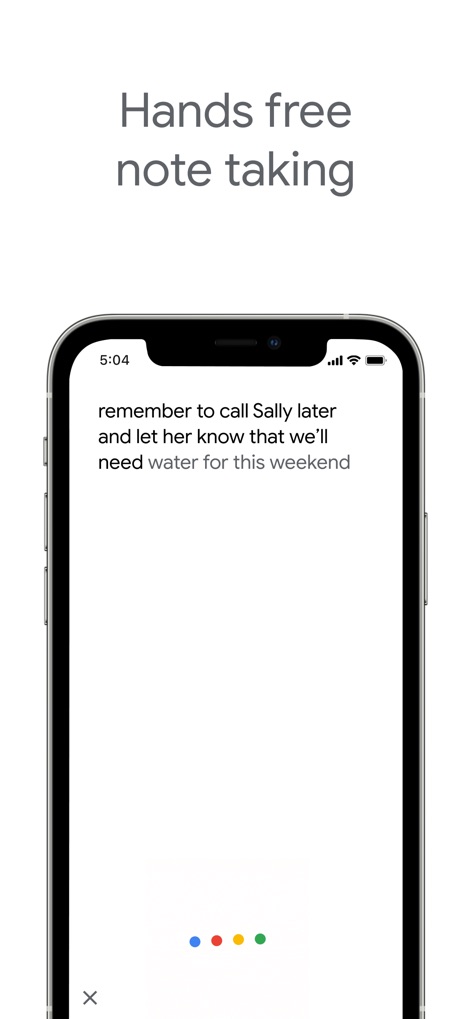
Voice Note Transcription
Witness the automatic transcription of spoken notes and the distinct microphone indicator, enabling hands-free idea capture with ease.
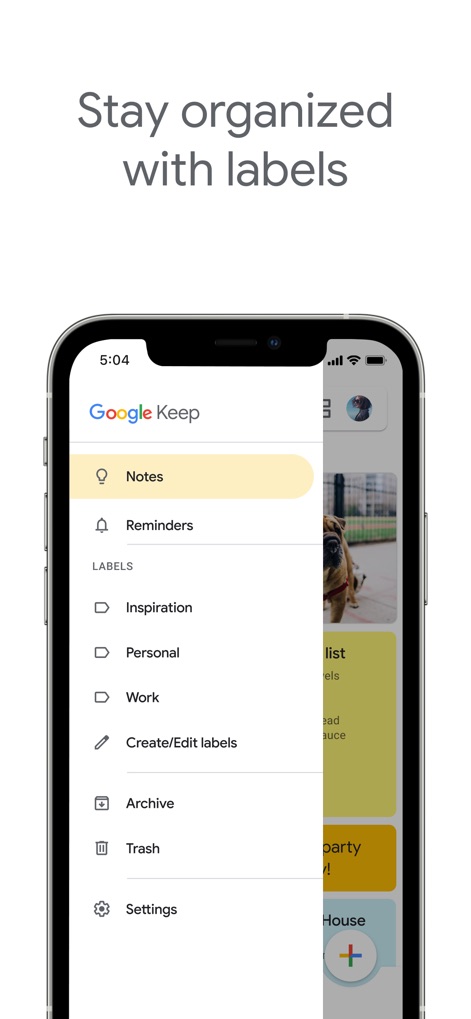
Organized Workspace
Explore the organized navigation drawer and the customizable list of labels, helping users categorize and quickly find specific notes.
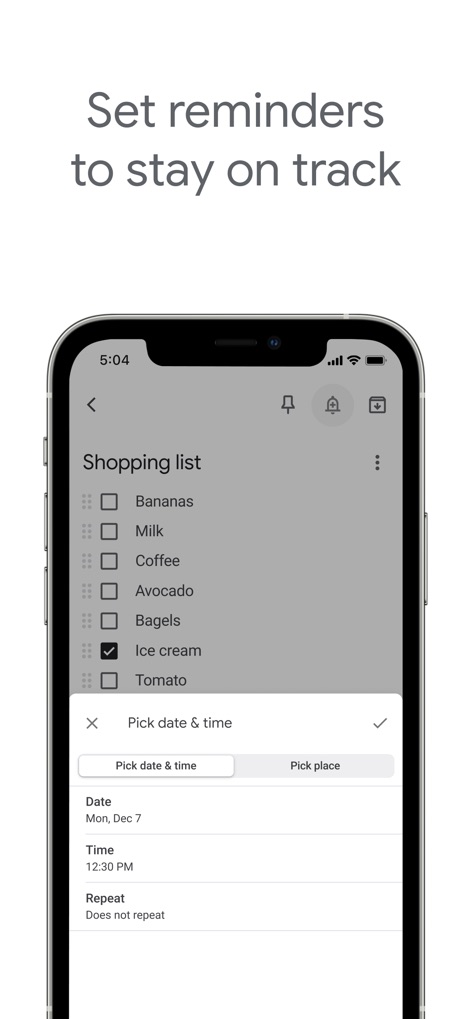
Timely Reminders
Examine the comprehensive reminder settings including date/time and location options, ensuring users never miss important tasks or errands.

Eye-Friendly Interface
Experience the app's dark interface theme and its application to note content, providing a comfortable viewing experience for low-light environments.
Description
Download
More Like This
Apps with similar features and user experience

Notion: Notes, Tasks, AI
Notion Labs, Incorporated

Freenotes®: AI Notes Taking
Hangzhou Free Notes Technology Co., Ltd

Structured - Daily Planner
unorderly GmbH

Google Tasks: Get Things Done
Google LLC

TickTick:To-Do List & Calendar
Appest Limited

Noteful: Notes & PDF Markup
Noteful Technologies Ltd

Todoist: To Do List & Calendar
Doist Inc.

To do list MinimaList & Widget
Inner Grow Limited

monday.com - Work Platform
monday.com Ltd.
This page is not an official page of the app or its developer, but an independent editorial publication created for informational and commentary purposes. Unless expressly stated otherwise, neither the app nor its developer is affiliated with, endorsed by, sponsored by, authorized by, or otherwise officially connected with MWM, Apple, Google Play, the app publisher, or the app's developer, and nothing on this page implies that the app was developed using MWM's services. Any trademarks, logos, screenshots, and other content remain the property of their respective owners.