
This page is not an official page of the app or its developer, but an independent editorial publication created for informational and commentary purposes. Unless expressly stated otherwise, neither the app nor its developer is affiliated with, endorsed by, sponsored by, authorized by, or otherwise officially connected with MWM, Apple, Google Play, the app publisher, or the app's developer, and nothing on this page implies that the app was developed using MWM's services. Any trademarks, logos, screenshots, and other content remain the property of their respective owners.


HeyStar-AI Photo Editor
Your photos are tired; HeyStar wakes them up. This app gives users the power to transform ordinary shots into studio-grade visuals, effortlessly.
Downloads
750k+User Rating
Total Ratings
3.1KPublisher
Category
UtilitiesLocales
9Latest Version
1.5.3Size
110.7 MBFirst Released
Oct 29, 2025An AI-powered photo and video enhancement tool for social media users seeking professional-grade results with ease.
HeyStar-AI Photo Editor: Core Feature Analysis
Trending AI Video Effects
It provides access to trending AI video effects and daily updated filters and templates, helping users stay current on social media platforms.
AI Enhance
The app provides advanced AI to improve photo quality, fix lighting, and sharpen details for professional-looking results.
AI Erase
The app enables users to seamlessly remove unwanted objects or people from their photos with AI precision.
AI Deblur
It allows users to transform blurry, pixelated, or out-of-focus images into sharp, high-definition photos.
Instant Results
The app delivers instant results for photo and video enhancements, powered by cutting-edge AI technology.
Zero Learning Curve
This tool ensures a zero learning curve, allowing users to achieve professional-level edits without needing complex skills.
Clean, Intuitive UI
It features a clean and intuitive user interface, making the editing process accessible and enjoyable for all users.
AI Restore
This tool features AI capabilities to colorize black-and-white photos and restore old family pictures, preserving memories.
Frequently Asked Questions
Everything you need to know about HeyStar-AI Photo Editor
What is Hey Star?
Hey Star is an AI-powered photo enhancer that revives photos. It provides studio-grade results in seconds, improving quality, fixing lighting, deblurring, restoring, and erasing unwanted objects without complex editors.
What are the main features of HeyStar-AI Photo Editor?
HeyStar-AI Photo Editor offers AI Enhance, AI Deblur, AI Restore, and AI Erase. It also includes trending AI video effects, cartoon-style photos, elegant portraits, and artistic light/shadow visuals, delivering comprehensive editing capabilities.
Can HeyStar-AI Photo Editor fix blurry photos?
Yes, HeyStar-AI Photo Editor features AI Deblur. This function transforms pixelated, shaky, or out-of-focus shots into sharp HD images. It effectively resolves blur issues from various causes.
Can Hey Star restore old black-and-white photos?
Yes, Hey Star includes an AI Restore feature. This capability colorizes black-and-white photos and revives old family photos, bringing them back to life with enhanced quality and detail.
Can HeyStar-AI Photo Editor remove unwanted objects from pictures?
Yes, HeyStar-AI Photo Editor provides an AI Erase feature. This function seamlessly removes unwanted objects or people from photos, ensuring a clean and polished final image as described in its core features.
Is HeyStar-AI Photo Editor easy to use for beginners?
Yes, HeyStar-AI Photo Editor boasts a zero learning curve for pro-level edits. Its clean and intuitive user interface makes it accessible and easy for everyone to use, regardless of prior experience.
What are the subscription options for HeyStar-AI Photo Editor?
HeyStar-AI Photo Editor offers weekly and annual subscription periods for premium feature access. These subscriptions provide unlimited use and auto-renew unless explicitly cancelled, as detailed in the purchase terms.
How do I manage my Hey Star subscription or turn off auto-renewal?
You manage your Hey Star subscription and turn off auto-renewal in your account settings after purchase. Auto-renew must be disabled at least 24 hours before the current period ends to prevent renewal charges.
Does HeyStar-AI Photo Editor offer a free trial?
HeyStar-AI Photo Editor may offer a free trial. If a free trial is provided, any unused portion of it will be forfeited upon purchasing a subscription to premium features.
Which social media platforms are supported by Hey Star's AI video effects?
Hey Star's trending AI video effects are compatible with TikTok, X, Instagram, and Facebook. New filters and templates are added daily, ensuring users stay current on social media trends.
What types of photos can HeyStar-AI Photo Editor enhance?
HeyStar-AI Photo Editor effectively enhances various photo types, including selfies, portraits, landscapes, and old albums. It is versatile enough for diverse personal and historical photographic collections.
The following screenshots and description are sourced directly from the app's official store listing and are the property of the app developer.
App Store
Screenshots
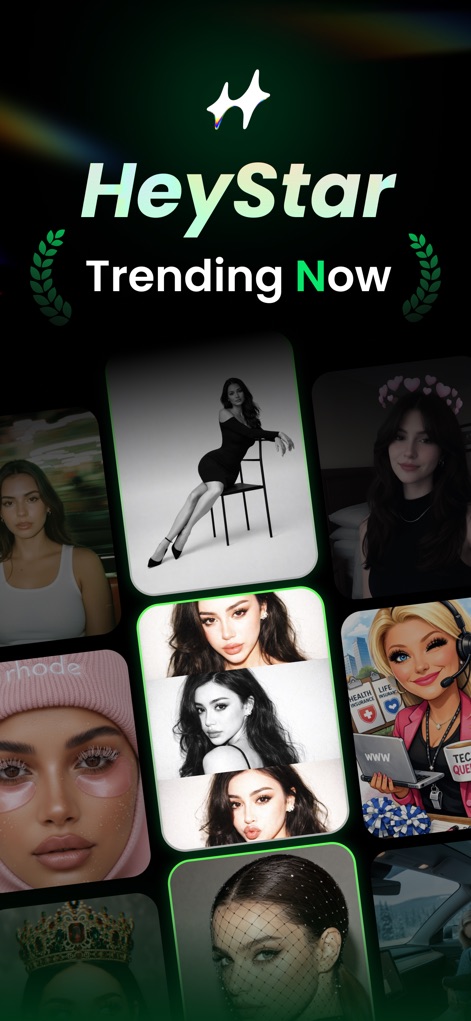
Explore the dynamic "Trending Now" section, featuring a diverse grid of popular AI photo and video effects that users can instantly apply.
Trending Effects Showcase
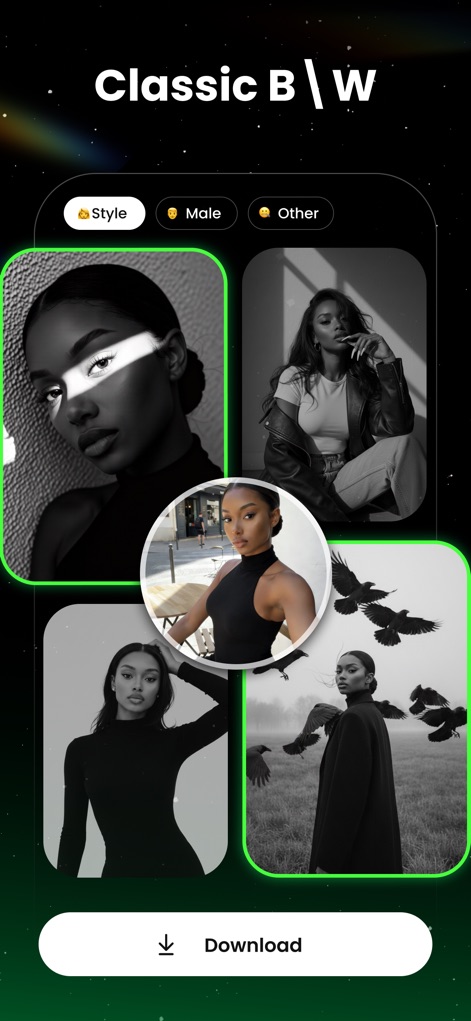
Discover sophisticated monochrome transformations, with intuitive categorization tabs like "Style" and "Male" allowing users to refine their artistic vision.
Classic Black & White

Elevate special moments with the "Birthday Glow Up" feature, offering celebratory themes and a clear before-and-after comparison in a small circular overlay.
Celebratory Edits
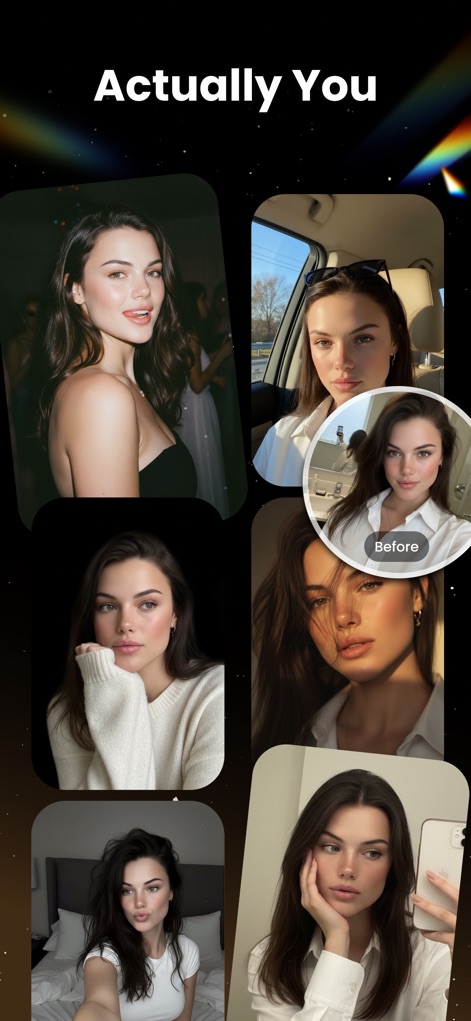
Experience natural-looking enhancements with the "Actually You" effect, showcasing multiple portrait examples and a subtle circular "Before" overlay for comparison.
Authentic Enhancement
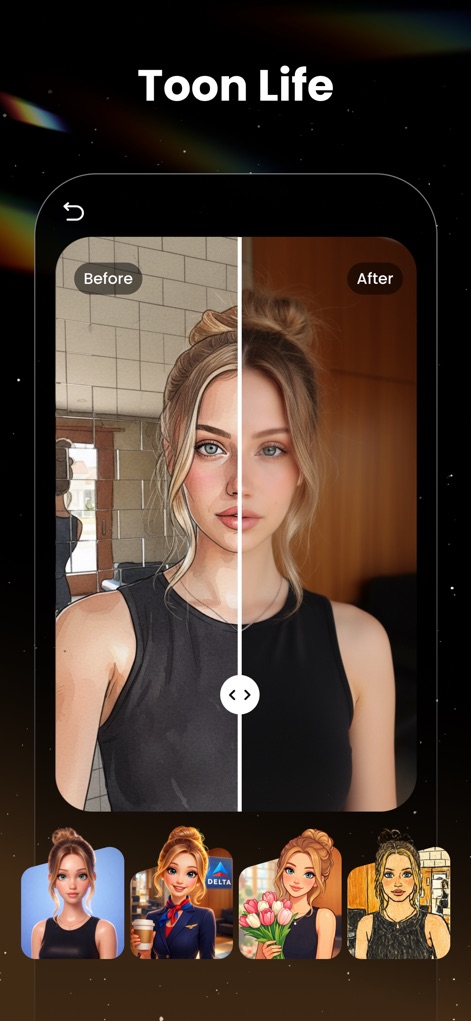
Convert photos into vibrant animated styles using the "Toon Life" filter, demonstrated with a prominent side-by-side slider for instant before-and-after viewing.
Cartoon Transformations

Infuse photos with positive aesthetics using the "Self-Love Blooms" theme, complemented by a selection of flower-themed photo examples that convey emotional depth.
Creative Floral Filters

Experiment with new looks using the "Hair Preview" tool, featuring diverse categories such as "Curly Hair" and "Dyed hair" for realistic virtual styling.
Virtual Hairstyle Try-On
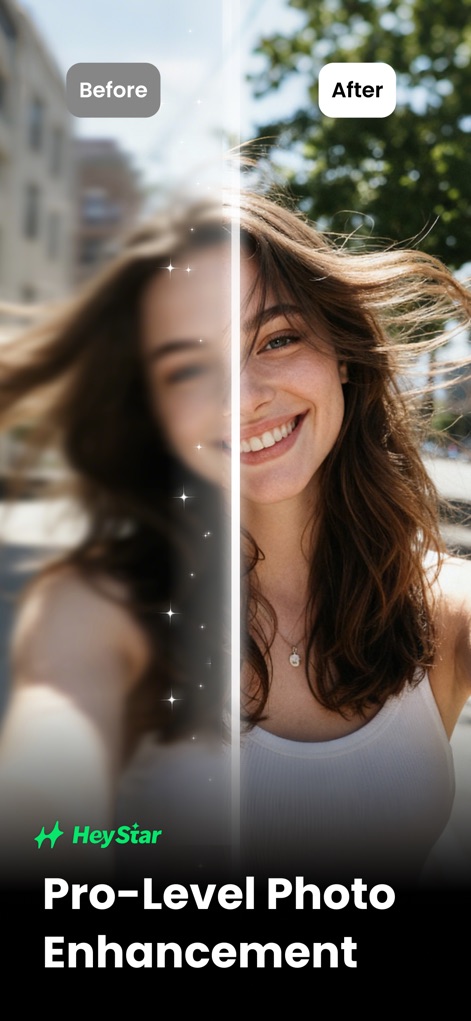
Witness the remarkable transformation capabilities with a dramatic vertical split before-and-after comparison, highlighting the app's "Pro-Level Photo Enhancement".
Instant Photo Revitalization
Description
Download
More Like This
Top-ranked apps in the same category

Google LLC

Google Chrome
Google LLC

中国移动(手机营业厅)
China Mobile Online Services Co., Ltd.

Google Authenticator
Google LLC

CNH do Brasil
Servicos e Informacoes do Brasil

Cleanup: Phone Storage Cleaner
DEEP FLOW SOFTWARE SERVICES - FZCO

gov.br
Servicos e Informacoes do Brasil

中国电信-全国统一官方服务平台
CHINA TELECOM Corporation Ltd.

Microsoft Edge: AI Browser
Microsoft Corporation
This page is not an official page of the app or its developer, but an independent editorial publication created for informational and commentary purposes. Unless expressly stated otherwise, neither the app nor its developer is affiliated with, endorsed by, sponsored by, authorized by, or otherwise officially connected with MWM, Apple, Google Play, the app publisher, or the app's developer, and nothing on this page implies that the app was developed using MWM's services. Any trademarks, logos, screenshots, and other content remain the property of their respective owners.