
This page is not an official page of the app or its developer, but an independent editorial publication created for informational and commentary purposes. Unless expressly stated otherwise, neither the app nor its developer is affiliated with, endorsed by, sponsored by, authorized by, or otherwise officially connected with MWM, Apple, Google Play, the app publisher, or the app's developer, and nothing on this page implies that the app was developed using MWM's services. Any trademarks, logos, screenshots, and other content remain the property of their respective owners.


HotPaw Basic
Relive the home-computing era with a classic text-mode BASIC interpreter. Combine nostalgic line-numbered logic with modern features like MQTT, FFT, and BTLE to build custom tools on your iPad and iPhone.
Downloads
2K+User Rating
Total Ratings
0Publisher
Category
UtilitiesLocales
1Latest Version
1.8.1Size
1.5 MBFirst Released
Sep 29, 2010Classic Logic, Modern Power
Rediscover the simplicity of a text-mode interpreter. Whether you're reliving the home-computing era or building custom engineering tools, HotPaw Basic bridges the gap between retro logic and modern hardware.
Pure Retro Coding
Relive the 80s with a true text-mode interpreter. Use classic line numbers and standard BASIC syntax to build programs from scratch, just like the good old days.
Advanced Engineering Tools
Equipped with FFT analysis and Morse Code audio support. Perfect for Ham Radio enthusiasts and engineers looking for a portable, programmable signal processor.
The following screenshots and description are sourced directly from the app's official store listing and are the property of the app developer.
App Store
Screenshots
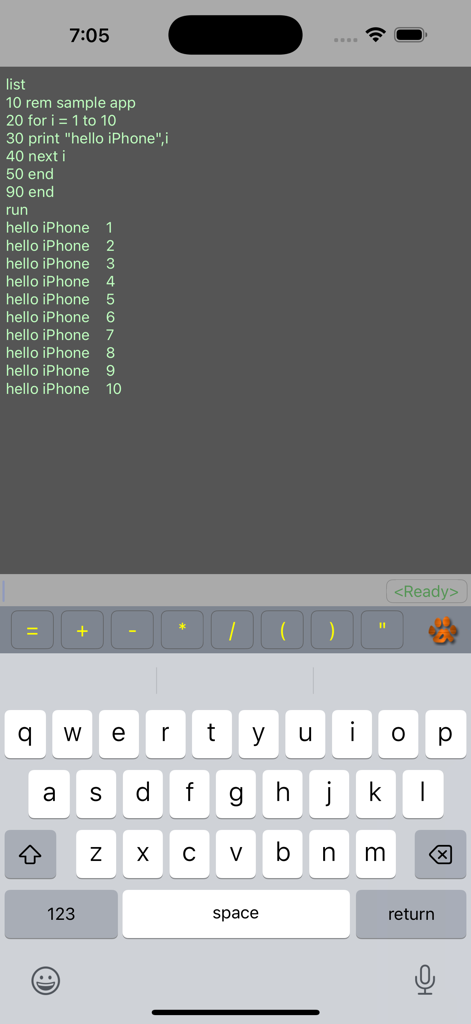
A BASIC programming environment on iPhone showing code execution and output.
Description
Download
More Like This
Top-ranked apps in the same category

Google LLC

Google Chrome
Google LLC

中国移动(手机营业厅)
China Mobile Online Services Co., Ltd.

Google Authenticator
Google LLC

Cleanup: Phone Storage Cleaner
DEEP FLOW SOFTWARE SERVICES - FZCO

CNH do Brasil
Servicos e Informacoes do Brasil

gov.br
Servicos e Informacoes do Brasil

Super VPN Fly 2026
YUNFAN TECHNOLOGY CO., LIMITED

Microsoft Edge: AI Browser
Microsoft Corporation
This page is not an official page of the app or its developer, but an independent editorial publication created for informational and commentary purposes. Unless expressly stated otherwise, neither the app nor its developer is affiliated with, endorsed by, sponsored by, authorized by, or otherwise officially connected with MWM, Apple, Google Play, the app publisher, or the app's developer, and nothing on this page implies that the app was developed using MWM's services. Any trademarks, logos, screenshots, and other content remain the property of their respective owners.