
This page is not an official page of the app or its developer, but an independent editorial publication created for informational and commentary purposes. Unless expressly stated otherwise, neither the app nor its developer is affiliated with, endorsed by, sponsored by, authorized by, or otherwise officially connected with MWM, Apple, Google Play, the app publisher, or the app's developer, and nothing on this page implies that the app was developed using MWM's services. Any trademarks, logos, screenshots, and other content remain the property of their respective owners.


互传 - 快速换机数据迁移智能助手
Transfer your photos, videos, and contacts seamlessly without using any mobile data. Experience a private, one-click data migration designed for your new device.
Downloads
208K+User Rating
Total Ratings
4K+Publisher
Category
ProductivityLocales
1Latest Version
1.1.0Size
11.0 MBFirst Released
Dec 30, 2024Switch Phones with Confidence and Speed
Move your entire digital life—photos, contacts, and documents—to your new device in minutes. Experience a private, high-speed transfer that requires zero mobile data and no cloud subscriptions.
Lightning-Fast Peer-to-Peer Sync
Skip the slow cloud restores. Use local wireless technology to migrate 4K videos and massive photo libraries at maximum speed without any cables.
Bank-Grade Privacy Protection
Your data never leaves your devices. By creating a direct local link, we ensure your personal files are shielded from third-party snooping and internet vulnerabilities.
Frequently Asked Questions
Everything you need to know about 互传 - 快速换机数据迁移智能助手
What is “互传 - 快速换机数据迁移智能助手” (Huchuan)?
“互传 - 快速换机数据迁移智能助手” (Huchuan) is an application that provides seamless and fast data migration and management between mobile phones. It assists with data backup for new phones and sharing materials.
Does “互传” (Huchuan) consume mobile data for transfers?
No, “互传” (Huchuan) does not use mobile data for transfers. It operates via a wireless direct connection, specifically utilizing a local wireless WiFi network for all data transfers.
What types of data can “互传” (Huchuan) transfer?
“互传” (Huchuan) supports the transfer of various data types including contacts, documents, pictures, videos, and schedules (calendars). This ensures comprehensive data migration between devices.
How does “互传” (Huchuan) secure data during transfer?
“互传” (Huchuan) ensures data security by protecting information from third-party access. It provides a secure and stable environment for migrating personal data to new devices, maintaining user privacy.
How do I initiate a data transfer using “互传” (Huchuan)?
Users initiate a data transfer in “互传” (Huchuan) by scanning a QR code. Both devices require the app installed and must connect to the same WiFi network to begin the process.
What happens if the phone screen turns off during a transfer with “互传” (Huchuan)?
If the phone screen turns off during an “互传” (Huchuan) transfer, the process will be interrupted. Users must keep the screen active to ensure continuous and successful data migration.
What are the benefits of a “互传” (Huchuan) membership?
A “互传” (Huchuan) membership unlocks all features within the application. This provides users with a comprehensive and unrestricted experience, maximizing the app's data management capabilities.
How do I cancel my “互传” (Huchuan) subscription?
To cancel a “互传” (Huchuan) subscription, manually turn off auto-renewal in your iTunes/Apple ID settings. This action must occur at least 24 hours before the current subscription period ends.
When is payment charged for a “互传” (Huchuan) subscription?
Payment for a “互传” (Huchuan) subscription is charged to the user's iTunes account immediately upon confirming the purchase. This initiates the subscription period.
Does “互传” (Huchuan) automatically renew subscriptions?
Yes, “互传” (Huchuan) subscriptions automatically renew. The Apple iTunes account charges the renewal fee 24 hours before the current subscription period expires, extending the service.
Where can I find the user agreement for “互传” (Huchuan)?
The user agreement for “互传” (Huchuan) is located at the following URL: https://docs.qq.com/doc/p/599e139a8076b90c8bc4070d00351f4cf5d16bad.
Where can I find the privacy policy for “互传” (Huchuan)?
The privacy policy for “互传” (Huchuan) is available at this URL: https://docs.qq.com/doc/p/f51950360733bfe5d9bda30d418134f64f894846. It outlines how the app handles user data.
The following screenshots and description are sourced directly from the app's official store listing and are the property of the app developer.
App Store
Screenshots
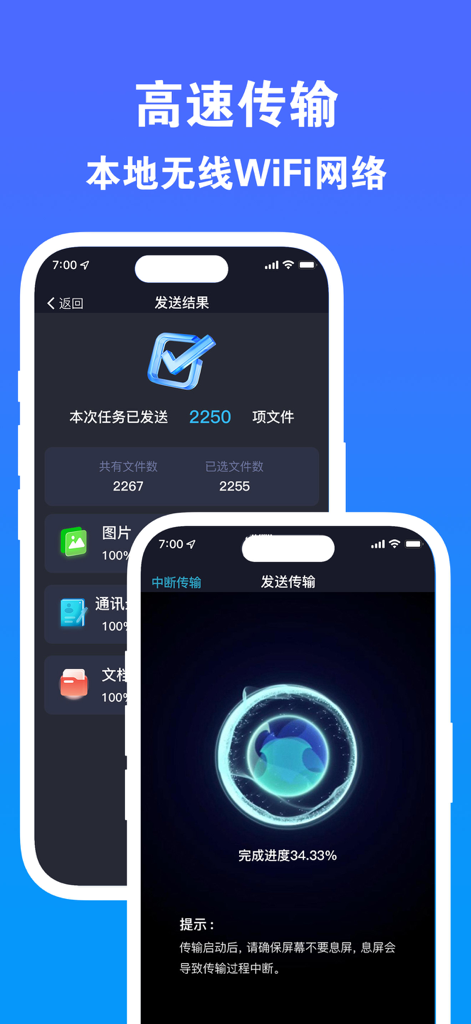
A mobile app interface displaying high speed data migration progress and completion screens for a fast phone switch
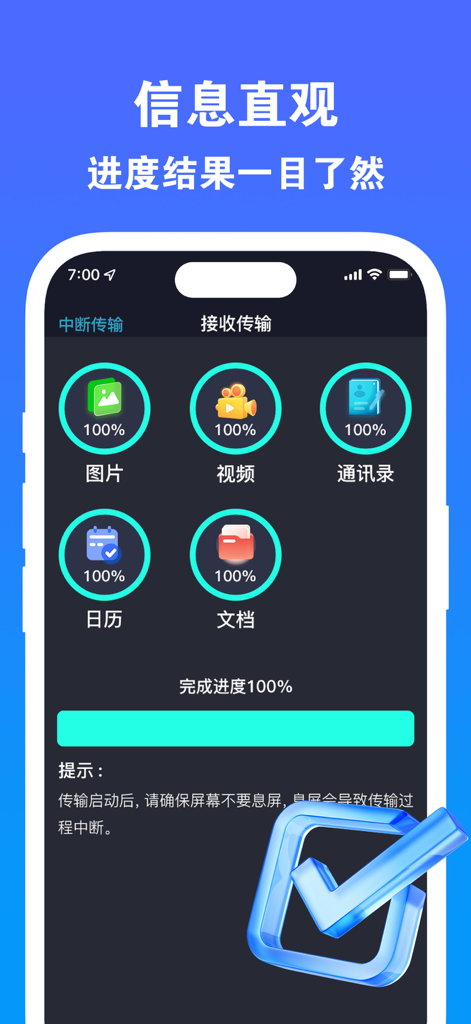
Smartphone app screen showing data migration completed for photos videos and contacts with a hundred percent progress bar
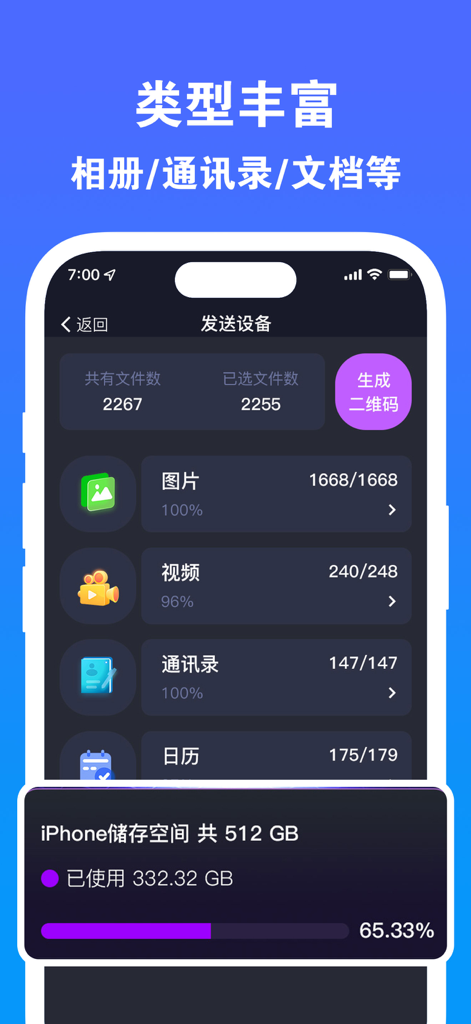
A mobile interface showing data transfer categories like photos and videos with current iPhone storage usage details
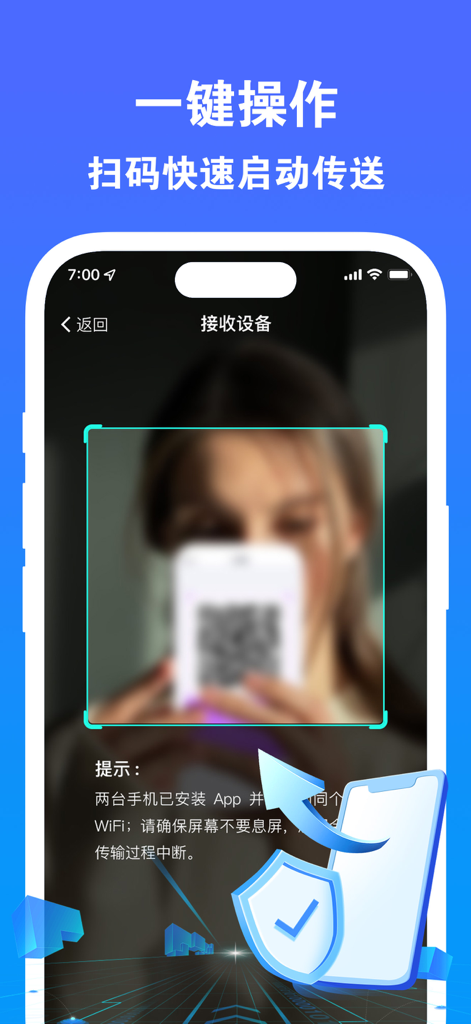
Scanning a QR code for fast and secure mobile data migration between two phones.
Description
Download
More Like This
Apps with similar features and user experience

Data Transfer - Copy My Data
Simple Health Limited

Copy My Data - Smart Transfer
Red Sky Labs, SOCIEDAD LIMITADA
Smart Switch - Copy My Data
学斌 林
Copy My Data - Mobile Transfer
KHD Plaza LLC

Phone Clone - Smart Switch .
俊杰 刘

Smart Switch: Data Transfer
Zadore Tracy
Smart Switch: Copy & Move Data
JW Marketing group s.r.o.
手机同步传输-同步转移数据文件
冰 杜

Smart Switch - Phone Clone .
晓珍 胡
This page is not an official page of the app or its developer, but an independent editorial publication created for informational and commentary purposes. Unless expressly stated otherwise, neither the app nor its developer is affiliated with, endorsed by, sponsored by, authorized by, or otherwise officially connected with MWM, Apple, Google Play, the app publisher, or the app's developer, and nothing on this page implies that the app was developed using MWM's services. Any trademarks, logos, screenshots, and other content remain the property of their respective owners.