Image to PDF - PDF creator +

This page is not an official page of the app or its developer, but an independent editorial publication created for informational and commentary purposes. Unless expressly stated otherwise, neither the app nor its developer is affiliated with, endorsed by, sponsored by, authorized by, or otherwise officially connected with MWM, Apple, Google Play, the app publisher, or the app's developer, and nothing on this page implies that the app was developed using MWM's services. Any trademarks, logos, screenshots, and other content remain the property of their respective owners.
Logo of Image to PDF - PDF creator +

Image to PDF - PDF creator +

Transform any photo into a polished PDF document with just three taps. Perfect for students, freelancers, and professionals who need secure, high-quality scans on the go.

Key Figures

Downloads

0

User Rating

1.0/5

Total Ratings

0

Publisher

Shivam Tripathi

Category

Utilities

Locales

1

Latest Version

1.0

Size

29.8 MB

First Released

Oct 13, 2025
Features

Elevate Your Productivity

Experience the fastest way to turn photos into professional documents. Built for students, freelancers, and busy professionals who value efficiency and privacy.

Intelligent Edge Detection

Get perfect crops every time. Our AI automatically identifies document borders and enhances text clarity for a polished, professional finish.

One-Tap Multi-Page PDFs

Seamlessly merge receipts, lecture notes, or contracts into a single high-quality document. Keep your digital files organized and clutter-free.

The following screenshots and description are sourced directly from the app's official store listing and are the property of the app developer.

App Store

Screenshots
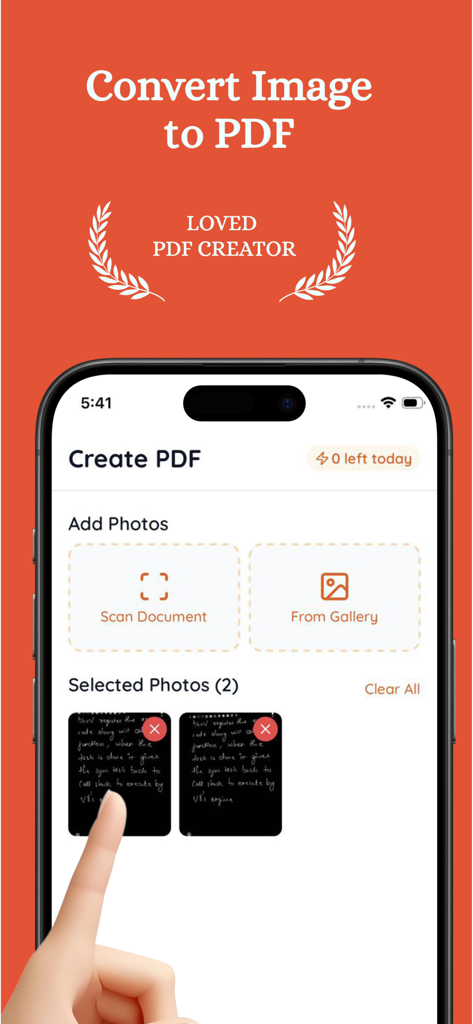
Image to PDF - PDF creator + - Mobile app interface for converting images and scanned documents into PDF files.
Mobile app interface for converting images and scanned documents into PDF files.

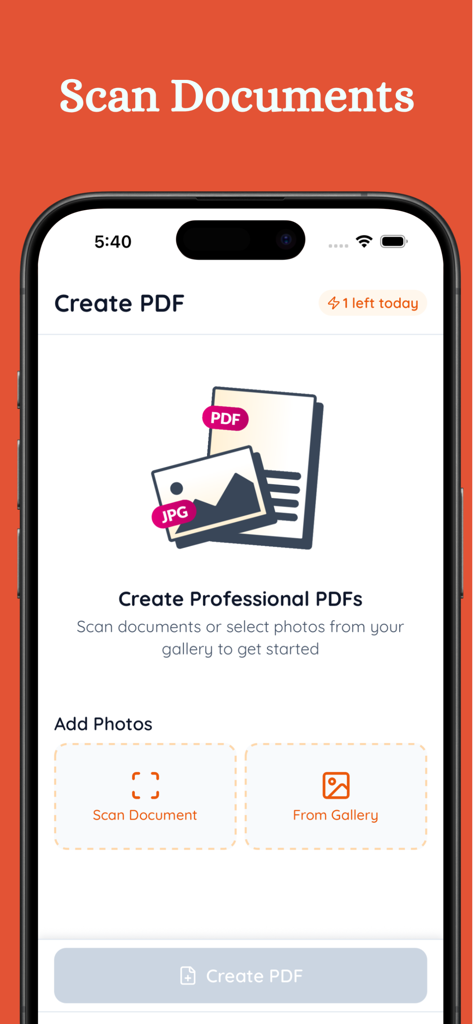
Image to PDF - PDF creator + - Main interface of Image to PDF app showing options to scan documents or select photos from gallery

Main interface of Image to PDF app showing options to scan documents or select photos from gallery
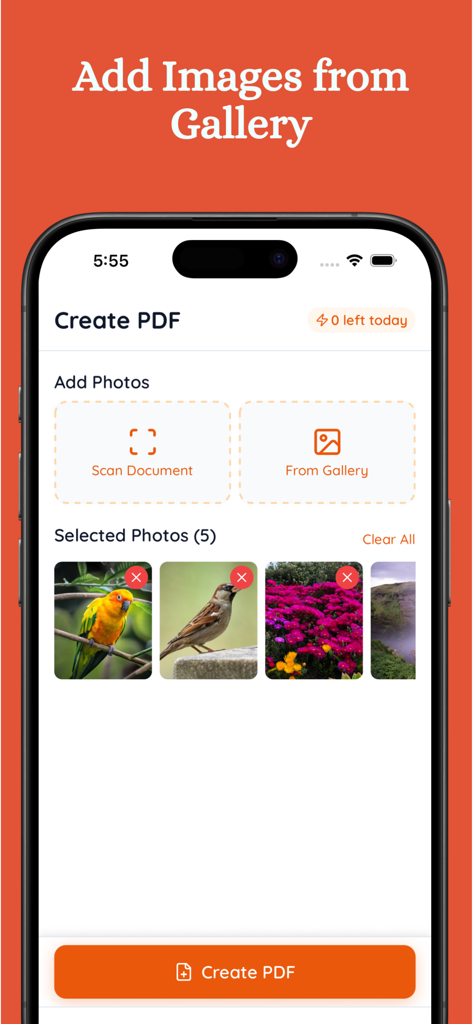
Image to PDF - PDF creator + - Mobile app interface showing the selection of multiple images from a gallery to be converted into a single PDF document
Mobile app interface showing the selection of multiple images from a gallery to be converted into a single PDF document

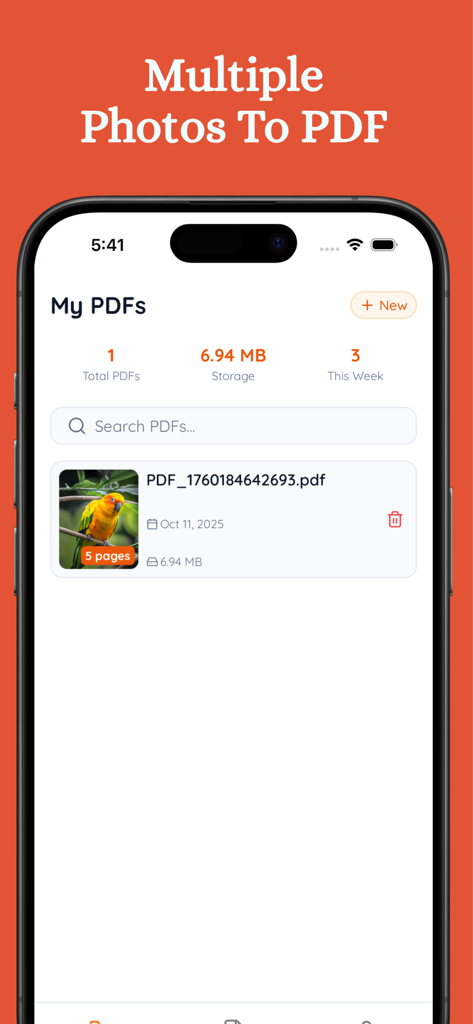
Image to PDF - PDF creator + - iPhone screenshot of the My PDFs library showing a multi-page document created from photos

iPhone screenshot of the My PDFs library showing a multi-page document created from photos

Description

Transform your photos into professional PDF documents instantly with PDF Creator. Whether you need to scan receipts, digitise documents, or convert multiple images into a single PDF file, our powerful app makes it simple and fast. INSTANT PDF CREATION Convert photos to PDF in seconds. Select images from your gallery or scan documents with your camera. Our intelligent processing ensures your PDFs maintain perfect quality while keeping file sizes optimised. POWERFUL SCANNING TECHNOLOGY Built-in document scanner automatically detects edges and enhances image quality. Scan receipts, contracts, notes, whiteboards, and any document with professional results every time. KEY FEATURES PDF Creation Made Easy Convert unlimited photos to PDF Create multi-page PDF documents Combine multiple images into one PDF Support for JPG, PNG, and all image formats Professional Document Scanner Auto edge detection and cropping Intelligent image enhancement Scan multiple pages in sequence Perfect for receipts, contracts, and notes Flexible Output Options Portrait or landscape orientation Adjust margins for perfect formatting High-quality image compression Complete PDF Management Organize PDFs in one convenient library Preview documents before sharing Search and filter your PDF collection Quick access to recent documents Easy Sharing and Export Share PDFs via email, messaging, or cloud Print documents directly from your device Export to any app or service Secure local storage Premium Features: Unlimited daily PDF creation Remove watermarks for professional documents Priority support and updates Advanced compression algorithms PERFECT FOR Business Professionals Create professional documents on the go. Scan business cards, receipts, and contracts. Share polished PDFs with clients and colleagues instantly. Students and Educators Digitise notes, assignments, and study materials. Create PDF study guides from photos. Share lecture notes with classmates effortlessly. Personal Use Organize recipes, manuals, and important documents. Scan family photos and memorabilia. Keep digital copies of warranties and receipts. WHY CHOOSE PDF CREATOR Simple and Intuitive No complicated settings or confusing menus. Just select your photos and create professional PDFs in three taps. Lightning Fast Advanced processing technology converts images to PDF in seconds. No waiting, no delays. Professional Quality Every PDF maintains perfect image quality with optimized file sizes. Professional results without the professional software. Secure and Private All documents are stored locally on your device. Your files, your privacy, your control. Regular Updates Continuous improvements and new features based on user feedback. We are committed to making the best PDF creator app. FREE TO START Try PDF Creator free with generous daily limits. Upgrade to Premium anytime for unlimited PDF creation and advanced features. DOWNLOAD NOW Download PDF Creator today and experience the easiest way to convert photos to PDF. Whether scanning receipts, digitising documents, or creating professional PDFs - we’ve got you covered. SUPPORT Need help or have suggestions? SUBSCRIPTIONS - Length of Subscriptions: Weekly Prices: 4.99$/week (or local equivalent) We also provide in app purchase of 29.99$ (or local equivalent) You can manage and cancel your subscriptions by going to your account settings on the App Store after purchase. Subscriptions auto-renew unless canceled at least 24 hours before the end of the current period. Payment will be charged to your Apple ID account at confirmation of purchase. You can manage or cancel your subscription anytime in your App Store account settings. Privacy Policy & Terms - Terms & condition: https://www.indiemobileapps.com/terms - Privacy Policy: https://www.indiemobileapps.com/privacy-policy - Terms of Use (EULA): https://www.apple.com/legal/internet-services/itunes/dev/stdeula/

Download

This page is not an official page of the app or its developer, but an independent editorial publication created for informational and commentary purposes. Unless expressly stated otherwise, neither the app nor its developer is affiliated with, endorsed by, sponsored by, authorized by, or otherwise officially connected with MWM, Apple, Google Play, the app publisher, or the app's developer, and nothing on this page implies that the app was developed using MWM's services. Any trademarks, logos, screenshots, and other content remain the property of their respective owners.








