Image to Text - Scan & Convert
Download on App Store

This page is not an official page of the app or its developer, but an independent editorial publication created for informational and commentary purposes. Unless expressly stated otherwise, neither the app nor its developer is affiliated with, endorsed by, sponsored by, authorized by, or otherwise officially connected with MWM, Apple, Google Play, the app publisher, or the app's developer, and nothing on this page implies that the app was developed using MWM's services. Any trademarks, logos, screenshots, and other content remain the property of their respective owners.

Logo of Image to Text - Scan & Convert
Download on App Store

Image to Text - Scan & Convert

The ultimate productivity tool for busy professionals and students. Effortlessly digitize handwritten notes, batch scan documents, and convert files to Word or PDF with total privacy.

Key Figures

Downloads

5K+

User Rating

5.0/5

Total Ratings

0

Publisher

CLIXADE LTD

Category

Utilities

Locales

64

Latest Version

2.2.7

Size

95.9 MB

First Released

Jan 25, 2022
Features

Streamline Your Digital Workflow

Stop manual typing and start scanning. Convert any image or handwritten note into editable text instantly with professional-grade accuracy.

Lightning-Fast OCR

Extract text from photos, screenshots, and documents in seconds using advanced recognition technology built for high-speed productivity.

Digitize Handwriting

Perfect for students and professionals. Bridge the gap between paper and digital by converting your physical notes into searchable electronic files.

The following screenshots and description are sourced directly from the app's official store listing and are the property of the app developer.

App Store

Screenshots
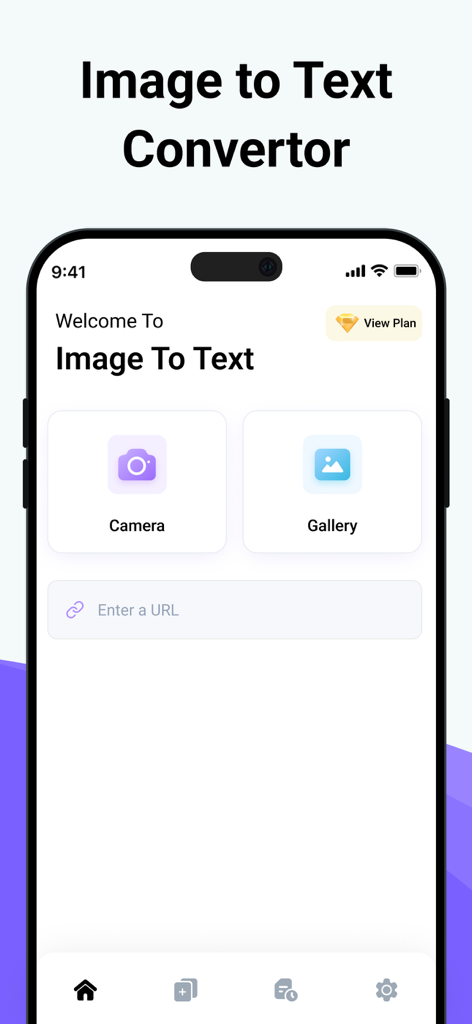
Image to Text - Scan & Convert - Main interface of the Image to Text app featuring camera and gallery buttons for document scanning

Main interface of the Image to Text app featuring camera and gallery buttons for document scanning
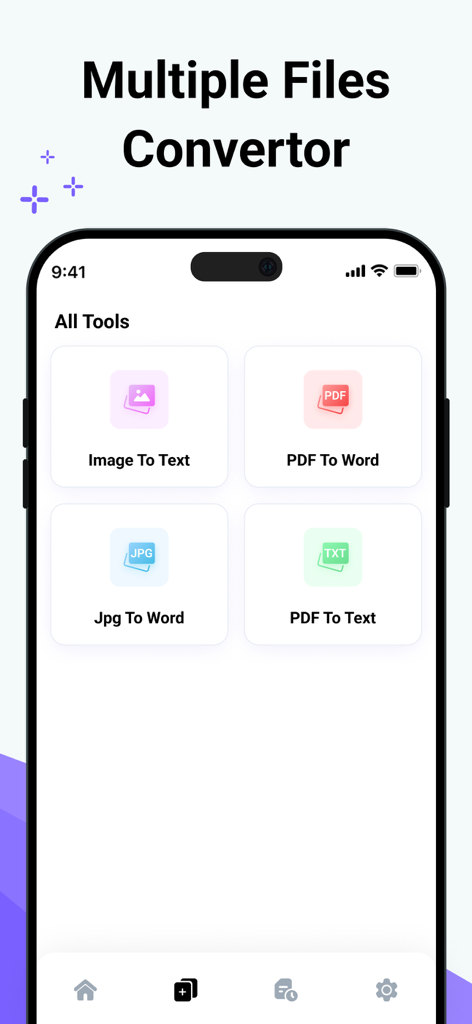
Image to Text - Scan & Convert - Mobile app interface showing various file conversion tools like Image to Text and PDF to Word
Mobile app interface showing various file conversion tools like Image to Text and PDF to Word

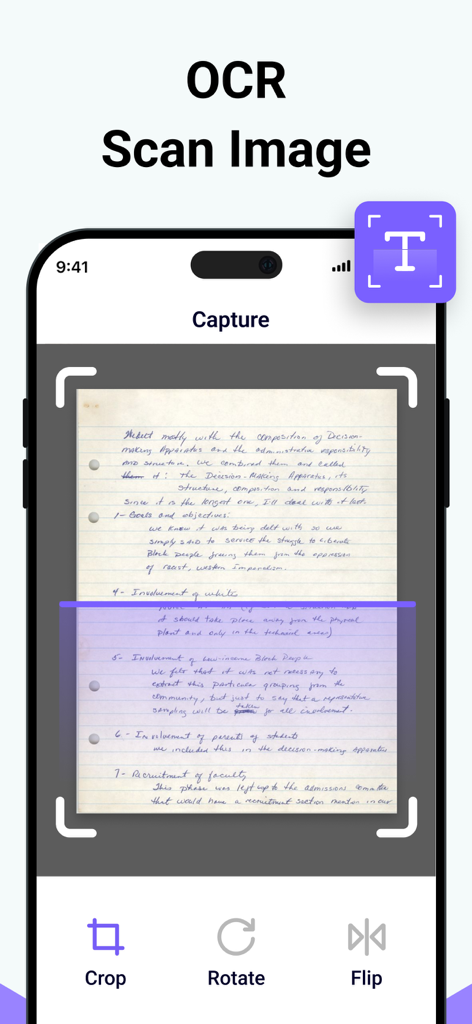
Image to Text - Scan & Convert - Mobile app interface capturing and scanning a handwritten note for OCR text extraction
Mobile app interface capturing and scanning a handwritten note for OCR text extraction

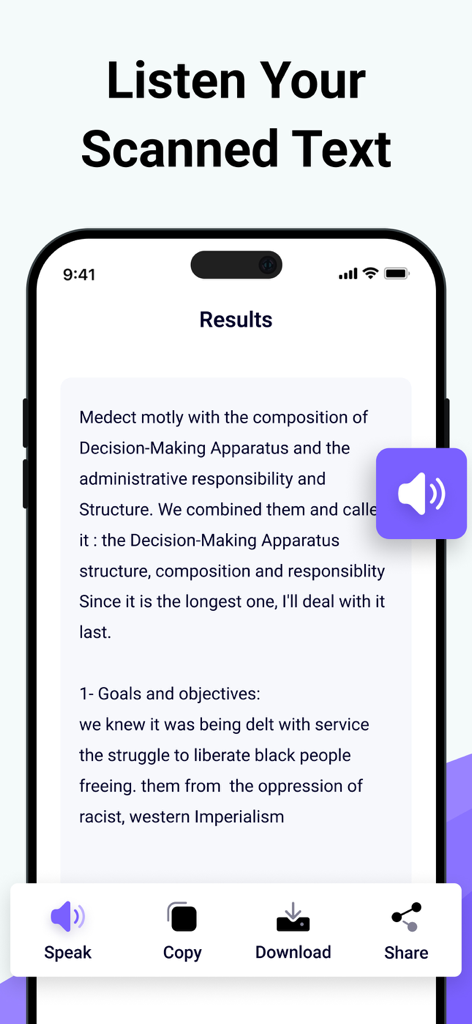
Image to Text - Scan & Convert - Interface of the Image to Text app showing the results of a scan with options to speak copy and download the text
Interface of the Image to Text app showing the results of a scan with options to speak copy and download the text

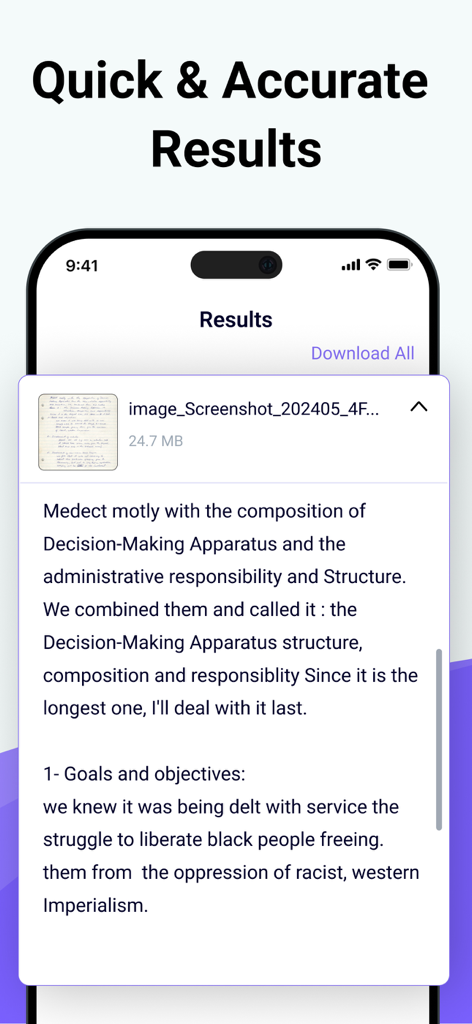
Image to Text - Scan & Convert - Extracted digital text from a handwritten note shown in the app results screen

Extracted digital text from a handwritten note shown in the app results screen

Description

Photo to Text Scanner App enables you to extract text from images. With this app, you can swiftly scan text from any chosen image. Photo to text app scan text quickly identifies and recognizes the text. Our Text Extractor saves you time by directly copying text from images. Scan the printed text and convert it using our free image to text converter. Introducing our advanced image to text Scanner that helps you keep your documents secure in your smart device. This handwriting to text tool ensures fast and accurate results generation. This free application allows you to scan the images immediately and convert them to editable text. There are many text scanner apps to copy and convert text from images. But this one is lightweight and quickly scans the text. If you have any pictures or doctor's prescription to convert into a soft copy? Give a try to this text scanner app to quickly extract text and copy text from anywhere. This photo to text extractor is one of the best free text scanner apps to extract text from images, extracting text from images quickly and accurately. You know that manual typing takes too much time, especially if you scan lengthy notes or documents with many pages. The ideal approach is to utilize this image to text converter app, which takes little time and allows you to convert several images into text with advanced technology of Text scanner. How to use our picture to text converter Converting your images to text is as simple as you just need to: Take a picture or upload it from your photo gallery. Select more images to get results at the same time. Click on the Submit File button. Then copy the text, share the text, and download the file. Key features: ● Here are the key features of our photo to text converter. ● Extract text from the image upload the image from the gallery or capture using the camera. ● Scans images fast. ● Convert handwritten notes into digitalize. ● Accurate results. ● More than one uploading image option. ● Allows cropping of an image. ● No-cost usage of Text scanner. ● Start a new session with a single click. ● Provides two options for later use, i.e., Copy and Download. ● Super fast mode. ● History of your previous scan image. ● Save scanned text in the clipboard. ● PDF to Word converter ● FPG to Word converter ● PDF to Text converter We have made it easy for everyone to use this Text text scanner and convert image to text. You don’t need to pay a single penny to scan text files with this Text scanner app. Our purpose is to provide you with the best experience with a text scanner. That’s not all You can convert handwritten notes to e-notes. This tool can scan the text that appears on the TV or any other smart screen. Note: We value your privacy and will never use or share your personal information with third parties. None of the images uploaded to our image to text are stored or shared with third parties. This app is completely safe and can be used by anyone. If you have any further questions or encounter any problems while using this app, please feel free to contact us so that we can resolve the issue as soon as possible. We value your feedback as it helps us improve our application and provide you with a better user experience. Payment will be charged to your iTunes Account at confirmation of purchase. Your subscription will automatically renew unless auto-renew is turned off at least 24 hours before the end of the current subscription period. Your account renewal will be charged within 24 hours before the end of the current subscription period. Automatic renewals cost the same price you were originally charged for the subscription. You can manage your subscriptions and turn off auto-renewal by visiting your account settings in the App Store after purchase. Terms of Use: https://clixade.com/terms-and-conditions Privacy Policy: https://clixade.com/privacy-policy

Download

Download on App Store

This page is not an official page of the app or its developer, but an independent editorial publication created for informational and commentary purposes. Unless expressly stated otherwise, neither the app nor its developer is affiliated with, endorsed by, sponsored by, authorized by, or otherwise officially connected with MWM, Apple, Google Play, the app publisher, or the app's developer, and nothing on this page implies that the app was developed using MWM's services. Any trademarks, logos, screenshots, and other content remain the property of their respective owners.








