
This page is not an official page of the app or its developer, but an independent editorial publication created for informational and commentary purposes. Unless expressly stated otherwise, neither the app nor its developer is affiliated with, endorsed by, sponsored by, authorized by, or otherwise officially connected with MWM, Apple, Google Play, the app publisher, or the app's developer, and nothing on this page implies that the app was developed using MWM's services. Any trademarks, logos, screenshots, and other content remain the property of their respective owners.


Image Toolkit Pro
Transform your camera into a portable lab. Explore live FFTs, adaptive filtering, and Canny edge detection instantly with a powerful computer vision toolkit designed for students and researchers—no subscriptions required.
Downloads
0User Rating
Total Ratings
0Publisher
Category
UtilitiesLocales
1Latest Version
1.0Size
0.6 MBFirst Released
Aug 30, 2025The Professional Vision Lab in Your Pocket
Bridge the gap between theory and practice with real-time image processing tools built for the STEM community. No subscriptions, just pure utility.
Instant Fourier Analysis
Visualize Fast Fourier Transforms (FFT) in real time. Map frequency spectra instantly through your camera feed to understand signal patterns on the go.
Dynamic Noise Simulation
Stress-test your visual data. Simulate Gaussian or Salt & Pepper noise and apply adaptive median filters to observe denoising results without writing a single line of code.
The following screenshots and description are sourced directly from the app's official store listing and are the property of the app developer.
App Store
Screenshots
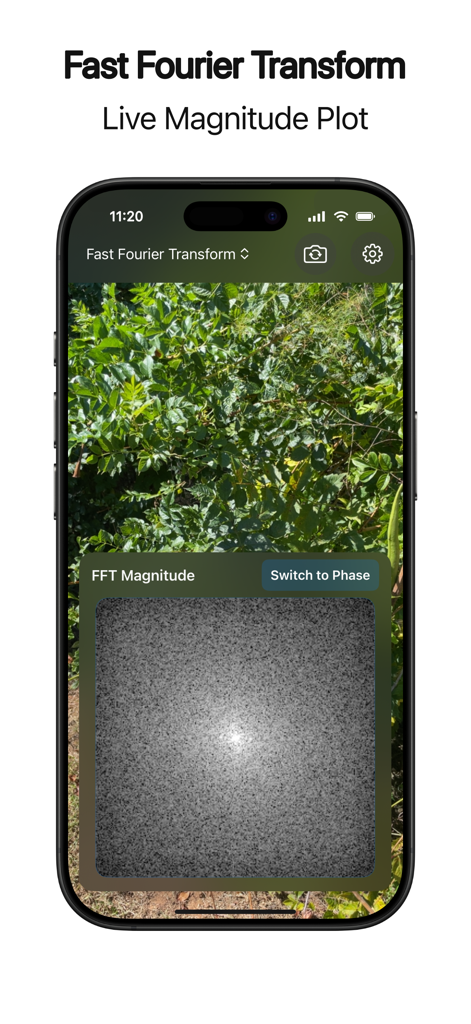
A smartphone screen displaying a live Fast Fourier Transform magnitude plot over a camera feed.
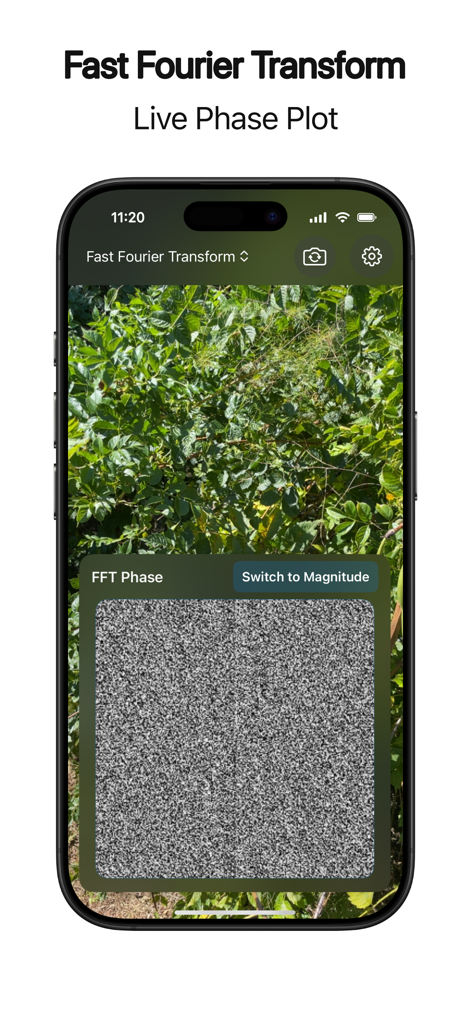
Smartphone displaying the Image Toolkit Pro app with a real-time Fast Fourier Transform live phase plot over a camera feed.
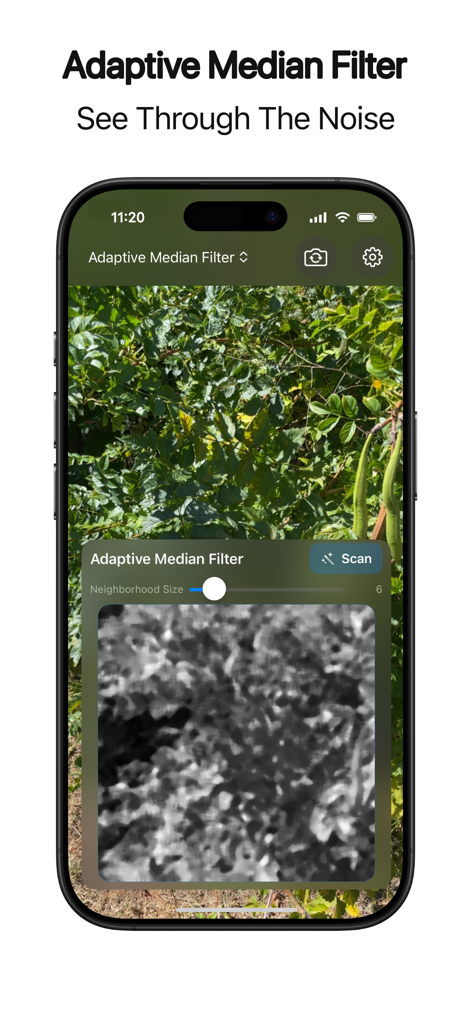
Screenshot of Image Toolkit Pro showing the adaptive median filter tool for real time noise reduction on a camera feed
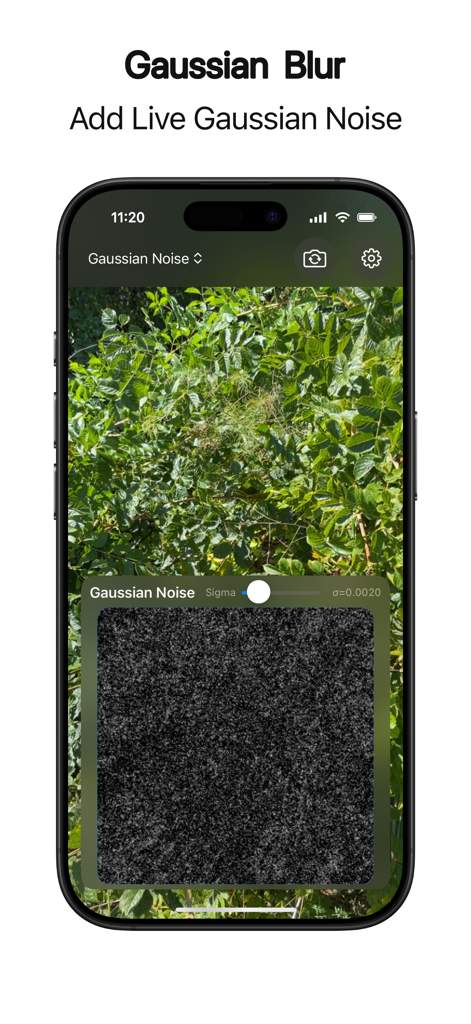
A live Gaussian noise filter being applied to a smartphone camera feed in the Image Toolkit Pro app
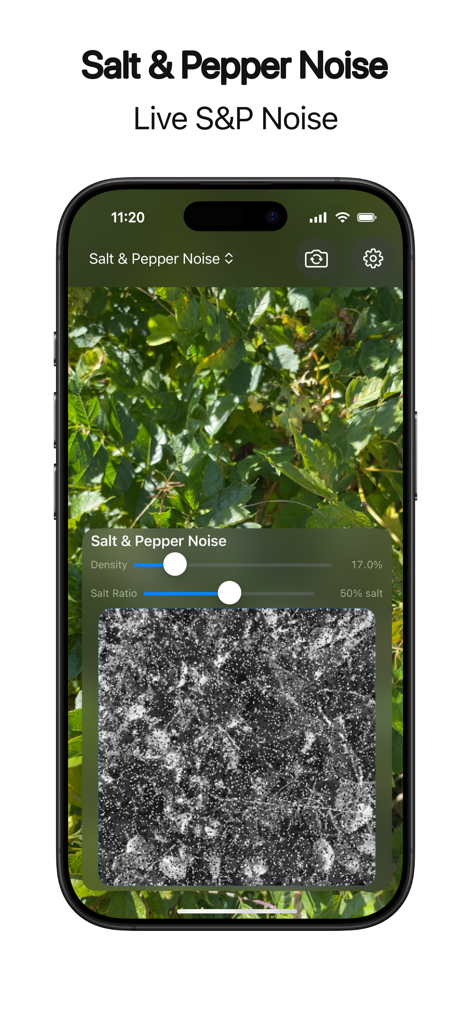
A mobile interface demonstrating real-time salt and pepper noise simulation on a live camera feed with adjustable density and salt ratio sliders.
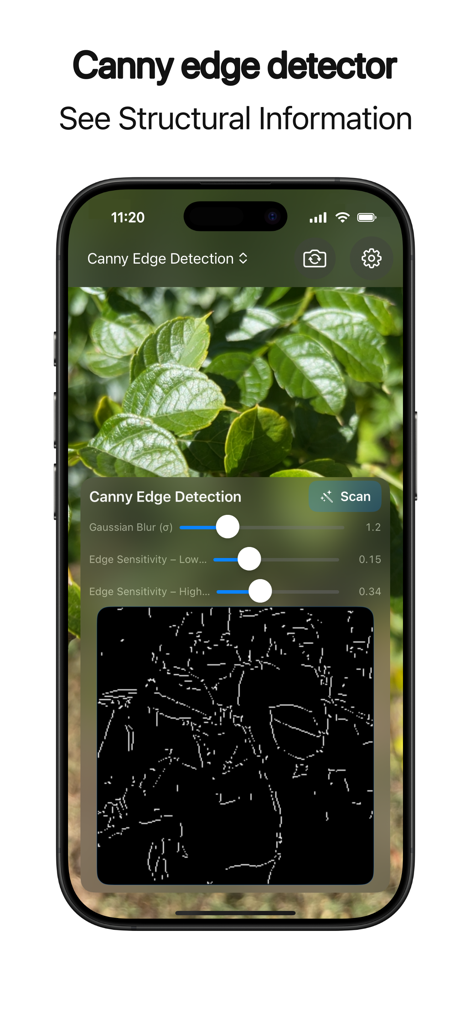
Screenshot of the Image Toolkit Pro app demonstrating the real-time Canny edge detector feature with adjustable sensitivity sliders on a photo of green leaves.
Description
Download
More Like This
Top-ranked apps in the same category

Google LLC

Google Chrome
Google LLC

中国移动(手机营业厅)
China Mobile Online Services Co., Ltd.

Google Authenticator
Google LLC

CNH do Brasil
Servicos e Informacoes do Brasil

Cleanup: Phone Storage Cleaner
DEEP FLOW SOFTWARE SERVICES - FZCO

gov.br
Servicos e Informacoes do Brasil

中国电信-全国统一官方服务平台
CHINA TELECOM Corporation Ltd.

Microsoft Edge: AI Browser
Microsoft Corporation
This page is not an official page of the app or its developer, but an independent editorial publication created for informational and commentary purposes. Unless expressly stated otherwise, neither the app nor its developer is affiliated with, endorsed by, sponsored by, authorized by, or otherwise officially connected with MWM, Apple, Google Play, the app publisher, or the app's developer, and nothing on this page implies that the app was developed using MWM's services. Any trademarks, logos, screenshots, and other content remain the property of their respective owners.