
This page is not an official page of the app or its developer, but an independent editorial publication created for informational and commentary purposes. Unless expressly stated otherwise, neither the app nor its developer is affiliated with, endorsed by, sponsored by, authorized by, or otherwise officially connected with MWM, Apple, Google Play, the app publisher, or the app's developer, and nothing on this page implies that the app was developed using MWM's services. Any trademarks, logos, screenshots, and other content remain the property of their respective owners.

Infinite Zoom Art - Canvas Max
Unleash your creativity on an infinite vector canvas. From the vastness of the cosmos to the tiniest detail, sketch and zoom without limits to create viral-ready masterpieces.
Downloads
227K+User Rating
Total Ratings
4K+Publisher
Category
Graphics & DesignLocales
1Latest Version
2.0.9Size
53.5 MBFirst Released
Sep 7, 2023Create Without Boundaries
Break free from fixed canvas sizes with a powerful vector engine designed for the next generation of digital artists and viral creators.
Infinite Zoom Art
Go from the vastness of the Milky Way to the center of an atom. Your canvas is literally limitless, allowing you to hide endless details inside a single masterpiece.
Lossless Vector Precision
Stop worrying about resolution or pixelation. Every stroke stays razor-sharp and professional-grade no matter how deep you zoom or how large you export.
Frequently Asked Questions
Everything you need to know about Infinite Zoom Art - Canvas Max
What is Infinite Zoom Art - Canvas Max?
Infinite Zoom Art - Canvas Max is an app for sketching, illustrating, and designing on an infinite canvas with infinite zoom capabilities. It supports vector drawing, text integration, image insertion, and layer management.
Does Canvas Max offer infinite zoom?
Yes, Infinite Zoom Art - Canvas Max features infinite scroll and zoom, allowing users to explore vast creations or intricate details without boundaries. This ensures limitless creative space.
Can I add text to my designs in Infinite Zoom Art - Canvas Max?
Yes, Infinite Zoom Art - Canvas Max supports Dynamic Text Integration. All text is vector-based, maintaining crispness regardless of zoom level. You can seamlessly incorporate text.
Does Infinite Zoom Art - Canvas Max allow image insertion?
Yes, Canvas Max allows seamless image insertion into your canvas. You can incorporate photos directly into your projects alongside drawings and vector-based text.
What drawing tools does Infinite Zoom Art - Canvas Max include?
Infinite Zoom Art - Canvas Max provides precision vector drawing, an eraser, and lasso tools. It also supports layered creation and includes undo/redo functions for refining artwork.
What storage options are available in Canvas Max?
Infinite Zoom Art - Canvas Max offers flexible storage solutions, allowing users to choose between iCloud and local storage for their documents and folders. It also provides comprehensive file management.
Does Infinite Zoom Art - Canvas Max have an autosave feature?
Yes, Infinite Zoom Art - Canvas Max includes a Smart Autosave feature. This intelligent function automatically saves your progress, ensuring that your work is never lost.
The following screenshots and description are sourced directly from the app's official store listing and are the property of the app developer.
App Store
Screenshots
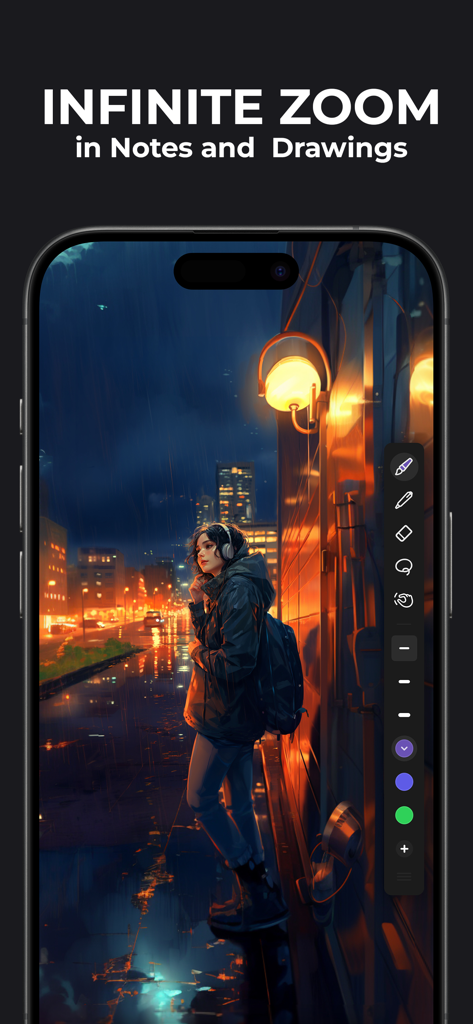
Digital illustration of a girl in a city on the Infinite Zoom Art app interface
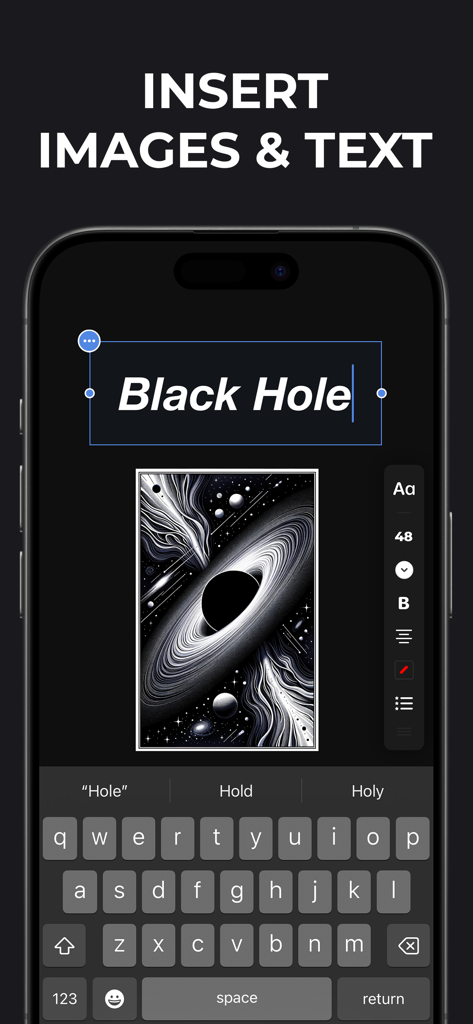
A smartphone screen displaying the Canvas Max app interface for adding images and text
Description
Download
More Like This
Apps with similar features and user experience

Affinity Designer 2 for iPad
Serif (Europe) Ltd.

Vector & SVG Maker - Assembly
Pixite Inc.

Logoist 5
Synium Software GmbH

Adobe Illustrator: Graphic Art
Adobe Inc.

Inkpad - Graphic Design
Envoza Ltd

Amadine: Vector Design and Art
Belight Software, ltd

Graphic for iPad
Picta, Inc

Vector Drawing & Logo Design
Jonathan OFarrow

iDesign
TouchAware Limited
This page is not an official page of the app or its developer, but an independent editorial publication created for informational and commentary purposes. Unless expressly stated otherwise, neither the app nor its developer is affiliated with, endorsed by, sponsored by, authorized by, or otherwise officially connected with MWM, Apple, Google Play, the app publisher, or the app's developer, and nothing on this page implies that the app was developed using MWM's services. Any trademarks, logos, screenshots, and other content remain the property of their respective owners.