
This page is not an official page of the app or its developer, but an independent editorial publication created for informational and commentary purposes. Unless expressly stated otherwise, neither the app nor its developer is affiliated with, endorsed by, sponsored by, authorized by, or otherwise officially connected with MWM, Apple, Google Play, the app publisher, or the app's developer, and nothing on this page implies that the app was developed using MWM's services. Any trademarks, logos, screenshots, and other content remain the property of their respective owners.


instax mini Evo
Bridge the gap between digital and analog. Direct print from your phone, control your camera remotely, and save your prints with iconic digital frames for effortless social sharing.
Downloads
1M+User Rating
Total Ratings
14K+Publisher
Category
LifestyleLocales
10Latest Version
1.6.0Size
216.4 MBFirst Released
Dec 12, 2021Elevate Your Analog Aesthetic
Connect your instax mini Evo to your smartphone and bridge the gap between physical memories and digital creativity with seamless Bluetooth integration.
Instantly Share Your Vibe
Get the digital version of your prints with the signature instax frame. Perfect for proving it was "shot on film" on your Instagram Story or TikTok feed.
Perfect Prints, Zero Waste
Don't waste expensive film on accidents. Select, crop, and edit your favorite smartphone photos before sending them to your camera for a flawless physical print.
Frequently Asked Questions
Everything you need to know about instax mini Evo
Can I edit videos with the instax mini Evo Cinema app?
Yes, the instax mini Evo Cinema app includes a VIDEO EDIT feature. Users combine clips and add opening or ending sequences to create their unique movie moments within the app.
How do I transfer photos from my instax mini Evo Cinema camera to the app?
Users transfer data from the instax mini Evo Cinema camera to the app's gallery via Bluetooth. Faster and selective transfers are possible when connected via Wi-Fi.
Does the instax mini Evo Cinema app offer poster templates for prints?
Yes, the instax mini Evo Cinema app provides POSTER TEMPLATES. These templates give video creations a movie poster vibe with QR support for printing onto instax™ mini film.
Can I print images from my smartphone using the instax mini Evo app?
Yes, the instax mini Evo app features DIRECT PRINT. Users send images from their smartphone to the camera for printing as instax™ photos. Image adjustments like move, rotate, zoom, and filters are available.
Does the instax mini Evo app support remote camera control?
Yes, the instax mini Evo app offers REMOTE SHOOTING. Users operate their smartphone to take pictures directly from the instax mini Evo camera body remotely.
Can I save printed photos to my phone from the instax mini Evo app?
Yes, the instax mini Evo app enables users to SAVE PRINTED IMAGES. This feature saves printed data to the smartphone, allowing users to share their favorite shots on social media (SNS).
Which cameras are compatible with the instax mini Evo app?
The instax mini Evo app is exclusively compatible with the Fujifilm instax mini Evo™ and instax mini Evo Cinema™ cameras. It connects the camera body and app via Bluetooth.
What are the minimum OS requirements for the instax mini Evo app?
The instax mini Evo app requires iOS 16.0 or later to function. This ensures optimal performance and compatibility with the app's features.
How do I switch between Evo and Evo Cinema modes in the instax mini Evo app?
Yes, users can switch between "Evo" and "Evo Cinema" modes within the settings menu of the instax mini Evo app. This provides access to camera-specific features.
The following screenshots and description are sourced directly from the app's official store listing and are the property of the app developer.
App Store
Screenshots
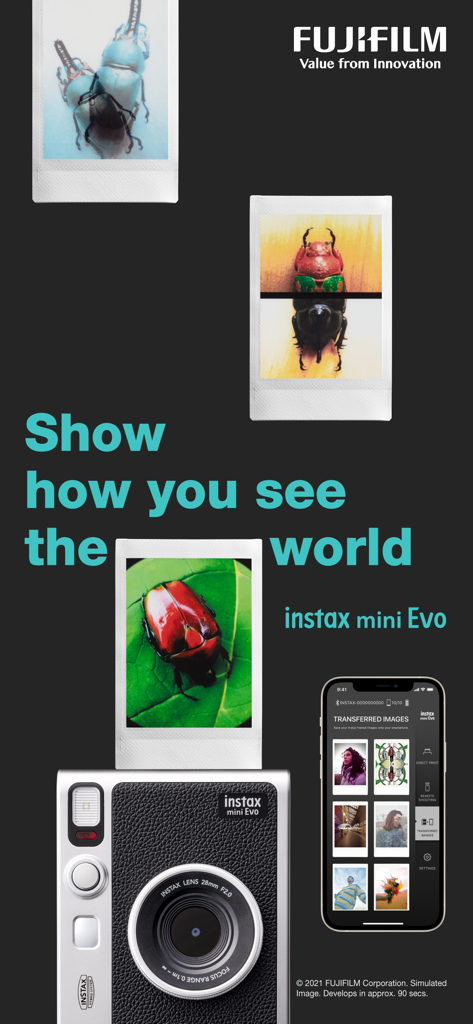
Fujifilm instax mini Evo camera and smartphone app interface showing transferred images and printed photos.
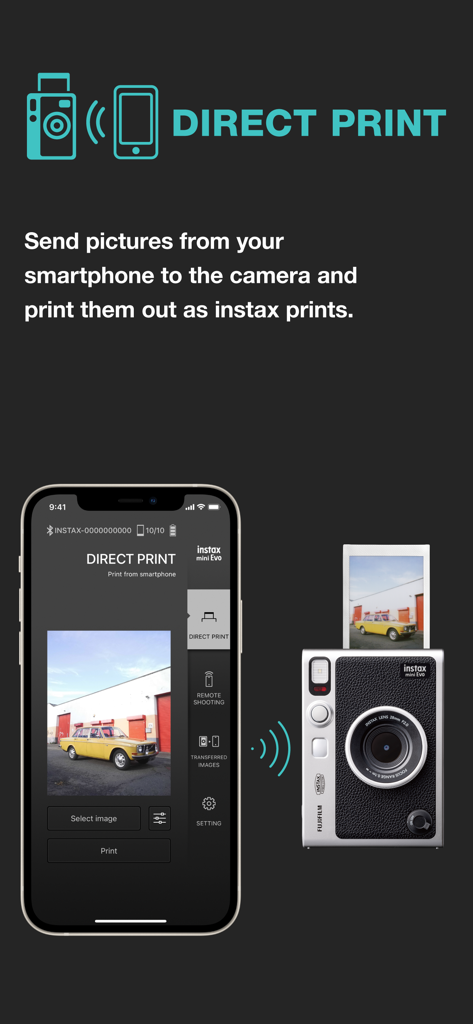
Screenshot of the instax mini Evo app showing the Direct Print feature where a user selects a photo on their smartphone to print on the camera
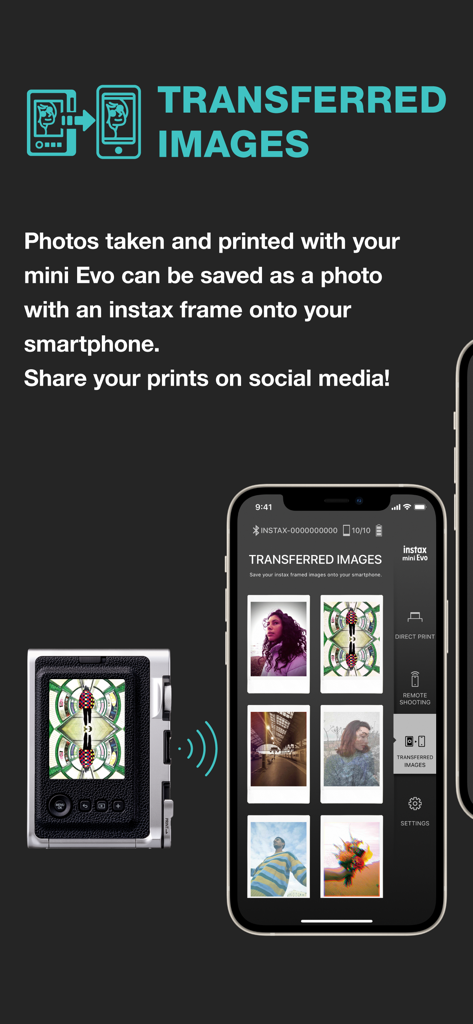
Smartphone screen showing the instax mini Evo app feature for saving printed photos with digital frames.
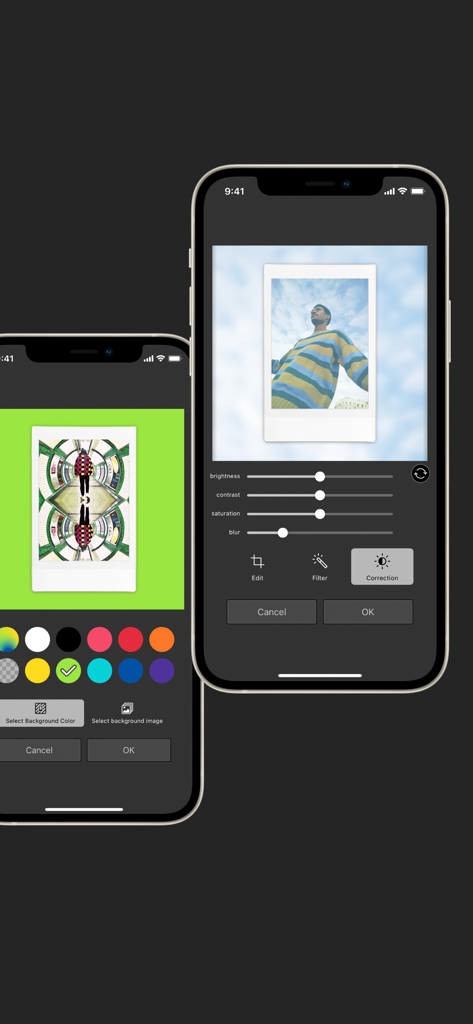
Instax mini Evo mobile app showing photo adjustment sliders and background color options
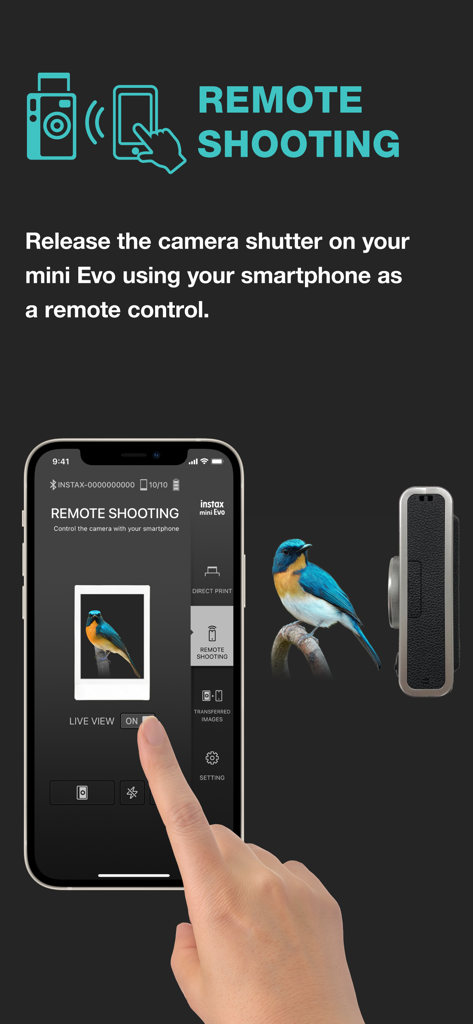
A smartphone app displaying the remote shooting interface to control an instax mini Evo camera
Description
Download
More Like This
Apps with similar features and user experience

instax mini Link
FUJIFILM Corporation

Canon Mini Print
Canon U.S.A., Inc.

Polaroid
Polaroid International B.V.

SELPHY Photo Layout
Canon Inc.

KODAK Photo Printer
Prinics Co., Ltd

Phomemo
PHOMEMO PTE. LTD.

Epson Creative Print
Seiko Epson Corporation

HP Sprocket
C&A Marketing Inc.

NokoPrint - Mobile Printing
NokoPrint LLC
This page is not an official page of the app or its developer, but an independent editorial publication created for informational and commentary purposes. Unless expressly stated otherwise, neither the app nor its developer is affiliated with, endorsed by, sponsored by, authorized by, or otherwise officially connected with MWM, Apple, Google Play, the app publisher, or the app's developer, and nothing on this page implies that the app was developed using MWM's services. Any trademarks, logos, screenshots, and other content remain the property of their respective owners.