
This page is not an official page of the app or its developer, but an independent editorial publication created for informational and commentary purposes. Unless expressly stated otherwise, neither the app nor its developer is affiliated with, endorsed by, sponsored by, authorized by, or otherwise officially connected with MWM, Apple, Google Play, the app publisher, or the app's developer, and nothing on this page implies that the app was developed using MWM's services. Any trademarks, logos, screenshots, and other content remain the property of their respective owners.

SELPHY Photo Layout
No more digital purgatory for your photos. This app liberates them, offering instant, tangible prints from your device.
Downloads
2.5M+User Rating
Total Ratings
96.3KPublisher
Category
Photo & VideoLocales
13Latest Version
4.2.0Size
63.9 MBFirst Released
Sep 3, 2018Evaluating Key Functionalities for Enhanced User Experience and Creative Output.
SELPHY Photo Layout: Core Feature Analysis
Wireless Printing Connectivity
The app provides seamless wireless connectivity with SELPHY printers, enabling users to print high-quality photos directly from their smartphone or tablet.
Creative Collage Customization
This tool features intuitive options for users to freely arrange, decorate, and personalize multiple photos into unique collages with stamps, text, and QR codes before printing.
Efficient ID Photo Generation
It allows users to quickly generate and print compliant ID photos, such as passport or driver's license pictures, directly from their selfies, offering significant time-saving convenience.
Streamlined Direct Photo Printing
The app simplifies the printing process by enabling users to easily print unmodified original photos directly from their device's photo gallery with minimal steps.
Convenient Reprinting Capability
This tool allows users to effortlessly print additional copies of previously printed photos from their collection, enhancing photo management and convenience.
Dynamic Multi-Image Layouts
It enables users to select multiple images, which are then automatically arranged and printed on a single sheet using a 'Shuffle' layout, maximizing paper usage and offering creative arrangements.
Frequently Asked Questions
Everything you need to know about SELPHY Photo Layout
What is the SELPHY Photo Layout app used for?
The SELPHY Photo Layout app creates and saves image layouts for printing with SELPHY printers directly from your smartphone or tablet.
Which SELPHY printers are compatible with the SELPHY Photo Layout app?
The SELPHY Photo Layout app is compatible with SELPHY CP Series (CP1500, CP1300, CP1200, CP910, CP900) and QX Series (QX20, SQUARE QX10) printers.
What are the system requirements for installing the SELPHY Photo Layout app?
The SELPHY Photo Layout app requires iOS 17/18 or iPadOS 17/18 to operate.
What image formats does the SELPHY Photo Layout app support?
The SELPHY Photo Layout app supports JPEG, PNG, and HEIF image formats for printing.
Can I decorate photos before printing with the SELPHY Photo Layout app?
Yes, the SELPHY Photo Layout app allows you to decorate and layout photos freely using features like stamps, text, borders, backgrounds, and QR codes before printing.
Does SELPHY Photo Layout allow printing of ID photos?
Yes, the SELPHY Photo Layout app supports printing ID photos, such as passport and driver's license pictures, specifically for SELPHY CP Series printers.
How does the SELPHY Photo Layout app connect to SELPHY printers?
The SELPHY Photo Layout app connects wirelessly to SELPHY printers. For some CP models (CP1300, CP1200, CP910, CP900), the "Canon PRINT" app must be installed separately.
What collage features are available in the SELPHY Photo Layout app?
The SELPHY Photo Layout app offers a Collage menu to arrange multiple photos. Decoration features include stamps, frames, text, and embedded QR codes.
Does the SELPHY Photo Layout app have an automatic layout function?
Yes, the SELPHY Photo Layout app includes a 'Shuffle' function, available for CP Series printers, which automatically arranges up to 20 images on one sheet for printing.
Can I reprint previous photos using the SELPHY Photo Layout app?
Yes, the SELPHY Photo Layout app includes a 'Reprint' function that allows users to print additional copies from their previously printed collection for both CP and QX Series.
The following screenshots and description are sourced directly from the app's official store listing and are the property of the app developer.
App Store
Screenshots
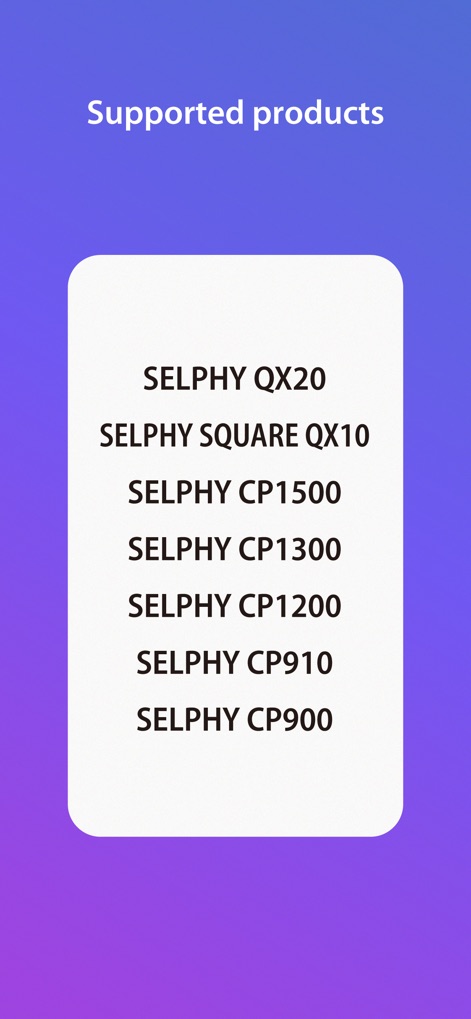
This screen clearly displays the comprehensive list of supported SELPHY QX Series models and various SELPHY CP Series printers, ensuring users can quickly verify their device's compatibility.
Device Compatibility Check

Discover the app's streamlined interface, showcasing essential print modes like the 'Photos' menu for quick prints and the versatile 'Collage' menu for creative arrangements.
Intuitive Print Modes
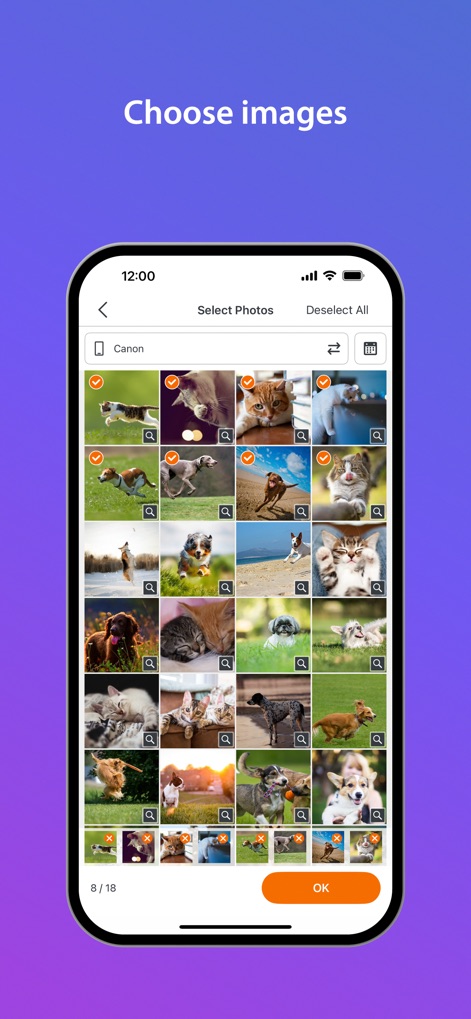
Observe how the app facilitates effortless image management, presenting a clear grid layout for photo selection and intuitive checkmark indicators for chosen photos.
Seamless Photo Selection
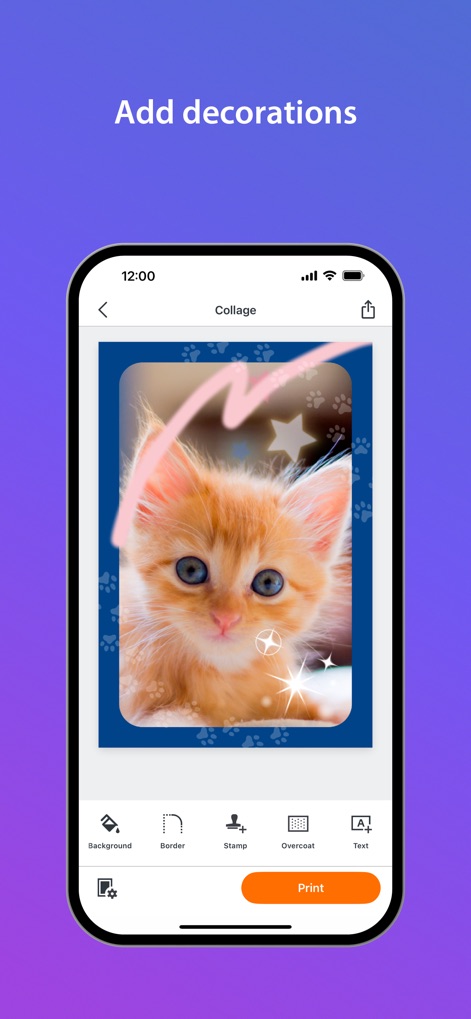
Explore the app's robust editing capabilities, allowing users to enhance images with decorative 'Stamp' options and sophisticated 'Overcoat' processing for unique visual flair.
Creative Personalization Tools
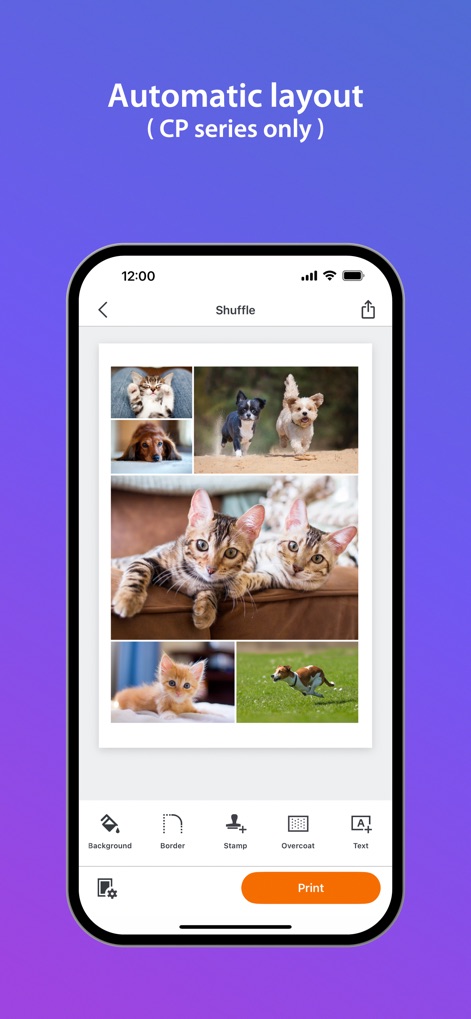
Witness the efficiency of the 'Shuffle' feature, which automatically arranges multiple images into an engaging layout, exemplified by the diverse selection of animal photos on a single sheet.
Dynamic Layout Generation
Description
Download
More Like This
Apps with similar features and user experience

instax mini Link
FUJIFILM Corporation

instax mini Evo
FUJIFILM Corporation

Canon Mini Print
Canon U.S.A., Inc.

Polaroid
Polaroid International B.V.

KODAK Photo Printer
Prinics Co., Ltd

Phomemo
PHOMEMO PTE. LTD.

Epson Creative Print
Seiko Epson Corporation

HP Sprocket
C&A Marketing Inc.
NokoPrint - Mobile Printing
NokoPrint LLC
This page is not an official page of the app or its developer, but an independent editorial publication created for informational and commentary purposes. Unless expressly stated otherwise, neither the app nor its developer is affiliated with, endorsed by, sponsored by, authorized by, or otherwise officially connected with MWM, Apple, Google Play, the app publisher, or the app's developer, and nothing on this page implies that the app was developed using MWM's services. Any trademarks, logos, screenshots, and other content remain the property of their respective owners.