
This page is not an official page of the app or its developer, but an independent editorial publication created for informational and commentary purposes. Unless expressly stated otherwise, neither the app nor its developer is affiliated with, endorsed by, sponsored by, authorized by, or otherwise officially connected with MWM, Apple, Google Play, the app publisher, or the app's developer, and nothing on this page implies that the app was developed using MWM's services. Any trademarks, logos, screenshots, and other content remain the property of their respective owners.


Polaroid
Instant film, digital control: It arms users with retro magic and cutting-edge features. This app delivers the Polaroid experience, refined.
Downloads
2.5M+User Rating
Total Ratings
29.6KPublisher
Category
Photo & VideoLocales
8Latest Version
1.6.13Size
192.9 MBFirst Released
Aug 30, 2018A comprehensive analysis of key functionalities catering to instant photography enthusiasts.
Polaroid App: Bridging Analog Charm with Digital Innovation
Advanced Camera Control
It allows users to connect compatible Polaroid cameras to unlock advanced shooting modes such as Portrait Mode, Double Exposure, Aperture Priority, and Manual Mode, offering enhanced creative control.
Polaroid Lab Print Integration
The app facilitates direct printing of digital photos from a user's phone onto physical Polaroid film via the Polaroid Lab, allowing the creation of beautifully imperfect instant prints and collages.
High-Resolution Film Scanner
This tool features an in-built high-resolution scanner for digitizing physical Polaroid prints, enabling storage and sharing of nostalgic memories while preserving image quality.
Community & Creative Challenges
The app provides access to photography challenges, fostering community engagement and opportunities to win prizes while expanding knowledge.
Frequently Asked Questions
Everything you need to know about Polaroid
What is the Polaroid app?
The Polaroid app unlocks the full creative potential of Polaroid film, cameras, and community. It provides features for camera control, scanning, printing, and community engagement.
What camera models are compatible with the Polaroid app?
The Polaroid app connects with Now+, OneStep+, I-2, and Flip cameras. Connecting these cameras unlocks additional features within the app.
Can I scan Polaroid pictures with the Polaroid app?
Yes, the Polaroid app includes a high-resolution scanner. It scans, stores, and shares digital copies of i-Type, 600, SX-70, and Spectra film.
What camera features does the Polaroid app unlock?
The Polaroid app unlocks Portrait Mode, Double Exposure, Self Timer, Aperture Priority, Tripod Mode, Light Painting, and Manual Mode for compatible cameras.
How does the Polaroid app help print photos?
The Polaroid app allows users to load photos from their phone, place them on the Lab device, and print them as Polaroid pictures. It also supports creating grids and collages.
Can I store my scanned Polaroid pictures in the app?
Yes, the Polaroid app allows users to store scanned pictures. It enables the creation of a digital scrapbook of favorite memories within the app's album section.
Does the Polaroid app offer community features?
Yes, the Polaroid app features community galleries for inspiration and provides opportunities to participate in photography challenges or "Creative Calls" to win prizes.
The following screenshots and description are sourced directly from the app's official store listing and are the property of the app developer.
App Store
Screenshots
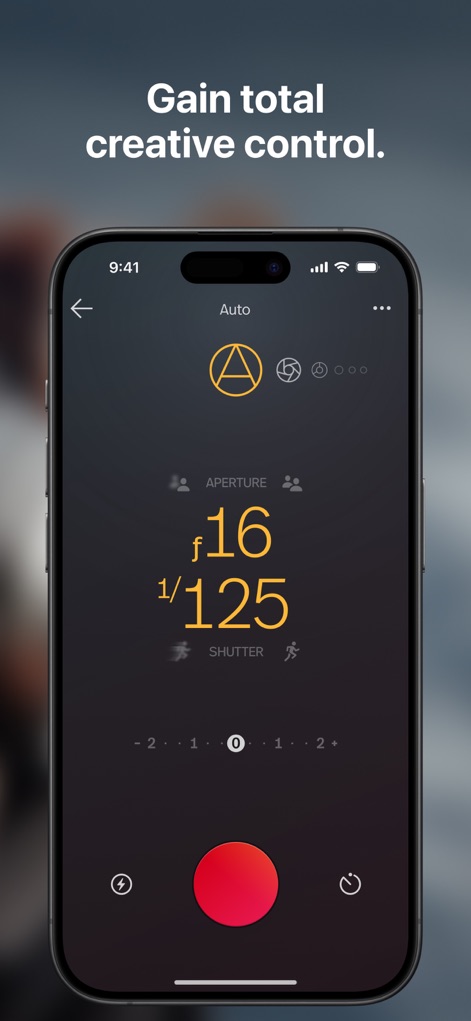
See how the app provides precise manual control over camera settings like aperture (f/16) and shutter speed (1/125).
Manual Control Mastery
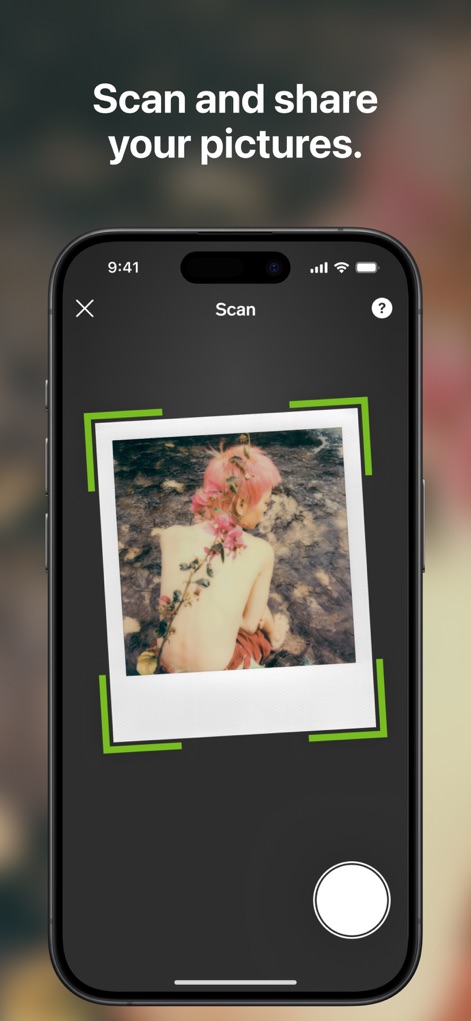
The app features a high-res scanner that digitizes physical prints, clearly indicating the scan area with a green bounding box.
Effortless Photo Scanning
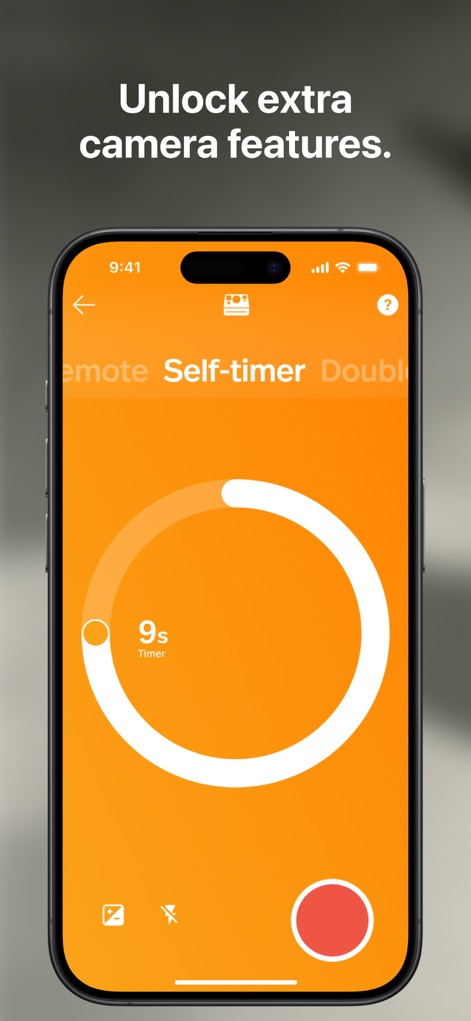
Discover advanced camera functionalities, including a self-timer with a visual countdown (9 seconds) and options for remote control.
Expanded Camera Features
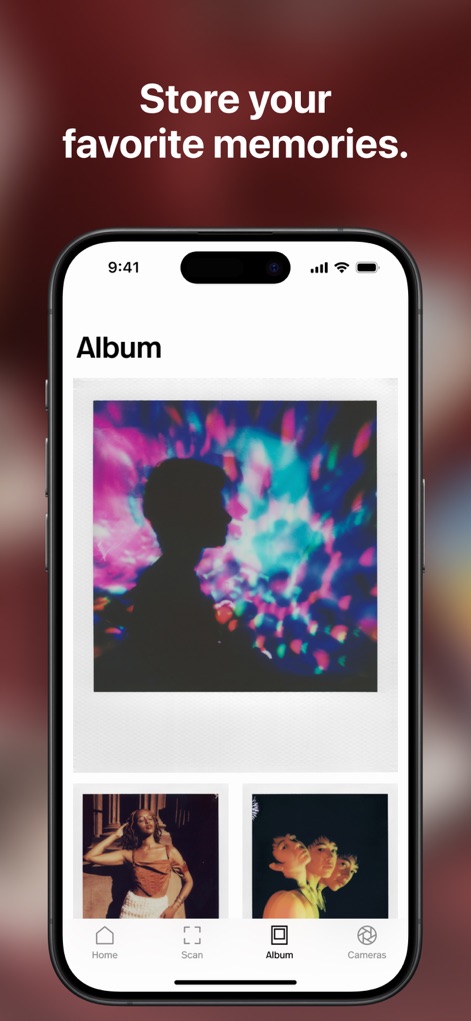
Users can curate their digital scrapbook with a large primary image display and a convenient grid of smaller memories below.
Curate Your Gallery
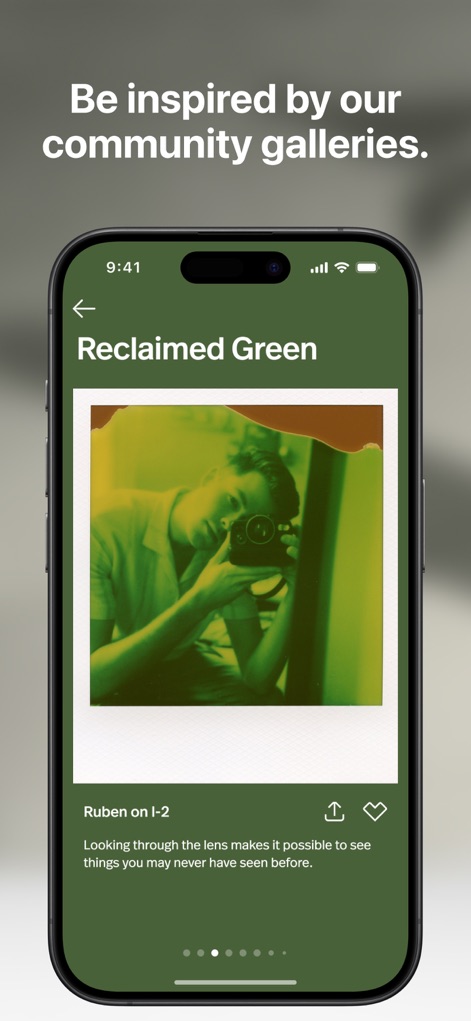
Explore captivating community galleries, showcasing user creations like the 'Reclaimed Green' themed photo and options to like posts.
Community Inspiration Hub
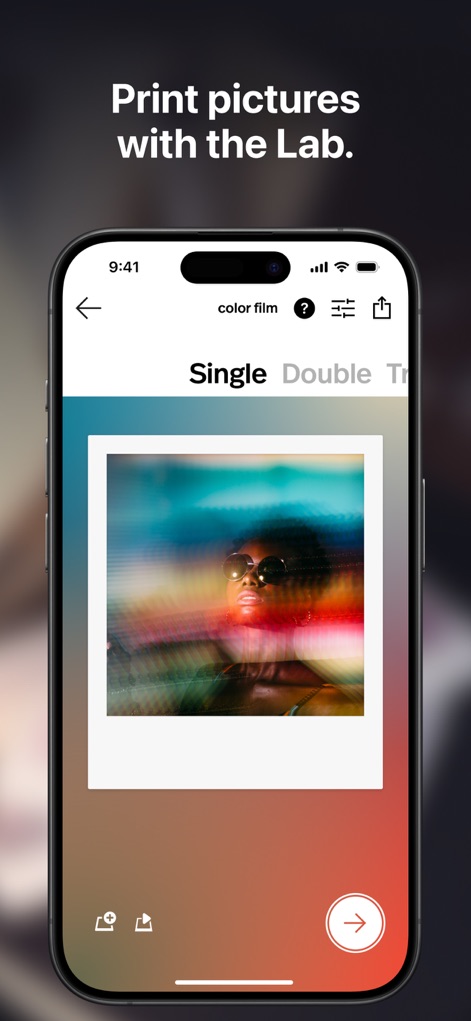
This tool allows users to print digital photos into physical Polaroid prints, with clear film type selection and a visual photo preview.
Print Your Memories

Participate in creative photography challenges, such as the Polaroid x Basquiat collaboration, and easily access the 'Enter now' option.
Engage in Challenges
Description
Download
More Like This
Apps with similar features and user experience

instax mini Link
FUJIFILM Corporation

instax mini Evo
FUJIFILM Corporation

Canon Mini Print
Canon U.S.A., Inc.

SELPHY Photo Layout
Canon Inc.

KODAK Photo Printer
Prinics Co., Ltd

Phomemo
PHOMEMO PTE. LTD.

Epson Creative Print
Seiko Epson Corporation

HP Sprocket
C&A Marketing Inc.
NokoPrint - Mobile Printing
NokoPrint LLC
This page is not an official page of the app or its developer, but an independent editorial publication created for informational and commentary purposes. Unless expressly stated otherwise, neither the app nor its developer is affiliated with, endorsed by, sponsored by, authorized by, or otherwise officially connected with MWM, Apple, Google Play, the app publisher, or the app's developer, and nothing on this page implies that the app was developed using MWM's services. Any trademarks, logos, screenshots, and other content remain the property of their respective owners.