
This page is not an official page of the app or its developer, but an independent editorial publication created for informational and commentary purposes. Unless expressly stated otherwise, neither the app nor its developer is affiliated with, endorsed by, sponsored by, authorized by, or otherwise officially connected with MWM, Apple, Google Play, the app publisher, or the app's developer, and nothing on this page implies that the app was developed using MWM's services. Any trademarks, logos, screenshots, and other content remain the property of their respective owners.


instax mini LiPlay
Bridge the gap between digital and analog. Transform your favorite smartphone shots into interactive instant prints, add personalized sound messages via QR codes, and customize every memory with creative frames.
Downloads
924K+User Rating
Total Ratings
1K+Publisher
Category
Photo & VideoLocales
10Latest Version
7.0.4Size
375.2 MBFirst Released
Jun 12, 2019Print Your Moments, Hear Your Memories
The instax mini LiPlay™ app bridges the gap between your digital world and physical keepsakes with creative tools designed for the modern storyteller.
Memories That Speak
Embed a QR code into your physical prints to record voice messages or ambient sounds, turning a static photo into an immersive audio experience.
Print Without the Guesswork
Eliminate film anxiety by choosing only the best shots from your smartphone camera roll to print, ensuring every piece of film is a masterpiece.
Frequently Asked Questions
Everything you need to know about instax mini LiPlay
What is the instax mini LiPlay app?
The instax mini LiPlay app is the official companion application for Fujifilm instax mini LiPlay™ and instax mini LiPlay+™ hybrid instant cameras. It connects via Bluetooth to enable various photo and sound features.
Which cameras are compatible with the instax mini LiPlay app?
The instax mini LiPlay app is exclusively compatible with the Fujifilm instax mini LiPlay™ and instax mini LiPlay+™ hybrid instant cameras. Users can switch between camera models in the settings screen.
How does the instax mini LiPlay app connect to the camera?
The instax mini LiPlay app connects to compatible cameras via Bluetooth. This wireless connection enables users to utilize all available functions between their smartphone and the instant camera.
What is the instax Sound Album™ feature in the instax mini LiPlay+ app?
The instax Sound Album™ feature, exclusive to instax mini LiPlay+™, allows users to create videos by combining smartphone images with music. Users add a QR code, print it, and play the video by scanning the code.
Can I add sound to my instax photos using the instax mini LiPlay app?
Yes, the instax mini LiPlay app offers a SOUND feature. Users can record audio with their camera or smartphone, convert it into an instax photo with a QR code, and scan the QR code to play the image with sound.
What is instax Sound Print™ in the instax mini LiPlay+ app?
The instax Sound Print™ feature, for instax mini LiPlay+™, enables users to add sounds directly to an image from their smartphone. This process creates a unique instax™ photo with embedded audio.
Does the instax mini LiPlay app allow remote shooting?
Yes, the instax mini LiPlay app includes a REMOTE SHOOTING function. This feature allows users to control their camera remotely using their smartphone to compose and capture photos from a distance.
How do I print photos from my smartphone to an instax camera using the instax mini LiPlay app?
The instax mini LiPlay app features DIRECT PRINT. This function allows users to send images from their smartphone's camera roll to the connected instax camera for printing as instax™ photos.
Can I customize photo frames with the instax mini LiPlay app?
Yes, the instax mini LiPlay app provides a CUSTOM FRAME feature. Users can select and set their favorite design frames to the camera using the app, enhancing their instax photos.
What operating system does the instax mini LiPlay app support?
The instax mini LiPlay app supports iOS 16.0 or later. Users must have a device running this operating system version or newer to install and use the application.
Can I view and manage printed images within the instax mini LiPlay app?
Yes, the instax mini LiPlay app has a GALLERY feature. This section allows users to view images printed from their camera and videos created within the app, and also download or reprint data.
The following screenshots and description are sourced directly from the app's official store listing and are the property of the app developer.
App Store
Screenshots
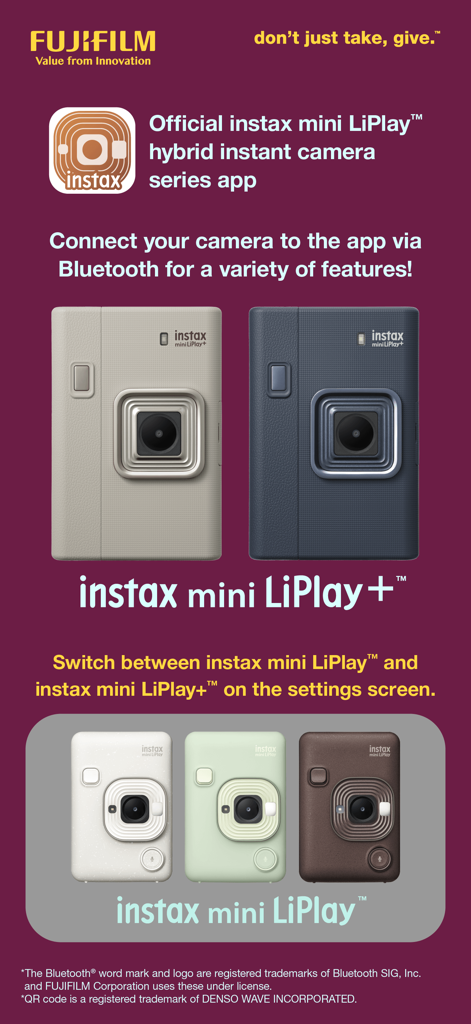
Official instax mini LiPlay hybrid instant camera series app showing multiple camera models and colors
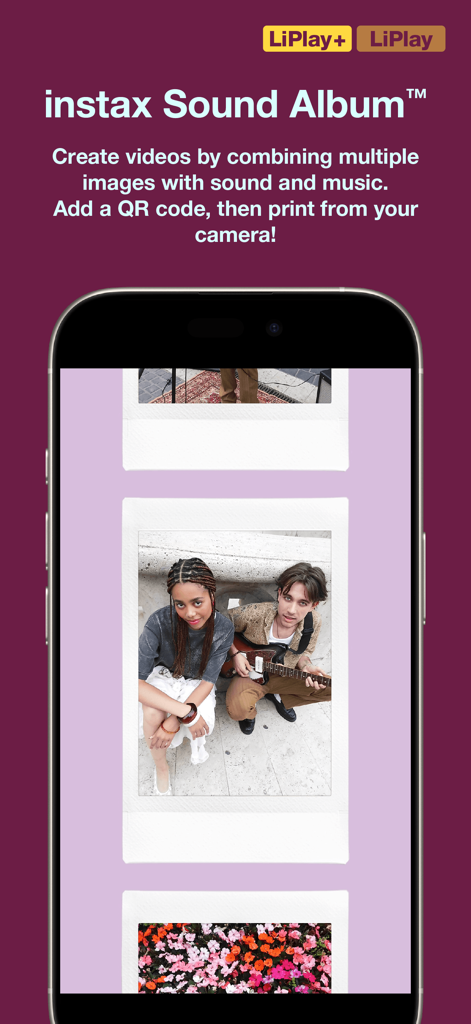
Screenshot of the instax mini LiPlay app displaying the Sound Album feature with a gallery of digital instant photos.
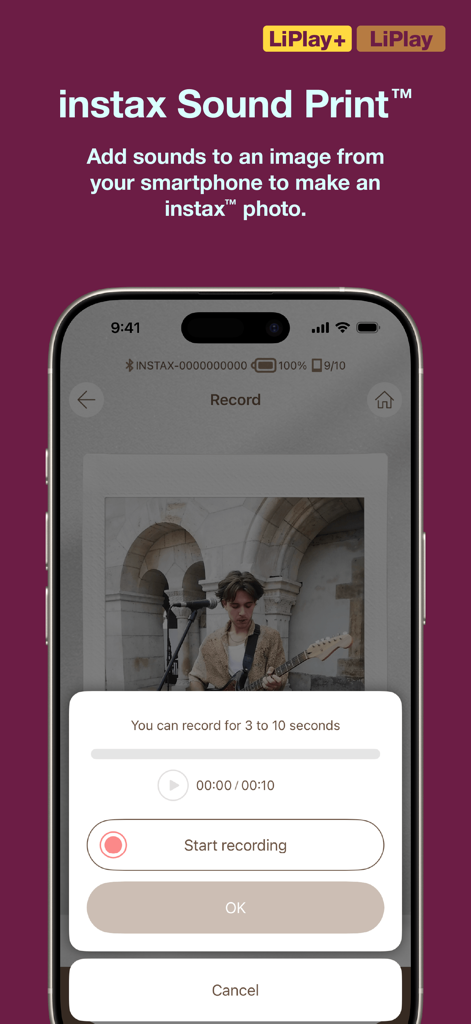
Smartphone screen showing the Sound Print recording feature of the instax mini LiPlay app
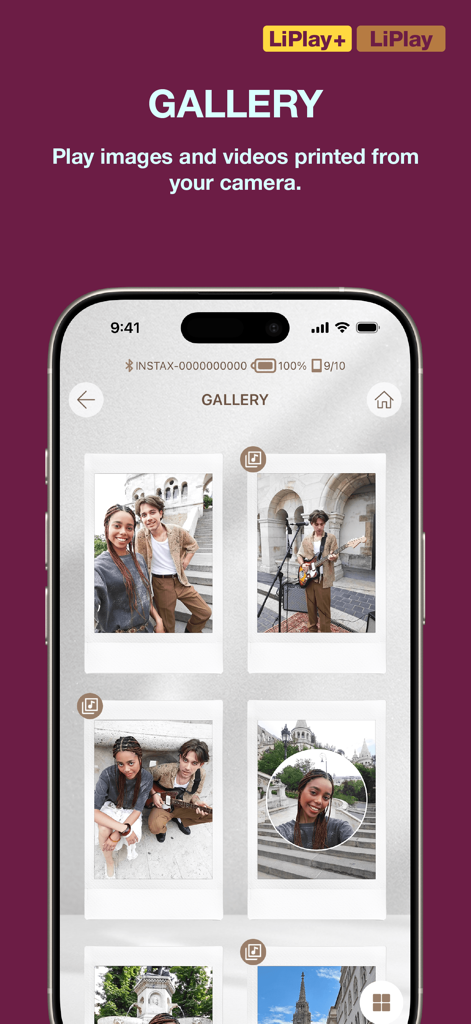
Screenshot of the instax mini LiPlay app gallery displaying several instant film style photos
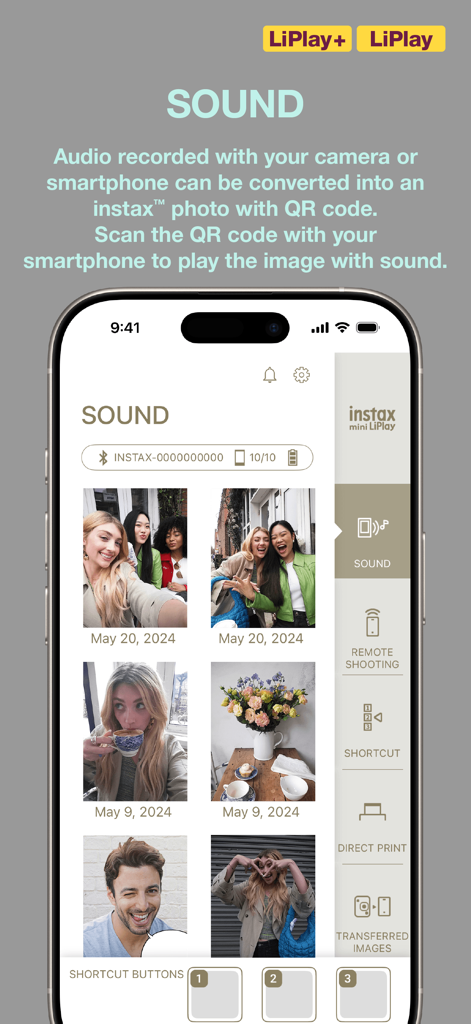
Instax mini LiPlay app interface displaying the sound recording feature for photos.
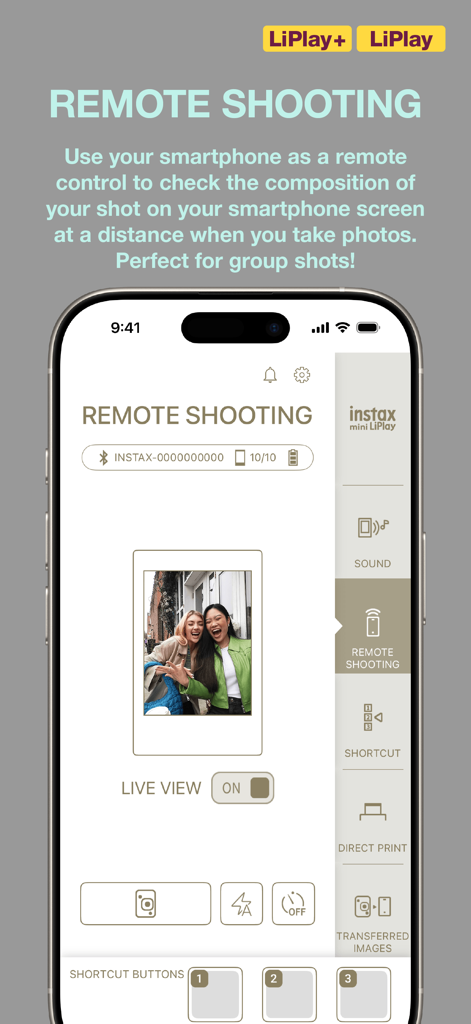
Smartphone screen showing the Remote Shooting feature of the instax mini LiPlay app
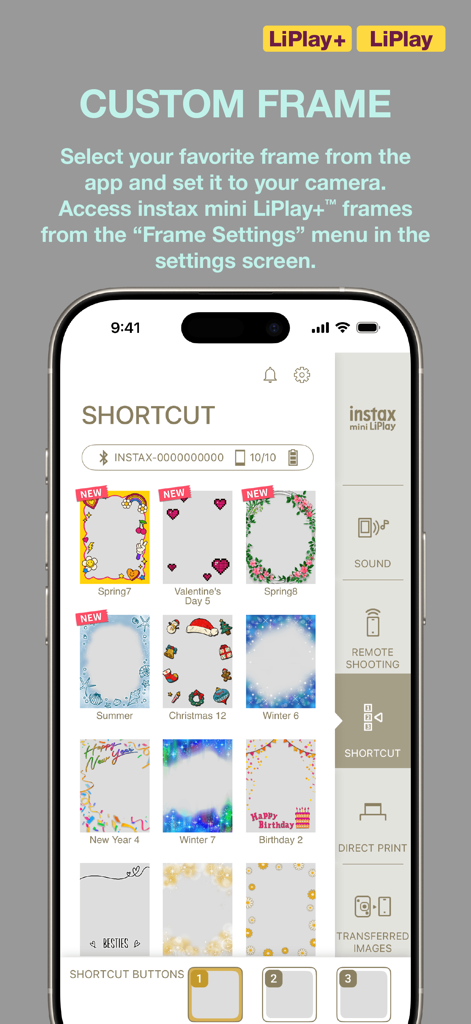
Interface of the instax mini LiPlay app showing a gallery of colorful custom photo frames for selection
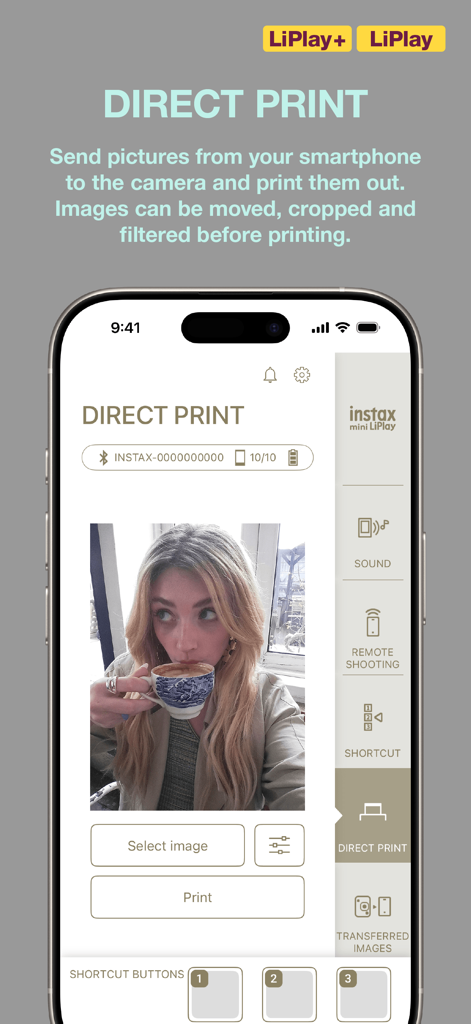
Direct Print interface of the instax mini LiPlay app with a lifestyle photo selection
Description
Download
More Like This
Apps with similar features and user experience

instax mini Link
FUJIFILM Corporation

instax mini Evo
FUJIFILM Corporation

Canon Mini Print
Canon U.S.A., Inc.

Polaroid
Polaroid International B.V.

SELPHY Photo Layout
Canon Inc.

KODAK Photo Printer
Prinics Co., Ltd

Phomemo
PHOMEMO PTE. LTD.

Epson Creative Print
Seiko Epson Corporation

HP Sprocket
C&A Marketing Inc.
This page is not an official page of the app or its developer, but an independent editorial publication created for informational and commentary purposes. Unless expressly stated otherwise, neither the app nor its developer is affiliated with, endorsed by, sponsored by, authorized by, or otherwise officially connected with MWM, Apple, Google Play, the app publisher, or the app's developer, and nothing on this page implies that the app was developed using MWM's services. Any trademarks, logos, screenshots, and other content remain the property of their respective owners.