iPGMail
iPGMail
Download on App Store

This page is not an official page of the app or its developer, but an independent editorial publication created for informational and commentary purposes. Unless expressly stated otherwise, neither the app nor its developer is affiliated with, endorsed by, sponsored by, authorized by, or otherwise officially connected with MWM, Apple, Google Play, the app publisher, or the app's developer, and nothing on this page implies that the app was developed using MWM's services. Any trademarks, logos, screenshots, and other content remain the property of their respective owners.


Logo of iPGMail
Download on App Store

iPGMail

Protect your digital sovereignty with professional-grade encryption. Securely sign messages, manage private keys, and safeguard your files across your iPhone and iPad.

Key Figures

Downloads

314K+

User Rating

4.2/5

Total Ratings

1K+

Publisher

Wyllys Ingersoll

Category

Utilities

Locales

3

Latest Version

2025.52.1

Size

22.7 MB

First Released

Apr 15, 2011
Features

Fortify Your Mobile Communications

iPGMail brings professional-grade OpenPGP encryption to your iPhone and iPad. Manage your keys, secure your emails, and protect your files with the industry standard for digital privacy.

Universal Key Management

Maintain your digital sovereignty by generating new keys or importing your existing desktop keyring via AirDrop, Finder, or Keybase.io.

Integrated Secure Email

Seamlessly handle PGP attachments from the iOS Mail app. Read and reply to encrypted threads without a clunky copy-paste workflow.

The following screenshots and description are sourced directly from the app's official store listing and are the property of the app developer.

App Store

Screenshots
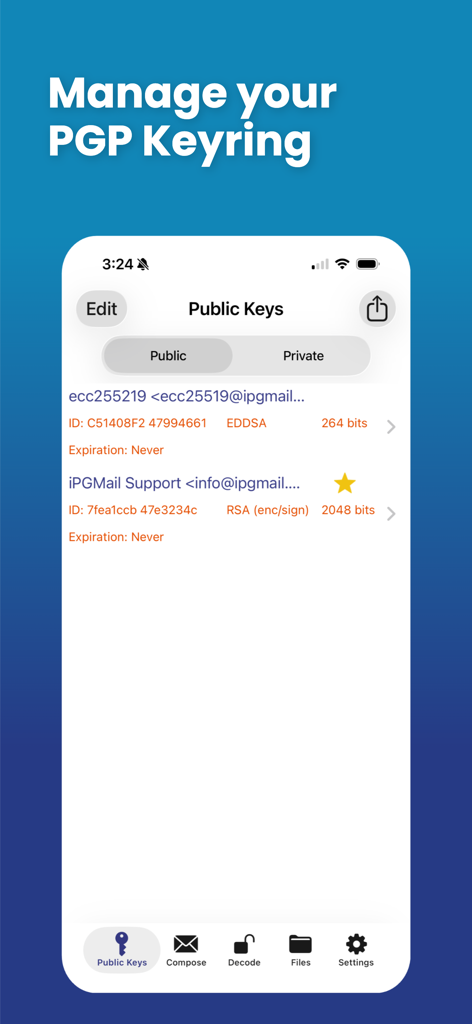
iPGMail - Interface of iPGMail showing the PGP keyring management screen with a list of public keys.
Interface of iPGMail showing the PGP keyring management screen with a list of public keys.

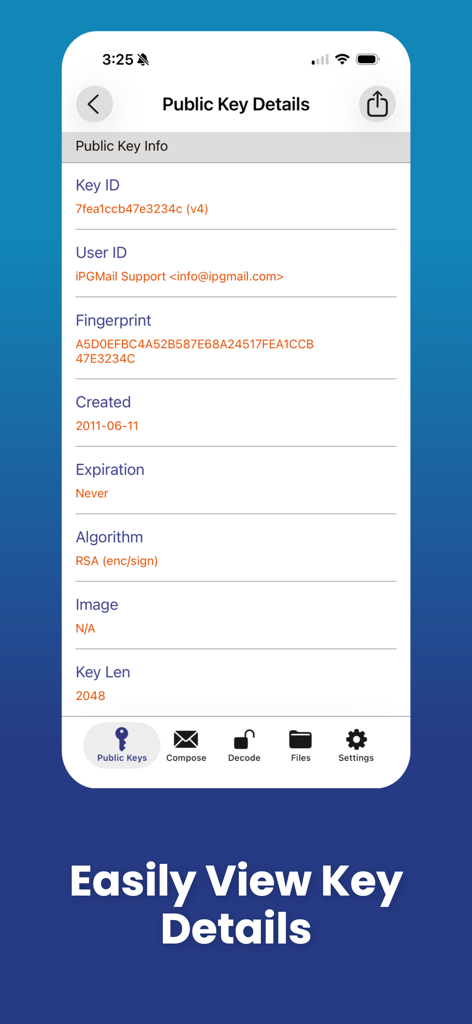
iPGMail - iPGMail mobile app screen showing public key information including Key ID, Fingerprint, and RSA algorithm details
iPGMail mobile app screen showing public key information including Key ID, Fingerprint, and RSA algorithm details

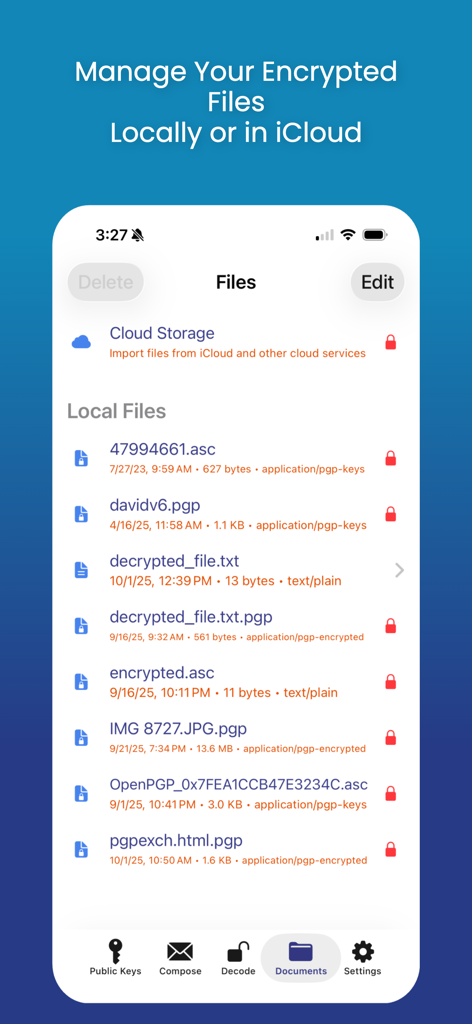
iPGMail - iPGMail interface showing local and cloud storage file management for encrypted PGP files
iPGMail interface showing local and cloud storage file management for encrypted PGP files

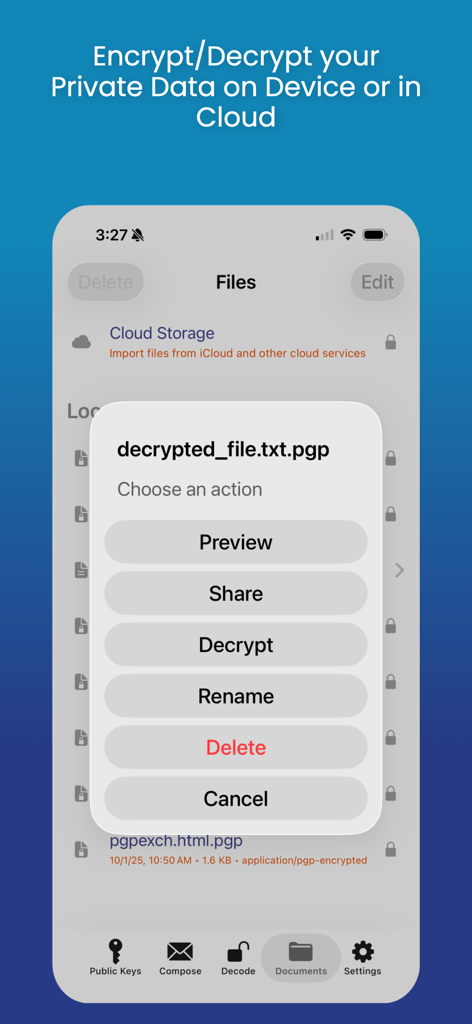
iPGMail - The iPGMail app interface showing an action menu with options to decrypt share and manage PGP encrypted files on a mobile device.
The iPGMail app interface showing an action menu with options to decrypt share and manage PGP encrypted files on a mobile device.

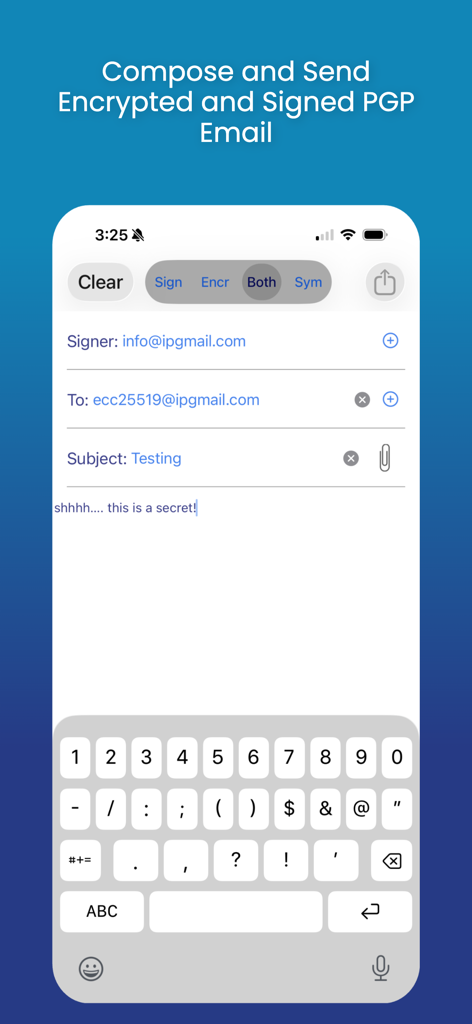
iPGMail - Interface for composing and sending encrypted and signed PGP emails in iPGMail
Interface for composing and sending encrypted and signed PGP emails in iPGMail

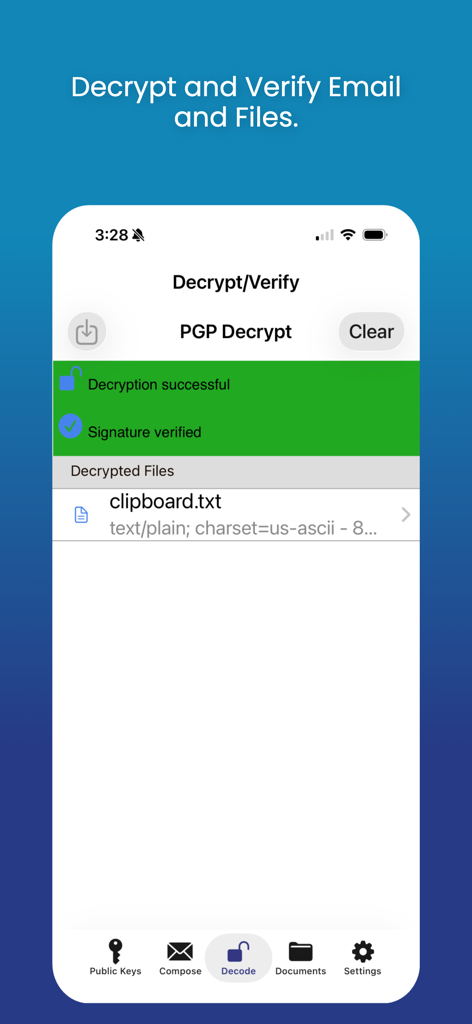
iPGMail - The iPGMail app interface displaying a successful PGP decryption and digital signature verification message for a file
The iPGMail app interface displaying a successful PGP decryption and digital signature verification message for a file

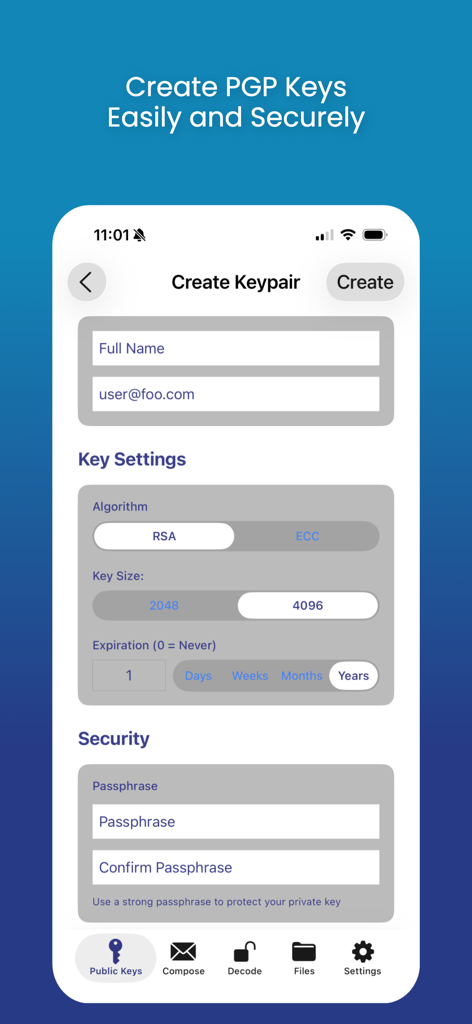
iPGMail - Screenshot of iPGMail app showing the interface to create a new PGP keypair with settings for algorithm key size and passphrase
Screenshot of iPGMail app showing the interface to create a new PGP keypair with settings for algorithm key size and passphrase

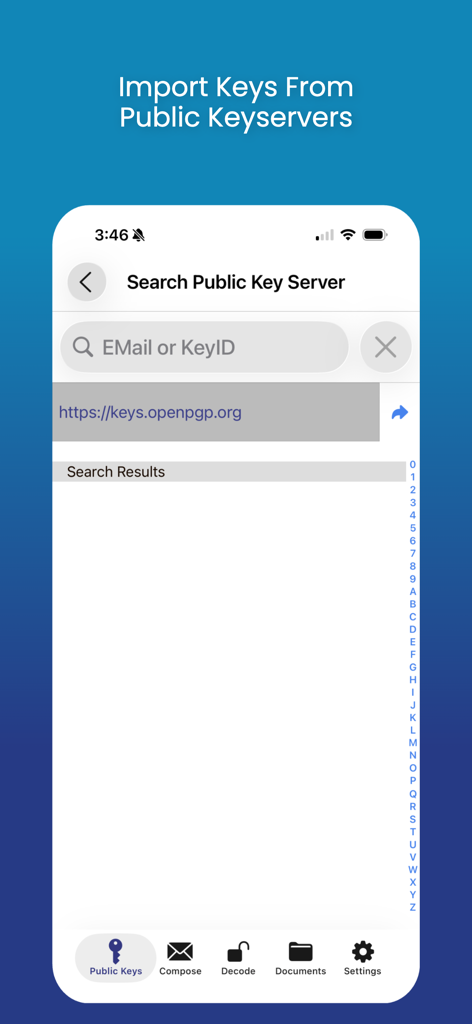
iPGMail - Interface of the iPGMail app showing the search screen for importing PGP keys from public keyservers.

Interface of the iPGMail app showing the search screen for importing PGP keys from public keyservers.

Description

iPGMail makes PGP encryption easy for iOS users. It offers an intuitive interface that enables users to easily send and receive private PGP encrypted messages via email. The app also allows you to encrypt and decrypt files both locally or cloud based. It supports the OpenPGP standard (RFC 9580, RFC 6637) and allows the user to create and manage both public and private (RSA, DSA, ECDSA, EDDSA, ECDH) PGP keys and send and receive PGP encrypted messages. PGP Keys and Messages can be passed to iPGMail several ways: * From the iOS Mail.app - The iOS mail application will pass PGP attachments to iPGMail directly, eliminating the need to do an awkward copy-and-paste. NOTE: PGP messages that are part of the main body of an email will still have to be copy-and-pasted, only properly tagged attachments can be passed automatically. * Directly from the system clipboard. Copy-and-paste the PGP message text from any file, webpage, or message, and it can be imported and decrypted by the app. * Finder App - Connect your device to a Mac and open up the standard Finder app. Select the device on the left and then you can copy files to and from the app using standard Finder actions. * AirDrop - Transfer key files from your Mac OS/X system (10.10 or later) to your iPhone/iPad (iOS 7+) using AirDrop feature. * DropBox - You can link iPGMail to a dropbox account and transfer files to and from your dropbox file space. This means you can encrypt and protect your dropbox files or share files with others through your existing dropbox Public interface. * Keybase.IO - You can import public keys from http://keybase.io by using the "+" button on the public key listing and then searching for users registered in keybase.io. iPGMail now allows you to easily reply to encrypted text-based messages and includes the original text with "> " prefixed to the lines. This allows for more email like conversational exchanges, all with strong OpenPGP cryptographic protection. iPGMail supports PGP key generation or import. The key database is secured using the highest level of iOS file protection and are only accessible when in use by the app. Using your own private PGP keys, you can encrypt and/or digitally sign any messages. Optionally, your public key can be attached to any message you send from the app so that the recipient can then import it into their own keychain, either on the phone or on any computer with PGP support. iPGMail will import your private keys so you can reuse your existing PGP identity and keys on your iPhone or iPad. Both public and private keys can be imported through the interfaces listed above. iPGMail allows the user to search public SKS PGP keyservers to find registered public keys for other people with whom the user can then send email that is digitally signed and/or encrypted encoded in OpenPGP ASCII Armor. This app is ideal for securing your files or for sending secure email messages to specific parties without worrying about it being viewed by anyone other than the designated recipient. The OpenPGP standard is described here: http://en.wikipedia.org/wiki/Pretty_Good_Privacy

Download

Download on App Store

This page is not an official page of the app or its developer, but an independent editorial publication created for informational and commentary purposes. Unless expressly stated otherwise, neither the app nor its developer is affiliated with, endorsed by, sponsored by, authorized by, or otherwise officially connected with MWM, Apple, Google Play, the app publisher, or the app's developer, and nothing on this page implies that the app was developed using MWM's services. Any trademarks, logos, screenshots, and other content remain the property of their respective owners.








