
This page is not an official page of the app or its developer, but an independent editorial publication created for informational and commentary purposes. Unless expressly stated otherwise, neither the app nor its developer is affiliated with, endorsed by, sponsored by, authorized by, or otherwise officially connected with MWM, Apple, Google Play, the app publisher, or the app's developer, and nothing on this page implies that the app was developed using MWM's services. Any trademarks, logos, screenshots, and other content remain the property of their respective owners.


iPixel Color
Pixel art demands precision; iPixel Color grants absolute command over every dot.
Downloads
500k+User Rating
Total Ratings
1.3KPublisher
Category
LifestyleLocales
33Latest Version
4.6.4Size
321.7 MBFirst Released
Apr 28, 2021An evaluation of key features for digital art creation and LED matrix display customization.
iPixel Color: Core Capabilities Analysis
Pixel-Perfect Dot Matrix Art
It allows users to create custom dot matrix pictures, providing precise pixel-level control tailored for LED matrix displays and pixel art projects.
Custom Content Creation
The app provides comprehensive tools for designing various pictures and animations specifically for dot matrix screens, enabling deep customization.
Real-time Screen Projection
It allows users to project their phone's captured screen content to the dot matrix display in real-time, offering dynamic and interactive possibilities.
GIF Animation Design
This tool features the capability to create custom GIF animations from scratch, crucial for users interested in dynamic and animated display content.
Video Import & Display
The app allows users to import and display their own videos on the dot matrix screen, expanding the range of dynamic content beyond static images and GIFs.
DIY Image Creation
It provides functionality to create custom DIY pictures, offering a canvas for freeform drawing and design tailored for personal expression.
Frequently Asked Questions
Everything you need to know about iPixel Color
What is iPixel Color?
iPixel Color is creative software designed for creating and displaying various pictures and animations on dot matrix screens. It offers tools for custom designs and content importation.
Can I create custom GIF animations with iPixel Color?
Yes, iPixel Color allows users to create custom GIF animations. The app provides dedicated tools and interfaces for designing animated sequences for dot matrix displays.
Does iPixel Color allow DIY picture creation?
Yes, iPixel Color supports DIY picture creation. Users can design custom images using a grid canvas and a comprehensive color palette within the app for their dot matrix screens.
Can I display imported videos using iPixel Color?
Yes, iPixel Color enables users to import videos for display on dot matrix screens. This feature expands the types of media content that can be shown.
Does iPixel Color support real-time phone screen projection?
Yes, iPixel Color offers real-time screen projection. Users can project content captured by their phone's screen directly to their connected dot matrix screen instantaneously.
Does iPixel Color include a music visualization feature?
Yes, iPixel Color integrates music visualization. The app can display dynamic visual patterns on the dot matrix screen synchronized with music playback, as shown in the "Rhythm" interface.
The following screenshots and description are sourced directly from the app's official store listing and are the property of the app developer.
App Store
Screenshots
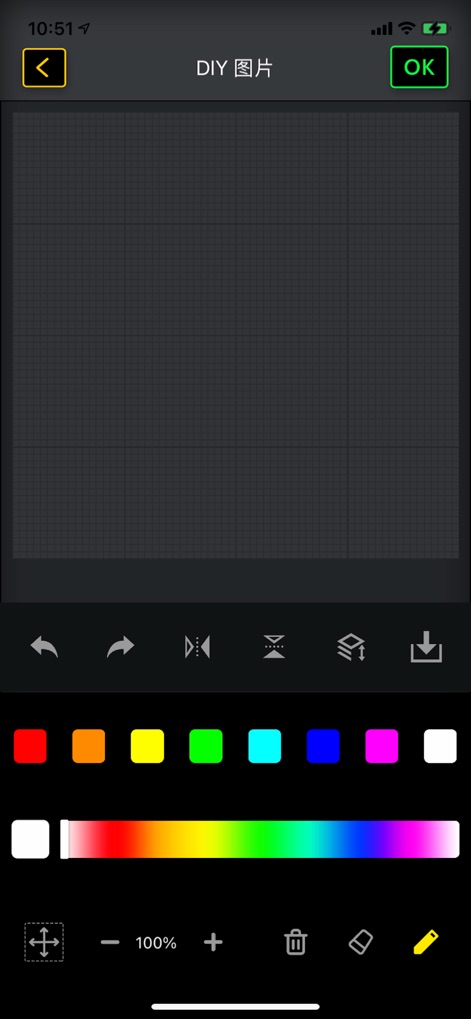
This view showcases the app's dedicated pixel grid workspace and a comprehensive color palette for detailed digital artistry.
Pixel Art Canvas
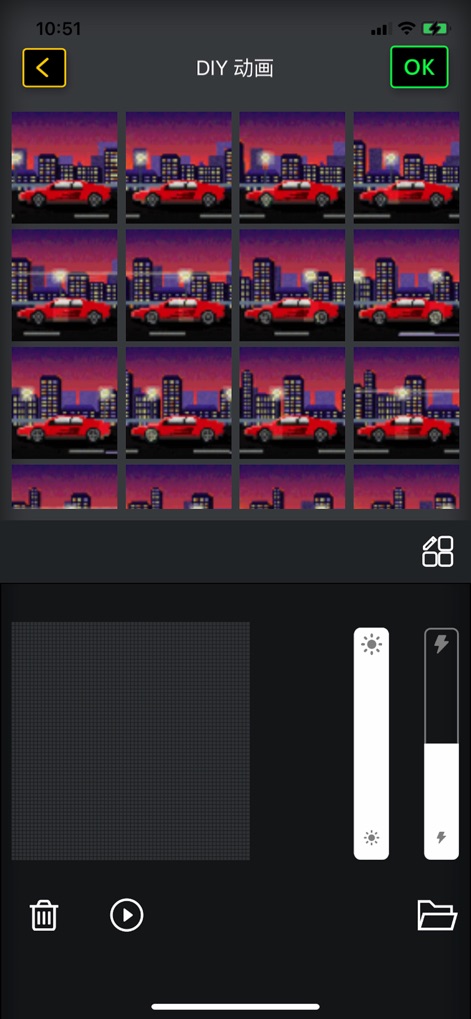
Users can craft captivating GIF animations, managing individual frames and fine-tuning output with brightness and power controls.
Animation Creation
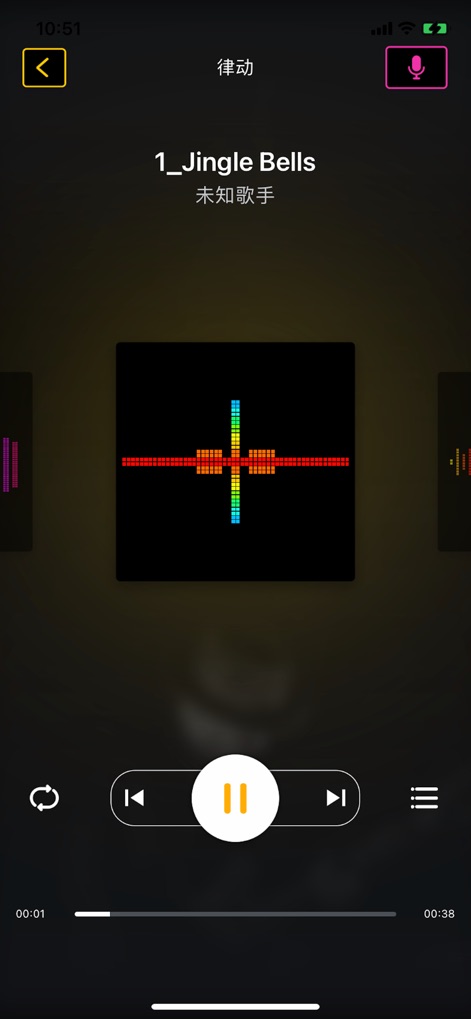
The app integrates a dynamic music visualizer, transforming audio into captivating pixel patterns, alongside standard playback controls for an immersive experience.
Rhythmic Displays
Description
Download
More Like This
Apps with similar features and user experience

instax mini Link
FUJIFILM Corporation

instax mini Evo
FUJIFILM Corporation

Canon Mini Print
Canon U.S.A., Inc.

Polaroid
Polaroid International B.V.

SELPHY Photo Layout
Canon Inc.

KODAK Photo Printer
Prinics Co., Ltd

Phomemo
PHOMEMO PTE. LTD.

Epson Creative Print
Seiko Epson Corporation

HP Sprocket
C&A Marketing Inc.
This page is not an official page of the app or its developer, but an independent editorial publication created for informational and commentary purposes. Unless expressly stated otherwise, neither the app nor its developer is affiliated with, endorsed by, sponsored by, authorized by, or otherwise officially connected with MWM, Apple, Google Play, the app publisher, or the app's developer, and nothing on this page implies that the app was developed using MWM's services. Any trademarks, logos, screenshots, and other content remain the property of their respective owners.