
This page is not an official page of the app or its developer, but an independent editorial publication created for informational and commentary purposes. Unless expressly stated otherwise, neither the app nor its developer is affiliated with, endorsed by, sponsored by, authorized by, or otherwise officially connected with MWM, Apple, Google Play, the app publisher, or the app's developer, and nothing on this page implies that the app was developed using MWM's services. Any trademarks, logos, screenshots, and other content remain the property of their respective owners.


iScanner: PDF Document Scanner
Physical paper is a bottleneck. The app transforms your device into an AI-driven office, making every document instantly actionable and secure.
Downloads
50M+User Rating
Total Ratings
3.8MPublisher
Category
BusinessLocales
21Latest Version
5.92Size
279.6 MBFirst Released
Sep 23, 2015iScanner: PDF Document Scanner - Core Functionality Analysis
An evaluation of key features impacting productivity and security for diverse user needs.
Advanced OCR & AI Document Interaction
It allows users to recognize text in over 20 languages, instantly copy text and images, convert scans into editable formats, search PDF files by content, and interact with PDFs using AI to summarize, translate, or ask questions.
High-Quality AI-Powered Scanning
The app provides advanced AI features to improve scan quality with color correction and noise reduction, automatically detect and adjust document borders, straighten pages, and remove distortions like fingerprints or folds.
Robust Privacy & Security Features
It allows users to store confidential documents directly on their device, protect the app and folders with PIN, Face ID, or Touch ID, password-protect PDFs, set custom expiration dates for shared links, and use a decoy password for enhanced protection.
Comprehensive Document Editing & Management
This tool features capabilities to manually sign scans or insert signatures, mark up documents, blur sensitive text, add text to forms, split or merge documents, rotate pages, number them, and organize files into folders with drag & drop.
Secure Cross-Platform Access & Cloud Sync
The app provides secure AWS cloud storage, allowing users to sync files and folders across all their devices, access them from any platform or web browser, and import files from services like Gmail, Google Drive, and Apple Files.
Multi-Mode Scanning for Specialized Tasks
It allows users to perform various types of scans, including standard documents, ID documents, solve math equations using AI, measure object dimensions, automatically count similar objects, and instantly read QR codes.
Frequently Asked Questions
Everything you need to know about iScanner: PDF Document Scanner
What is iScanner: PDF Document Scanner?
iScanner is a top-rated document scanner and management tool. It uses AI technology to deliver clean, precise, and distortion-free scans, supporting various export formats like PDF, JPG, and DOC.
What file formats does iScanner support for scanned documents?
Yes, iScanner supports various output formats including PDF, JPG, DOC, XLS, PPT, and TXT. Users can easily scan documents and export them in their preferred file type.
Does iScanner use AI to enhance scan quality and fix document imperfections?
Yes, iScanner utilizes AI to improve scan quality by correcting color, reducing noise, detecting borders automatically, straightening pages, and removing fingerprints, folds, or distortions.
Does iScanner: PDF Document Scanner have OCR functionality?
Yes, iScanner includes in-house OCR (Optical Character Recognition) that recognizes text in over 20 languages. It allows users to instantly copy text and images from scans or convert them to editable DOC/TXT formats.
Can I sign documents directly within the iScanner app?
Yes, iScanner allows users to sign scans manually or insert signatures from images. It also offers features to mark up documents, blur sensitive text, and add text using custom templates.
How does iScanner protect user privacy and secure documents?
iScanner protects privacy by storing confidential documents directly on the device, without developer access. It also offers app/folder protection with PIN, Face ID, or Touch ID, and password-protects PDFs.
Can I use my iScanner account and files across multiple devices?
Yes, iScanner offers secure cross-platform access. Users can store documents in the AWS cloud, sync files and folders across all devices, and access them from any platform or web browser with one subscription.
What specialized scanning modes are available in iScanner?
iScanner offers multi-mode scanning, including specific modes for ID documents, mathematical equations (MATH), measuring object dimensions (AREA), counting similar objects (COUNT), and reading QR codes.
Is iScanner a subscription-based application?
Yes, iScanner Pro unlocks all scanner features and operates on a subscription basis. Subscriptions auto-renew but can be managed or canceled anytime in App Store settings.
Can iScanner extract and edit text from scanned documents?
Yes, iScanner's in-house OCR allows users to instantly copy text and images from scanned paper documents. It can also convert these scans into editable DOC or TXT formats with one tap.
The following screenshots and description are sourced directly from the app's official store listing and are the property of the app developer.
App Store
Screenshots
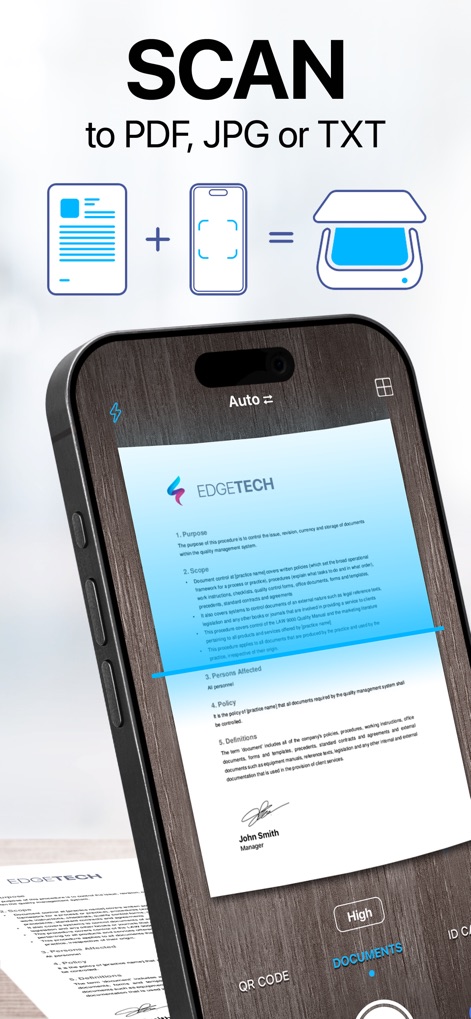
Smart Document Scan
The app demonstrates its intelligent scanning capabilities, with automatic border detection and the flexibility to export files as PDF, JPG, or TXT.
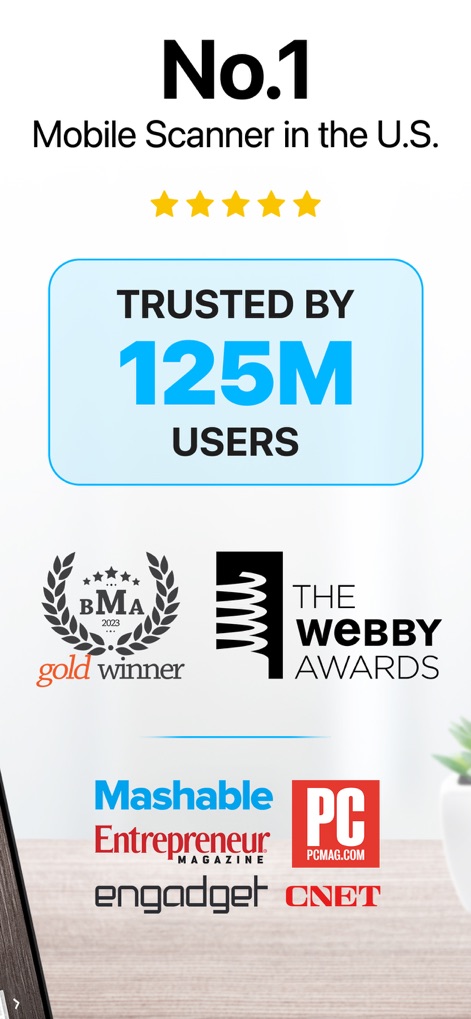
Industry Leader Trust
This screenshot highlights the app's established reputation as the No.1 mobile scanner in the U.S., trusted by 125 million users and recognized by prestigious awards like the BMA Gold and Webby Awards.

Advanced PDF Editor
Users can effortlessly edit and sign PDFs directly within the app, utilizing features like adding text fields and applying digital signatures with precision.
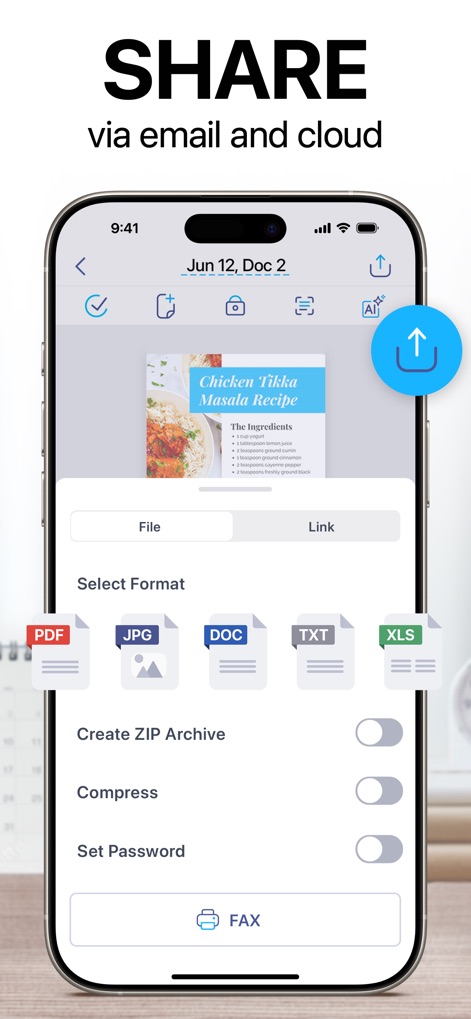
Versatile Export Options
The app provides flexible sharing capabilities, allowing users to select various export formats such as PDF, JPG, or DOC, and secure documents with password protection before sharing.
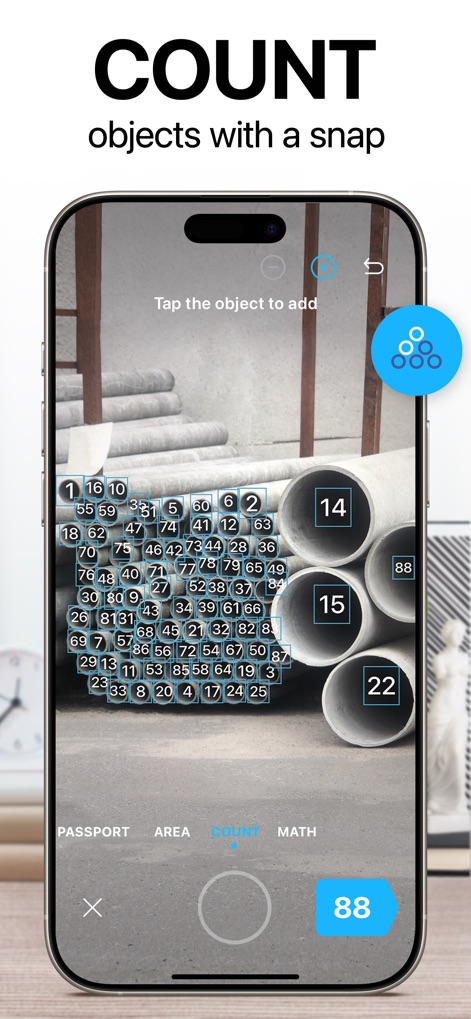
Automated Object Counter
This tool features an innovative counting mode, automatically detecting and numbering objects in an image and displaying the total count, like the "88" shown for the pipes.
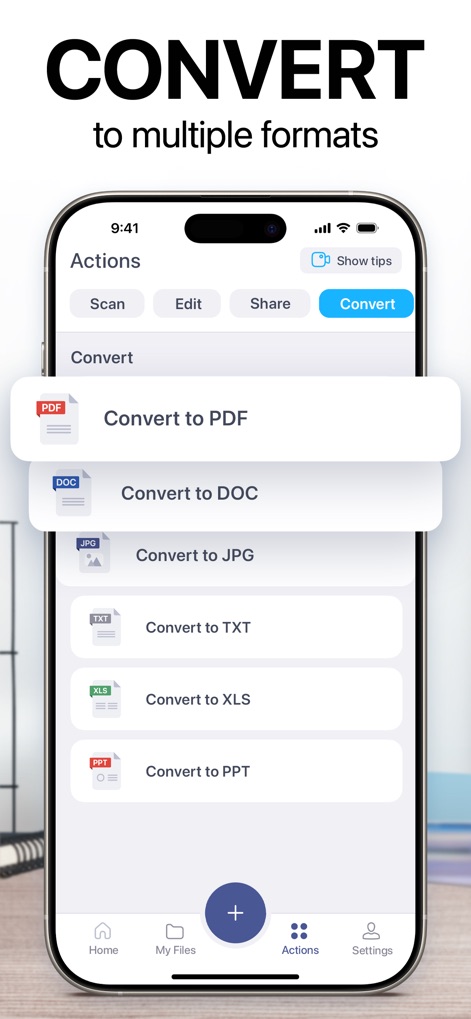
Multi-Format Conversion
The app offers robust conversion functionalities, enabling users to transform documents into multiple file types including PDF, DOC, and JPG, all from a streamlined "Actions" menu.

OCR Text Extraction
This screenshot showcases the app's powerful OCR capabilities, allowing users to extract and edit text directly from scanned documents, as well as translate recognized content.
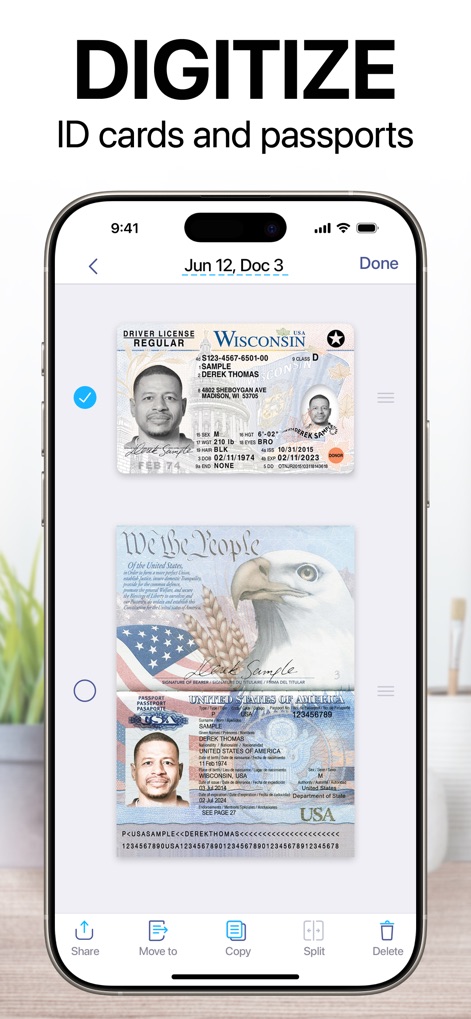
Secure ID Digitization
The app facilitates the secure digitization of important identification documents like driver's licenses and passports, providing clear digital copies that can be easily managed and shared.
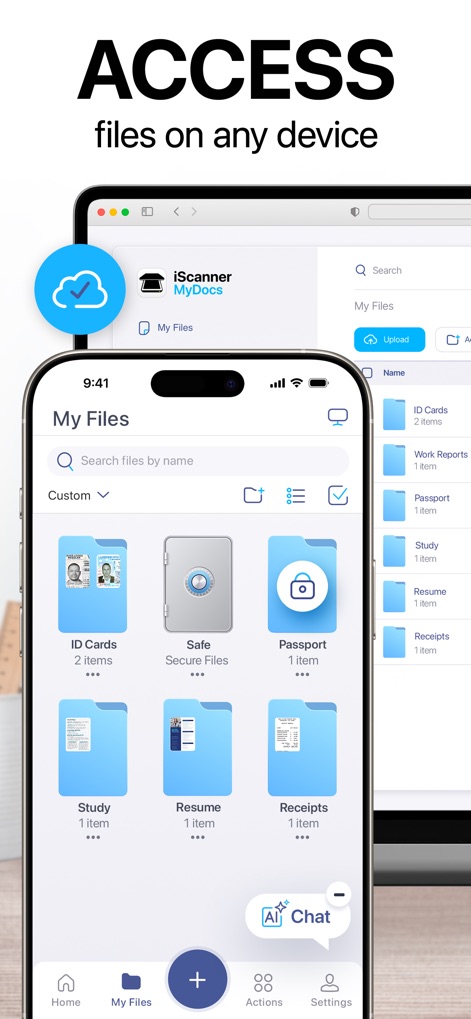
Cross-Platform Sync
Users benefit from seamless cross-platform access, viewing and managing their scanned files through the mobile app and also via a web browser on other devices, indicated by the cloud sync icon.
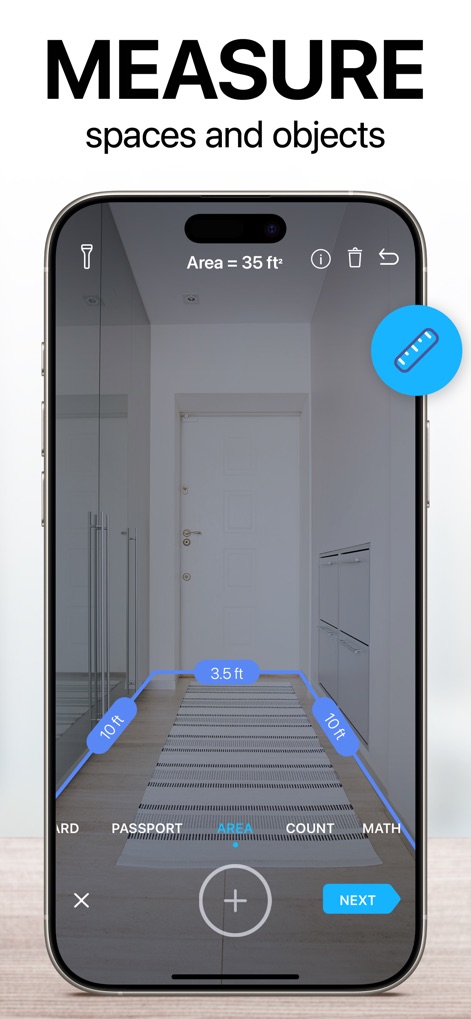
Augmented Reality Measurement
This tool provides augmented reality measurement features, accurately calculating distances like "10 ft" along walls and determining the total "Area = 35 ft²" of a space.
Description
Download
More Like This
Apps with similar features and user experience

PDF PRO Scan Image & Documents
Balzo srl

The PDF Scanner, PDF editor HQ
NEXT K.U.M. LTD

CamScanner - PDF Scanner App
INTSIG Information Co., Ltd

Adobe Scan: PDF & OCR Scanner
Adobe Inc.

WPS Office: PDF, Docs, Sheets
KINGSOFT OFFICE SOFTWARE CORPORATION LIMITED

iLovePDF - PDF Editor & Scan
ILOVEPDF S.L.

Scanner App: Genius Scan
The Grizzly Labs

Microsoft Lens: PDF Scanner
Microsoft Corporation

Clear Scan: Doc Scanner App
INDY MOBILE APP COMPANY LIMITED
This page is not an official page of the app or its developer, but an independent editorial publication created for informational and commentary purposes. Unless expressly stated otherwise, neither the app nor its developer is affiliated with, endorsed by, sponsored by, authorized by, or otherwise officially connected with MWM, Apple, Google Play, the app publisher, or the app's developer, and nothing on this page implies that the app was developed using MWM's services. Any trademarks, logos, screenshots, and other content remain the property of their respective owners.