
This page is not an official page of the app or its developer, but an independent editorial publication created for informational and commentary purposes. Unless expressly stated otherwise, neither the app nor its developer is affiliated with, endorsed by, sponsored by, authorized by, or otherwise officially connected with MWM, Apple, Google Play, the app publisher, or the app's developer, and nothing on this page implies that the app was developed using MWM's services. Any trademarks, logos, screenshots, and other content remain the property of their respective owners.

Kilonotes-Notes & Mark up PDF
Breakthrough the limits of paper with the ultimate digital study partner. Annotate PDFs, record lectures, and build your aesthetic knowledge base with active recall flashcards on your iPad.
Downloads
6M+User Rating
Total Ratings
193K+Publisher
Category
ProductivityLocales
22Latest Version
3.34.2Size
437.9 MBFirst Released
Jun 12, 2020Elevate Your Study Game
Transform your iPad into a personalized digital workspace where aesthetic planning meets high-performance learning.
Craft Your Aesthetic Workspace
Personalize your journey with beautiful covers and custom paper templates designed for your unique vibe.
Master Active Recall
Turn your handwritten notes into smart flashcards instantly to crush your exams with science-backed study habits.
Frequently Asked Questions
Everything you need to know about Kilonotes-Notes & Mark up PDF
What is Kilonotes used for?
Kilonotes is a note-taking application designed for recording class notes, annotating PDFs, doing test exercises, studying online courses, and organizing reading notes, serving as a reliable study partner.
Can I customize handwriting in Kilonotes?
Yes, Kilonotes allows you to freely move, scale, and rotate handwriting. It also provides an adjustable eraser size and a scale paper function for comfortable writing and undo functionality.
Does Kilonotes allow PDF annotation and highlighting?
Yes, Kilonotes supports PDF annotation and highlighting. It offers global PDF search, an outline function, multiple reading modes, translation, and extraction to optimize the reading experience.
How do I insert images into Kilonotes?
Kilonotes enables users to insert pictures or photos into notes, combining text and images to deepen memory. It also features a 'Smart cut-out' function for image manipulation.
Does Kilonotes have OCR functionality?
Yes, Kilonotes includes an OCR (Optical Character Recognition) function. This feature provides convenient and fast text extraction from images or scanned documents within the app.
How does the Kilonotes subscription work?
Kilonotes offers a monthly subscription service that unlocks advanced content, such as custom time planning books. The subscription automatically renews unless canceled 24 hours before the current cycle ends.
How can I cancel my Kilonotes subscription?
Users can cancel their Kilonotes subscriptions and trials directly through their iTunes account settings. Cancellation must occur at least 24 hours before the current period ends to prevent automatic renewal.
Can I customize brushes in Kilonotes?
Yes, Kilonotes offers extensive brush customization. Users can change colors, create custom hues, or pick colors with an eyedropper. Brush width is adjustable, and a graffiti pen function is also available.
What customization options are available for notebooks in Kilonotes?
Kilonotes provides numerous unique covers and paper templates, including blank, dot matrix, and graph paper. Users can also import PDFs to record freely within their customized notebooks.
Where can I find the Kilonotes Privacy Policy?
The Kilonotes Privacy Policy is available at the provided link: https://www.top-stack.com/page/ios_en_privacy.html. This document details how Kilonotes collects, uses, and protects user data.
The following screenshots and description are sourced directly from the app's official store listing and are the property of the app developer.
App Store
Screenshots
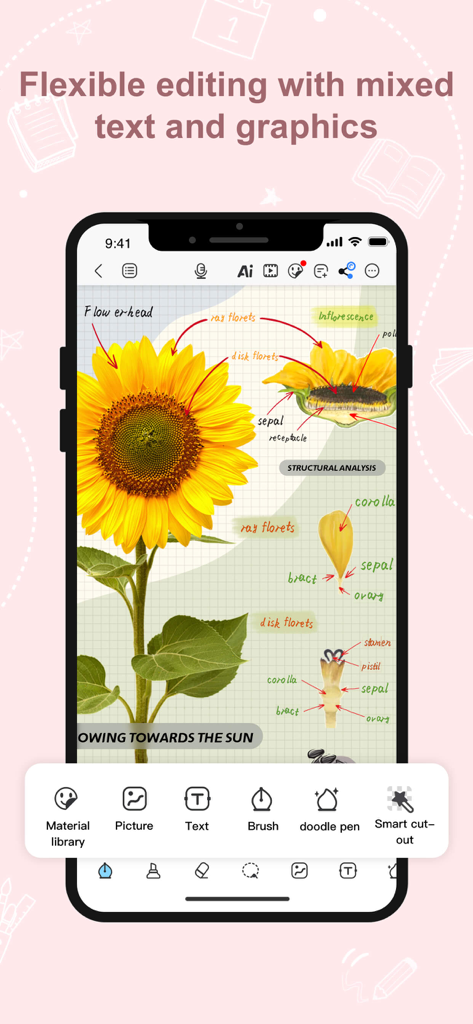
Kilonotes app interface showing a scientific sunflower diagram with handwritten annotations and editing tools
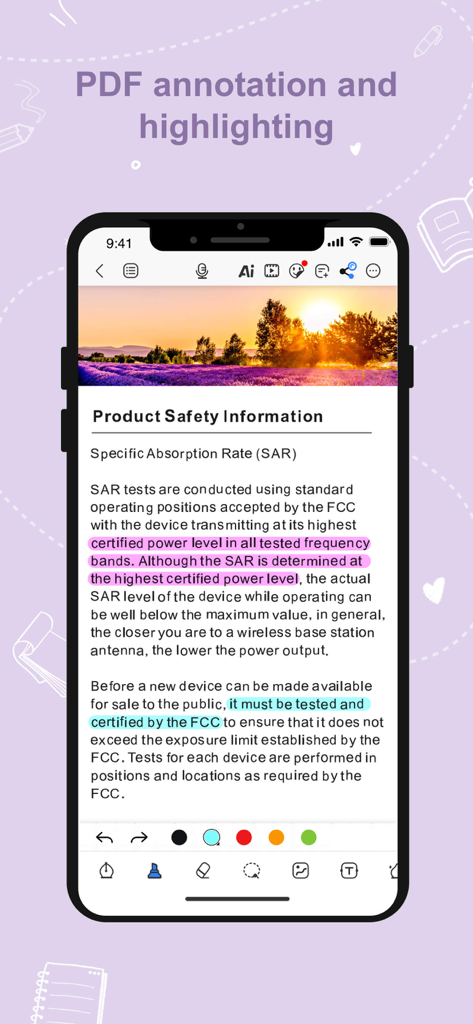
A smartphone interface of Kilonotes showing a PDF document with pink and blue text highlights and annotation tools
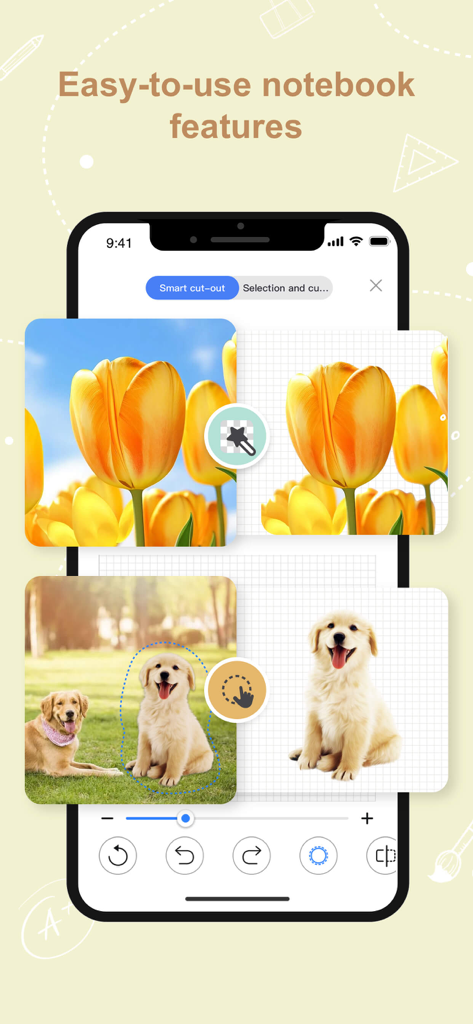
Kilonotes app interface demonstrating the smart cut out tool to isolate images for digital notebooks
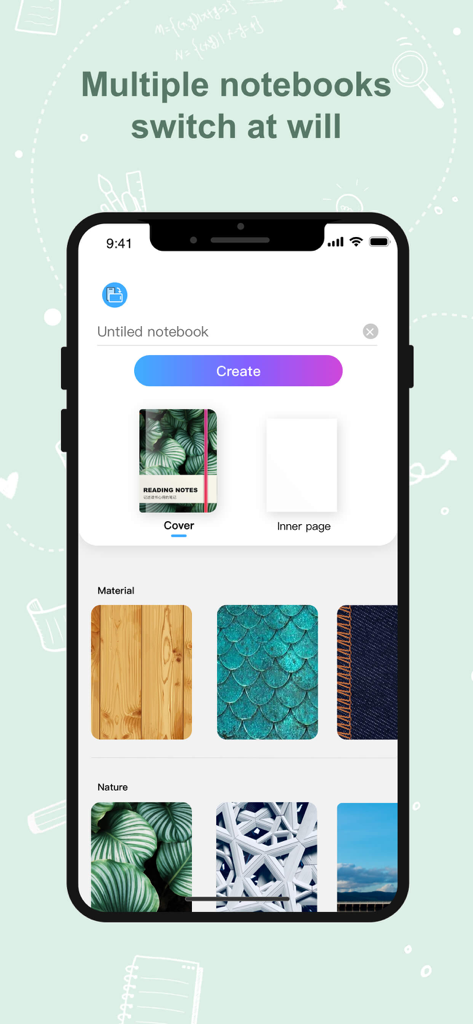
Kilonotes app interface for choosing custom aesthetic notebook covers
Description
Download
More Like This
Apps with similar features and user experience

Notion: Notes, Tasks, AI
Notion Labs, Incorporated

Freenotes®: AI Notes Taking
Hangzhou Free Notes Technology Co., Ltd

Structured - Daily Planner
unorderly GmbH

Google Tasks: Get Things Done
Google LLC

TickTick:To-Do List & Calendar
Appest Limited

Noteful: Notes & PDF Markup
Noteful Technologies Ltd

Todoist: To Do List & Calendar
Doist Inc.

To do list MinimaList & Widget
Inner Grow Limited

monday.com - Work Platform
monday.com Ltd.
This page is not an official page of the app or its developer, but an independent editorial publication created for informational and commentary purposes. Unless expressly stated otherwise, neither the app nor its developer is affiliated with, endorsed by, sponsored by, authorized by, or otherwise officially connected with MWM, Apple, Google Play, the app publisher, or the app's developer, and nothing on this page implies that the app was developed using MWM's services. Any trademarks, logos, screenshots, and other content remain the property of their respective owners.