Korean Keyboard - Translator
Download on App Store

This page is not an official page of the app or its developer, but an independent editorial publication created for informational and commentary purposes. Unless expressly stated otherwise, neither the app nor its developer is affiliated with, endorsed by, sponsored by, authorized by, or otherwise officially connected with MWM, Apple, Google Play, the app publisher, or the app's developer, and nothing on this page implies that the app was developed using MWM's services. Any trademarks, logos, screenshots, and other content remain the property of their respective owners.


Logo of Korean Keyboard - Translator
Download on App Store

Korean Keyboard - Translator

The ultimate companion for K-culture fans and learners. Seamlessly switch between English and Korean, use smart auto-suggestions, and translate your messages directly within your favorite social apps.

Key Figures

Downloads

55K+

User Rating

2.8/5

Total Ratings

100

Publisher

Piyush Parsaniya

Category

Utilities

Locales

1

Latest Version

1.5.4

Size

33.1 MB

First Released

Mar 22, 2018
Features

Communicate Like a Local

Whether you're stanning your favorite K-pop idols or reconnecting with family, our keyboard makes writing in Korean fast, fun, and flawless.

Instant Translation

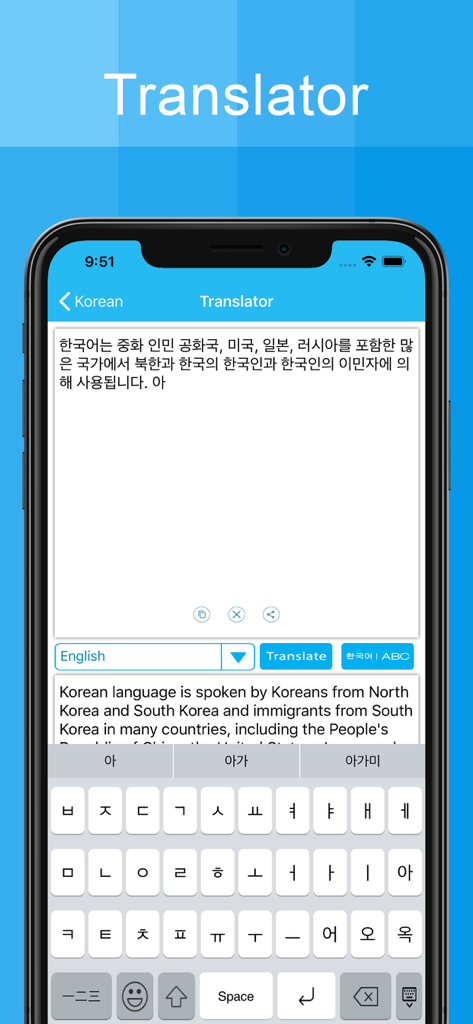
Convert Korean into English or any international language directly within the keyboard for seamless texting across all your favorite social apps.

Smart Word Suggestions

Type with confidence using intuitive predictive text that suggests the right Korean words in real-time, perfect for beginners and heritage learners.

The following screenshots and description are sourced directly from the app's official store listing and are the property of the app developer.

App Store

Screenshots
Korean Keyboard - Translator - Splash screen of the Korean Keyboard Translator app featuring Hangul text and a keyboard icon on a blue background.
Splash screen of the Korean Keyboard Translator app featuring Hangul text and a keyboard icon on a blue background.

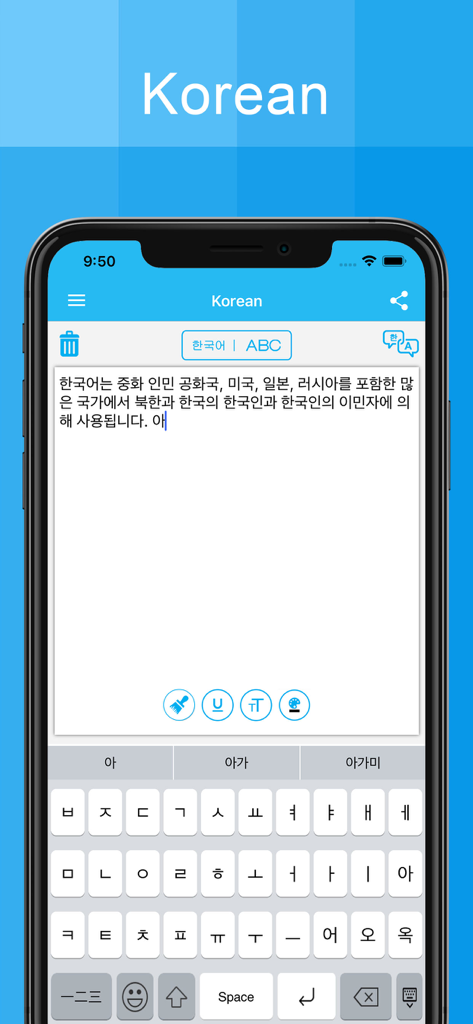
Korean Keyboard - Translator - A mobile interface with a Korean keyboard and a text area for writing in Hangul
A mobile interface with a Korean keyboard and a text area for writing in Hangul

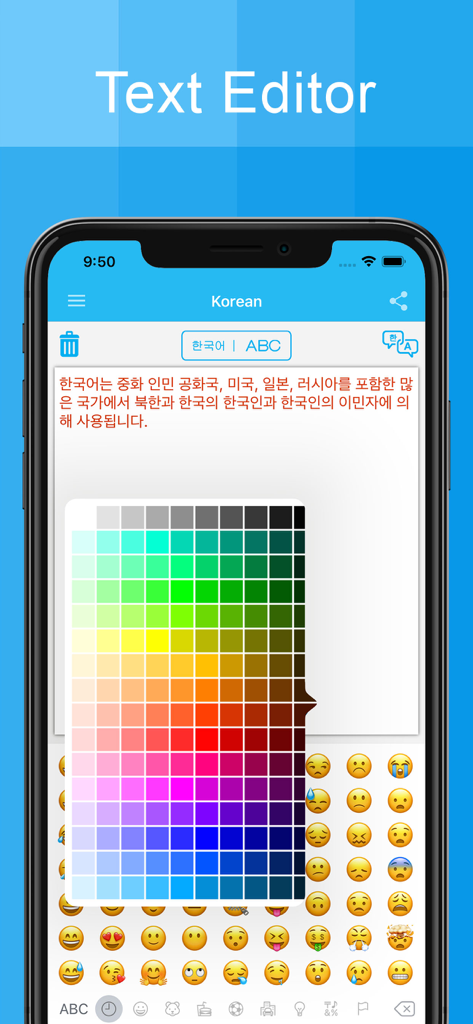
Korean Keyboard - Translator - Smartphone screen displaying the Korean Keyboard app text editor with a color picker and emoji panel
Smartphone screen displaying the Korean Keyboard app text editor with a color picker and emoji panel

Korean Keyboard - Translator - Korean Keyboard Translator app interface showing text translation from Korean to English with a Hangul keypad
Korean Keyboard Translator app interface showing text translation from Korean to English with a Hangul keypad

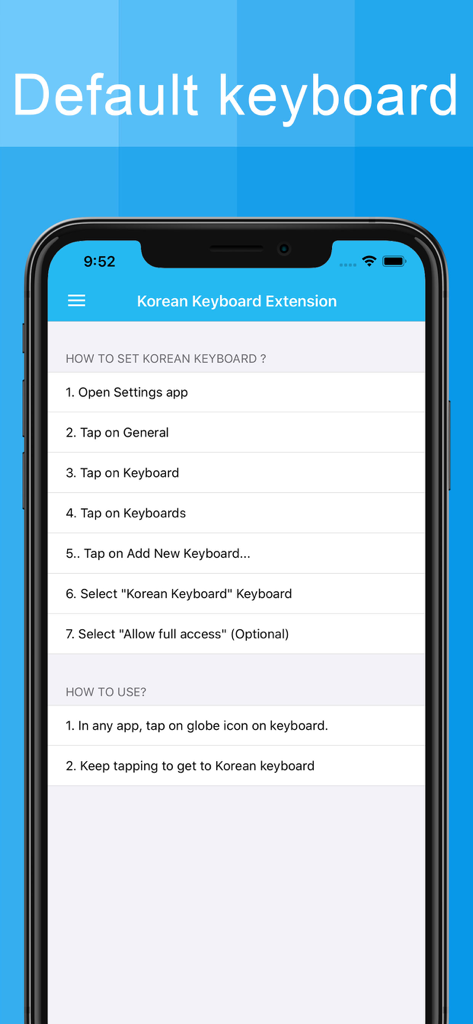
Korean Keyboard - Translator - Step-by-step instructions on how to set up and use the Korean keyboard extension on an iPhone.
Step-by-step instructions on how to set up and use the Korean keyboard extension on an iPhone.

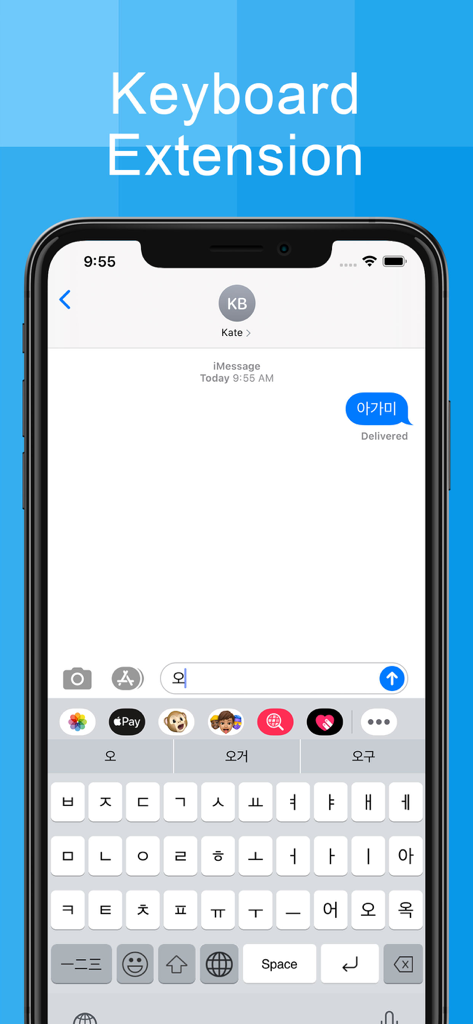
Korean Keyboard - Translator - A mobile screen showing the Korean keyboard extension with Hangul characters and predictive text being used in a messaging app

A mobile screen showing the Korean keyboard extension with Hangul characters and predictive text being used in a messaging app

Description

** Korean Keyboard ** Korean Keyboard is the best app for Korean writing. Korean keyboard app will allow you to write message, story, facebook posts, blogs, Emails in Korean language. you will find eye catchy and userfriendly Korean keyboard to write Korean language. Korean keyboard has easiest keypad to write Korean alphabets, letters and words. you just type Korean words you can find suggestions of that Korean words automatically in this application. The most exciting feature of this application is you can translate Korean word to any other language like English, Marathi, Korean, Korean and all other indian languages as well as all international languages like Korean, Korean, Greek, Korean, Sweedish etc.... Features : * you can easily change English to Korean and Korean to English keypad using Korean Keyboard application. * you can translate Korean words into any other Indian and International languages. * You can edit the text and also change the color of the font. * It's also provide all the emoji icons * Korean keyboard has special characters, icons and numeric so that user can easily write any Korean words very esay and effective manner. * its free and easy to use. ** Korean Translator ** The Korean Translator is the best online translator. It translate the Korean to other indian languages as well as all international languages like Korean, Korean, Greek, Korean, Sweedish etc…. Korean Translator app will allow you to translate message, story and you can share translated text to your friends and family bye Facebook, twitter and emails. Korean Keyboard is the best feature of this app for Korean writing. Korean keyboard app will allow you to write message, story, facebook posts, blogs, Emails in Korean language. you will find eye catchy and userfriendly Korean keyboard to write Korean language. Korean keyboard has easiest keypad to write Korean alphabets, letters and words. Features: 1. Online Korean language to Any other language translation. 2. You can share the translated text in to friends and family through email or social media like Facebook, twitter, whatsapp etc… 3. Korean keyboard to type to text in Korean Language. 4. You can easily change English to Korean and Korean to English keypad using Korean Keyboard application. 5. Its free and easy to use. ** Premium Subscription ** ⁃ Pro Weekly: $1.99 per week ⁃ Pro Monthly : $4.99 per month ⁃ Pro Yearly : $29.99 per year ⁃ Life Time : $34.99 ( One time Payment ) ** Subscription to unlock the premium features ** ⁃ Unlimited Translations ⁃ Unlimited Word suggestions ⁃ No Ads. Ads free experience ⁃ Access to text colour editor ** Subscription Terms ** - Payment will be charged to your Apple ID account upon confirmation of purchase. ⁃ Subscription automatically renews unless canceled at least 24 hours before the end of the current period. ⁃ Manage or cancel your subscription in Settings > Apple ID > Subscriptions. ⁃ Any unused portion of a free trial will be forfeited upon purchasing a subscription. Download Now & Simplify Your Life! Privacy Policy : https://www.shinetechnolab.com/keyboard/pvpolicy.html Terms of use : https://www.shinetechnolab.com/keyboard/terms.html EULA : https://www.shinetechnolab.com/keyboard/eula.html If you have any questions, please email pgparsaniya@gmail.com.

Download

Download on App Store

This page is not an official page of the app or its developer, but an independent editorial publication created for informational and commentary purposes. Unless expressly stated otherwise, neither the app nor its developer is affiliated with, endorsed by, sponsored by, authorized by, or otherwise officially connected with MWM, Apple, Google Play, the app publisher, or the app's developer, and nothing on this page implies that the app was developed using MWM's services. Any trademarks, logos, screenshots, and other content remain the property of their respective owners.








