
This page is not an official page of the app or its developer, but an independent editorial publication created for informational and commentary purposes. Unless expressly stated otherwise, neither the app nor its developer is affiliated with, endorsed by, sponsored by, authorized by, or otherwise officially connected with MWM, Apple, Google Play, the app publisher, or the app's developer, and nothing on this page implies that the app was developed using MWM's services. Any trademarks, logos, screenshots, and other content remain the property of their respective owners.


KrakenSDR RDF
Turn your KrakenSDR hardware into a professional-grade mobile tracking unit. Experience real-time signal hunting with automated mapping and turn-by-turn navigation to the source.
Downloads
0User Rating
Total Ratings
0Publisher
Category
UtilitiesLocales
1Latest Version
1.2.0Size
72.7 MBFirst Released
Sep 19, 2024Precision Signal Hunting in Real-Time
Transform your mobile device into a professional triangulation hub. Seamlessly sync with your KrakenSDR hardware to identify, track, and locate radio sources with surgical precision.
Automated Live Triangulation
Eliminate manual plotting and complex math. The app processes multi-channel data in real-time to pinpoint signal origins instantly as you drive.
Signal-Path Navigation
Follow turn-by-turn directions leading you straight to the source. Our intelligent mapping updates dynamically, providing a tactical GPS experience for RF hunting.
Frequently Asked Questions
Everything you need to know about KrakenSDR RDF
What is the KrakenSDR RDF app?
The KrakenSDR RDF app is the official application for KrakenSDR hardware. It functions as an advanced radio direction finder, allowing users to locate signal sources.
Does the KrakenSDR RDF app automatically triangulate signals?
Yes, the KrakenSDR RDF app automatically triangulates the location of the signal it is tuned to. It performs this function as the user drives.
Can KrakenSDR RDF provide turn-by-turn directions to a signal?
Yes, the KrakenSDR RDF app provides turn-by-turn directions. It guides users directly to the location of the signal detected by the KrakenSDR hardware.
What hardware does the KrakenSDR RDF app require?
The KrakenSDR RDF app specifically requires KrakenSDR hardware. It is designed to operate in conjunction with this radio direction finder device.
Does the KrakenSDR app display RDF Bearing, Vehicle Bearing, Power, and Confidence?
Yes, the KrakenSDR app displays RDF Bearing, Vehicle Bearing, Power, and Confidence for each log number. This data helps in analyzing the signal.
The following screenshots and description are sourced directly from the app's official store listing and are the property of the app developer.
App Store
Screenshots
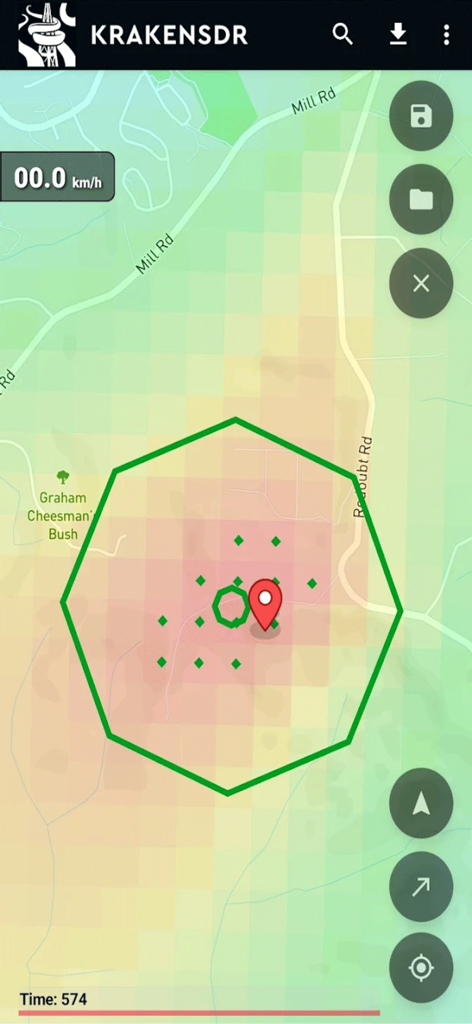
KrakenSDR RDF app interface showing a signal heatmap and triangulation pin on a map
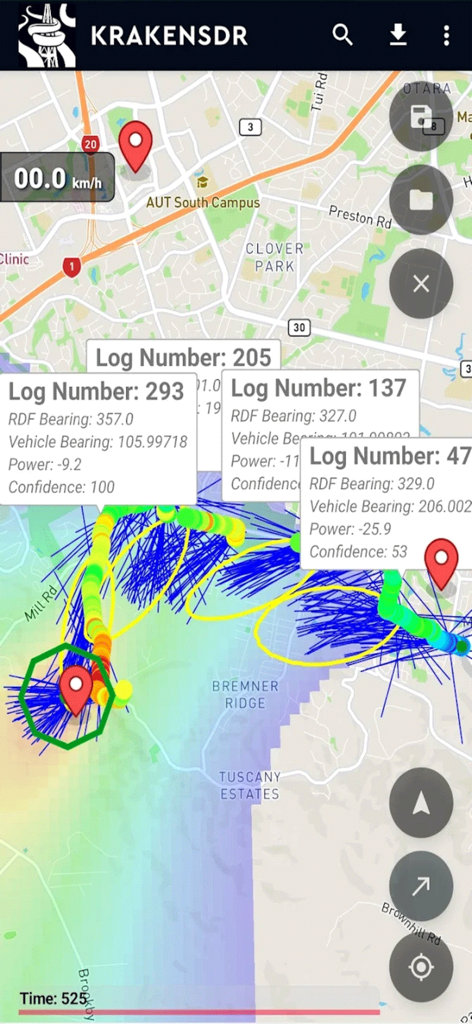
KrakenSDR RDF app interface displaying real-time radio signal triangulation data and bearing logs on a map.
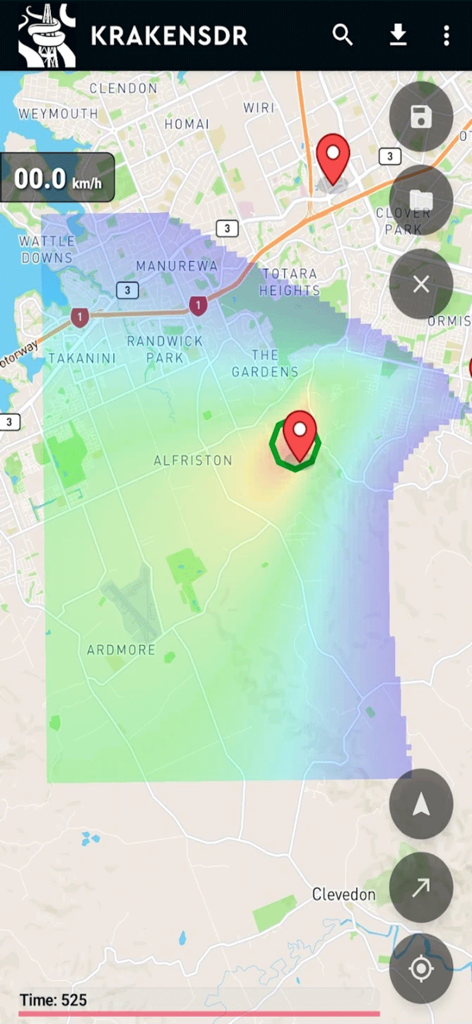
KrakenSDR RDF app map interface showing a signal strength heatmap and triangulated source location with red markers
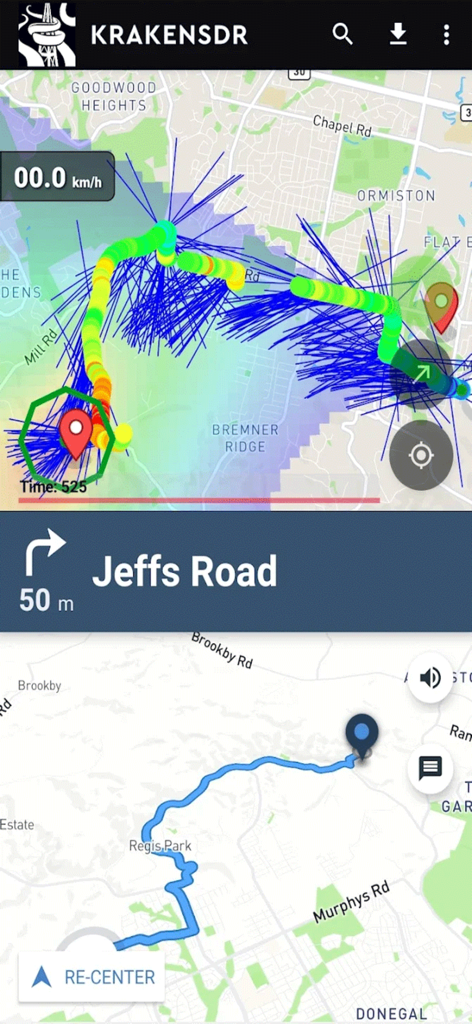
KrakenSDR RDF app screen showing a map with signal triangulation lines and turn-by-turn driving directions to the source
Description
Download
More Like This
Top-ranked apps in the same category

Google LLC

Google Chrome
Google LLC

中国移动(手机营业厅)
China Mobile Online Services Co., Ltd.

Google Authenticator
Google LLC

CNH do Brasil
Servicos e Informacoes do Brasil

Cleanup: Phone Storage Cleaner
DEEP FLOW SOFTWARE SERVICES - FZCO

gov.br
Servicos e Informacoes do Brasil

中国电信-全国统一官方服务平台
CHINA TELECOM Corporation Ltd.

Microsoft Edge: AI Browser
Microsoft Corporation
This page is not an official page of the app or its developer, but an independent editorial publication created for informational and commentary purposes. Unless expressly stated otherwise, neither the app nor its developer is affiliated with, endorsed by, sponsored by, authorized by, or otherwise officially connected with MWM, Apple, Google Play, the app publisher, or the app's developer, and nothing on this page implies that the app was developed using MWM's services. Any trademarks, logos, screenshots, and other content remain the property of their respective owners.