
This page is not an official page of the app or its developer, but an independent editorial publication created for informational and commentary purposes. Unless expressly stated otherwise, neither the app nor its developer is affiliated with, endorsed by, sponsored by, authorized by, or otherwise officially connected with MWM, Apple, Google Play, the app publisher, or the app's developer, and nothing on this page implies that the app was developed using MWM's services. Any trademarks, logos, screenshots, and other content remain the property of their respective owners.


Larix Screencaster
Deliver rock-solid, low-latency live streams to multiple platforms simultaneously. Designed for esports, mobile journalism, and pro creators with full SRT, HEVC, and adaptive bitrate support.
Downloads
1K+User Rating
Total Ratings
0Publisher
Category
UtilitiesLocales
1Latest Version
1.2.4Size
42.2 MBFirst Released
Sep 5, 2019Professional Mobile Broadcasting Power
Transform your device into a high-performance streaming station. Deliver professional-grade screen content with the industry's most advanced protocols and real-time controls.
Rock-Solid Low Latency
Leverage SRT and Zixi protocols to ensure your broadcast stays smooth and stable, delivering broadcast-grade reliability even on unpredictable 5G or Wi-Fi networks.
Multi-Destination Streaming
Maximize your impact by broadcasting your screen to up to three platforms simultaneously, including Twitch, YouTube Live, and Facebook, with zero extra effort.
Frequently Asked Questions
Everything you need to know about Larix Screencaster
What is Larix Screencaster?
Larix Screencaster is an app that live streams your device's screen content. It supports various protocols like RTMP, SRT, and RTSP, enabling streaming to multiple platforms simultaneously.
Does Larix Screencaster support HEVC/H.265 encoding?
Yes, Larix Screencaster supports HEVC/H.265 encoding for SRT, RTMP, RIST, and RTSP streaming. It also facilitates HEVC over RTMP via the Enhanced RTMP specification for broader compatibility.
How many simultaneous connections does Larix Screencaster support?
Larix Screencaster supports multiple simultaneous connections, allowing users to stream to up to three different destinations concurrently. This includes platforms like Nimble Streamer, YouTube, or Twitch.
Is Larix Screencaster free for unlimited streaming?
No, Larix Screencaster requires a Screencaster Premium in-app subscription for streaming sessions longer than five minutes. This premium feature is also accessible via Larix Tuner.
What types of adaptive bitrate (ABR) are available in Larix Screencaster?
Larix Screencaster offers two adaptive bitrate (ABR) modes: Logarithmic descend, ideal for good networks, and Ladder ascend, optimized for networks with significant losses. Variable FPS is also an option.
Can I set the screen orientation to vertical in Larix Screencaster?
Yes, Larix Screencaster allows users to set the screen orientation to vertical. The settings menu includes a specific toggle for 'Vertical stream' and a 'Screen orientation' option.
How do I adjust the streaming bitrate in Larix Screencaster?
Users adjust the streaming bitrate in Larix Screencaster via the settings menu. A field labeled 'Bitrate (Kbps)' displays the current value, which is adjustable with plus and minus buttons.
Does Larix Screencaster stream to Twitch and YouTube Live?
Yes, Larix Screencaster streams to popular platforms like Twitch, YouTube Live, and Facebook Live. It connects to any media server capable of receiving RTMP(S) input.
The following screenshots and description are sourced directly from the app's official store listing and are the property of the app developer.
App Store
Screenshots
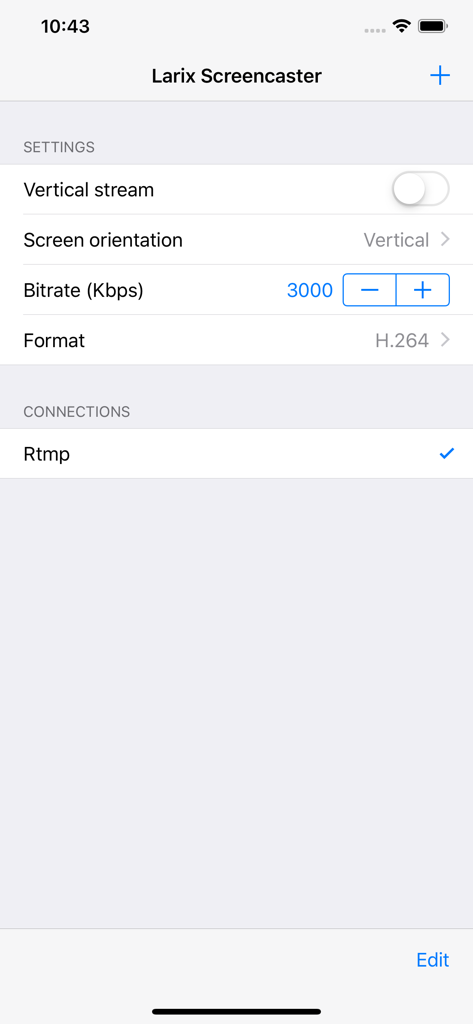
Larix Screencaster interface showing professional streaming settings for bitrate, video format, and RTMP connections.
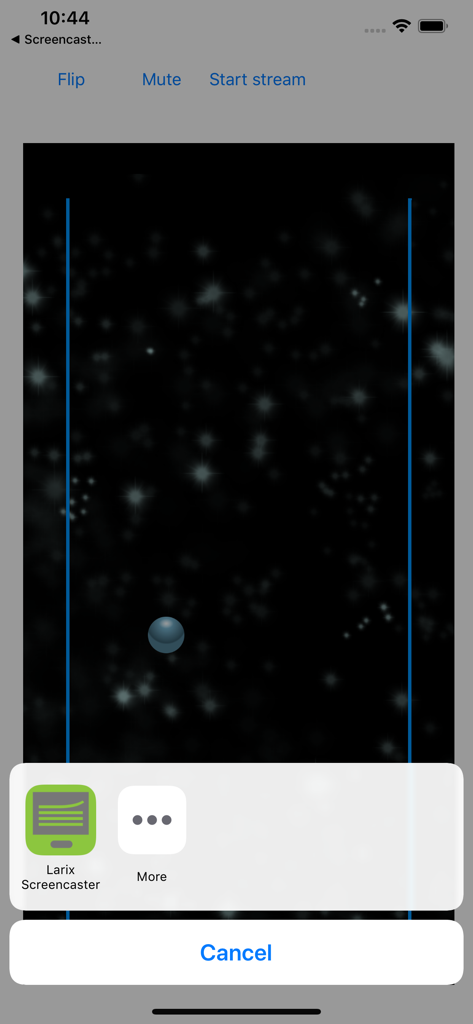
Larix Screencaster app interface on iPhone showing screen recording and live stream options
Description
Download
More Like This
Top-ranked apps in the same category

Google LLC

Google Chrome
Google LLC

中国移动(手机营业厅)
China Mobile Online Services Co., Ltd.

Google Authenticator
Google LLC

CNH do Brasil
Servicos e Informacoes do Brasil

Cleanup: Phone Storage Cleaner
DEEP FLOW SOFTWARE SERVICES - FZCO

gov.br
Servicos e Informacoes do Brasil

中国电信-全国统一官方服务平台
CHINA TELECOM Corporation Ltd.

Microsoft Edge: AI Browser
Microsoft Corporation
This page is not an official page of the app or its developer, but an independent editorial publication created for informational and commentary purposes. Unless expressly stated otherwise, neither the app nor its developer is affiliated with, endorsed by, sponsored by, authorized by, or otherwise officially connected with MWM, Apple, Google Play, the app publisher, or the app's developer, and nothing on this page implies that the app was developed using MWM's services. Any trademarks, logos, screenshots, and other content remain the property of their respective owners.