
This page is not an official page of the app or its developer, but an independent editorial publication created for informational and commentary purposes. Unless expressly stated otherwise, neither the app nor its developer is affiliated with, endorsed by, sponsored by, authorized by, or otherwise officially connected with MWM, Apple, Google Play, the app publisher, or the app's developer, and nothing on this page implies that the app was developed using MWM's services. Any trademarks, logos, screenshots, and other content remain the property of their respective owners.


Logi Options+ Mobile
Transform your Logitech keyboard into a personalized command center. Assign custom shortcuts, optimize your workflow, and keep your devices running at peak performance with seamless firmware updates.
Downloads
3M+User Rating
Total Ratings
2K+Publisher
Category
ProductivityLocales
11Latest Version
3.0.2Size
97.5 MBFirst Released
Mar 18, 2020Master Your iPad Workflow
Unlock the full potential of your Logitech gear with professional customization and seamless maintenance tools designed for peak efficiency.
Custom Shortcut Mapping
Turn any key into a productivity powerhouse by assigning your most-used commands and app shortcuts for a faster workflow.
Instant Performance Updates
Ensure your hardware stays compatible with the latest iPadOS features through quick, one-tap firmware upgrades.
Frequently Asked Questions
Everything you need to know about Logi Options+ Mobile
What is the Logi Options+ Mobile App?
The Logi Options+ Mobile App enhances your Flip Folio keyboard by enabling key customization. It is an updated Logitech Control app version that also facilitates firmware updates for compatible Logitech keyboards.
Which devices are compatible with key customization in Logi Options+ Mobile?
Only the Flip Folio keyboard is compatible with key customization through the Logi Options+ Mobile App. Other compatible devices are limited to firmware updates.
Can I update firmware for my Logitech keyboard using Logi Options+ Mobile?
Yes, the Logi Options+ Mobile App facilitates firmware updates for certain Logitech keyboards. Compatible models include Combo Touch, Keys-To-Go 2, Folio Touch, Slim Combo, and Slim Folio devices.
What are the iPadOS requirements for Logi Options+ Mobile?
iPadOS 15 or later is required to use the Logi Options+ Mobile App for all compatible Logitech devices. The app ensures optimal functionality and updates on this operating system version.
How do I customize keys on my Flip Folio with Logi Options+ Mobile?
The Logi Options+ Mobile App allows you to customize Flip Folio keys by dragging and dropping actions onto highlighted keys. Available actions include Cut, Copy, Paste, and screen brightness controls.
Does Logi Options+ Mobile show the battery level of connected keyboards?
Yes, the Logi Options+ Mobile App displays the battery percentage for connected Logitech keyboards. For example, it shows the battery level for Flip Folio and Keys-To-Go 2 devices.
Can I switch between multiple paired devices using a Logi Options+ Mobile compatible keyboard?
Yes, compatible keyboards managed by Logi Options+ Mobile support Easy-Switch. Users press Easy-Switch keys to transition between paired devices like MacBook Pro and iPad.
The following screenshots and description are sourced directly from the app's official store listing and are the property of the app developer.
App Store
Screenshots
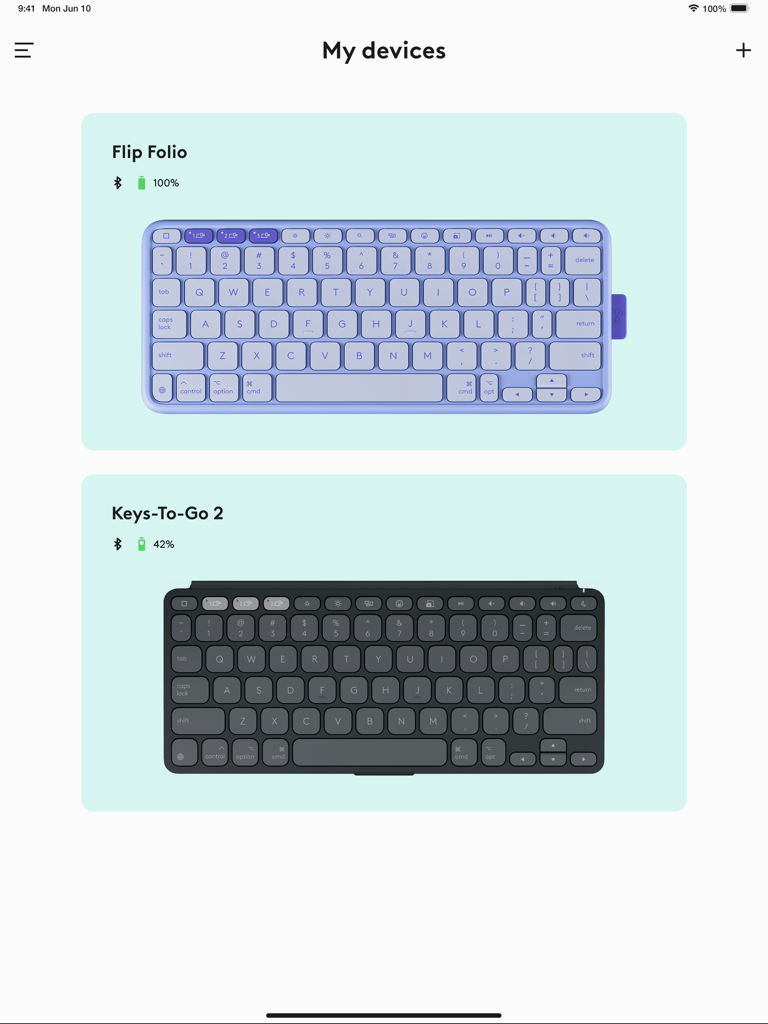
Logi Options+ Mobile interface displaying connected Logitech Flip Folio and Keys-To-Go 2 keyboards with battery levels

Setup screen for Logitech Flip Folio keyboard in the Logi Options+ Mobile app
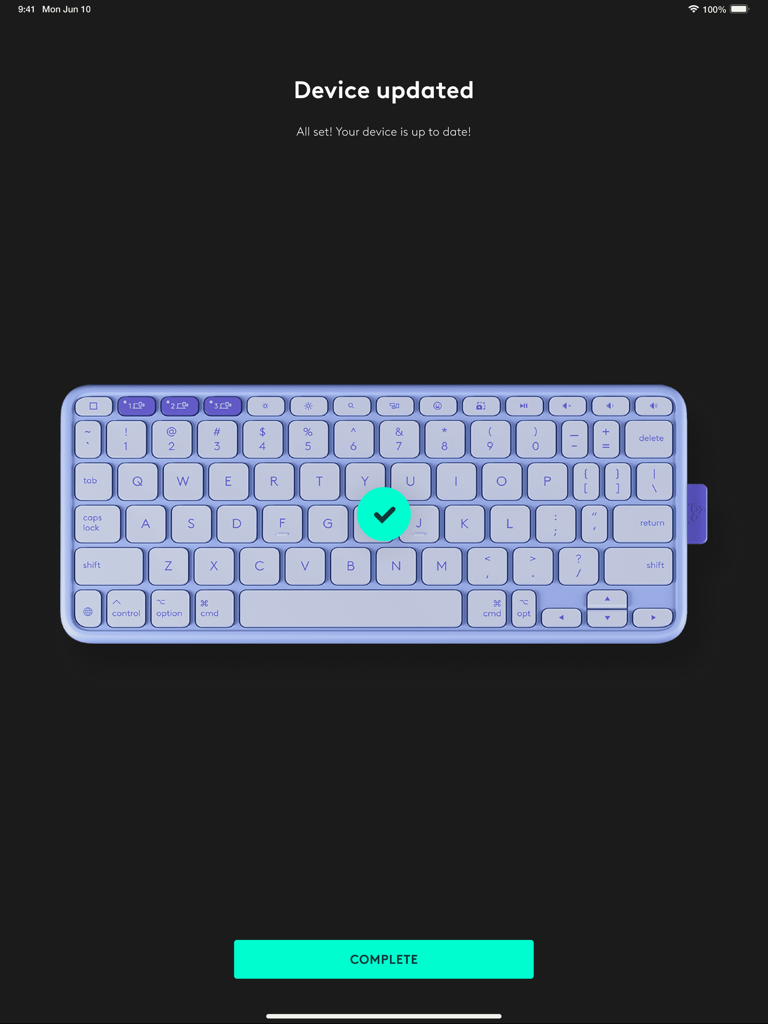
Success screen in the Logi Options plus Mobile app showing a Logitech keyboard is up to date
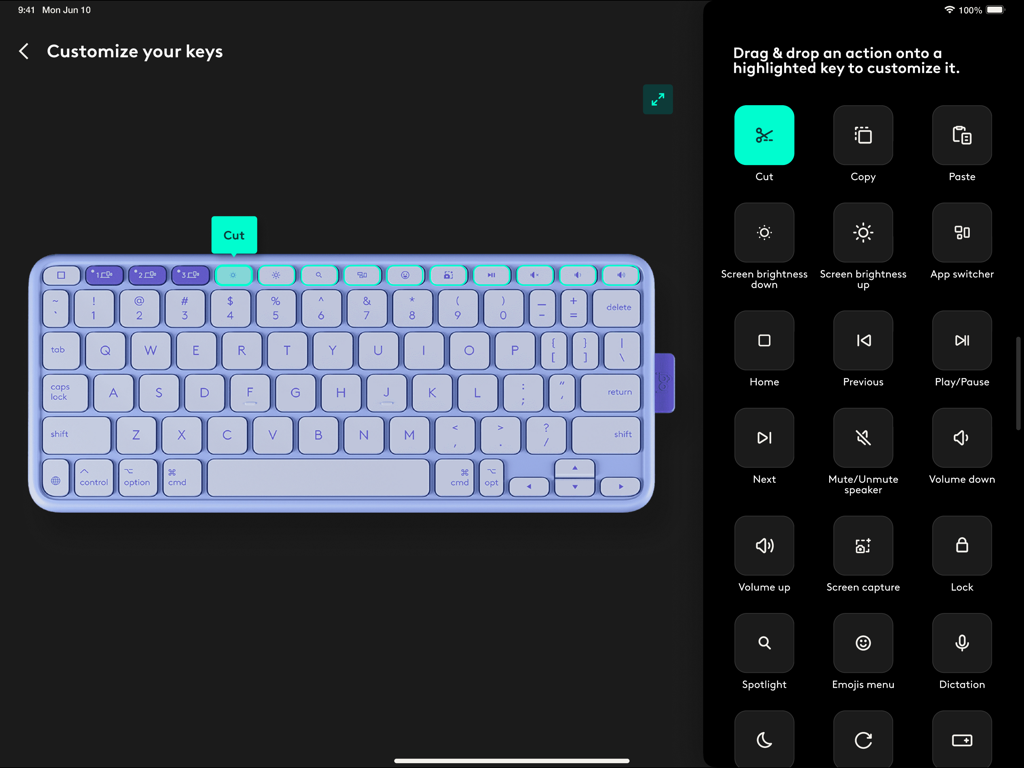
Interface of the Logi Options+ Mobile app showing how to customize keyboard shortcut keys on an iPad.
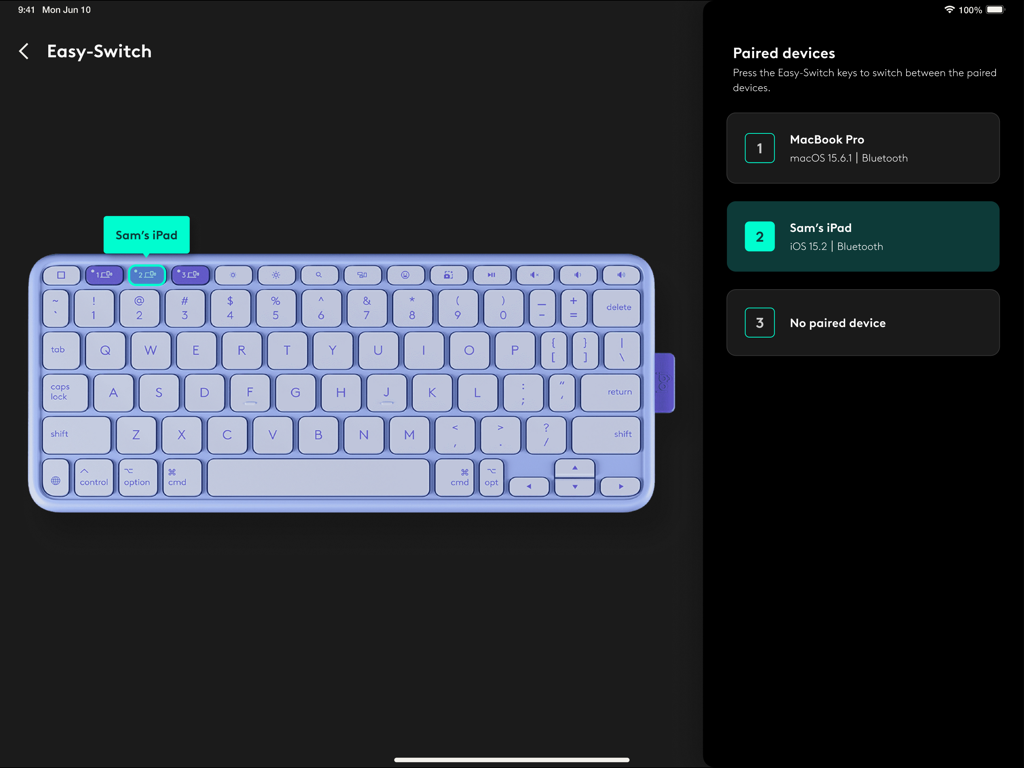
Logi Options+ Mobile app showing Easy-Switch settings for pairing multiple devices to a Logitech keyboard
Description
Download
More Like This
Apps with similar features and user experience

小米音箱
Beijing Xiaomi Co., Ltd

Starlink
Space Exploration Technologies Corp.

Bambu Handy
Shanghai Lunkuo Technology Co., Ltd

DREO
HESUNG INNOVATION LIMITED

My Verisure
Securitas Direct

Whisker
Automated Pet Care Products Inc.

geeni
Merkury Innovations LLC

ADT+
ADT LLC

X-Sense Home Security
X-Sense USA LLC.
This page is not an official page of the app or its developer, but an independent editorial publication created for informational and commentary purposes. Unless expressly stated otherwise, neither the app nor its developer is affiliated with, endorsed by, sponsored by, authorized by, or otherwise officially connected with MWM, Apple, Google Play, the app publisher, or the app's developer, and nothing on this page implies that the app was developed using MWM's services. Any trademarks, logos, screenshots, and other content remain the property of their respective owners.